As an Amazon Associate we earn from qualifying purchases
Battlefield is not a small arena shooter played in short, tidy bursts. A single match can move from a long-range fight across open ground to a frantic close-quarters scramble inside a building, then out again into a vehicle, a gunner seat, or a sprint toward the next objective. Your mouse has to handle all of that without forcing you to think about it. It needs to track a distant target smoothly at low sensitivity, snap reliably when someone appears in a doorway, give you reachable buttons for gadgets and spotting, and stay comfortable when a session runs through several large maps in a row.
That mix is what separates a good Battlefield mouse from a mouse that is simply good in general. A very light mouse built only for flick shots can feel tiring or short on controls in Battlefield. A heavy mouse loaded with buttons can feel sluggish when you are clearing rooms. The best choice balances sensor reliability, button layout, shape, and endurance, and it does so for the way you actually play — infantry only, mixed infantry and vehicles, sniper, support, or an all-rounder who changes class between spawns.
This guide explains what matters most in Battlefield, then looks at five gaming mice that genuinely suit that style of play. Every pick below is a gaming mouse, every specification is taken from its Amazon listing, and each one is included for a different Battlefield reason rather than as a generic list filler.
Top 3 picks at a glance


What Battlefield Actually Demands From a Mouse
Large maps, small targets, and low sensitivity
Battlefield maps reward patience at range. Many infantry fights happen at distances where the target is small on screen and a tiny overshoot means a missed shot. Most players therefore run a relatively low sensitivity and make large arm movements to turn, then small, controlled movements to aim. A mouse for this style needs a sensor that stays consistent during both kinds of motion, with no obvious smoothing or acceleration changing the relationship between hand movement and crosshair movement.
It also needs enough surface-friendly tracking to work on a large cloth pad, because low sensitivity is useless if you run out of pad in the middle of a turn. Shape matters here too. A mouse that lets your forearm and wrist relax during long aiming sequences will hold steadier than one that forces a tense grip for an entire match.
Close fights still decide objectives
For all the talk of scale, objectives are usually taken and held at close range. Stairwells, corridors, and broken interiors punish slow reactions. When you enter a contested building, you need a click that responds immediately, a shape you can lift and re-centre quickly, and side buttons you can reach without shifting your grip. If reaching for a gadget button makes you loosen your hold on the mouse, you will lose fights you should have won.
Weight plays a part in this half of the game. A lighter mouse is easier to start and stop in rapid direction changes. A slightly heavier, more planted mouse can feel steadier for players who prefer palm grip and deliberate movement. Neither is automatically better. The right answer depends on your grip and on whether your Battlefield time is mostly open-field aiming or mostly objective brawling.
Buttons for gadgets, spotting, and class work
Battlefield asks more of your mouse buttons than a pure duel shooter does. Depending on your class and loadout, you may want quick access to a gadget, a throwable, melee, spotting or pinging, a fire-mode change, or a push-to-talk key. Two well-placed side buttons are the minimum worth having. More programmable controls help if you play several classes, use vehicles often, or want separate bindings for infantry and gunner work.
What matters is not the raw button count in isolation. It is whether you can tell the buttons apart by touch, reach them under pressure, and press them without accidentally triggering the wrong one. A mouse with many buttons crammed into a tight cluster can be worse in practice than a mouse with fewer, clearly separated controls.
Comfort over long sessions
Battlefield sessions tend to run long. Large maps, long rounds, and the habit of playing just one more match add up to hours with your hand in roughly the same position. An ergonomic shape that supports your palm, a symmetrical shape that suits fingertip movement, and a finish that does not become slippery all matter more here than they do in a game played in ten-minute rounds.
Battery life matters for the same reason if you choose wireless. A mouse that needs charging in the middle of an evening session breaks the rhythm of play. Listings that promise long battery life under their stated conditions are therefore worth attention, as is a wired fallback through a charging cable so you can keep playing while the battery recovers.
Settings to set before you judge any mouse
Give a new mouse a fair chance by setting it up for Battlefield first. Start with a moderate in-game sensitivity and a single, fixed DPI stage rather than switching stages mid-fight. Turn off any operating system pointer acceleration so your aim in menus and in game follows the same logic. Bind your side buttons before you queue, not during a match, and spend a few rounds in less crowded areas learning where each control sits by touch. Only then will you know whether a shape truly suits you or whether you were simply fighting unfamiliar settings.
The Picks
1. Logitech G502 X Plus — Best for Players Who Want the Most Controls

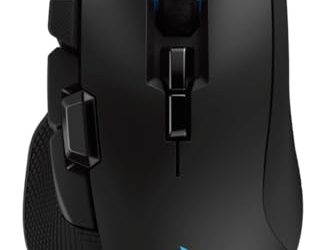
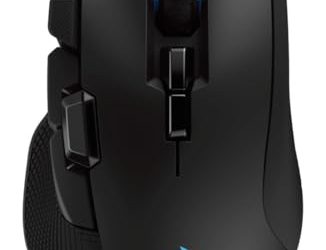
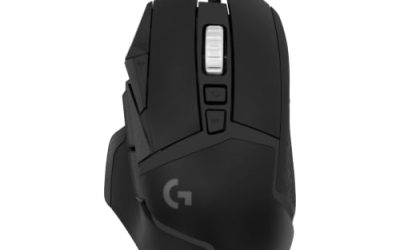
The Logitech G502 X Plus is the most control-rich pick in this guide, and that is exactly why it suits Battlefield players who change roles often. Its Amazon listing describes a wireless gaming mouse with LIGHTSPEED connection, LIGHTFORCE hybrid switches, a HERO 25K sensor, LIGHTSYNC RGB, 13 programmable controls, a dual-mode scroll wheel, USB-C charging, and battery life listed as under 130 hours. It is listed for PC and Mac.
For Battlefield, the headline is those 13 controls. That gives you room to separate infantry bindings from vehicle bindings, keep gadget and spotting on the mouse, and still have a DPI-shift style control within thumb reach. The dual-mode wheel, which the listing says can switch between hyper-fast free spin and precise ratcheting and can tilt left and right for two additional personalisable controls, is also useful in a game with long weapon and gadget menus, even if most players will keep the wheel in ratchet mode during infantry fights.
The HERO 25K sensor is described in the listing as providing sub-micron precision with zero smoothing, filtering, or acceleration. That description matches what Battlefield needs at range: predictable tracking when you are making small corrections on a distant target. The trade-off is size and weight compared with the lighter picks below. This is a fuller, more planted mouse, best for palm and relaxed claw grips and for players who value controls and steadiness over the fastest possible flick. If you play support, engineer, or a mixed vehicle role and constantly use extra bindings, this is the most natural fit in the list.
2. Razer Basilisk V3 Pro — Best Ergonomic Alternative With a Tilt Wheel
The Razer Basilisk V3 Pro offers a similar idea to the G502 X Plus — an ergonomic wireless mouse with plenty of controls — with its own wheel and sensor approach. Its Amazon listing describes it as a customizable wireless gaming mouse with a HyperScroll tilt wheel, a Focus Pro 30K optical sensor, Gen-3 optical switches, 11 programmable buttons, Chroma RGB, and three connection modes. The black model listed here is the original Basilisk V3 Pro version.
In Battlefield terms, the appeal is the combination of an ergonomic right-handed shape, a thumb-friendly button layout, and a tilt wheel that adds left and right inputs without asking your fingers to leave their usual places. Leaning, gadget selection, or map and menu actions can sit on those tilt inputs while the main side buttons stay reserved for the actions you use in a fight. The Focus Pro 30K sensor is built for the kind of flawless tracking the listing highlights across a wider variety of surfaces, which helps if your desk setup changes or your pad is well worn in the centre.
Choose the Basilisk V3 Pro if you want an ergonomic mouse for long sessions, you prefer Razer software and switches, and you like the idea of extra wheel inputs for Battlefield’s layered controls. Like the G502 X Plus, it is a substantial mouse rather than an ultralight one, so fingertip players who lift constantly may prefer the lighter Razer or Logitech picks below. For palm-grip infantry players and vehicle regulars, that substance can be a benefit, keeping the mouse planted during long aiming sequences across open ground.
3. Razer DeathAdder V3 Pro — Best Lightweight Ergonomic Pick
The Razer DeathAdder V3 Pro takes a different route. Its Amazon listing describes a 63 gram ultra-lightweight wireless gaming mouse with a Focus Pro 30K optical sensor, Gen-3 optical switches, HyperSpeed wireless, five programmable buttons, and up to 90 hours of battery life, in black, with model number RZ01-04630100-R3G1.
That combination — a familiar ergonomic shape at a much lower weight — is compelling for Battlefield players who spend most of their time on foot. The DeathAdder shape has long suited medium and larger hands using palm or claw grip, and at 63 grams it is far easier to lift, stop, and redirect during close fights than the heavier control-focused mice above. At range, the Focus Pro 30K sensor gives you the consistent tracking needed for deliberate, low-sensitivity aiming, while the lighter body reduces the fatigue that builds up over large-map sessions.
The compromise is clear and honest. With five programmable buttons, you get the essentials — typically two side buttons plus the main controls — but not the deep bench of extra inputs the G502 X Plus and Basilisk V3 Pro provide. If your Battlefield play relies on many mouse-side bindings, look above. If you mostly need aim, movement, one gadget, and a melee or spotting key, the DeathAdder V3 Pro covers that cleanly and will feel faster in buildings and around objectives. It is the pick for assault and recon players who want ergonomic comfort without carrying extra weight through every sprint and turn.
4. Logitech G Pro X Superlight 2 — Best for Fast, Low-Sensitivity Aiming

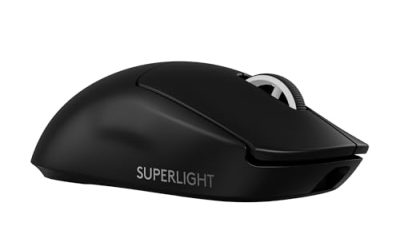
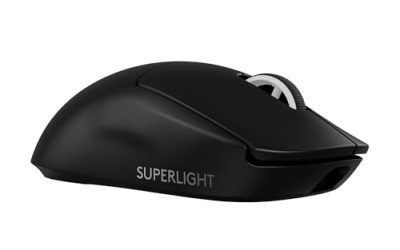
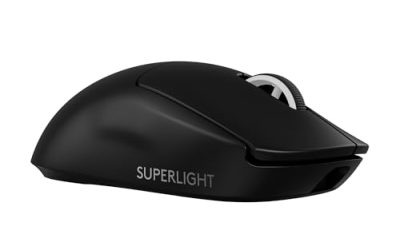
The Logitech G Pro X Superlight 2 in black is the most aim-focused mouse here. Its Amazon listing describes a 60 gram wireless gaming mouse with five programmable buttons, a 44K DPI sensor, an 8 kHz report rate, USB-C charging, LIGHTFORCE hybrid switches, and the HERO 2 sensor, for PC and Mac, with model number 910-006628.
Battlefield rewards this kind of mouse in two specific situations. The first is long-range infantry play, where a light body and a reliable sensor let you make broad turns and then settle into tiny corrections without fighting the mouse itself. The second is aggressive objective play, where repeated lifts and rapid re-centring happen dozens of times in a single round. At 60 grams, there is very little inertia to overcome, and the simple, safe shape suits fingertip and claw grips as well as a relaxed palm grip on medium hands.
As with the DeathAdder V3 Pro, the button count is modest by design. Five programmable buttons are enough for a focused infantry layout, but not for players who want every gadget, vehicle function, and communication key on the mouse. There is also no tilt wheel. What you get instead is a clean, predictable tool for aiming, which is why so many competitive shooter players choose this style of mouse. For Battlefield players whose first priority is aim consistency across both open fields and interiors, and who keep their bindings simple, this is the strongest pick in the guide.
5. Logitech G305 Lightspeed — Best Simpler Wireless Option for Long Sessions

The Logitech G305 Lightspeed in black is the simplest and most endurance-focused pick. Its Amazon listing describes a LIGHTSPEED wireless gaming mouse with a HERO sensor, 12,000 DPI, a lightweight build, six programmable buttons, 250 hours of battery life, and on-board memory, compatible with PC and Mac.
Do not let the lower headline DPI fool you into thinking it cannot aim in Battlefield. Battlefield sensitivity is normally played well below the maximum of any modern gaming sensor, so what matters is consistent tracking at the DPI you actually use, and the HERO sensor in this listing is designed for that job. The six programmable buttons give you two side buttons for gadget and spotting work plus the usual controls, which is enough for a clean infantry layout without overcomplicating your grip.
Where the G305 really stands out is endurance and simplicity. The listing’s 250-hour battery figure is far longer than the rechargeable picks above, which suits players who dislike charging cables and want a mouse that is simply ready whenever a session starts. Its compact shape suits small to medium hands and fingertip or claw grips, though larger hands using a full palm grip may find it small for long Battlefield rounds. It lacks the advanced wheels, extra controls, and higher polling options of the premium picks, and it should be chosen with that understood. As a dependable, long-lasting wireless mouse for regular Battlefield play, it earns its place honestly.
How to Choose Between These Mice
Start with your class and your grip, not with a specification table. If you play several classes, spend time in vehicles, and want many actions on the mouse, the G502 X Plus and Basilisk V3 Pro are the natural shortlist. Decide between them by shape preference, wheel style, and software, because both give you the control depth Battlefield can use.
If you play mostly infantry and care most about aim and comfort, compare the DeathAdder V3 Pro and the G Pro X Superlight 2. The DeathAdder gives you a more sculpted ergonomic shape. The Superlight 2 gives you a lighter, more neutral shape and a higher report rate in its listing. Both keep the button layout simple, so your decision should come down to how each shape would sit in your hand for two or three hours at a time.
If you want wireless freedom without managing a charging routine, the G305 is the outlier worth considering. Its strength is not peak specification. Its strength is being light, simple, and ready for a very long time between battery changes.
Finally, think about your pad and desk space. Low-sensitivity Battlefield play needs room to move. A premium mouse on a tiny pad will still force constant lifts at awkward moments. Give whichever mouse you choose a large surface, set one DPI stage, and keep your bindings stable for at least several sessions before deciding it is not working. Consistency is a genuine performance feature in Battlefield, because the game already changes maps, classes, vehicles, and ranges constantly. Your mouse should be the one thing that does not change underneath you.
Conclusion
The best gaming mouse for Battlefield is the one that stays reliable at range, responsive in buildings, useful for gadgets and class work, and comfortable until the last objective falls. The G502 X Plus leads for control-heavy players, the Basilisk V3 Pro is a strong ergonomic alternative with its tilt wheel, the DeathAdder V3 Pro blends ergonomic comfort with low weight, the G Pro X Superlight 2 is the purest aiming pick, and the G305 Lightspeed is the simple long-battery option. Match the mouse to the Battlefield you actually play, set it up carefully, and it will disappear into the background — which is exactly what a good mouse should do in a game this demanding.
Related guides
More from Amazon
Programs that pair well with the guide above. Offers and eligibility are set by Amazon and may change.
Free shipping on eligible items, Prime Video and more. Eligible new members can start with a free trial.
Start a Prime free trialAd-free music streaming. Eligible new subscribers can start with a free trial.
Try Music Unlimited freeA Prime membership for ages 18-24 with a trial period. Eligibility is set by Amazon.
See Prime for Young AdultsAudiobooks and podcasts to listen to on the go. Eligible new members can start with a free trial.
Try Audible freeAs an Amazon Associate we earn from qualifying purchases.