Choosing a rechargeable gaming mouse is really a decision about how charging fits your week. A built-in cell removes the drawer of spare batteries, but it adds new questions: how many hours the listing promises, whether that figure assumes gentle settings, how the mouse charges, and whether you can keep playing while it tops up. Two mice with similar sensors can feel very different to own once their cables, docks and charge rhythms enter the picture.
This guide is for wireless players who are done swapping disposable cells, for esports-leaning aimers who track polling settings closely, and for MMO players who need many buttons without a battery routine. The four mice below were picked from their Amazon listing names and stated specifications, and every one uses a built-in rechargeable battery charged by cable or an optional charging system, exactly as its listing describes.
Top 3 picks at a glance


Quick Picks
As an Amazon Associate we earn from qualifying purchases.
| Product | Best for | Key spec from title |
|---|---|---|
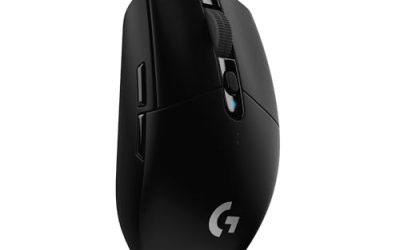
| Logitech G PRO X Superlight 2 | Lightweight aim over long weeks | 60 g, up to 95 hours, USB-C charging |
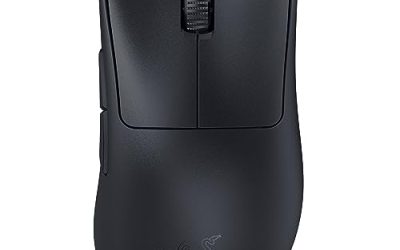
| Razer Viper V3 Pro | Symmetrical speed for claw grips | 55 g, up to 95 hours, 8K polling |
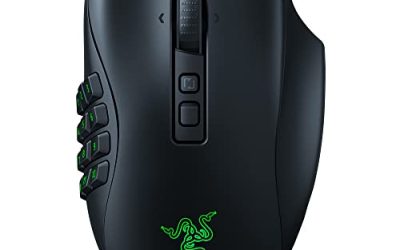
| Razer DeathAdder V3 Pro | Palm support with endurance | 63 g, up to 90 hours, USB-C charging |
| Logitech G502 X Plus | Many binds and desk presence | LIGHTSYNC RGB, USB-C, POWERPLAY ready |
How to Choose
Read battery hours beside the settings that produce them
A headline battery figure only means something next to the conditions behind it. Listings usually quote the longest runtime at a standard polling setting, with lighting off or absent, so the same mouse can last weeks in one setup and days in another. Before comparing two models, check which polling rate the hours assume, whether lighting is running, and whether the maker lists a second, shorter figure for demanding modes. The honest comparison is like for like: same polling, same lighting state, same connection type.
Decide how charging will actually happen at your desk
Every mouse here charges over a USB-C cable, and each cable doubles as a wired connection, so a low battery never has to end a session. Beyond that, the routines differ. Logitech lists POWERPLAY compatibility for two models in this guide, which means a compatible mat can keep the mouse charged while it sits or moves, with the mat bought separately. Razer models rely on the included cable and their wireless dongles. Picture where the cable will live and whether a mat suits your desk before choosing.
Balance cell size against weight and shape
A bigger battery adds grams, and grams change how a mouse feels during fast, repeated swipes. The lightest models here stay near 55 to 63 grams by keeping their cells efficient, while the button-heavy Logitech G502 X Plus carries more weight in exchange for controls and lighting. Shape matters just as much: symmetrical shells suit fingertip and claw grips, while the DeathAdder’s taller ergonomic curve fills a palm. Match the shell to your hand first, then check that its listed runtime still covers your playing schedule.
Count buttons and connection modes before you commit
Rechargeable mice split by workload. Five-button layouts keep weight down and suit shooters where two side buttons cover the essentials. Players who bind abilities, voice chat and inventory actions may want the extra controls on the G502 X Plus instead. Also check what connects where: these mice use a USB wireless receiver for their low-latency link, and most have no Bluetooth listed, so a second computer means moving the receiver or plugging in the cable. Confirm the listing’s connection list matches the machines you actually use.
The 4 Best Options
Logitech G PRO X Superlight 2

The Superlight 2 is the pick for players who want a rechargeable mouse to disappear under the hand. At 60 grams with a HERO 2 sensor and an 8 kHz report rate on the listing, it targets fingertip and claw aimers who play long shooter sessions and would rather charge occasionally over USB-C than think about batteries at all. Its five programmable buttons keep the shell clean, the listed 95 hours stretch charging intervals out, and the included USB A to C cable doubles as a wired link when the cell runs low.
Specs
- Sensor: HERO 2, up to 44,000 DPI as listed
- Report rate: up to 8 kHz
- Weight: 60 g
- Buttons: 5 programmable
- Battery: up to 95 hours; 1 lithium polymer battery included
- Charging: USB-C; USB A to C charging and data cable included
- Connectivity: LIGHTSPEED wireless via USB adapter, plus cable
- Model number: 910-006628
Best for: Competitive shooter players who want the lightest long-runtime option here.
Watch out for: Only five buttons, and no Bluetooth is listed, so the receiver or cable must travel with it.
ASIN: B09NBWL8J5
Razer Viper V3 Pro
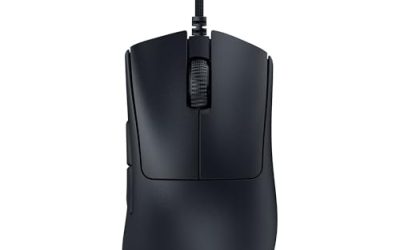
The Viper V3 Pro in white suits symmetrical-shape players who run high polling and still expect a rechargeable cell to last. The listing pairs a 55 gram shell with a Focus Pro 35K optical sensor, Gen-3 optical switches and eight programmable controls, and the HyperPolling dongle is in the box rather than an extra purchase. Its listed 95 hours apply at 1000 Hz, so players who push polling higher should expect shorter gaps between charges and plan the USB-C cable into their desk setup from the start.
Specs
- Sensor: Focus Pro 35K optical
- Polling: up to 8K with the included HyperPolling wireless dongle
- Weight: 55 g
- Controls: 8 programmable
- Battery: up to 95 hours at 1000 Hz; 1 lithium ion battery included
- Charging: USB Type C rechargeable; USB Type A to Type C cable included
- Switches: Razer Optical Mouse Switches Gen-3
- Model number: RZ01-05120200-R3U1
Best for: Claw and fingertip players who want top polling without giving up long listed runtime.
Watch out for: The 95 hour figure belongs to 1000 Hz; higher polling settings shorten runtime sharply.
ASIN: B0CW25XR5S
Razer DeathAdder V3 Pro
The DeathAdder V3 Pro is the ergonomic entry in this group, built around a right-handed curve that supports a palm through long sessions while keeping weight down to 63 grams. Its listing combines a Focus Pro 30K optical sensor with Gen-3 optical switches and five programmable buttons, a setup aimed at players who value a familiar, filled-out grip more than a minimal shell. The built-in cell is listed for up to 90 hours of play and recharges over USB Type C with the Speedflex cable included in the box.
Specs
- Sensor: Focus Pro 30K optical
- Weight: 63 g
- Buttons: 5 programmable
- Battery: up to 90 hours; 1 lithium ion battery required, included
- Charging: USB Type C rechargeable; USB Type A to Type C Speedflex cable included
- Switches: Razer Optical Mouse Switches Gen-3
- Connectivity: HyperSpeed wireless; wireless USB dongle and adapter included
- Model number: RZ01-04630100-R3G1
Best for: Palm-grip players who want ergonomic support and a long listed charge interval.
Watch out for: The shape is right-handed only, and reaching 8K polling needs a separate HyperPolling dongle.
ASIN: B0B6XZLNHQ
Logitech G502 X Plus

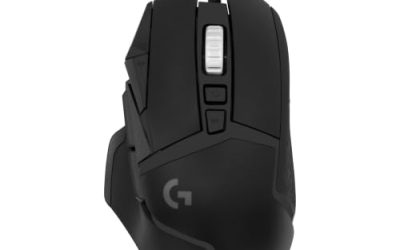
The G502 X Plus is the control-heavy choice, for players whose mouse carries a whole keyboard’s worth of binds. Its listing highlights LIGHTFORCE hybrid switches, a HERO 25K sensor and LIGHTSYNC RGB with eight LEDs, plus an infinite scroll toggle among its controls. Charging runs over the included USB-C cable, and the mouse is POWERPLAY compatible, so a compatible mat can keep it topped up at rest and in play, with the mat sold separately. Expect lighting to shorten the listed runtime a lot compared with lights off.
Specs
- Sensor: HERO 25K, 100 to 25,600 DPI as listed
- Switches: LIGHTFORCE hybrid optical-mechanical
- Lighting: LIGHTSYNC RGB, 8-LED
- Charging: USB-C charging cable included; POWERPLAY compatible, mat sold separately
- Battery: 1 lithium polymer battery included; runtime listed separately for lighting on and off
- Connectivity: LIGHTSPEED wireless via USB-A receiver, plus cable
- Weight: 106 g
- Model number: 910-006160
Best for: MMO and MOBA players who want maximum onboard controls and a charging mat option.
Watch out for: At 106 g it is by far the heaviest mouse here, and RGB lighting cuts listed runtime sharply.
ASIN: B092CB69Q4
Which One Fits Your Situation
You play shooters most nights and charge rarely
Pick between the Superlight 2 and the Viper V3 Pro. Both list up to 95 hours, both stay near 60 grams or under, and both recharge over USB-C with cables in the box. Choose the Logitech if you prefer its five-button layout and LIGHTSPEED receiver routine, or the Razer if symmetrical shape and the included HyperPolling dongle matter more to your setup.
Your hand aches with flat, small mice
The DeathAdder V3 Pro is your starting point. Its taller ergonomic curve supports a palm instead of pinching the hand around a low shell, and the listed 90 hours mean the charging cable stays in a drawer most of the month. Confirm the right-handed shape suits you, since there is no mirrored version in this lineup.
You bind half your rotation to the mouse
The G502 X Plus earns its weight in your setup. Its extra controls and infinite scroll toggle carry abilities, markers and voice actions that five-button mice cannot, and POWERPLAY compatibility can remove manual charging from your routine entirely if you add the mat. Accept the heavier shell as the cost of that control count and the lighting.
You move between two computers in one day
Plan around receivers, because none of these mice leads with Bluetooth. The Viper V3 Pro and DeathAdder V3 Pro include dongle adapters that make swapping the receiver less fiddly, and every model here can run wired over its USB-C cable on the second machine. If cable swapping sounds tiresome, keep one mouse per desk instead of sharing.
Common Mistakes
- Comparing battery hours without checking the polling rate and lighting state behind each figure, then blaming the mouse when real runtime lands far below the headline number.
- Assuming a rechargeable mouse charges from any cable in the drawer; keep the included USB-C cable at the desk, because a phone cable left in another room does not help mid-session.
- Buying a charging mat or dock before confirming the listing names your exact model as compatible, since POWERPLAY and dock systems only work with the mice their listings specify.
- Choosing by sensor numbers alone and ignoring shell shape, so a palm-grip player ends up pinching a flat esports shell through long sessions.
- Letting the cell sit empty for months between uses; a partial charge before storage and an occasional top-up keep a built-in battery healthier than repeated deep drains.
Frequently Asked Questions
How often will I actually need to charge these mice?
It depends on your settings more than the model. At standard polling with lighting off, the listed figures here run from up to 90 to up to 95 hours, which for a few hours of daily play means charging every few weeks. High polling rates and RGB lighting shorten that interval sharply, sometimes to days, so your habits set the real schedule.
Can I keep playing while a rechargeable mouse charges?
Yes, for every mouse in this guide. Each one connects by its USB-C cable as a wired mouse while the battery refills, so a low cell becomes a cable session rather than a stopped session. The two Logitech models can also stay charged on a POWERPLAY mat during play, although the mat is a separate purchase listed as sold separately.
Is a built-in battery better than swapping disposable cells?
A built-in cell removes spare batteries from your desk and lets the maker keep the shell light and sealed, and you recharge on a schedule you control. The trade-off is that the battery ages with the mouse and cannot be swapped in seconds when it dies mid-session. Players who travel with spare cells sometimes prefer the other design; everyone else usually prefers plugging in overnight.
What should I check on the listing before ordering?
Confirm four things: that the battery is built in and rechargeable rather than a replaceable cell design, the exact charging connector and whether a cable is included, the conditions attached to the battery-hours figure, and the shape and weight against your grip. Listings state all of this, and checking takes less time than returning a mouse whose charge routine does not fit your desk.
Related guides
More from Amazon
Programs that pair well with the guide above. Offers and eligibility are set by Amazon and may change.
Free shipping on eligible items, Prime Video and more. Eligible new members can start with a free trial.
Start a Prime free trialAd-free music streaming. Eligible new subscribers can start with a free trial.
Try Music Unlimited freeA Prime membership for ages 18-24 with a trial period. Eligibility is set by Amazon.
See Prime for Young AdultsAudiobooks and podcasts to listen to on the go. Eligible new members can start with a free trial.
Try Audible freeAs an Amazon Associate we earn from qualifying purchases.