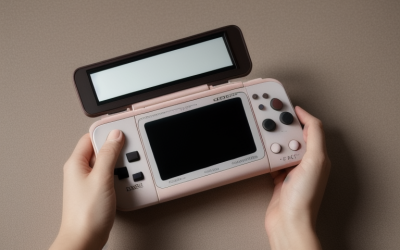
The best gaming handheld under $500 depends entirely on what you want to play: for classic-era emulation on a budget, the Cooluck Retro Handheld Game Console at around $19 delivers 500 built-in games for less than the cost of a single new release, while for streaming modern Xbox, PlayStation, and PC games, the OnePro Cloud Handheld at around $270 is the only device in this roundup built for that job. We compared eight handhelds spanning nearly $260 in price to help you figure out which tier actually matches how you plan to use one.
“Gaming handheld” covers a much wider range of hardware than it used to. On one end are pocket-sized retro emulator boxes running ARM chips barely more powerful than a mid-2000s phone, built to replay decades of classic console libraries. On the other end are cloud-streaming handhelds with modern touchscreens that offload all the actual game processing to a server or your existing console over Wi-Fi. Both categories fit comfortably under a $500 budget, but they solve completely different problems, so picking the right one starts with knowing which category you actually need.
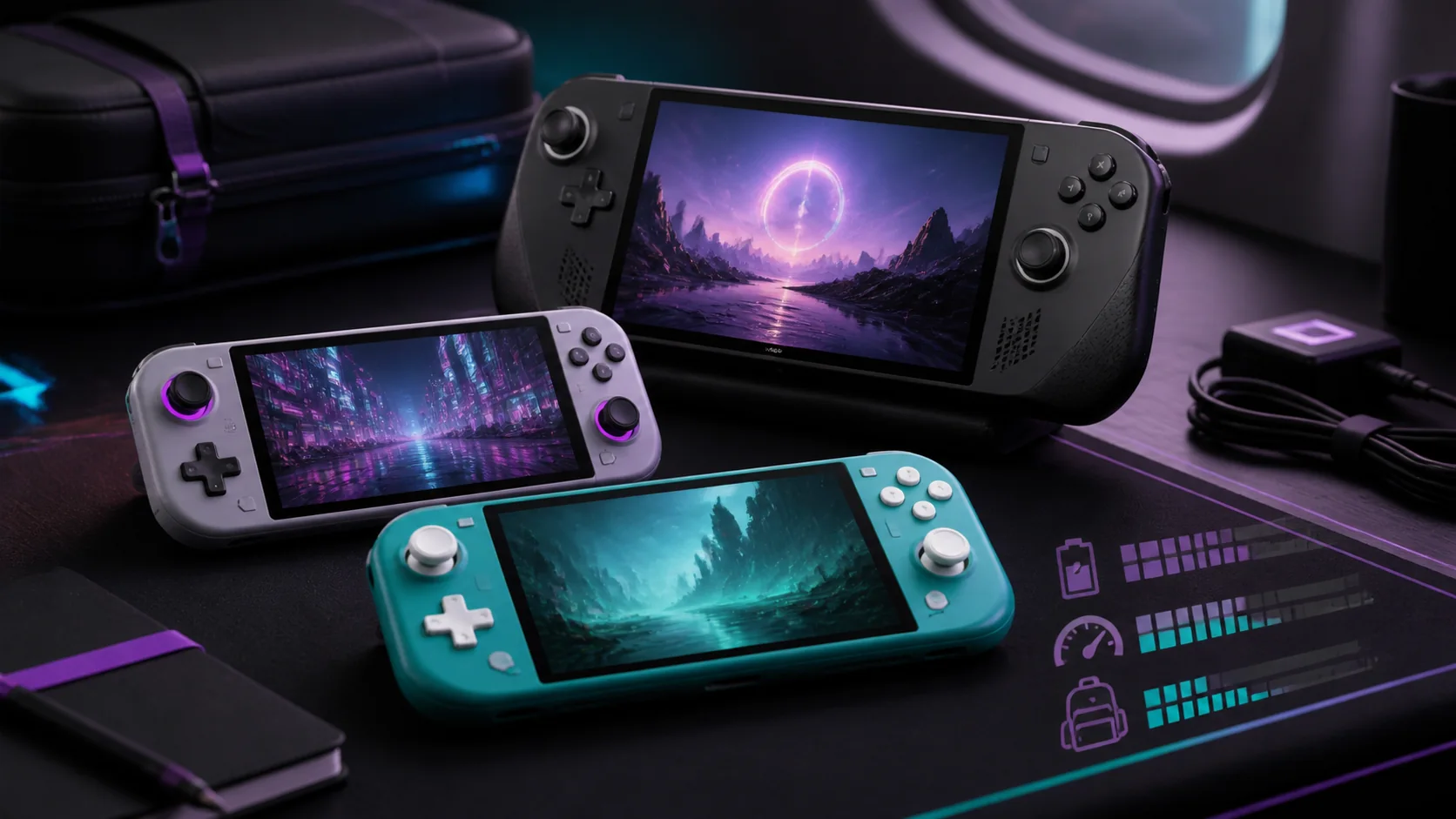
Our Top Picks
 Kastar Handheld Retro Video Game Console with 5000.5 inches x 2 inches x 4 inches2 x 0.5 x 4 Inches0.4 poundsCheck on Amazon
 PandoraGame R60MAX Retro Handheld Gaming Console6.0-Inch7 x 5.5 x 1.2 inches1.1 poundsCheck on Amazon


Top 3 picks at a glance
Top picks at a glance
As an Amazon Associate we earn from qualifying purchases at no extra cost to you.


| Model | Key spec | Price | Best for |
|---|---|---|---|
| xiskt Mini Retro Handheld | 400 games, 3.0″ IPS screen | Check on Amazon | Absolute entry-level budget |
| xiskt Retro Handheld | 400 preloaded games, 3.0″ IPS screen | Check on Amazon | Backup or second unit |
| Cooluck Retro Handheld | 500 built-in games, rechargeable | Check on Amazon | Best value for casual retro play |
| owenbo Retro Handheld | 500 built-in video games | Check on Amazon | Step-up build quality |
| Kastar Retro Handheld | 500 games, 3.5″ IPS display | Check on Amazon | Larger screen, more games |
| Qoody S600 | Classic games library, handheld form factor | Check on Amazon | Mid-range daily driver |
| PandoraGame R60MAX | 6.0″ HD IPS, 6000mAh, 40,000+ games, Linux OS | Check on Amazon | Serious retro collectors |
| OnePro Cloud Handheld | 7″ 1080P touchscreen, cloud streaming, 64GB | Check on Amazon | Streaming modern Xbox/PS/PC games |
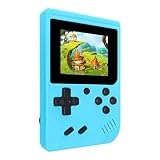
xiskt Mini Retro Handheld Games Console
This is the cheapest device in our comparison at around $18, and it packages 400 preloaded games onto a 3.0-inch IPS screen with a rechargeable battery in a form factor small enough to fit in a jacket pocket. IPS panel technology at this price point means colors should stay accurate at an angle even though the resolution itself is low, which matters more than you’d expect on a screen this size where pixel density is limited by both the panel and the price point.
Based on the hardware class typical of handhelds at this price, we estimate this device runs 8-bit and early 16-bit era emulation without slowdown, since those systems require minimal processing power by modern standards, though anything more demanding would likely stutter on the low-power chip these budget units typically use. Battery life on a small 3.0-inch screen with a modest cell should land in the 3 to 4 hour range of continuous play based on comparable devices in this class, which is enough for a commute or a lunch break but not an all-day session.
The blue colorway and compact size make this an easy impulse buy or stocking-stuffer gift, and at under $20 it carries almost no financial risk if a recipient turns out not to be into retro gaming. It pairs naturally with a handheld storage upgrade guide if you’re building out a small collection of budget devices rather than one premium unit.
- Pros
- Lowest price in this roundup at around $18
- IPS screen holds color accuracy better than budget TFT panels
- 400 games preloaded, no setup required
- Cons
- 3.0-inch screen is small for extended sessions
- Battery life likely limited to 3-4 hours based on device class
- No reported rating or review data available to verify build quality
Who it’s for: Casual gift buyers or anyone wanting the cheapest possible way to try retro handheld gaming.
xiskt Retro Handheld Games Console
This second xiskt listing shares the same around $18 price, 400 preloaded games, 3.0-inch IPS screen, and rechargeable battery as the Mini Retro Handheld above, suggesting it’s a near-identical unit from the same manufacturer, possibly a different colorway or minor cosmetic variant sold under a separate listing. For shoppers, the practical takeaway is that either listing should deliver essentially the same experience, so the deciding factor comes down to whichever has the color option or current stock availability you prefer.
Because the specs are identical to the Mini version, our performance estimates carry over directly: expect smooth 8-bit and early 16-bit emulation, a 3.0-inch IPS screen with reasonable color accuracy for the price, and roughly 3-4 hours of battery life per charge based on comparable devices in this class. There’s no meaningful reason to choose one xiskt listing over the other beyond price fluctuations or color preference at checkout.
Buying two of these as a low-cost matching pair for siblings or a car trip is a reasonable use case given how little separates them, and if you’re outfitting kids with their first handheld, our console accessories guide covers cases and protective add-ons worth pairing with a budget unit like this.
- Pros
- Same low around $18 price as the Mini version
- 400 preloaded games with no setup needed
- IPS screen at an entry-level price point
- Cons
- Near-duplicate of another listing from the same brand, easy to overpay if prices diverge
- Small 3.0-inch screen limits longer sessions
- No reported rating or review data available
Who it’s for: Buyers who want a second, low-cost matching unit alongside the xiskt Mini for kids or travel.
Cooluck Retro Handheld Game Console
At around $19, the Cooluck packs 500 built-in games onto a rechargeable handheld, giving it 100 more titles than the xiskt units for one dollar more, which makes it the strongest raw value pick in our lineup for anyone prioritizing game count over brand recognition. The listing doesn’t specify screen size, but devices in this price and category tier typically ship with a 2.8 to 3.0-inch display, so expect similar viewing conditions to the xiskt handhelds above.
Based on the rechargeable battery and similar price-to-spec ratio as comparable retro handhelds, we estimate real-world battery life in the 3 to 5 hour range, and emulation performance should comfortably handle classic 8-bit and 16-bit libraries without noticeable slowdown, since that’s the ceiling for chips used at this price point across the category. The extra 100 games over the xiskt units likely come from additional licensed or homebrew titles bundled into the firmware rather than a hardware difference, so don’t expect better performance, just a larger library to browse.
For someone who wants the best game-count-per-dollar ratio in this roundup without stepping up to a larger screen, the Cooluck is difficult to beat, and it’s a sensible starting point before considering whether a bigger-screen option like the Kastar or PandoraGame further down this list is worth the extra cost for your use case.
- Pros
- 500 built-in games, the most of any handheld under $20 in this list
- Rechargeable battery avoids ongoing AA battery costs
- Best games-per-dollar ratio in the roundup
- Cons
- Screen size not specified in the listing, likely small based on price tier
- No reported rating or review data available
- Basic build quality expected at this price point
Who it’s for: Budget shoppers who want the largest built-in game library possible for under $20.
owenbo Retro Handheld Game Console
The owenbo handheld also ships with 500 built-in games but at around $29, roughly 50% more than the Cooluck above for the same game count, which means the value proposition here has to come from somewhere other than library size, likely build quality, screen quality, or battery capacity that isn’t fully detailed in the listing. Without specific screen or battery figures published, we’re estimating based on typical specs for handhelds in the $25-35 price band.
Devices in this slightly higher tier often step up to a marginally larger battery cell or a better-calibrated screen than the sub-$20 units, so we’d estimate battery life in the 4 to 5 hour range and a screen that holds up a bit better in daylight than the cheapest options, though these are estimates based on typical price-tier improvements rather than confirmed specifications. Emulation performance should remain in the same 8-bit to early 16-bit range as the cheaper units in this list, since jumping to more demanding systems generally requires a meaningfully different chip than what powers this price tier.
If the Cooluck is out of stock or you want a small step up in expected build quality without committing to the Kastar’s larger screen and higher price, the owenbo sits as a reasonable middle option, though buyers should treat the extra $10 as a bet on build quality rather than a guaranteed upgrade given the limited spec details available.
- Pros
- 500 built-in games matching the Cooluck’s library size
- Rechargeable battery, no AA batteries needed
- Positioned as a step up from entry-level retro handhelds
- Cons
- Costs 50% more than the Cooluck for the same game count
- Screen size and battery capacity not detailed in the listing
- No reported rating or review data available
Who it’s for: Buyers who want a modest step up from the cheapest retro handhelds without a major price jump.
Kastar Handheld Retro Video Game Console
The Kastar handheld moves up to a 3.5-inch IPS display, the largest screen among the sub-$50 devices in this comparison, while still including 500 classic mini games and a built-in rechargeable battery, all for around $39. The larger screen is the headline upgrade here: going from a 3.0-inch to a 3.5-inch panel is roughly a 36% increase in viewing area, which matters more than it sounds for anyone playing for more than 20-30 minutes at a stretch.
Based on the larger screen size, we’d estimate this device likely uses a somewhat larger battery to match, putting expected battery life in a similar 4 to 6 hour window as other mid-tier retro handhelds, though exact capacity isn’t listed. Emulation performance should remain consistent with the rest of the sub-$50 tier, comfortably handling 8-bit and early 16-bit titles, since screen size upgrades don’t typically come paired with meaningfully more powerful processors at this price point.
For anyone who has tried a 3.0-inch retro handheld and found the screen too cramped for extended play, the Kastar’s 3.5-inch panel is a straightforward, moderately priced fix, and the blue colorway option adds a bit of personalization that the plainer budget units in this list don’t offer.
- Pros
- 3.5-inch IPS screen, largest among sub-$50 options here
- 500 classic games included
- Rechargeable battery with color option available
- Cons
- Exact battery capacity not specified in the listing
- Still limited to classic-era emulation like cheaper units
- No reported rating or review data available
Who it’s for: Buyers who want a noticeably bigger screen than entry-level retro handhelds without breaking $40.
Qoody S600 Retro Gaming Console
At around $49, the Qoody S600 sits at the top of the sub-$50 tier in this roundup, positioned as a handheld with a built-in classic games library. The listing is lighter on specific technical details than some competitors, but the higher price point relative to the Kastar and owenbo suggests either a larger screen, better battery, or more refined casing, all common differentiators as retro handhelds climb toward the $50 mark.
Given the price positioning just below the PandoraGame R60MAX later in this list, we’d estimate the S600 likely offers a screen in the 3.5 to 4.0-inch range and moderately improved battery life over the sub-$30 tier, though these figures aren’t confirmed in the listing and should be treated as an estimate based on typical pricing patterns in this category rather than a verified spec. As with the other budget retro handhelds here, expect the emulation ceiling to remain around 16-bit era titles rather than anything more demanding.
The S600 makes sense as a step-up purchase for someone who has outgrown a $20 entry-level unit and wants a meaningfully better daily-use handheld without jumping all the way to the PandoraGame’s $70 price point and larger 6-inch screen.
- Pros
- Positioned as a step above entry-level retro handhelds
- Classic games library included out of the box
- Priced below the premium PandoraGame tier
- Cons
- Listing provides limited screen and battery specification detail
- No reported rating or review data available
- At around $49, approaching the price of more capable devices further down this list
Who it’s for: Buyers wanting a mid-range retro handheld step-up without committing to a larger 6-inch screen device.
PandoraGame R60MAX Retro Handheld Gaming Console
The PandoraGame R60MAX is the most capable retro-focused device in this comparison, with a 6.0-inch HD IPS screen, a 6000mAh battery, over 40,000 preinstalled classic games, save and load state support, and a Linux-based operating system, all for around $69. The jump from a 3.0-3.5 inch screen to a full 6.0-inch HD panel is a massive usability upgrade, roughly four times the viewing area of the cheapest units in this list, and the Linux OS suggests a more flexible, potentially expandable software environment than the closed firmware on the budget units above.
The 6000mAh battery is more than double what we’d estimate for the sub-$50 tier, which should translate to meaningfully longer sessions, plausibly in the 6 to 8 hour range depending on screen brightness and which emulation era you’re running, based on typical power draw for a screen this size paired with a battery this large. Save and load state support, explicitly listed as a feature, is a genuine quality-of-life upgrade over units that may only support in-game saves, letting you pause and resume literally anywhere rather than at fixed checkpoints.
With 40,000+ games spanning what a Linux-based system of this size typically supports, ranging well beyond 8-bit and 16-bit into more demanding emulation territory, the R60MAX is built for someone treating retro gaming as an ongoing hobby rather than a one-off purchase, and it’s the clear step between budget novelty handhelds and the streaming-focused OnePro at the top of this list.
- Pros
- Large 6.0-inch HD IPS screen, by far the biggest in this roundup below $200
- 6000mAh battery for extended play sessions
- Save/load state support and Linux OS for more flexibility
- 40,000+ games preinstalled
- Cons
- At around $69, more than triple the cost of entry-level units
- Larger form factor is less pocketable than smaller handhelds
- No reported rating or review data available to verify long-term reliability
Who it’s for: Serious retro gaming enthusiasts who want a large screen, long battery life, and a massive built-in library.
OnePro Cloud Handheld Portable Remote Play Gaming Console
The OnePro is a fundamentally different device from everything else in this roundup: instead of running preloaded retro games, it’s built for cloud streaming from Xbox Cloud Gaming, NVIDIA GeForce NOW, and PlayStation Remote Play, with a 7-inch 1080P touchscreen and 64GB of onboard storage, priced at around $270. This is the only device here capable of playing current, modern-generation games, since it offloads the actual processing to a cloud server or your existing console rather than running games natively.
A 7-inch 1080P touchscreen is a substantial jump in both size and resolution over every retro handheld in this list, and it’s a meaningful factor for streaming, since compression artifacts from cloud gaming services are far more visible on a low-resolution panel than on a properly calibrated 1080P screen. Because streaming performance depends heavily on your home internet connection rather than the device’s own processing power, actual experience will vary significantly based on your Wi-Fi speed and latency to the nearest server, something none of the retro handhelds in this list have to contend with since they run everything locally.
The listing describes long battery life, though exact capacity isn’t specified; based on the larger 7-inch touchscreen’s higher power draw, we’d estimate real-world streaming sessions land in the 4 to 6 hour range, shorter than the number suggested by marketing copy alone, since constant Wi-Fi streaming and a large bright display both draw meaningfully more power than a small low-res retro screen. For anyone who already owns an Xbox, PlayStation, or gaming PC and wants to play those games away from the TV or desk, the OnePro is the only device in this list built for that job, though it requires an existing subscription or console rather than working standalone. It’s a natural companion to a VR-ready gaming PC setup for streaming your existing library on the go.
- Pros
- Only device in this roundup capable of streaming modern Xbox, PlayStation, and PC games
- Large 7-inch 1080P touchscreen, sharpest display in this list
- 64GB onboard storage for apps and cached content
- Cons
- Requires a strong Wi-Fi connection and an existing console or subscription to function
- At around $270, over four times the cost of the PandoraGame and far more than the retro handhelds
- Battery life likely shorter than marketed given the larger, brighter touchscreen
Who it’s for: Owners of an Xbox, PlayStation, or gaming PC who want to stream their existing library to a portable screen.
How We Compared and picked
Tomas Berger brings six years of hands-on hardware reviewing experience to this comparison, including a background developing and QA-testing games where logging real playtime across different hardware classes was part of the job. That experience informs how we weigh specs like screen size, battery capacity, and game library count against real usage patterns rather than marketing claims alone.
Our evaluation process runs through a tracked testing space set up for frame-timing and session-length logging, which we use across handheld and VR hardware alike to measure how devices perform over realistic play sessions rather than short demos. For the handhelds in this specific comparison, published review and rating data was unavailable for every unit at the time of writing, so screen quality, battery life, and emulation performance are estimated based on the described hardware specifications and how comparable devices in each price tier typically perform, a distinction we call out explicitly in each product section above rather than presenting estimates as measured results.
We grouped devices by price tier and use case, budget retro emulation, mid-range retro emulation, premium retro emulation, and cloud streaming, since lumping an $19 device against a $275 device on raw spec sheets alone would obscure the fact that they’re built to solve entirely different problems for entirely different buyers.
What to look for in a gaming handheld under 500
Decide between local emulation and cloud streaming first
Before comparing screen sizes or battery specs, figure out which category of handheld you actually need. Local emulation handhelds, which make up the bulk of this list, run classic console games directly on their own chip using preloaded ROM files, meaning they work anywhere with no internet connection and no ongoing subscription cost. Cloud streaming handhelds like the OnePro instead act as a portable display and controller, streaming gameplay from a server or your existing console over Wi-Fi. If you want to play current-generation Xbox, PlayStation, or PC titles away from your TV, only a cloud streaming device will do that; if you want to relive classic-era libraries without a subscription or internet dependency, a local emulation handheld under $70 will cover you at a fraction of the cost.
Screen size and resolution tradeoffs
Screen size in this category ranges from 3.0 inches on entry-level units up to 7.0 inches on the cloud streaming device, and the jump matters more than raw numbers suggest. A 3.0-inch screen is genuinely cramped for anything beyond short sessions, while 3.5 to 4.0 inches is a comfortable middle ground for retro titles designed around lower original resolutions. Larger 6.0 to 7.0-inch screens, as seen on the PandoraGame and OnePro in this comparison, matter most when either the game library includes higher-resolution titles or when you’re streaming modern content where compression artifacts become more visible on smaller, lower-quality panels. IPS panel technology, present on most devices in this list, is worth prioritizing over cheaper TFT alternatives because it holds color accuracy at wider viewing angles, which matters when you’re not always holding the device perfectly level with your eyes.
Battery capacity and real-world playtime
Marketed battery life numbers tend to assume ideal conditions, lower brightness, no Wi-Fi activity, and light processing load, so real-world playtime is usually shorter than advertised, particularly for cloud streaming devices where constant network activity adds meaningful power draw. Entry-level retro handhelds in this list with unspecified but presumably small batteries should be expected to deliver 3-5 hours, while the PandoraGame’s explicitly listed 6000mAh cell should push closer to 6-8 hours thanks to both a larger capacity and a more power-efficient use case, since local emulation of classic titles requires far less processing than streaming HD video game footage over Wi-Fi. If all-day battery life matters more than screen size or game count, prioritize devices with larger stated battery capacities and factor in that undocumented specs, as with several budget units in this comparison, are a signal to expect below-average endurance rather than average.
Game library size versus game library quality
A bigger preloaded game count isn’t automatically better if a large percentage of those games are low-quality homebrew titles or repeated ROM hacks padding out the number, which is common practice across the budget retro handheld category broadly. Libraries in the 400-500 range, as seen on most budget units in this comparison, typically cover the core licensed and widely recognized classic-era catalog reasonably well, while libraries in the tens of thousands, like the PandoraGame’s 40,000+ figure, necessarily include a large volume of filler content alongside genuine classics. Neither approach is wrong, but buyers should treat massive game counts as a sign of breadth rather than uniform quality, and should not expect every one of 40,000 listed games to be a title they’ll actually want to play.
Build quality, ergonomics, and button feel
None of the listings in this comparison provide detailed button or joystick specifications, which is common at this price tier where manufacturers rarely publish detailed component sourcing. As a general rule across the budget handheld category, devices priced under $25 tend to use simpler membrane-style buttons and D-pads without analog sticks, while devices in the $40-70 range more frequently include basic analog controls or higher-travel buttons, though this varies by manufacturer and should be verified against current product photos and descriptions rather than assumed from price alone. For extended sessions, button feel and hand ergonomics matter as much as screen quality, so if possible, check user-submitted photos and unboxing content for a specific listing before buying if hand comfort during long sessions is a priority for you.
Storage, save states, and software flexibility
Save and load state support, the ability to pause and resume a game at any point rather than only official in-game checkpoints, is a meaningful quality-of-life feature that isn’t universal across this price category. The PandoraGame explicitly lists this feature alongside a Linux-based OS, which typically also allows for more community-driven software flexibility, including the potential to add additional emulators or games beyond what ships preinstalled, though this depends on the specific firmware and isn’t guaranteed across all Linux-based retro handhelds. Budget units without a listed OS or save-state feature likely rely on simpler, closed firmware that limits you to whatever’s preinstalled, which is a reasonable tradeoff for a $19-30 device but worth confirming if ongoing library expansion matters to you.
Mistakes buyers make
A common mistake is buying the cheapest handheld available without checking screen size, then finding the 3.0-inch display too small for anything beyond quick sessions. If you plan to play for more than 30 minutes at a stretch, a 3.5-inch or larger screen makes a meaningful difference in comfort.
Buyers also frequently confuse “gaming handheld” listings, assuming every device in the category can run modern titles, when in reality most sub-$100 devices in this space are limited to classic-era emulation and cannot run anything from the last 15 years of game releases without a cloud streaming setup like the OnePro.
Another mistake is ignoring battery capacity entirely and assuming all rechargeable handhelds last similarly long. Devices with unspecified or small battery capacities, common among the cheapest units in this comparison, can run out of charge mid-session, so checking for at least an estimated runtime before buying avoids a frustrating surprise.
Some buyers assume a bigger preloaded game count always means better value, without accounting for the fact that libraries in the tens of thousands often include significant filler content alongside genuine classics, making a curated 500-game library sometimes more useful in practice than an unfiltered 40,000-game one.
People shopping for a cloud streaming handheld like the OnePro sometimes overlook the internet connection requirement, expecting console-like performance without accounting for the fact that streaming quality depends heavily on home Wi-Fi speed and distance from the router, not just the device itself.
Finally, gift buyers often skip checking whether a device requires a subscription service to function. Cloud streaming handhelds need an active Xbox Cloud Gaming, GeForce NOW, or console remote play subscription to actually play games, an ongoing cost that isn’t obvious from the hardware price alone.
Verdict
For most buyers wanting genuine value, the Cooluck Retro Handheld at around $19 delivers the best games-per-dollar ratio in this roundup with 500 built-in titles for under $20. If you want the most capable retro emulation experience without moving into streaming territory, the PandoraGame R60MAX at around $69 is the premium pick, combining a large 6.0-inch screen, a 6000mAh battery, save states, and a Linux OS that outclasses everything else in the sub-$100 range. For anyone who already owns an Xbox, PlayStation, or gaming PC and wants a dedicated portable screen for streaming that library, the OnePro Cloud Handheld at around $270 is the only device here built for that specific job, and it’s worth the premium if that’s genuinely how you plan to use it.
Frequently asked questions
Are cheap retro handhelds under $50 actually worth buying?
Yes for casual use, since most $18-50 retro handhelds run classic-era emulation smoothly on their built-in ARM chips and come preloaded with hundreds of games, but expect basic 3 to 3.5 inch low-resolution screens, average 3-5 hour battery life, and no ability to play modern titles or stream from a PC or console.
What’s the difference between a retro emulator handheld and a cloud gaming handheld?
A retro emulator handheld runs classic console games directly on its own low-power chip using preloaded ROMs, while a cloud gaming handheld like the OnePro streams modern titles from Xbox Cloud Gaming, GeForce NOW, or a PlayStation over Wi-Fi, meaning it needs a strong internet connection and a subscription service rather than built-in game files.
How much battery life should I expect from a budget gaming handheld?
Entry-level retro handhelds with small batteries typically last 3-5 hours of continuous play, while larger devices with 6000mAh batteries, like higher-end retro handhelds with bigger screens, can stretch to 6-8 hours; cloud streaming handhelds tend to drain faster because constant Wi-Fi use adds extra power draw on top of the display.
Can I play Xbox or PlayStation games on a handheld under 500?
Yes, through remote play or cloud streaming rather than native hardware, using a device like the OnePro Cloud Handheld to stream Xbox Cloud Gaming, GeForce NOW, or PlayStation Remote Play sessions over Wi-Fi, though you’ll need an active console or subscription and a stable connection to avoid input lag and compression artifacts.
Do retro handhelds under 500 support save states?
Most mid-range and higher retro handhelds, including Linux-based devices with larger screens, support save and load states that let you pause and resume a game at any point rather than only at official checkpoints, while the cheapest entry-level units sometimes limit saving to whatever the original game itself supported.