Retro gaming is a signal problem before it is a screen problem. The best monitor for retro gaming is a small 4:3 or 5:4 display that accepts the video your hardware actually outputs, and in this group that points to the Eyoyo 8-inch for composite-era consoles and the Thinlerain 17-inch for a desk fed by an HDMI upscaler. Consoles from the 8-bit era through the PlayStation generation emit low-resolution analog video, usually 240p or 480i, which an ordinary HDMI monitor will not accept directly. Two of the six listings below are ordinary 16:9 gaming monitors and are off-type for original hardware; they are flagged plainly, so read the input notes before the specs.
Our Top Picks
 Thinlerain 19 inch Computer Monitor 1440x900 PC Monitor1440×900/Non-Touch1.73 x 17.5 x 13.8 InchesCheck on Amazon
 Thinlerain PC Monitor 17-inch 4:3 LED Backlit Monitor17 inch pc monitor1.5 x 14.5 x 14.5 inches7.2 PoundsCheck on Amazon
 Sceptre Curved 24-inch Gaming Monitor 1080p R1500 98%24-Inches16.04 x 21.61 x 9.06 inches6 PoundsCheck on Amazon
The six listings at a glance

Eyoyo 8 Inch Small Monitor, 1024x768 4:3 IPS Mini Security Camera Monitor | HDMI VGA AV BNC Input, Built-in Speaker, Remote Control, Video Monitors for Retro Computer PC NVR CCTV Raspbery Pi


As an Amazon Associate we earn from qualifying purchases. Product prices and availability are accurate as of the date/time indicated.

Sceptre New 22-Inch Gaming Monitor, FHD 1080p, Up to 144Hz, HDMI, DisplayPort, Built-in Speakers, Machine Black (E225W-FW144 Series, 2026)

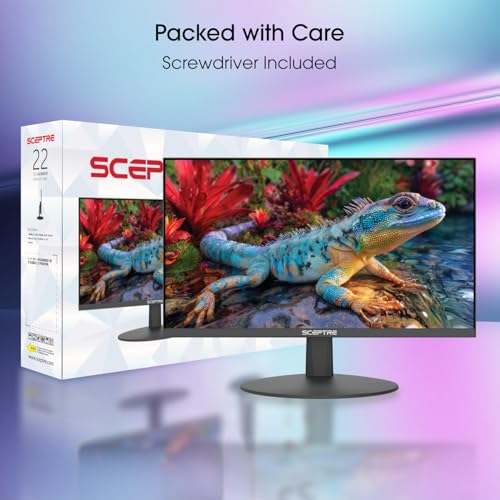
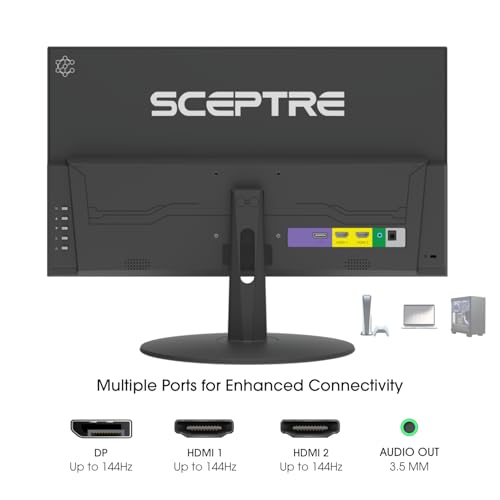


As an Amazon Associate we earn from qualifying purchases. Product prices and availability are accurate as of the date/time indicated.
Thinlerain 19 inch Computer Monitor 1440x900 PC Monitor with HDMI VGA AV BNC USB Ports, 60Hz, 5Ms, VESA, Display Build-in Speakers for Office Home


As an Amazon Associate we earn from qualifying purchases. Product prices and availability are accurate as of the date/time indicated.

SKitphrati 15 Inch 4:3 Monitor, 1024x768, HDMI/VGA, VESA 75x75mm | Legacy Device Ready, Industrial Display, CCTV Ready, Compact Workspace


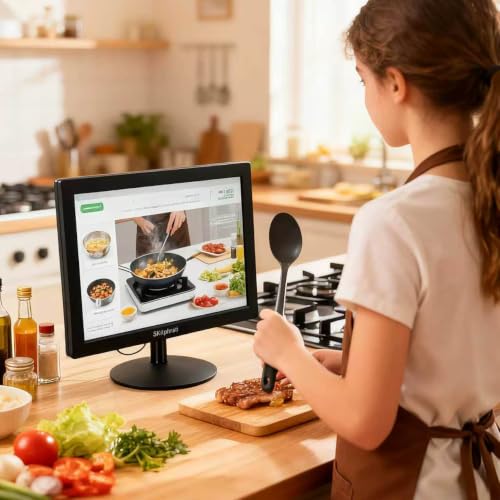


As an Amazon Associate we earn from qualifying purchases. Product prices and availability are accurate as of the date/time indicated.
Thinlerain PC Monitor 17-inch 4:3 LED Backlit Monitor 1280 X 1024, 60 Hz Refresh Rate, 5Ms Response Time, VESA Mountable, VGA, HDMI, TN Panel, Built-in Speakers


As an Amazon Associate we earn from qualifying purchases. Product prices and availability are accurate as of the date/time indicated.
Sceptre Curved 24-inch Gaming Monitor 1080p R1500 98% sRGB HDMI x2 VGA Build-in Speakers, VESA Wall Mount Machine Black (C248W-1920RN Series)


As an Amazon Associate we earn from qualifying purchases. Product prices and availability are accurate as of the date/time indicated.
| Model | Key point from title | Price tier | Best for |
|---|---|---|---|
| Eyoyo 8-inch | 1024×768 4:3 IPS; HDMI, VGA, AV and BNC inputs; speaker and remote | Mid-range | Composite consoles, Raspberry Pi builds, small shelves |
| SKitphrati 15-inch | 4:3, 1024×768, HDMI and VGA, VESA 75x75mm | Budget | Fixed-ratio display for an HDMI scaler |
| Thinlerain 17-inch | 1280×1024, 60Hz, TN, VGA and HDMI, speakers (title calls it 4:3) | Mid-range | Desk setup with an upscaler, 4x pixel fit |
| Thinlerain 19-inch | 1440×900, HDMI, VGA, AV, BNC and USB, 60Hz, 5ms | Mid-range | Wider ratio with an analog input |
| Sceptre C248W-1920RN | 24-inch curved 16:9, 1080p, HDMI x2 plus VGA | Premium | Emulation PCs; off-type for analog consoles |
| Sceptre E225W-FW144 | 22-inch 16:9, 1080p, up to 144Hz, HDMI and DisplayPort | Budget | Modern HDMI sources only; off-type |
The six screens, sorted by how well they suit old signals
Eyoyo 8-inch: the only one with a visible composite route
The title reads like a security monitor: 1024×768 at 4:3, IPS, and HDMI, VGA, AV and BNC inputs, plus a built-in speaker and a remote, and it names retro computers and Raspberry Pi among its uses. An AV input usually means composite video, which is what many older consoles output through an RCA cable. Whether this one displays 240p and 480i signals cleanly is not in the title, so check the listing. At 8 inches the panel reaches about 160 pixels per inch (our estimate), so the picture is tiny but crisp. It is a screen for a shelf, a workbench or a handheld-style build, not a living-room display. The BNC socket is the CCTV-style cousin of RCA, so an inexpensive adapter is the usual way to join them, but confirm the connector type on the listing first.
Pros
- AV, VGA, HDMI and BNC cover several older sources
- 4:3 panel avoids stretching classic games
Cons
- Very small image
- Handling of 240p and 480i is not stated
Who it’s for: someone with composite consoles, a Pi emulator or a repair bench.
SKitphrati 15-inch: the legacy-ready fixed 4:3
A 15-inch 4:3 panel at 1024×768 with HDMI and VGA inputs and a 75x75mm VESA pattern. The “legacy device” and “CCTV ready” wording points to an industrial display. There is no AV or component input, so a console needs an upscaler or converter between it and the screen. At roughly 85 pixels per inch (estimate), 15 inches is a comfortable size for a 4:3 image at arm’s length. The title gives no refresh rate, response time or panel type, and a 75x75mm VESA pattern suits only light arms, so check the weight limit. Nothing in the title mentions speakers, so budget for a separate audio path from the console or scaler.
Pros
- 4:3 shape matches classic consoles
- Small VESA 75x75mm mount for arms or cabinets
Cons
- No analog video input beyond VGA
- Refresh, response and panel type are missing
Who it’s for: a builder who already owns an HDMI scaler and wants the correct shape.
Thinlerain 17-inch: the 4x fit
The title says 4:3 but also gives 1280×1024, which is a 5:4 ratio, so treat the ratio wording as loose. It lists a TN panel, 60Hz, 5ms, VGA, HDMI and built-in speakers. At 1280×1024, a 320×240 console image multiplied by four fills the width exactly and leaves modest bars above and below, which is why this screen suits sharp pixel scaling (see the table below). TN viewing angles are narrower than IPS, which matters little for one person sitting centred but shows when two players sit side by side. No AV or BNC input appears in the title, so an upscaler is required for most consoles, and the vertical stretch at that ratio needs checking in the scaler menu.
Pros
- 1280-pixel width fits a 4x multiple of 320-pixel images
- VGA and HDMI inputs
Cons
- Title says 4:3 but the resolution is 5:4
- TN panel and no composite input
Who it’s for: a desk setup with an HDMI upscaler, aiming for even pixel scaling.
Thinlerain 19-inch: the wider screen with analog inputs
A 19-inch panel at 1440×900 (16:10) with HDMI, VGA, AV and BNC inputs, USB ports, 60Hz, 5ms response, VESA and speakers. The title calls it a display for office and home, so retro suitability comes from the inputs, not the design. A 4:3 image fills 1200 pixels of the 1440 width at full height, leaving side bars, and the 3.75x vertical scale for a 240-line source is not a whole number. USB ports and the AV input make it the more flexible of the Thinlerain pair for odd sources, and the 5ms figure is a seller claim without a stated method. If you prefer filling the screen, some scalers offer a 4:3 crop mode that gives up a little edge detail.
Pros
- AV and BNC inputs alongside HDMI and VGA
- More screen area for pixel-art games
Cons
- 16:10 leaves side bars for 4:3 content
- Scaling factors are not whole numbers
Who it’s for: someone wanting one screen for composite sources and everyday office work.
Sceptre C248W-1920RN: the off-type curved 24
A 24-inch curved 16:9 monitor at 1080p with two HDMI inputs, a VGA input, a 98% sRGB claim, speakers and a VESA note. It is a modern general-purpose display, which makes it a weaker fit for original hardware. Classic images either stretch or sit in a wide black frame, and a curve has no logic for flat 4:3 art. It earns a place for emulation on a PC, mini consoles with HDMI output and anyone who wants one screen for everything. Check the listing for refresh rate, which the title omits. Its VGA input is useful for an older PC rather than for consoles.
Pros
- Two HDMI inputs for mini consoles and a PC
- Large 1080p canvas for emulators
Cons
- Off-type: 16:9 with no analog video input
- Curved face distorts flat 4:3 content
Who it’s for: an emulation PC or HDMI mini console, not original consoles.
Sceptre E225W-FW144: the off-type fast 22
A 22-inch 16:9 1080p monitor claiming up to 144Hz with HDMI and DisplayPort and built-in speakers. The 144Hz figure is irrelevant for 60Hz retro content, and there is no analog input, so it only suits HDMI sources such as emulators and mini consoles. At 1080p, a 240-line source scales 4.5 times, so you either accept uneven pixels or letterbox with 4x scaling. It appears in this list as the budget modern baseline against which the 4:3 screens can be compared, not as a retro recommendation. If an HDMI mini console is your only retro source, though, a plain 1080p screen at this tier is perfectly workable.
Pros
- Lowest price tier in the set
- HDMI and DisplayPort for emulation PCs
Cons
- Off-type: no 4:3 shape or analog input
- High refresh brings nothing to 60Hz content
Who it’s for: an emulation setup on a PC where retro authenticity is secondary.
How we picked these
The Editorial team worked from published specifications, manufacturer documentation and buyer reviews. We looked for compact or legacy-friendly displays first, then added two ordinary gaming monitors to show what the mainstream alternative gives up. Nobody on the team used or measured these units. Every spec is a seller claim taken from a title, and where a title is silent, such as on refresh rate or 240p handling, we say “check the listing”. Price tiers are relative inside this set, and the spread is narrow. The pixel maths below uses stated assumptions, not measurements of any of these screens.
What actually matters for retro video
Signal first: composite, VGA or HDMI
Match the output of your console to an input the screen accepts. Composite uses an RCA cable and an AV input; VGA suits some older PCs and certain converters; HDMI is for modern sources and converters. A converter or scaler turning analog into HDMI adds its own processing time, which varies by device. If a title lists only HDMI and VGA, plan on a scaler. Titles do not mention component or S-Video, so assume those need a converter too. Also check regional differences, since 50Hz consoles need a monitor that accepts that rate.
Aspect ratio and scaling maths
Many consoles produce images around 256 to 320 pixels wide and 224 to 240 lines tall, a 4:3-ish picture. The table assumes a 320×240 source and shows whether the panel allows clean whole-number scaling. These are our calculations, not measurements.
| Screen | Resolution | Scale to fill height | Whole-number option |
|---|---|---|---|
| Eyoyo 8-inch / SKitphrati 15-inch | 1024×768 | 3.2x | 3x (960×720, thin borders) |
| Thinlerain 17-inch | 1280×1024 | 4.27x | 4x (1280×960, 32px bars) |
| Thinlerain 19-inch | 1440×900 | 3.75x | 3x (960×720, wide side bars) |
| Sceptre 22 or 24-inch | 1920×1080 | 4.5x | 4x (1280×960, wide side bars) |
Whole-number scaling keeps pixels even; fractional scaling makes some pixel rows wider than others. Only the 17-inch fits a 4x multiple in width exactly.
Latency, size and what no LCD can do
Every scaler and deinterlacer adds delay, and the titles give no processing times. Pixel density matters too: 8 inches at 1024×768 is about 160 PPI, the 15-inch is about 85, and 22 or 24 inches at 1080p lands near 100 and 92. Finally, light guns built for CRT timing generally do not work on LCDs, regardless of the model.
A five-line checklist before you order
- Write down your console’s video output (composite, component, RGB or HDMI).
- Decide whether a scaler or converter is in the plan, and what it outputs.
- Check the listing for the exact input names and whether AV is RCA or BNC.
- Confirm resolution and ratio, not just the word “4:3”.
- Check VESA pattern and weight if the screen goes on an arm or shelf bracket.
Mistakes buyers make
- Assuming an HDMI port means the console will connect; most original consoles need a converter or scaler.
- Letting a 16:9 screen stretch a 4:3 picture, which distorts circles and sprites.
- Paying for 144Hz when the content runs at 60Hz or 50Hz.
- Trusting the word “4:3” in a title without checking the resolution; 1280×1024 is 5:4.
- Expecting scanline glow or CRT blur from a flat LCD without a filter in the scaler.
- Forgetting VESA weight limits on small mounts such as 75x75mm.
- Buying on size alone: a tiny 8-inch screen is sharp but tiring for long sessions with a gamepad across a room.
- Ignoring audio: the SKitphrati title lists no speakers, and scaler outputs often carry sound on a separate connector.
- Assuming BNC and RCA plugs are interchangeable without an adapter.
The bottom line
For composite-era consoles, the Eyoyo 8-inch is the only listing here whose title shows an AV route, at the cost of a very small image. For a desk with an HDMI scaler, the Thinlerain 17-inch gives the cleanest 4x scaling, while the SKitphrati 15-inch is the budget route to a true 4:3 shape. The Thinlerain 19-inch suits mixed use. The two Sceptre monitors are modern bargains, not retro tools. Buy the signal path first and the screen second.
Related guides
- Retro Gaming Controllers Nintendo Switch Pc
- Handheld Gaming Pc Battery Life Explained
- Black Friday Nintendo Switch Deals
Frequently asked questions
Can I plug an NES or SNES into one of these monitors directly?
Only through an input your console can feed. The Eyoyo and the 19-inch Thinlerain list AV, usually composite, so they may take that signal. The others list HDMI and VGA, so a converter or scaler is needed. Older consoles do not output HDMI, so check the listing for 240p and 480i support before assuming a direct connection works.
Is a 4:3 screen necessary for retro games?
Not strictly, but it avoids stretching. A 16:9 monitor can show a 4:3 image with black side bars if the scaler or emulator preserves the ratio. If it stretches to fill the panel, sprites look wide. A 4:3 or 5:4 screen shows the full height with less empty space, which is why the smaller listings here appeal to retro builders.
Are these monitors good for a Raspberry Pi or emulator build?
Yes, with a caveat. Any listing with HDMI will work, and the Eyoyo title names Raspberry Pi explicitly. The decision then becomes screen size and shape. Emulators handle scaling in software, so even the 16:9 Sceptre screens work well, although the 4:3 panels fit classic games without black borders. Check the Pi’s own video output type and cable before ordering.
Why does this list include two normal gaming monitors?
To be honest about the trade-off. The 22-inch and 24-inch Sceptre screens are the cheapest route to a large 1080p picture, but they lack analog inputs and a 4:3 shape. They suit emulation and mini consoles. For original hardware, the smaller screens with AV or VGA inputs and a squarer shape suit better.
Will an LCD ever match a CRT for retro gaming?
In some respects, no. CRT displays have no fixed pixel grid, no scaler delay and work with light guns, while LCDs scale, may add lag, and do not respond to CRT light guns. LCDs are cheaper, lighter and sharper at 240p when scaled by whole numbers. The titles here give no latency figures, so treat low-lag claims cautiously.
Related guides
- Best Free MMOs on Steam: Subscription Limits, Pay-to-Win and Time Cost (2026)
- Best Free Horror Games on Steam: How to Pick One That Fits Your PC and Your Nerves (2026)
- Black Frame Insertion vs VRR: Which Smoothness Feature Should You Use?
- Best Webcams for Streaming: 11 Listings Compared by Resolution, Focus and Light (2026)