
Choosing paddles for fighting games is not the same as choosing paddles for shooters, and that mismatch is where most buyers waste money. In a first-person shooter, a paddle is usually a simple jump or reload shortcut. In a fighting game, a paddle has to execute frame-perfect inputs, often as part of a multi-button combination, without taking your thumb off movement or your fingers off face buttons. Players who buy any controller with rear buttons and expect better execution quickly run into missed cancels, accidental inputs, and hand fatigue that makes their play worse, not better.
The most common mistakes are easy to avoid. First, mapping too many functions to paddles at once. If you put light punch, medium kick, and throw all on different paddles, you force your ring fingers to do work they are not trained for under pressure. Second, buying paddles that are too small, too flat, or too stiff to find by feel during a tense match. Third, ignoring how the paddle actually actuates — a mushy membrane paddle with long travel will feel laggy compared to a crisp microswitch, even if both technically remap the same button. Get those fundamentals wrong and even the best controller will hold you back. As of 2026, paddle and leverless options have matured enough that you can match hardware to your exact input style, but only if you prioritize execution over marketing features.
As an Amazon Associate we earn from qualifying purchases at no extra cost to you.
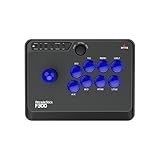


Our Top Picks
 PDP Victrix Pro BFG Wireless Gaming Controller forOne Size3.7 x 8.3 x 8.3 inches1.18 PoundsCheck on Amazon


Top 3 picks at a glance
Decide These 3 Things First
Before you compare materials or prices, lock in these three decisions. They filter out 80 percent of unsuitable options.
1. What will your paddles actually do? In fighting games, paddles are most valuable for 2-3 high-leverage bindings, not for replacing your whole layout. The best uses are: simultaneous button presses (like light punch + light kick for throw, or all three punches for Drive Impact), dash macros, or assist functions that normally require you to take a finger off the face buttons. Decide if you want paddles for one-button throws and parries, for buffered dashes, or for plinking-style inputs. If you only need simultaneous presses, you need two paddles max. If you want full movement freedom while keeping all eight face inputs accessible, you may want four.
2. Your grip and hand size. Paddles interact directly with your middle and ring fingers. Players with hand lengths under 7 inches (about 17.8 cm) from wrist crease to middle fingertip often struggle with long, widely spaced paddles and prefer low-profile paddles placed higher on the grip. Players with hands over 7.75 inches (about 19.7 cm) can comfortably reach longer paddles without cramping. Test your natural grip: hold your current controller relaxed. Where your fingers naturally rest is where your paddles should be. If you have to curl or stretch to reach them, you will misinput under stress.
3. Platform and remapping method. Some controllers offer on-board remapping with no software, others require a PC app, and a few lock remapping to specific platforms. For tournament or cross-platform play (PlayStation, Xbox, PC, Switch, Steam Deck), on-board profiles that save directly to the controller are critical. Check whether profiles are stored in internal memory (usually 3-4 profiles) and whether you can remap without installing software on the tournament system. Wireless controllers should offer wired tournament mode with 1000 Hz polling over USB-C to avoid platform compatibility issues.
Size and Placement: How Paddles Fit Your Hands
Paddles are not one-size-fits-all. Length typically ranges from 28 mm to 45 mm, width from 12 mm to 18 mm, and protrusion from the grip from 4 mm to 10 mm. Low-profile paddles that sit 4 to 6 mm off the handle are easier to avoid accidentally pressing, but harder to find quickly. Mid-protrusion paddles at 7 to 8 mm offer the best balance for fighting games where you need to locate them without looking. Full-length 40 to 45 mm paddles give more leverage but increase accidental activation if you grip tightly.
Placement matters more than count. Two well-placed paddles beat four poorly placed ones. The ideal position is under the natural resting point of your middle fingers, about 35 to 45 mm up from the bottom of the grip. Removable or repositionable paddle systems let you adjust height by 10 to 15 mm, which is often enough to fix reach issues. If you are between sizes, look for controllers with interchangeable paddle shapes — short flat, long curved, and domed options — included in the box. Weight also affects feel: adding paddles typically adds 8 to 15 grams, and a controller that starts at 250 grams can reach 265 grams with four paddles installed, which changes balance during long sessions.
Material and Switch Type: What Changes Feel and Durability
The paddle material determines grip and the switch underneath determines feel. Most paddles use ABS plastic, nylon, or aluminum alloy. ABS is light and inexpensive but can feel slick when hands get sweaty. Textured nylon or glass-filled polymer provides better grip without the cold feel of metal. Aluminum paddles are the most durable and offer the crispest click, but they transmit more vibration and can feel harsh after two or more hours of play.
Under the paddle, you will find one of three switch types. Membrane or rubber dome switches are quiet and soft, with travel of 0.8 to 1.2 mm and actuation force around 70 to 90 grams. They are forgiving but slower to reset. Tactile microswitches (similar to mouse clicks) have short travel of 0.4 to 0.7 mm, actuation around 50 to 65 grams, and a distinct click with reset under 0.5 mm — preferred for rapid cancels and repeated inputs. Mechanical hot-swappable switches, found on premium leverless and modular pads, let you change force and sound without soldering. For fighting games, aim for actuation force under 65 grams and total travel under 1.0 mm to reduce the chance of dropping a 2-frame link because the paddle did not reset in time. Rated switch life should be 1 million presses minimum; 5 million to 10 million is standard for microswitches.
Construction and Modularity: Integrated vs. Add-On Paddles
Build quality determines whether paddles stay consistent after months of use. Integrated paddles that are part of the controller chassis have less flex and wobble, with lateral play typically under 0.3 mm. Add-on paddle attachments that clip or magnetically connect to a standard controller are more affordable but often develop 0.5 to 1.0 mm of play over time, which makes inputs feel inconsistent.
Modular controllers justify their higher price with flexibility. Systems with removable paddle modules, interchangeable D-pads, and swappable stick caps let you tune the controller as your execution improves. Look for controllers with metal inner frames and reinforced screw posts around the paddle mounts — plastic-only mounts can crack if you squeeze hard during blocking pressure. Leverless or all-button controllers eliminate paddles entirely by moving movement to finger buttons, which some players prefer for instant directional inputs and SOCD cleaning. If you are considering a leverless option, note its dimensions: most measure 12 to 14 inches wide (30 to 36 cm), 6 to 8 inches deep (15 to 20 cm), and weigh 1.3 to 2.2 pounds (590 to 1000 grams), so they are not handheld and require a desk or lap.
Comfort and Performance for Fighting Game Execution
Comfort is performance when a match goes to final round. Paddles should reduce hand movement, not add strain. Test for three things: reach without hand repositioning, accidental press rate, and reset speed during repeated inputs.
A good fighting-game paddle lets you press without lifting your thumb from the D-pad or analog stick and without shifting your index fingers off the shoulder buttons. If you have to open your palm to reach the paddle, it is too low. Accidental presses should be near zero during normal grip pressure of 2 to 4 pounds of force — paddles that trigger when you simply hold the controller tightly will cost you rounds.For execution speed, the paddle should reset fast enough to allow two presses within 120 to 160 milliseconds, which covers most double-tap and plink timing windows. Controllers with hair-trigger locks or adjustable actuation points can shorten trigger travel from 7 to 8 mm down to 2 to 3 mm, which helps if you map a paddle to a trigger function for buffering. Ergonomic coatings matter for long sets: matte soft-touch finishes and rear grip textures with 0.6 to 1.0 mm patterned depth prevent slip without causing blisters, while high-gloss rears become slippery after 30 to 45 minutes.
Price Tiers: What You Get at Each Level
Paddle and fight-controller pricing in the US market clusters into three clear tiers. Understanding what actually improves at each tier prevents overspending.
Budget, $25 to $70, includes add-on paddle adapters and entry-level all-button sticks. You get basic remapping, membrane paddles, and plastic construction. Expect 2 paddles, wired-only connectivity (USB-C or USB-A, 1.8 to 3 meter cable), and limited on-board memory (often 1 profile). Performance is functional for casual play but switch consistency and ergonomics are limited. Weight is typically 180 to 240 grams for pads in this range.
Mid-tier, $80 to $170, is the sweet spot for most fighting game players. You get 2 to 4 microswitch paddles, on-board profile storage (3 to 4 profiles), dual connectivity (wired plus 2.4 GHz or Bluetooth 5.0/5.2), and polling rates of 500 to 1000 Hz wired. Materials upgrade to textured polymers with metal reinforcement, and many include extra paddle shapes or interchangeable D-pads. Battery life for wireless models in this tier is typically 12 to 20 hours with paddles active and RGB off.
Premium, $175 to $250, adds full modularity, hot-swappable mechanical switches, low-latency wireless with sub-15 ms input latency wired, and app-based tuning for dead zones and actuation points. You get aluminum paddle options, carry cases, and 20 to 30 hour battery life. Premium does not automatically mean better execution — it means more tuning options and longer-term durability. Buy premium if you compete regularly or want a single controller that can switch between pad, fightpad, and leverless layouts.
Warranty, Support, and Long-Term Value
Paddles are high-wear parts, so warranty terms matter more than with a standard controller. Standard warranties range from 90 days for budget sticks to 1 year for most mainstream brands and 2 years for select premium controllers. Check specifically whether paddles, switches, and cables are covered — some brands classify paddles as wear items and only cover the main board.
Support quality shows in parts availability. Brands that sell replacement paddle sets for $10 to $25, extra cables, and switch packs let you service the controller instead of replacing it. Look for firmware update support through a desktop app (Windows 10/11 or macOS 12 and newer) and a clear return window of 30 days for ergonomic mismatches. If a controller has no user-replaceable parts and no firmware changelog, assume you are buying it as-is with no future tuning.
Delivery, Assembly, and Setup Time
Delivery and assembly affect how soon you can actually practice. Standard pad controllers with integrated paddles ship ready to use: unbox, charge if wireless (full charge 2 to 3 hours via USB-C 5V/1.5A, about 7.5 watts), and remap. All-button and arcade stick style controllers often require minor assembly — attaching paddles, installing extra buttons, or selecting a gate. Budget all-button boards around 11 to 13 inches wide may ship with loose switches that press-fit in, taking 10 to 15 minutes to set up with no tools. Larger fight sticks with metal baseplates and plexiglass tops weigh 5 to 8 pounds and ship in boxes 16 x 12 x 6 inches, so check shipping weight and desk space before ordering.
For setup, plan 20 to 30 minutes to create and test profiles. Create one profile for training mode with paddles disabled, one for your main game with throw and parry on paddles, and one backup. Test each paddle for 50 to 100 repeated presses in training mode to verify consistent actuation before taking it online. Wireless pairing adds another variable: Bluetooth can add 7 to 18 ms of latency versus wired, so use wired USB for ranked and tournament play even if the controller supports wireless.
Spec Checklist
Use this table to compare what you should expect at each price tier. Prioritize the specs that directly affect execution and comfort.
| Spec | Budget $25-$70 | Mid $80-$170 | Premium $175-$250 |
|---|---|---|---|
| Paddle Count and Type | 2 paddles, membrane, fixed position | 2 to 4 paddles, microswitch, interchangeable shapes | 4 paddles, hot-swappable microswitch or mechanical, aluminum option |
| Actuation and Travel | 0.8-1.2 mm travel, 70-90 g force | 0.4-0.8 mm travel, 50-65 g force, crisp reset | 0.3-0.7 mm travel, adjustable 45-65 g, sub 0.5 mm reset |
| Remapping and Profiles | Basic on-controller remap, 1 profile | On-board + app, 3-4 profiles, SOCD options on leverless | Full app tuning, 4 profiles, trigger stops, deadzone control |
| Connectivity and Polling | Wired USB-C, 125-250 Hz | Wired 1000 Hz + 2.4 GHz / Bluetooth 5.0-5.2 | Wired 1000 Hz tournament mode, low-latency wireless, multi-platform toggle |
| Weight and Dimensions | 180-240 g, standard pad size ~6.1 x 4.0 x 2.4 in | 220-280 g, ergonomic grips, textured rear | 240-320 g pad / 1.3-2.2 lb leverless, metal frame, modular |
| Battery (if wireless) | Not applicable (wired only) or 8-12 hours | 12-20 hours (RGB off) | 20-30 hours, USB-C fast charge |
| Warranty and Parts | 90 days to 1 year, limited parts | 1 year, replacement paddles available $10-$20 | 1-2 years, full parts ecosystem, firmware updates |
Red Flags
Watch for these warning signs that indicate a paddle system will hurt your execution. Controllers with paddles that cannot be disabled or remapped force you to work around hardware instead of tuning it to your style. Avoid paddles that flex more than 1 mm side-to-side when pressed — that looseness leads to inconsistent activation points. Be cautious of units that require a phone app or constant internet connection to remap; if you cannot remap at the venue, the feature is useless. Vague polling rate or latency claims with no mention of wired mode, no stated switch type or actuation specs, and no wattage or charging specs for wireless models suggest the manufacturer is hiding low-end components. Finally, skip any controller where user reviews repeatedly mention ghost inputs, double inputs from a single press, or paddles that fall off mid-match — those are signs of poor QC and weak paddle retention, and no price discount is worth losing a tournament set to hardware failure.
FAQ
How many paddles do I actually need for fighting games?
Two paddles covers 90 percent of fighting game needs. Map one paddle to throw (light punch + light kick) and one to parry or Drive Impact (medium punch + medium kick or all three punches). This keeps your thumbs on movement and your index fingers free without overloading your ring fingers. Four paddles is useful only if you also want dash, assist, or a second simultaneous press without using trigger buttons. Start with two and add more only after you can hit your new bindings without looking for two weeks of practice.
Are paddles better than using shoulder buttons or trigger macros?
Paddles and shoulder buttons solve the same problem — simultaneous presses without finger repositioning — but paddles keep your index fingers on the shoulders for their original functions. If your game plan relies on holding a shoulder button for focus or drive, paddles are faster than triggers because they have shorter travel and sit under fingers that are otherwise idle. Triggers typically travel 7 to 8 mm and require a full squeeze, while paddles travel under 1 mm and need only a tap. Choose paddles for speed and triggers for functions you intentionally hold down.
Should I choose a traditional pad with paddles or an all-button leverless controller?
Choose a pad with paddles if you want to keep your current muscle memory for movement and add 2 to 4 shortcut inputs with minimal transition time of 3 to 7 days. Choose an all-button leverless controller if you want absolute directional precision, instant SOCD-cleaned inputs, and are willing to relearn movement over 2 to 4 weeks. Leverless boards shine for charge characters and precise dashes but require a flat surface and both hands on the board, so they are less portable. Many players in 2026 keep both — a paddled pad for travel and a leverless for desk sessions.
How do I practice with new paddles without building bad habits?
Remap only one paddle at a time and drill it in training mode before going online. Set the paddle to a single simultaneous press, then practice 10 minutes of isolated drills — throws from crouch, parries on reaction to a recorded dummy, dashes between normals — until you can press the paddle without looking and without tensing your grip. Keep your original face-button method available for the first week so you do not panic-switch back mid-match. After 50 to 100 clean repetitions across three separate sessions, add the second paddle. If your accidental press rate stays above 5 percent after a week, the paddle position or shape does not fit your hand and you should try a different size or location rather than forcing adaptation.
Related guides
- Best Free MMOs on Steam: Subscription Limits, Pay-to-Win and Time Cost (2026)
- Best Free Horror Games on Steam: How to Pick One That Fits Your PC and Your Nerves (2026)
- Black Frame Insertion vs VRR: Which Smoothness Feature Should You Use?
- Best Webcams for Streaming: 11 Listings Compared by Resolution, Focus and Light (2026)








