
Our Top Picks



Top 3 picks at a glance

The Short Answer
For most couch play setups, a 10-foot cable is the sweet spot. It gives you enough slack to sit comfortably, lean back, and move the controller without pulling taut or draping excess cable across the floor.
If your console or PC is directly in front of the couch under the TV, 6 to 6.6 feet can work but will feel tight. If your console is off to the side, on a far media console, or you play from a bedroom dresser, go 15 feet. Anything longer than 15 feet can add clutter and signal lag on cheaper cords, so only choose it if your measured distance requires it.
As an Amazon Associate we earn from qualifying purchases at no extra cost to you.


Quick recommendation by distance:
- Tight setup (console within 4-5 feet): 6.6ft cable works if you do not need slack
- Standard living room (6-8 feet from TV): 10ft is ideal for most people
- Large room or offset console (9-12 feet): 15ft with cable management
Standard Sizes
USB cables for controllers are sold in a few standard lengths. Understanding what each length actually gives you in practice helps you avoid buying too short and having to exchange it. Below are the common retail sizes you will see for USB-C, Micro-USB, and Mini-USB controller cables.
| Listed Length | Length in Feet | Length in Inches | Length in Centimeters | Best For | Typical Price Range |
|---|---|---|---|---|---|
| 4 ft | 4 ft | 48 in | 122 cm | Desk play only, too short for couch | $5 – $8 |
| 6 ft / 6.6 ft | 6 – 6.6 ft | 72 – 79 in | 183 – 201 cm | Compact setup where console is directly under TV | $6 – $10 |
| 10 ft | 10 ft | 120 in | 305 cm | Standard couch to TV distance, most versatile | $7 – $13 |
| 15 ft | 15 ft | 180 in | 457 cm | Large living rooms, offset consoles, recliners | $10 – $16 |
| 16.4 ft / 5m | 16.4 ft | 197 in | 500 cm | Very long runs, requires routing along wall | $13 – $19 |
Most 2-packs sold for PlayStation, Xbox, and Switch controllers fall in the 6.6ft to 15ft range. A 6.6ft 2-pack typically runs around $6 to around $8, 10ft 2-packs are usually around $7 to around $12, and 15ft 2-packs are around $11 to around $15. Cables are lightweight, generally 2 to 4 ounces per cable, and power delivery for controller charging is typically 5V/2A to 5V/3A (10W to 15W), which is more than enough for any DualShock, DualSense, or Xbox controller.
When choosing connector type, match it to your controller, not the cable length:
- USB-C to USB-A: PS5 DualSense, Xbox Series X|S, Switch Pro Controller, most controllers in 2026
- Micro-USB to USB-A: PS4 DualShock 4, Xbox One, older Android pads
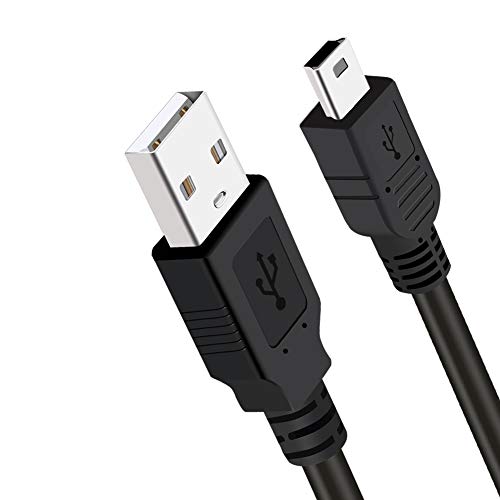
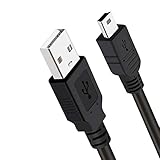
- Mini-USB to USB-A: PS3 DualShock 3, PS Move
How to Measure Your Space
Do not guess. A two-minute measurement will tell you exactly whether you need 6, 10, or 15 feet, and it prevents the common problem of a cable that is 12 inches too short to reach while reclined.
- Find your anchor point. Locate the USB port you will actually use. On consoles this is the front USB-A port; on a PC it may be the front panel or a hub. Note if the console is centered under the TV or off to one side.
- Measure the floor path. Use a tape measure from that USB port to the center cushion of your couch where you normally sit. Follow the path the cable will take, not a straight line through the air. If you plan to run it along a baseboard or behind a media console, measure that route. Record in feet and inches.
- Add slack for recline and movement. Add 24 to 36 inches (61 to 91 cm) to your floor measurement. This accounts for leaning back, passing the controller, and preventing tension on the port. Without slack, the cable will tug every time you shift.
- Add vertical drop. If the console is low to the floor and your couch is high, or vice versa, add another 12 to 18 inches (30 to 46 cm) for the vertical rise from floor to seat height and to the console port. Most couches sit 16 to 19 inches off the floor; media consoles are 18 to 24 inches high.
- Round up to the next standard size. If your total needed length is 7.5 feet, buy 10 feet, not 6.6 feet. If it is 11 feet, buy 15 feet. Cables are sold in fixed steps, so rounding up gives you comfortable play without buying an unnecessarily long cord.
- Check obstacles. Note foot traffic areas, doors, pets, and vacuum paths. If the cable will cross a walkway, plan to route it along the edge of a rug or use a small cord cover. For runs over 10 feet, consider how you will manage extra length so it does not coil under your feet.
Example: Your PS5 is centered 7 feet (84 inches / 213 cm) from the couch along the baseboard. Add 30 inches for recline slack and 12 inches for vertical drop. Total is 126 inches, which is 10.5 feet. You would choose a 15-foot cable, or reposition the console closer to make a 10-foot cable work.
By Room or Use Case
Small Apartment or Compact Living Room (5 to 7 Feet Viewing Distance)
In a small space where the couch is 5 to 7 feet from a TV stand, a 6.6-foot cable will technically reach but leaves almost no slack. A 10-foot cable is still the better buy here. It lets you sit on either end of a 72 to 84-inch sofa without swapping ports and gives you enough length to rest the controller on a coffee table while charging. Go with 6.6 feet only if your console is on the same coffee table or on a shelf directly in front of you and you want minimal excess cord.
Standard Living Room with TV Stand or Entertainment Center (7 to 9 Feet Viewing Distance)
This is the most common American living room layout, with a 55 to 75-inch TV and a sofa 7 to 9 feet away. A 10-foot cable (120 inches / 305 cm) is ideal. It provides a clean diagonal run from the console to your lap with 18 to 30 inches of slack left over. If you have a sectional that is 100 to 120 inches wide and you sit on the far end while the console is on the opposite side of the stand, measure carefully; you may need 15 feet for the far seat. For families where two wired controllers are used at once, 10 feet per player prevents tangling better than one 15-foot and one 6-foot mix.
Large Living Room, Wall-Mounted TV, or Recliner Setup (10 to 14 Feet Viewing Distance)
When the TV is wall-mounted and the console sits in a closet, side cabinet, or low console 10 or more feet away, or you play from a recliner that extends 60 to 70 inches when fully reclined, choose 15 feet (180 inches / 457 cm). Wall-mounted setups often require routing down the wall and along the baseboard, which adds 3 to 5 feet versus a straight-line measurement. Look for a cable with a braided nylon jacket and strain relief at the connectors for longer runs, and use adhesive cable clips or a fabric cord sleeve to keep the run tidy. Avoid leaving the full 15 feet loose across hardwood or tile where it becomes a trip hazard.
Bedroom or PC Couch Play (Variable Distance, Often Offset)
Bedrooms and PC-to-couch setups are where people most often underestimate length. A PC tower may be on a desk 8 to 12 feet from a bed or futon, and the cable may need to go around a desk leg and over a rug. Measure from the PC’s front USB port, not the rear motherboard ports, unless you use a front-panel hub or extension. For bedroom dressers that are 50 to 60 inches wide with the console on one end, add the extra horizontal distance to your measurement. In these offset setups, 10 feet is usually too short and 15 feet is the safer choice. If you regularly switch between desk and couch, a 10-foot cable for desk and a separate 15-foot cable left routed for couch play is more convenient than constantly unplugging one cord.
Common Sizing Mistakes
1. Buying the exact measured distance with no slack. A 6-foot point-to-point measurement needs an 8 to 10-foot cable in practice. Without 2 to 3 feet of slack, any lean or foot movement yanks the connector and wears out the port.
2. Forgetting diagonal distance. People measure straight ahead but sit at an angle on a sectional or L-shaped couch. The diagonal from a console on the left side of the room to the right side of a 90-inch sectional can be 2 feet longer than the straight measurement.
3. Choosing the wrong connector for a longer length. A 15-foot Mini-USB cable will not help if your current controller needs USB-C. Double-check the controller end before upsizing length. Label your cables if you own PS3, PS4, and PS5 controllers.
4. Going too long to be safe and creating clutter. A 15 or 16.4-foot cable in a 6-foot room leaves 8 to 9 feet of extra cord pooling on the floor. Excess length snags on vacuums, pets, and feet. It is better to size correctly and manage the last few feet with a velcro tie.
5. Ignoring cable thickness and stiffness. Very cheap, thick PVC cables do not drape well and pull against the controller. For couch play, a flexible braided cable in the 3.5 to 5mm diameter range is more comfortable over long sessions and resists kinking when you wrap it for storage. Weight matters too; a heavy, stiff 15-foot cord can slowly drag a lightweight controller off a couch arm.
6. Assuming all long cables charge and carry data equally. For simple wired play and charging, most cables work, but ultra-long budget cables over 15 feet can be more prone to intermittent disconnects if poorly shielded. Stick to standard sizes from reputable sellers and avoid unnecessary 20+ foot runs for controller use.
FAQ
Is 6 feet long enough for couch gaming?
Only in very tight layouts. If your console is directly under the TV and your couch is 4 to 5 feet away, a 6 or 6.6-foot cable (72 to 79 inches) will reach, but you will have almost no slack to lean back. For most adults who sit 6 to 8 feet away, 6 feet feels restrictive and puts strain on the USB port. If you are between sizes, choose 10 feet.
Is 10 feet or 15 feet better for a PS5 or Xbox Series X on a TV stand?
10 feet is better for a standard 7 to 9-foot viewing distance and keeps the living room tidy. Choose 15 feet if your couch is more than 9 feet away, you sit on the far end of a large sectional, or the console is offset to the side of the room rather than centered. Both lengths work fine with PS5 DualSense and Xbox Wireless Controllers via USB-C; the decision is purely distance and routing.
Will a longer USB cable cause input lag?
For wired controller play, a standard 10 or 15-foot USB 2.0 cable does not add perceptible input lag compared to a 6-foot cable. What can cause issues is a damaged, poorly shielded, or excessively long cable over 16 feet that causes dropped inputs or disconnects, not lag. If you need more than 15 feet, route the cable cleanly and avoid tightly coiling the excess, which can stress the connectors.
What length should I buy if I want one cable for couch and desk play?
Buy for your longest distance. Measure both spots and use the larger total with slack included. In most homes that means a 10-foot cable if the desk and couch are close, or a 15-foot cable if the couch is farther. Many players in 2026 keep two cables — a 6.6-foot cable at the desk and a 10 or 15-foot cable pre-routed to the couch — so you are not constantly re-routing and unplugging.
Related guides
- Best Free MMOs on Steam: Subscription Limits, Pay-to-Win and Time Cost (2026)
- Best Free Horror Games on Steam: How to Pick One That Fits Your PC and Your Nerves (2026)
- Black Frame Insertion vs VRR: Which Smoothness Feature Should You Use?
- Best Webcams for Streaming: 11 Listings Compared by Resolution, Focus and Light (2026)








