As an Amazon Associate we earn from qualifying purchases at no extra cost to you.


Our Top Picks
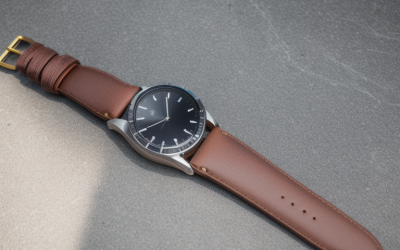
 cozoo Desk Headphone Holder Hook Headset Watch Cable5.51 x 4.49 x 3.39 inches0.4 poundsCheck on Amazon

The Short Answer
Yes, a headset charging dock is worth it — but only if your headset uses a micro-USB or proprietary charging contact that you plug into more than once a day. If you charge your headset once every few days and it uses a standard USB cable, a plain wall adapter works just as well and costs a fraction of the price.
That one condition matters: docks earn their keep through daily convenience, not better charging. They don’t charge faster or extend battery life. What they do is eliminate the fumble of finding a cable, aligning a connector in the dark, and hunting for a free outlet.
What You Actually Get
A headset charging dock is a weighted base, usually plastic or aluminum, that holds your headset upright while it charges. Most models fall between 3 and 6 inches wide, stand 4 to 8 inches tall, and weigh 8 to 16 ounces — enough heft that you can seat the headset one-handed without the base sliding across the desk. Charging happens through pogo pins, a cradle contact, or a built-in USB cable, typically delivering 5W to 15W depending on the headset’s requirements.
Functionally, a dock does three things a bare wall adapter does not:
1. **Gives the headset a home.** Instead of laying on the desk or hanging off a monitor edge, the headset sits upright in a defined spot. This alone reduces the “where did I put my headset” problem.
2. **Eliminates cable handling.** No plugging and unplugging. You set the headset down and charging starts. Most contact-based docks make a small chirp or LED change to confirm connection.
3. **Consolidates desk clutter.** Many docks double as stands with hooks or trays for cables, watches, or small accessories.
A wall adapter, by contrast, is just the brick in the outlet. Your headset’s own USB cable does the actual connecting. It’s the cheapest possible charging setup — but the cable, the connector wear, and the lack of a resting place are all on you.
It’s worth noting that some headsets, like certain Jabra Pro office models, already include a base station that doubles as the charger. In those cases, what you’re shopping for isn’t a dock at all — it’s the replacement AC adapter that powers the base. A dedicated DC power supply for a Jabra Pro WHB003BS base runs about $7, which changes the math entirely: you’re not choosing between a dock and an adapter, you’re just restoring the charging station you already own.
Pros
- One-handed daily use. Drop the headset on the cradle and walk away. No aligning a USB plug, which gets tedious fast if you charge multiple times per day.
- Less port wear. USB-C and micro-USB ports are rated for roughly 5,000 to 10,000 insertion cycles. Contact-based docks bypass the port entirely, which matters if you keep headsets for three or more years.
- A defined storage spot. Headsets left on desks get knocked off, sat on, or tangled in cables. A weighted base keeps them upright and out of harm’s way.
- Cleaner desk. One dock replaces a loose cable plus wherever you were propping the headset — a monitor hook, a stack of papers, the corner of your keyboard.
- Better for shared workspaces. In an office where multiple people use the same desk, a dock means everyone returns the headset to the same charged, ready position.
- Accessory combos. Models like the cozoo desk holder add hooks and a storage basket for under $15, handling watch, cable, and headset storage in one footprint.
Cons
- Added cost. A quality dock runs $15 to $40; a basic wall adapter with a USB cable is $6 to $12. You’re paying $10 to $30 purely for convenience and storage.
- Desk space. A dock occupies 3 to 6 inches of surface permanently. If your desk is already tight, that’s real estate a wall adapter doesn’t touch.
- Compatibility lock-in. Docks are usually model-specific. Buy a dock for your current headset and it may be useless when you upgrade in two years.
- Slower or equal charging, never faster. Most docks deliver 5W to 10W. If your headset supports 15W USB-C charging, a dock can actually be slower.
- Contact issues over time. Pogo pins and cradle contacts can collect dust or lose spring tension, causing intermittent charging after a couple of years.
- An extra failure point. Some docks need their own power brick, occupying the outlet you were trying to save.
Who Should Buy It
You’re the right buyer for a dock if you check two or more of these boxes:
- You charge your headset daily, or more than once daily — call-center workers, remote employees on back-to-back video calls, gamers with long sessions.
- Your headset charges through proprietary contacts or a cradle design, meaning a standard cable isn’t even an option.
- Your desk is cluttered and you want the headset to have one permanent home.
- You share a workspace and need the headset returned to a predictable, charged state.
And if your headset’s original base died — common with office headsets like the Jabra Pro line — don’t buy a new dock. A replacement AC adapter for the WHB003BS base costs about $7 and brings your existing charging station back to life.
Who Should Skip It
- You charge every two or three days. Plugging in a cable twice a week is not a pain point worth $20 to $40.
- Your headset uses USB-C and holds a full workday on one charge. The port-wear argument barely applies at three insertions per week.
- You travel with your headset. A dock stays home; a cable goes in your bag.
- Desk space is scarce. A wall adapter plus a $15 hook-style holder under a shelf solves storage without consuming surface area.
Cheaper Alternatives
| Option | Cost | Trade-off |
|---|---|---|
| Basic 5W–10W wall adapter + the cable your headset came with | $6–$12 | No storage, manual plugging, gradual port wear — but it charges identically |
| Replacement AC adapter for an existing headset base (e.g., Jabra Pro WHB003BS base) | ~$7 | Only relevant if your base still works; you’re repairing, not upgrading |
| Under-desk or clamp-on headset hook | $8–$15 | Solves storage, not charging — you still plug in a cable |
| Desk organizer with headset hook and accessory tray (e.g., cozoo-style holder) | ~$15 | Great clutter control; still requires cable plugging to charge |
| USB-C charging cable with magnetic adapter tip left plugged in | $9–$15 | Mimics one-handed dock convenience for a third of the price; the tip adds slight bulk to the port |
FAQ
Does a charging dock charge faster than a wall adapter?
No. The dock is just a different delivery method for the same power. Most docks output 5W to 10W over their contacts, which is equal to or slower than a modern USB-C wall adapter. Speed depends on your headset’s charging circuitry, not the stand it sits in.
Will using a dock damage my headset’s battery?
Leaving a headset on a dock long-term keeps the battery at or near 100%, which accelerates capacity loss slightly over years compared with cycling between roughly 20% and 80%. For a $30 to $100 headset you’ll likely replace in three to five years, this is a minor factor — but if you notice heat buildup on the cradle, unplug the dock between uses.
Can I use any dock with any headset?
Usually not. Contact-based and cradle docks are model-specific — a dock shaped for one headset won’t seat another correctly. Generic docks with a USB cable or holder hook work with nearly anything, but then you’re essentially paying for storage, not charging convenience.
Is a $7 wall adapter really all I need?
If you charge a few times a week and don’t mind plugging in a cable, yes — it charges exactly as effectively as a dock. The adapter wins on price and desk space; the dock wins on daily convenience, port longevity, and giving your headset a permanent home. Match the purchase to how often you actually reach for the cable.