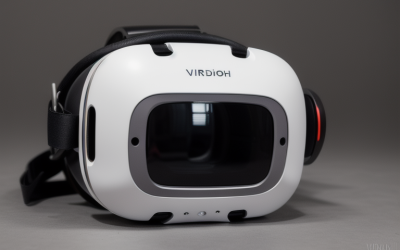
A high-intensity session of virtual reality gaming or fitness can leave you drenched in sweat. While your muscles get a fantastic workout, your headset’s face foam acts like a sponge, absorbing sweat, facial oils, makeup, and dead skin cells. If you do not know how to clean sweat from vr headset face foam properly, you risk more than just an unpleasant odor during your next gaming session.
Cleaning this delicate component incorrectly can lead to serious issues. Harsh chemicals can dissolve the specialized adhesives holding the foam to its plastic interface, causing it to peel and warp. Excess moisture can seep into the headset’s internal electronics, instantly bricking a $300 to $1,000 device. Furthermore, improper drying creates a dark, damp breeding ground for mold and bacteria, which can cause severe skin breakouts, contact dermatitis, or eye infections. To protect your skin and your tech investment, follow this professional guide to safely sanitizing your VR face foam.
As an Amazon Associate we earn from qualifying purchases at no extra cost to you.


Our Top Picks
What You Need
Before you begin, gather the correct tools. Avoid using heavy household cleaners, bleach, or high-concentration rubbing alcohols, which degrade the porous structure of polyurethane foam.
| Item | Why You Need It | Optional? |
|---|---|---|
| Mild liquid dish soap or baby shampoo | Breaks down stubborn facial oils and sweat salts without drying out or degrading the foam material. | No |
| Microfiber cloths (12″ x 12″, 300 GSM) | Lint-free cloths that absorb moisture rapidly without shedding fibers onto the delicate foam or lenses. | No |
| Lukewarm water | Dissolves soap safely. Hot water can melt adhesives or warp the plastic facial interface. | No |
| Small mixing bowl | For diluting the mild soap into a gentle cleaning solution. | No |
| Silicone or PU leather face cover | Sits over the foam to prevent sweat absorption during future high-intensity workouts. | Yes |
Step-by-Step
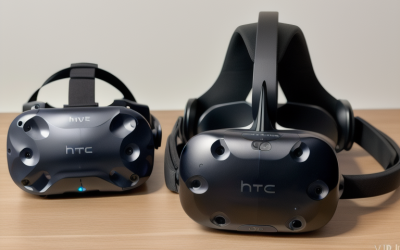
This cleaning process is designed for standard open-cell polyurethane foam interfaces (such as the stock foam found on Meta Quest, Valve Index, or HTC Vive headsets). Allocate enough time for the foam to dry completely before your next virtual reality session.
Step 1: Detach the Facial Interface (Time: 1–2 Minutes)
Never attempt to clean the face foam while it is still attached to the main VR headset. Gently pull the plastic facial interface (the plastic bracket that holds the foam) away from the main goggle housing. If your headset uses a removable foam pad attached via Velcro, carefully peel the foam away from the plastic bracket. Keep the main electronic headset far away from your cleaning station to prevent accidental water splashes.
Step 2: Prepare the Cleaning Solution (Time: 1 Minute)
Fill your small mixing bowl with approximately two cups of lukewarm water. Add two to three drops of mild dish soap or baby shampoo. Stir the mixture gently with your hand until small bubbles form. You want a very diluted, soapy solution; using too much soap will make it incredibly difficult to rinse out of the porous foam.
Step 3: Wash the Foam (Time: 3–5 Minutes)
Dip a clean microfiber cloth into the soapy water and wring it out thoroughly until it is merely damp, not dripping wet. Gently press the damp cloth into the foam, working your way around the entire perimeter. Use light, patting motions to draw out the sweat and oils. If your foam pad is completely removable from its plastic bracket, you can submerge the foam directly in the soapy water. Gently compress and release the foam in the water to flush out trapped oils. Never scrub, twist, or wring the foam aggressively, as this will tear the delicate cells and ruin its shape.
Step 4: Rinse and Express Excess Water (Time: 2–3 Minutes)
If you used the damp cloth method, rinse the cloth thoroughly under plain water, wring it out, and pat down the foam again to remove any soap residue. If you submerged the foam, hold it under a gentle stream of cool, running tap water. Squeeze the foam gently under the running water until the water runs completely clear of soap suds. To dry, place the wet foam flat between two dry, clean microfiber cloths. Press down firmly with the palms of your hands to express the bulk of the water. Do not twist or wring the foam.
Step 5: Air Dry Completely (Time: 12–24 Hours)
Lay the damp foam flat on a clean, dry towel in a well-ventilated room. Allow it to air dry naturally for at least 12 to 24 hours. Do not use a hairdryer, place it near a radiator, or leave it in direct sunlight, as high heat will shrink the foam, melt the structural adhesives, and warp any plastic components.
Mistakes to Avoid
- Submerging the entire headset: It may seem obvious, but never submerge the electronic portion of your VR headset in water. A single drop of water entering the charging port, headphone jack, or lens housing can permanently short-circuit the internal motherboard.
- Using harsh chemicals or alcohol: Do not use rubbing alcohol (isopropyl alcohol), bleach, or household disinfectant sprays directly on porous face foam. These chemicals break down the chemical bonds of polyurethane foam, causing it to crumble, harden, and irritate your skin.
- Speed-drying with high heat: Using a clothes dryer, hairdryer on high heat, or placing the foam on a heating vent will permanently warp the plastic interface and cause the foam to shrink, making it impossible to reattach to your headset.
- Wringing or twisting the foam: Polyurethane foam has low tensile strength when wet. Twisting it to squeeze out water will rip the foam or tear it away from its backing.
How Often
How frequently you clean your VR face foam depends entirely on your usage patterns. For casual gaming (1–2 hours a week of low-movement games), a deep clean every two weeks is sufficient. However, if you use your headset for daily active workouts, multiplayer shooters, or rhythm games, you should wipe down the interface with a dry microfiber cloth after every single session, and perform a deep clean once a week.
As we head into 2026, virtual reality fitness and immersive workspaces are becoming daily habits for millions. With increased daily wear, establishing a strict weekly hygienic routine is essential to prevent “VR acne” (acne mechanica) caused by dirt and sweat rubbing against your pores under the pressure of the headset straps.
When to Call a Pro or Replace
Unlike professional electronics repairs, VR face foam cannot be professionally refurbished once it has reached the end of its lifespan. If your foam is flaking, shedding tiny black particles, losing its springiness, or retaining a musty, sour smell even after a thorough washing, the material has degraded. At this point, it is time to replace the foam entirely.
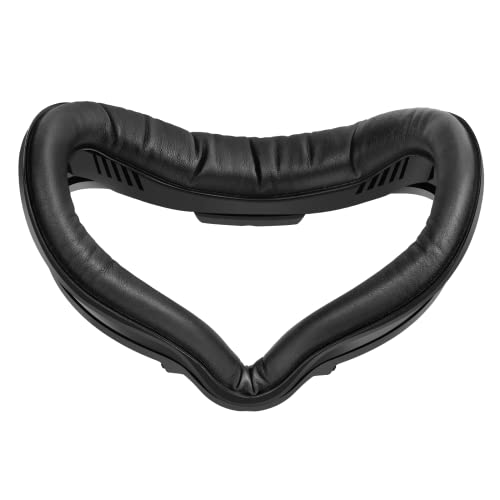
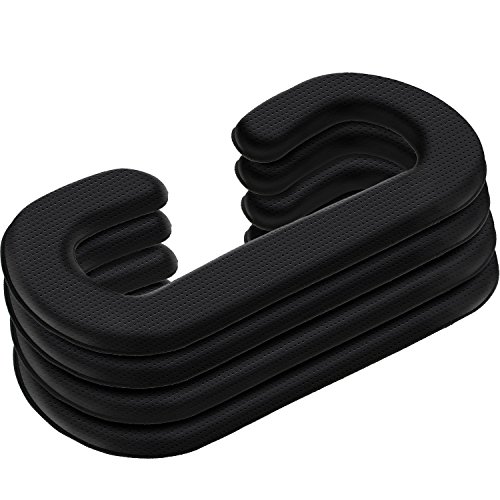
Fortunately, high-quality replacements are highly affordable and offer massive upgrades in hygiene. If you want a sweat-proof option that is incredibly easy to wipe down between active sessions, consider upgrading to a PU leather or silicone face pad. Excellent aftermarket options include the SUPERUS Facial Interface & Face Cover Pad for Oculus Quest 2 (priced around $16), which features a sweat-proof PU foam cushion, or the Satinior 4 Pack Face Pad Cover (priced around $18), which provides multiple PU leather foam replacements so you can swap them out when hosting friends.
FAQ
Can I use antibacterial wet wipes on my VR headset foam?
You should avoid using standard household disinfectant wipes on porous foam. These wipes often contain harsh chemicals and high alcohol concentrations that degrade the foam structure and can cause skin irritation when pressed against your face. If you must use wipes, select alcohol-free, unscented wipes specifically formulated for sensitive skin or specialized VR hygiene wipes.
Can I wash my VR face foam in the washing machine?
No, you should never put VR face foam or plastic facial interfaces into a washing machine or dishwasher. The aggressive agitation, high spin cycles, and intense heat of these appliances will tear the foam, melt the adhesives, and warp the plastic frames beyond repair.
How can I prevent my VR foam from absorbing sweat in the first place?
The best way to protect your headset is to use a silicone protective cover or a PU (polyurethane) leather face pad replacement. These materials are non-porous, meaning sweat sits on the surface rather than soaking into the cushion. You can easily wipe them clean with a dry microfiber cloth or a skin-safe sanitizer wipe immediately after your workout.
Why does my VR headset still smell bad after I cleaned it?
If a foul odor persists after cleaning, bacteria or mold has likely colonized deep within the inner pores of the foam where soapy water couldn’t reach, or the foam did not dry fast enough, allowing mildew to form. Once deep mold sets into open-cell foam, it is incredibly difficult to sanitize safely. For your health and comfort, it is best to discard the old foam and purchase a fresh replacement pad.