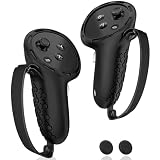
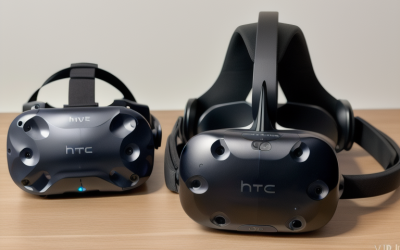
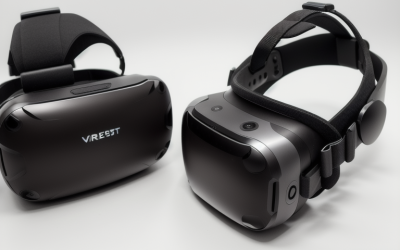
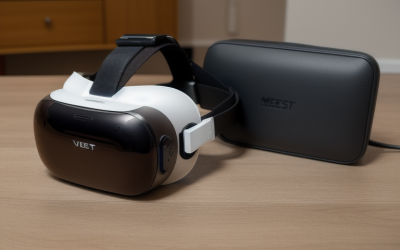
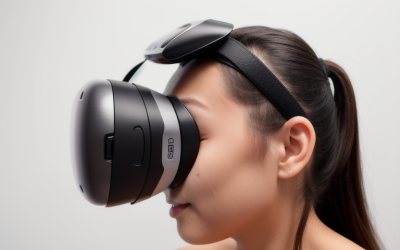
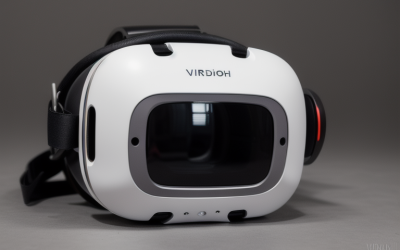
A premium virtual reality headset is a significant investment. Whether you own the high-end Meta Quest 3 512GB | Virtual Reality — VR Headset — Gorilla Tag Bundle — price $599 or a compact Quest 3S, the optical lenses are the most delicate and critical parts of the device. If these lenses are scratched, smudged, or exposed to the elements, your immersive experience is instantly compromised.
What actually goes wrong when a headset is stored carelessly? The consequences are often permanent. The magnifying properties of the lenses mean that even brief exposure to direct sunlight can act like a magnifying glass, burning and destroying the delicate LCD or OLED display panels inside the unit in under a minute. Furthermore, dust particles sitting on the lenses act like sandpaper when wiped away dry, creating microscopic scratches that cause distracting “god rays” or glare during gameplay. Moisture from humid rooms can seep into the internal housing, causing mold growth or electrical shorts, while loose storage in a drawer can lead to physical impact damage from other household items.
As an Amazon Associate we earn from qualifying purchases at no extra cost to you.


To keep your optical system pristine, you must establish a safe, consistent storage routine. This guide breaks down the professional steps, essential tools, and critical mistakes to avoid to protect your VR investment.
Our Top Picks


What You Need
Before putting your headset away, gather these essential storage tools to protect the hardware from dust, physical impact, and environmental hazards.
| Item | Why You Need It | Optional? |
|---|---|---|
| Dry Microfiber Cloth | Safely lifts skin oils, sweat, and dust without scratching the optical glass. | No |
| Hard-Shell Carrying Case | Protects the 515-gram headset from drops, dust, pets, and ambient light. Standard cases measure roughly 12 x 8.5 x 5 inches. | No (Highly Recommended) |
| Padded Lens Cover | Blocks all light and prevents the head straps or controllers from rubbing against the lenses inside the case. | No |
| VicRole New OEM Glasses Lens Spacer | The VicRole New OEM Glasses Lens Spacer for Meta Quest 3S VR Headset, Replacement Glasses Bracket Repair Parts VR Accessories for Oculus Quest 3S Virtual Reality Headset — price around $19 creates a physical 4mm to 6mm barrier to prevent prescription glasses from scratching the VR lenses during storage and use. | Yes (Essential for glasses wearers) |
| Silica Gel Packets | Absorbs excess moisture to prevent lens fogging and internal humidity damage. | Yes |
Step-by-Step Storage Process
Follow these steps every time you finish a gaming session to guarantee your lenses remain scratch-free and ready for your next session.
Step 1: Power Down and Disconnect (Time: 1 Minute)
Never store your headset while it is in sleep mode or actively charging. Hold down the power button for three seconds and select “Power Off” from the on-screen menu. Unplug the USB-C charging cable. Storing a headset while it is actively charging or running can cause heat buildup inside a closed case, which can degrade the lithium-ion battery and damage the internal adhesive holding the lenses in place.
Step 2: Clean the Lenses of Oils and Dust (Time: 2 Minutes)
Before placing the headset into dark storage, use a clean, dry microfiber cloth to wipe the lenses. Gently wipe in a circular motion, starting from the center of each lens and moving outward. Never use liquid cleaners, alcohol wipes, or household glass sprays, as these chemicals strip away the anti-reflective and anti-fog coatings applied to the lenses during manufacturing.
Step 3: Insert Lens Spacers or Protectors (Time: 1 Minute)
If you wear prescription glasses while playing, install the VicRole New OEM Glasses Lens Spacer for Meta Quest 3S VR Headset, Replacement Glasses Bracket Repair Parts VR Accessories for Oculus Quest 3S Virtual Reality Headset — price around $19. This OEM replacement bracket clips securely into the facial interface, ensuring that your eyeglasses never make physical contact with the headset lenses when the device is compressed inside a storage bag. Once the spacer is secure, insert a dedicated foam lens cover directly over the optical glass to block out all light and dust.
Step 4: Secure the Headset in a Hard-Shell Case (Time: 1 Minute)
Carefully lower the headset into a dedicated hard-shell case. Ensure the head strap is folded neatly around the facial interface to avoid putting pressure on the lenses. Store the controllers in their designated molded slots. If your controllers are left loose, they can shift during transit and slam directly into the lenses, causing deep, unrepairable gouges.
Step 5: Store in a Climate-Controlled Environment (Time: 1 Minute)
Place the closed storage case in a cool, dark, and dry location, such as a closet shelf or drawer. The ideal storage temperature range is between 50°F and 104°F (10°C to 40°C), with a relative humidity level between 30% and 60%. Drop a 5-gram silica gel packet into the case to manage ambient moisture levels.
Mistakes to Avoid
- Leaving the Headset Near Windows: Even a few seconds of exposure to direct sunlight can permanently burn the display screen behind the lenses, leaving yellow, brown, or black dead zones on your display.
- Using Compressed Air Cans: The high pressure from compressed air can force dust particles past the rubber gaskets and directly onto the inside of the sealed lens assembly, creating permanent black spots in your field of view.
- Storing Face-Down on Flat Surfaces: Placing the headset face-down on a desk or table puts the weight of the device directly on the outer tracking cameras and can cause the internal lenses to scrape against any debris on the surface.
- Using Liquid Cleaners: Windex, isopropyl alcohol, and wet sanitizing wipes will permanently dissolve the optical coatings, leading to severe glare and cloudiness.
- Neglecting Future-Proofing: With the VR landscape projected to expand dramatically by 2026, protecting your physical hardware now ensures your device retains its peak performance and maximum resale value for future trade-ins.
How Often to Clean and Store
You should place the lens cover over the optical glass every single time you take the headset off, even if you are only stepping away for a five-minute break. A passing pet or a sudden shift in sunlight through a window can damage unprotected lenses in an instant.
Conduct a thorough inspection and dust removal sequence once a week if you play daily. If you plan to store the headset unused for more than two weeks, discharge the battery to approximately 50% to 60% capacity before powering it down completely and placing it in its hard-shell case. Storing a lithium-ion battery completely drained or fully charged at 100% for long periods will permanently reduce its overall lifespan.
When to Call a Pro or Replace
Some lens issues can be resolved at home, while others require professional intervention or hardware replacement.
If you notice light, oily smudges or dust, a simple wipe with a dry microfiber cloth will fix the issue. However, if you see deep physical scratches that catch your fingernail, or if you experience “god rays” (streaks of light projecting from bright objects in dark scenes), the optical surface has been structurally compromised. Sun damage—manifesting as persistent yellow or green spots on the screen—cannot be repaired by cleaning.
Because Meta Quest lenses are permanently sealed into the optical engine to prevent dust intrusion, individual lenses cannot be easily swapped out at home. If your lenses are severely scratched or sun-damaged, you will need to contact Meta Support for an out-of-warranty replacement, which typically costs between $150 and $300 depending on the model, or purchase a new unit entirely.
FAQ
Can I use liquid lens cleaners designed for eyeglasses on my Meta Quest?
No. Most commercial eyeglass cleaners contain isopropyl alcohol, ammonia, or other harsh solvents. These chemicals will dissolve the specialized anti-reflective and anti-scratch coatings applied to your Meta Quest lenses, leaving them permanently cloudy and prone to glare.
Why did my screen get yellow spots after leaving it on my desk?
This is classic sun damage. The lenses inside your headset act exactly like a magnifying glass. If direct sunlight hits the lenses for even a few seconds, it focuses the light into a high-heat beam that melts or burns the pixels on the display screen directly behind the glass. This damage is physical and irreversible.
How does a glasses spacer protect the lenses during storage?
A glasses spacer, like the VicRole OEM spacer, increases the physical distance between your prescription eyeglasses and the VR lenses by 4mm to 6mm. When you store the headset, any external pressure on the facial interface could push your glasses back against the delicate VR lenses; the spacer prevents this physical contact entirely.
Is it safe to store my Meta Quest on a vertical charging stand?
Yes, vertical charging stands are safe, provided they are kept far away from windows, pets, and children. When using a stand, always insert a foam lens cover over the optics to prevent ambient dust from settling on the glass and to block any stray light from reaching the lenses.