
Expanding your PlayStation 5 storage is one of the most satisfying upgrades you can perform, but it comes with a major catch: you must use a heatsink. When researching how to choose the right heatsink for ps5 ssd, many gamers fall into easily avoidable traps. They buy based solely on price, or they purchase high-profile PC desktop heatsinks that physically prevent the console’s outer covers from snapping back into place.
The PS5’s M.2 expansion bay is a remarkably confined space with limited passive airflow. Without the proper cooling solution, a high-speed PCIe Gen4 SSD running at speeds up to 7,000 MB/s will rapidly overheat. This leads to thermal throttling, game stuttering, and potentially permanent hardware damage. Knowing what actually matters—from physical clearance down to thermal pad conductivity—will save you both money and installation frustration.
As an Amazon Associate we earn from qualifying purchases at no extra cost to you.


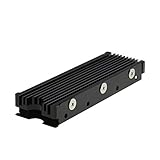

Our Top Picks
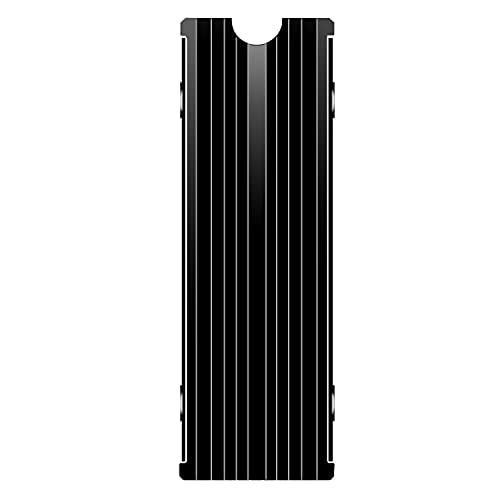 M.2 Heatsink Cooler 2280 SSD Double-Sided Heat Sink3"L x 0.95"W x 0.4"H3 x 0.95 x 0.4 inches0.1 PoundsCheck on Amazon
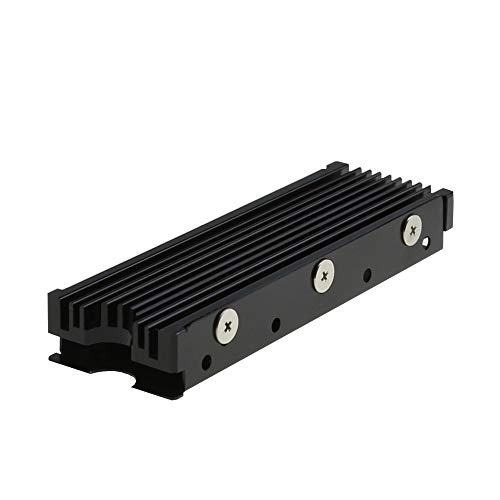 MHQJRH M.2 2280 SSD heatsink for PC /Double Side Heatsink(black)3 x 0.95 x 0.4 Inches0.1 poundsCheck on Amazon


Top 3 picks at a glance
Decide These 3 Things First
Before diving into technical specifications, you need to establish your upgrade path. Answering these three questions first will immediately narrow down your options:
- DIY Aftermarket vs. Pre-installed: Do you want to buy a bare M.2 drive and mount an aftermarket cooler yourself, or do you prefer an all-in-one bundle? Opting for a pre-assembled option like the fanxiang 1TB NVMe Internal Gaming SSD with Heatsink (around $190) eliminates installation stress, but buying a bare drive and pairing it with a budget cooler like the MHQJRH M.2 2280 SSD heatsink (around $6) is highly cost-effective.
- The Stock Cover Dilemma: Do you want to keep the PS5’s original metal expansion slot cover in place, or are you open to replacing it entirely? Specialized heatsinks are designed to swap out the stock door to maximize airflow.
- Drive Configuration: Is your SSD single-sided (memory chips on one side of the board) or double-sided (chips on both sides)? This dictates the thickness of the thermal pads you must use to ensure proper contact without bending the drive.
Factor 1: Physical Dimensions and Clearance Requirements
The physical dimensions of the PS5 expansion slot are strict and unforgiving. Sony’s official documentation states that the total assembly (SSD plus its heatsink) cannot exceed 110mm in length, 25mm in width, and 11.25mm in height.
Specifically, the height distribution is highly precise: you are allowed a maximum of 8.0mm of clearance above the SSD board and only 2.45mm below it. If you purchase a standard desktop heatsink designed for open-air PC motherboards, it will often measure 15mm to 20mm in height. Trying to force this into a PS5 will prevent you from closing the expansion bay, exposing your console’s internals to dust and disrupting the negative air pressure required for cooling.
Products designed specifically for this console, such as the M.2 Heatsink Cooler 2280 SSD Double-Sided Heat Sink (around $5), are engineered to sit comfortably at a total thickness of roughly 10mm, ensuring a seamless fit under the stock cover.
Factor 2: Material Composition and Thermal Conductivity
Thermal performance relies entirely on the materials used to draw heat away from the SSD controller—the hottest part of the drive. The heat must transfer quickly from the silicon to the metal fins.
- Aluminum: The most common and cost-effective material. It offers excellent thermal conductivity (around 200 W/mK) and is incredibly lightweight. The MHQJRH M.2 2280 SSD heatsink (around $6) utilizes a grooved aluminum design to maximize surface area, allowing heat to dissipate rapidly into the surrounding air.
- Copper: With a thermal conductivity rating of around 400 W/mK, copper transfers heat twice as fast as aluminum. However, pure copper heatsinks are heavier, more expensive, and often unnecessary for the PS5’s passive slot unless you are continuously transferring hundreds of gigabytes of data.
- Thermal Pads: The silicone pads sandwiched between the SSD and the metal plate must have a high thermal conductivity rating, measured in Watts per meter-Kelvin (W/mK). Look for pads rated at least 3.0 W/mK for budget drives, while high-performance Gen4 drives benefit from 6.0 W/mK or higher. Standard thicknesses range from 0.5mm to 1.5mm.
Factor 3: Construction Style and Mounting Integrity
How a heatsink is held together determines its long-term safety. Under intense gaming sessions, SSD controllers can easily reach temperatures between 70°C and 80°C. If the heatsink shifts or loses contact, the drive will overheat instantly.
Screw-Fixed Sandwiches: This is the most secure construction style. The M.2 Heatsink Cooler 2280 SSD Double-Sided Heat Sink (around $5) utilizes a dual-metal plate design where the SSD is placed between a top and bottom plate, clamped together with tiny screws. This design provides uniform pressure across the silicon chips, preventing the thermal pads from slipping over time.
Tension Clips: These metal clips snap over the top of the heatsink. While easier to install than screws, they can sometimes apply uneven pressure if the SSD chips are of varying heights.
Silicone Bands: Some ultra-cheap kits use elastic silicone bands to wrap around the assembly. Under the constant, dry heat of the PS5’s internal chamber, these bands will inevitably dry out, crack, and snap, causing the heatsink to detach from the drive entirely. Avoid these at all costs.
Factor 4: Passive Dissipation vs. Active Airflow Integration
The PS5’s SSD bay is a sealed, passive chamber. It has no dedicated fan inside the slot. Instead, it relies on the console’s main intake fan to pull hot air out of the bay through negative pressure.
Standard block heatsinks trap heat within the small metal compartment if you keep the stock metal slot cover sealed shut. To solve this, manufacturers created bay-cover replacement heatsinks, such as the SABRENT M.2 NVMe PS5 heatsink (SB-PSHS) (around $13).
Instead of sitting underneath the stock cover, the Sabrent heatsink replaces the expansion bay cover entirely. It features a massive, CNC-machined aluminum plate that extends directly into the path of the PS5’s main cooling fan. This design increases the available cooling surface area by over 300% and actively utilizes the console’s airflow to pull heat away from the drive, dropping temperatures significantly compared to standard internal blocks. Looking ahead to 2026, as next-generation games demand continuous, high-bandwidth asset streaming directly from the SSD, this style of active thermal integration will become the standard for maintaining peak performance.
Factor 5: Price Tiers and Long-Term Value
When deciding how to choose the right heatsink for ps5 ssd, your budget will largely dictate whether you go for a DIY approach or a pre-configured solution:
- Budget (around $5 – around $9): This tier features reliable, straightforward aluminum blocks like the MHQJRH M.2 2280 (around $6) and the M.2 Heatsink Cooler 2280 (around $5). These are perfect for gamers on a budget who don’t mind spending 10 minutes assembling the thermal pads and screws themselves.
- Mid-Range (around $10 – around $25): This tier introduces engineered, console-specific solutions like the SABRENT M.2 NVMe PS5 heatsink (around $13). It offers superior cooling by replacing the expansion bay cover, making it the best value-to-performance choice on the market.
- Premium / Pre-Installed (around $80+): This tier consists of high-end Gen4 SSDs that come with engineered heatsinks pre-assembled from the factory, such as the fanxiang 1TB NVMe Internal Gaming SSD with Heatsink (around $190). This option is ideal for users who want a guaranteed fit, zero installation hassle, and a single, comprehensive product warranty.
Factor 6: Installation Complexity and Component Comfort
Installing an aftermarket heatsink requires a steady hand. You must clean the SSD chips, apply the thermal pads without trapping air bubbles, align the drive inside the tray, and secure the microscopic screws.
If you are uncomfortable handling delicate PCB boards, a pre-assembled drive like the fanxiang 1TB NVMe SSD is highly recommended. It is plug-and-play straight out of the box. If you choose the DIY route, ensure your kit includes spare thermal pads of varying thicknesses (e.g., 0.8mm and 1.2mm) to accommodate single-sided vs. double-sided SSD designs.
Spec Checklist
Use this quick-reference table to compare how different heatsink tiers meet your console’s cooling demands:
| Spec / Feature | Budget Tier ($5 – $9) | Mid-Range Tier ($10 – $25) | Premium / Pre-Installed ($80+) |
|---|---|---|---|
| Primary Material | Standard Extruded Aluminum | CNC-Machined Aluminum / Copper hybrid | Optimized Structural Aluminum / Copper Alloy |
| Height Compatibility | Tight fit (approx. 10.5mm – 11mm) | Perfect custom fit (often replaces the bay cover) | Guaranteed factory-tested < 11.25mm |
| Mounting Mechanism | Screws or tension metal clips | Custom cover replacement screws | Factory-sealed, integrated assembly |
| Thermal Pad Quality | 3.0 to 4.0 W/mK silicone pads | 6
Frequently asked questionsWhat happens if an SSD overheats in the PS5?An overheated SSD can begin thermal throttling, which may cause game stuttering and reduce performance during demanding use. The article also warns that excessive heat may potentially cause permanent hardware damage. A suitable heatsink helps draw heat away from the SSD controller and supports reliable operation inside the PS5’s confined expansion bay. Can I keep the PS5’s original expansion-slot cover?Yes, you can keep the original metal expansion-slot cover if the SSD and heatsink assembly fits within the console’s clearance limits. Some specialized heatsinks replace the stock cover instead, using a larger aluminum plate to interact with the PS5’s airflow. Your choice depends on the heatsink’s design and the available space. How do I know which thermal-pad thickness to use?Thermal-pad thickness depends mainly on whether the SSD is single-sided or double-sided. The article lists standard thicknesses from 0.5mm to 1.5mm and recommends having pads such as 0.8mm and 1.2mm available. The pad must make proper contact with the components without bending the SSD or leaving gaps. Is copper necessary for a PS5 SSD heatsink?No. Aluminum is generally sufficient for the PS5’s passive SSD bay and offers excellent thermal conductivity while remaining lightweight and cost-effective. Copper transfers heat faster, but it is heavier and more expensive. The article says pure copper may be unnecessary unless you continuously transfer hundreds of gigabytes of data. What should I check before closing the PS5 expansion bay?Check that the complete SSD-and-heatsink assembly does not exceed 110mm in length, 25mm in width, or 11.25mm in height. The article also specifies 8.0mm of clearance above the SSD board and 2.45mm below it. Confirm that the heatsink is firmly secured and that the console’s cover can close properly. Related guides

Best Free MMOs on Steam: Subscription Limits, Pay-to-Win and Time Cost (2026)Best free MMOs on Steam: how free-to-play differs from subscriptions, how to spot pay-to-win design, time commitment and which games suit solo players.
Best Free Horror Games on Steam: How to Pick One That Fits Your PC and Your Nerves (2026)Best free horror games on Steam, sorted by solo or co-op play, jump scares or slow dread and PC requirements, plus a checklist to run before you install. 
Black Frame Insertion vs VRR: Which Smoothness Feature Should You Use?Black frame insertion vs VRR explained: BFI sharpens motion at a steady high frame rate, VRR removes tearing when fps varies. Decision table and setup steps. 
Best Webcams for Streaming: 11 Listings Compared by Resolution, Focus and Light (2026)Best webcams for streaming compared from published specs: 1080p60 versus 4K, autofocus, field of view, mics and ring lights across 11 listings now. 
How Long Does a PS5 Controller Battery Last? What Drains It and How to Stretch ItHow long does a PS5 controller battery last? Typical hours per charge, what drains a DualSense fastest, charging time, and simple ways to get more play time. 
Best Nintendo Switch Consoles: Seven Listings Compared by Model and Condition (2026)The best Nintendo Switch consoles compared: seven listings sorted by model, condition and what is in the box, with a buying guide and use-case verdicts. 
Best Gaming Phones: Six Unlocked Listings Compared by Chipset, Display and Battery Claims (2026)Best gaming phones compared: six unlocked Android listings sorted by price tier, display and battery claims, plus a buying guide and storage math. 
Best Monitor for Retro Gaming: Six Screens Sorted by Input Type, Aspect Ratio and Scaling (2026)Best monitor for retro gaming: six screens compared by video inputs, 4:3 or 5:4 shape and whole-number pixel scaling, two 16:9 models flagged as off-type. 
Best Monitor for Nintendo Switch: Eight 1080p-Class Screens and the Pixel Math Behind Them (2026)Best monitor for Nintendo Switch: eight HDMI-equipped 22 to 32-inch screens compared, with a pixel-density table showing how far to sit from each. 
Best Gaming Monitor for PS5: Eight 4K and 1440p Screens Compared by HDMI Support (2026)Best gaming monitor for PS5 compared: eight 4K and 1440p screens, with HDMI 2.1, 120Hz and VRR notes plus a bandwidth worked example for the console. |