Our Short List of 3

- Best for: Players who want a console stand that also works as a small USB hub for desk accessories.
- Brand: CODOGOY
- Compatibility: Xbox Series X/S console and controllers, per the listing
- Cooling: Dual fans with 2 adjustable levels, 3500 RPM and 5000 RPM
- Included batteries: 2 x 1100mAh rechargeable battery packs

- Best for: Households mixing Series X|S and Xbox One controllers that want charging independent of the console.
- Brand: PowerA
- Model number: 1519296-01
- Compatibility: Xbox Series X|S and Xbox One wireless controllers
- Included batteries: 2 x 1100mAh rechargeable battery packs

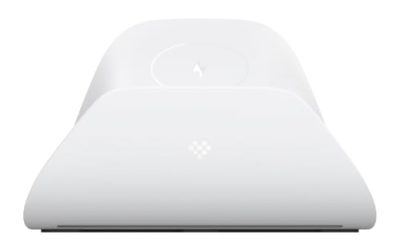
- Best for: Single-controller players who want a tidy, colour-matched stand on a desk or beside the TV.
- Brand: Razer
- Model number: RC21-01750100-R3U1
- Compatibility: Xbox One, Xbox Series S and Xbox Series X controllers
- Included components: Charging stand, rechargeable battery, Series X|S battery cover, Xbox One battery cover and USB charging cable
All 3 Picks at a Glance
| Product | Specs | Action |
|---|---|---|
| CODOGOY Charging Stand with Cooling Fan for Xbox Series X/S |
| Check price on Amazon |
| PowerA Duo Charging Station for Xbox Series X|S |
| Check price on Amazon |
| Razer Universal Quick Charging Stand for Xbox Series X|S |
| Check price on Amazon |
The Xbox Series S is a compact console, but its controllers still run on disposable AA batteries unless you add a charging station. A good station solves two problems at once: it gives the console a stable vertical home, often with cooling fans underneath, and it keeps two controllers topped up on rechargeable packs so a flat pad never ends a session.
The five picks below split into two camps. Console stands from MENEEA and CODOGOY hold the Series S itself and charge its controllers at the base, while docks from PowerA, Razer and KEKUCULL focus only on controllers and suit shelves where the console already has a spot. Every pick includes its own battery packs, so check the pack type and the battery covers included before you choose.
Top 3 picks at a glance
Quick Picks
As an Amazon Associate we earn from qualifying purchases.
| Product | Best for | Key spec from title |
|---|---|---|
| MENEEA Charger Stand for Xbox Series S | A complete Series S console station | 2 x 1400mAh rechargeable battery packs |
| CODOGOY Charging Stand with Cooling Fan | Extra USB ports beside the console | 3 USB ports and 2 x 1100mAh battery packs |
| PowerA Duo Charging Station for Xbox Series X|S | An officially licensed dual dock | AC adapter power with 2 x 1100mAh packs |
| Razer Universal Quick Charging Stand for Xbox | A single premium controller stand | Magnetic secure charging, USB powered |
| KEKUCULL Dual Dock Charging Station | Fast, simple two-controller charging | 2 x 1100mAh packs and 4 battery covers |
How to Choose
Console Stand or Controller-Only Dock
The first decision is what the station has to hold. A console stand cradles the Series S vertically, adds fans under or beside it, and charges controllers at the base, which suits a small TV unit where everything should live in one footprint. A controller-only dock is smaller and cheaper in desk space, and it can sit anywhere near a socket or USB port. If your console already sits safely with clear vents, a dock is enough. If cables and pads sprawl around the console, a stand tidies the whole setup at once.
Battery Packs and Cover Fit
Xbox controllers ship without a rechargeable pack, so every station here supplies its own. Check the capacity in milliamp hours, because that sets how long a pad runs between charges, and confirm the pack charges through a replacement battery cover rather than a loose cable. Covers differ between Xbox One and Series X|S controllers, so a kit with four covers, two per generation, is the safe choice for mixed households. Also confirm the dock only charges its own supplied packs, as several stands warn against charging other brands of battery.
Power Source and Charging Behaviour
How a station draws power changes daily use more than most buyers expect. AC-powered docks such as the PowerA charge independently of the console, so controllers refill while the Series S is fully off. USB-powered stands usually stop charging when the console shuts down completely, although sleep or standby mode keeps them working. That detail matters if you expect pads to be full every morning. LED indicators are the other practical check: a clear red-to-green change per controller beats guessing whether a pad seated correctly on its contacts.
Cooling Fans, Ports and Extra Storage
Fans are the bonus feature on console stands, not the main event. Adjustable speeds let you trade airflow against noise, and a stand should never block the Series S vents, so check fan position against the console’s intake and exhaust paths. Extra USB ports help for headsets, keyboards or a phone cable, but some ports are charge-only and do not pass data, which the MENEEA listing states openly. Headset brackets and hooks are simple, useful extras that keep a desk clear, provided they do not crowd the controller docks.
The 5 Best Options
MENEEA Charger Stand for Xbox Series S with Cooling Fan
This is the most complete Series S station in the group, built as a five-in-one vertical stand for the console itself. Two fans sit in the base to move air through the console, dual charging slots at the front take two Series S controllers, and a bracket holds a headset above the unit. Two 1400mAh rechargeable packs and matching covers are included, with a snap-down fit onto the Type-C plugs in the base and a red-to-green LED showing charge state for each controller.
Specs
- Brand: MENEEA
- Compatibility: Xbox Series S console and Series S controllers
- Design: 5-in-1 vertical stand with built-in dual cooling fans
- Included batteries: 2 x 1400mAh rechargeable battery packs with covers
- Charging: Dual controller charger with red and green LED indicators
- Extras: Earphone bracket and extended USB port
- Connector type: USB
- Wattage: 5 watts
Best for: Series S owners who want the console, two controllers and a headset stored and charged in one vertical unit.
Watch out for: The listing states charging stops when the console is fully off and only continues in sleep mode, and that the stand does not work with Xbox One controllers.
ASIN: B097P15JJD
CODOGOY Charging Stand with Cooling Fan for Xbox Series X/S
- Best for: Players who want a console stand that also works as a small USB hub for desk accessories.
- Brand: CODOGOY
- Compatibility: Xbox Series X/S console and controllers, per the listing
- Cooling: Dual fans with 2 adjustable levels, 3500 RPM and 5000 RPM
- Included batteries: 2 x 1100mAh rechargeable battery packs
Players who want a console stand that also works as a small USB hub for desk accessories.
The listing covers both Series X and Series S consoles, so confirm the exact console fit for your Series S before ordering, and note it does not work with Xbox One controllers or Elite Series controllers.
CODOGOY takes the same console-stand idea and leans harder on airflow and expansion. Dual cooling fans run at two switchable speeds, listed at 3500 RPM and 5000 RPM, and three USB hub ports on the stand handle accessories such as a keyboard, mouse or headset dongle. Two 1100mAh rechargeable packs are included for the dual controller charging ports, an anti-slip rubber base keeps the vertical unit planted, and a green indicator shows standby or a fully charged pack at a glance.
PowerA Duo Charging Station for Xbox Series X|S
- Best for: Households mixing Series X|S and Xbox One controllers that want charging independent of the console.
- Brand: PowerA
- Model number: 1519296-01
- Compatibility: Xbox Series X|S and Xbox One wireless controllers
- Included batteries: 2 x 1100mAh rechargeable battery packs
Households mixing Series X|S and Xbox One controllers that want charging independent of the console.
The dock is built for standard controllers with removable battery packs, so check fit before planning to use it with an Elite Series 2, which has a built-in battery.
PowerA’s Duo is the officially licensed option here, and its biggest practical advantage is power: an included AC adapter runs the dock from the wall, so charging never depends on the console being on or asleep. Two snap-down bays charge two controllers at once, each fitted with one of the two included 1100mAh rechargeable packs. Four charge-through battery doors are in the box, two marked for Xbox One controllers and two for Series X|S controllers, which makes this the easiest dock to share across controller generations.
Razer Universal Quick Charging Stand for Xbox Series X|S
- Best for: Single-controller players who want a tidy, colour-matched stand on a desk or beside the TV.
- Brand: Razer
- Model number: RC21-01750100-R3U1
- Compatibility: Xbox One, Xbox Series S and Xbox Series X controllers
- Included components: Charging stand, rechargeable battery, Series X|S battery cover, Xbox One battery cover and USB charging cable
Single-controller players who want a tidy, colour-matched stand on a desk or beside the TV.
It charges one controller only, uses Razer’s own included battery pack, and published compatibility covers the Elite Series 1 rather than the Elite Series 2, so check your controller model first.
Razer’s stand charges one controller, and it does that single job with the neatest seating system in this group. A magnetic contact system pulls the controller into place, the curved cradle matches the controller’s shape, and the stand is USB powered, so it can run from the console, a PC or a wall adapter. One rechargeable battery is included, along with battery covers for both Series X|S and Xbox One controllers, and the Carbon Black finish is made to match the standard black Xbox wireless controller exactly.
KEKUCULL Dual Dock Charging Station for Xbox Series X/S
KEKUCULL’s dual dock is the straightforward two-pad option: drop two controllers onto the station and the two included 1100mAh packs charge in about two hours, according to the listing, with up to 15 hours of play per pack. Four battery covers are included, two marked for Xbox One generation controllers and two for Series X|S controllers, so both generations can use the dock. A built-in protection system covers overcharging, overheating, overvoltage and short circuit, which suits a dock that will spend most nights plugged in.
Specs
- Brand: KEKUCULL
- Model number: KC-XB2
- Compatibility: Xbox Series X/S, Xbox One, One X, One S and One Elite controllers
- Included batteries: 2 x 1100mAh rechargeable battery packs
- Battery covers: 4 included, for Xbox One and Series X|S controllers
- Play time: Up to 15 hours per pack, per the listing
- Protection: Overcharge, overheat, overvoltage and short circuit protection
- Item weight: 11.7 ounces
Best for: Two-controller households that want a compact dock, fast turnaround and covers for both controller generations.
Watch out for: Fit depends on using the correct marked cover for your controller generation, and the listing’s 15-hour play figure is lower than the standby claims of the bigger console stands, so heavy daily players should note the smaller reserve.
ASIN: B09PLPTBKK
Which One Fits Your Situation
One Small TV Unit, Everything Together
If the Series S shares a cramped TV stand with a soundbar and a streaming box, a console stand earns its space. The MENEEA holds the console vertically, charges both controllers at its base and parks a headset on its bracket, turning four loose items into one footprint. Just leave the console in sleep mode overnight so the controllers finish charging, and keep the vents around the stand clear.
Two Players Sharing Controllers Nightly
Couch co-op and sibling households need both pads full every evening, not one charged and one forgotten. A dual dock such as the PowerA or KEKUCULL, with a pack and a correctly marked cover for each controller, makes charging a drop-and-done habit. The AC-powered PowerA suits this best when the console gets switched fully off at the wall, because its dock keeps working from its own adapter.
A Desk Setup With One Main Controller
Desk players usually own one primary pad and care more about tidiness than twin bays. A single stand like the Razer keeps that controller displayed, magnetically seated and full, while taking up little more room than the controller itself. Because it runs over USB, it can live off a PC port or monitor hub as happily as off the console, which suits a combined work and play desk.
Extra Ports and Cooling Matter Most
Some setups need the stand to do more than charge. If a headset dongle, keyboard or phone cable competes for the console’s ports, the CODOGOY’s three USB hub ports and two-speed fans make it the utility pick. Treat the fans as a supporting feature rather than a promise, check that the ports pass the data your accessory needs, and confirm the console fit for your exact Series model before ordering.
Common Mistakes
- Buying a Series X stand for a Series S console, or the reverse, without checking the listing’s exact console fit.
- Forgetting that USB-powered stands stop charging when the console is fully off, then blaming the dock for flat controllers.
- Using the wrong battery cover generation, so the pack sits loose or the controller will not seat on the dock.
- Trying to charge a different brand of battery pack in a stand that only supports its own supplied packs.
- Blocking the console’s vents with the stand, cables or a headset bracket, which defeats the point of a cooling base.
Frequently Asked Questions
Will these stations work with Xbox One controllers?
Some will and some will not, and the difference is in the battery covers. The PowerA, Razer and KEKUCULL kits include covers for both Xbox One and Series X|S controllers, so older pads can charge on them. The MENEEA and CODOGOY console stands state that they do not work with Xbox One controllers, so match the station to the controllers you actually own before buying.
Do the controllers charge while the console is off?
It depends on the power source. An AC-powered dock such as the PowerA charges from the wall and keeps working whatever the console is doing. USB-powered stands draw from the console, and their listings state that charging stops when the console is fully off, although sleep or standby mode keeps power flowing. If you switch everything off at night, choose the wall-powered dock.
How long do the included battery packs last per charge?
The listings give different figures because capacities differ. KEKUCULL rates its 1100mAh packs at up to 15 hours of play, while the MENEEA stand lists up to 24 hours of standby time for its 1400mAh packs, which is a different measure. Treat headline hours as best-case numbers, expect less with chat headsets and vibration, and remember a second charged pack or pad removes the problem entirely.
Can I charge an Xbox Elite controller on these docks?
Check the model carefully. The Elite Series 2 has a built-in battery and its own charging method, and several listings here exclude Elite controllers or cover only the Elite Series 1, as Razer’s compatibility notes do. The KEKUCULL dock lists One Elite compatibility through its covers. If your main pad is an Elite Series 2, use its own dock and pick a station here for your standard controllers instead.
Related guides
More from Amazon
Programs that pair well with the guide above. Offers and eligibility are set by Amazon and may change.
Free shipping on eligible items, Prime Video and more. Eligible new members can start with a free trial.
Start a Prime free trialAd-free music streaming. Eligible new subscribers can start with a free trial.
Try Music Unlimited freeA Prime membership for ages 18-24 with a trial period. Eligibility is set by Amazon.
See Prime for Young AdultsAudiobooks and podcasts to listen to on the go. Eligible new members can start with a free trial.
Try Audible freeAs an Amazon Associate we earn from qualifying purchases.