Our Top Picks
 Upgraded Controller Charger Station with 2x6200mWh Rechargeable BatteryCompact0.6 poundsCheck on Amazon


Top 3 picks at a glance
Introduction
The best Xbox One Elite controller battery pack and charger matches your exact Elite model, ends the hunt for disposable batteries, and keeps you playing instead of waiting by a cable. If you own the original Xbox One Elite controller, the Elite Series 1, a drop-in rechargeable pack plus a charger is the simplest upgrade you can make: the pack replaces the disposable batteries in the rear bay, and the charger tops it up between sessions or while you play.
The quick answer is the officially licensed PowerA Play and Charge Kit for Xbox One for the lowest-friction choice, or a two-pack dock kit such as the Ukor 2600mAh set if you play long sessions and want a charged spare always ready. Both fit the Xbox One battery bay the Elite Series 1 uses. Check which Elite you own first, because that detail decides whether a drop-in pack fits at all: the Elite Series 2 has a built-in battery charged through its dock or a USB-C cable, so drop-in packs are not made for it.
A note on availability: Amazon product pages could not be opened to confirm live stock, so this guide names exact products without ASIN links. Search the exact product name on Amazon and confirm the listing names the Xbox One Elite before buying.
Quick Picks
| Product | Best For | Key Spec |
|---|---|---|
| PowerA Play and Charge Kit for Xbox One | Officially licensed simplicity | Licensed pack, charge while playing, about 2 hours to full |
| Ukor 2600mAh Battery Packs with Charger | Longest sessions and spare swapping | 2 x 6200mWh packs, up to 28 hours per pack, 2.5-hour dock charge |
| Xbox Rechargeable Battery + USB-C Cable | Staying inside the official Xbox ecosystem | Official pack, USB-C cable included, under 4 hours to full |
| Ponkor 2x2600mAh Battery Packs with Charging Station | Dock charging for two packs | 2 x 6200mWh packs, high-speed charging station |
| Fosmon Xbox One Controller Charger Dual Slot | Two-controller households | Dual-slot dock, 2 x 1000mAh packs, Standard and Elite compatible |
How to Choose
Elite Series 1 or Elite Series 2
The two Elite controllers power themselves in different ways. The original Xbox One Elite controller, the Elite Series 1, runs on the same removable battery bay as a standard Xbox One controller, so a drop-in rechargeable pack fits it. The Elite Series 2 has a sealed built-in battery that cannot be swapped for a drop-in pack; it charges on its supplied dock or through its USB-C port. Every pick in this guide is built for the Elite Series 1. If you own a Series 2, skip the drop-in packs and look for a spare dock or cable that names the Elite Series 2.
Drop-in pack or charging dock
A drop-in pack kit gives you a rechargeable battery that sits inside the controller plus a cable, so you charge while you play and the controller stays cable-free once unplugged. A dock kit adds a station that holds one or two spare packs, so a fresh pack is always waiting and you swap instead of waiting. Single-controller players who charge overnight usually do fine with a cable kit, while households with two controllers, or players who run long daily sessions, get more from a dock kit with two packs. A dock needs a flat spot near a USB port; a cable kit needs nothing more than the cable itself.
Capacity numbers in mWh and mAh
Battery capacity is printed in mWh, milliwatt-hours, or in mAh, milliamp-hours, and the two figures describe the same idea in different units: a higher number means more stored energy and longer play between charges. The common tiers here are 4800mWh and 6200mWh, with 6200mWh the larger. The Ukor and Ponkor kits list 2600mAh cells rated at 6200mWh, with playtime of up to 28 hours per pack, while the Fosmon dock kit lists smaller 1000mAh packs, so expect shorter runs and lean on the dock to keep a fresh pack ready. Treat the headline figure as a best case: vibration, headset use, and wireless range all draw power.
Charge time and playing while charging
Charge time decides how long you wait between sessions. The PowerA kit reaches a full charge in about 2 hours, the Ukor dock fills both of its packs in about 2.5 hours, and the official Xbox pack takes under 4 hours. A two-pack kit removes the wait altogether, because you swap in the charged pack and keep playing while the spent one recharges. Look for kits that support charging while you play, so the cable plugs into the controller and the pack charges inside it without pausing your game. For dock kits, check whether the dock charges both packs at once and has a light that shows when charging is done.
Battery covers and fit
The battery cover causes most fit problems, because Xbox One and Xbox Series X and S controllers use different cover shapes. The Elite Series 1 shares the Xbox One cover shape, so a kit must include a cover sized for Xbox One, One S, One X, or Elite. Several kits here ship four covers, two for the Xbox One generation and two for the Series generation, so you must pick the right pair. Seat the pack flat, check that the contacts line up, and fit the cover before you plug in. If the cover rocks or the pack feels loose, re-seat it rather than forcing the cover, since a poor fit is the usual reason a pack loses contact mid-game.
Safety protection and cycle life
A rechargeable pack lives inside an expensive controller, so its protection circuitry matters. Look for overcharge, overvoltage, overcurrent, overheating, and short-circuit protection in the listing; these layers make overnight charging practical, since the charger stops feeding the pack once it is full. Makers of the kits in this guide rate their cells for around 2000 recharge cycles, turning a rechargeable pack into a long-term replacement for disposable batteries. A pack that swells, runs hot, or leaks should be retired at once, and packs should be kept away from heat and moisture.
The Best Xbox One Elite Controller Battery Pack and Charger Reviewed
1. PowerA Play and Charge Kit for Xbox One
The PowerA Play and Charge Kit for Xbox One is the officially licensed choice, and that license is the reason it leads this guide: Microsoft licensing means the pack is built to the dimensions of the Xbox One battery bay, so it fits the Elite Series 1 without the cover problems unlicensed packs sometimes cause. The kit includes a rechargeable battery pack, a battery cover, and a cable, and you can charge the pack while it sits in the controller so you keep playing, or take the pack out and charge it directly. A full charge takes about 2 hours, the fastest figure among the single-pack kits here.
It also works across PowerA charging stands and stations, so if you already own PowerA charging hardware, the pack slots into that setup. The trade-off is capacity: this is a single-pack kit with no spare, so a dead pack means a charging break unless you buy a second pack.
Who it suits: players who want an officially licensed pack for the Elite Series 1, and anyone who already owns PowerA charging gear.
Who should skip it: players who need a charged spare ready at all times, or who want the longest playtime per charge.
2. Ukor Fast Charging 2600mAh Rechargeable Battery Packs with Charger
The Ukor kit is the two-battery workhorse of this guide: two 2600mAh packs rated at 6200mWh each, plus a charging station, with each pack rated for up to 28 hours of play. Leave one pack in the controller and the other on the dock, and you never sit out a session waiting for a charge. The station fills both batteries at once in about 2.5 hours, and it has both a Micro-USB port and a Type-C port plus a built-in cable, so you can top up from a phone charger or the console. A green light tells you when charging is done and red while it is still going.
Overcharge, overheat, overcurrent, and short-circuit protection cover safety, and Ukor rates the cells for 2000 recharge cycles. The honest catch is bulk: two packs and a station take up more shelf space than a single cable kit and do not travel well. The kit names Xbox One, One S, One X, and One Elite in its compatibility list, the Elite Series 1 fit this guide is built around.
Who it suits: long-session players and anyone who wants a charged spare always ready to swap in.
Who should skip it: players short on shelf space, or anyone who travels light with a single controller.
3. Xbox Rechargeable Battery + USB-C Cable
This is the pack that carries the Xbox name itself, and the lowest-risk choice if staying inside the official ecosystem matters to you. It pairs a rechargeable battery with a USB-C cable, so you charge while you play or afterward, and it will even top up when your Xbox is in standby. A full charge takes under 4 hours, slower than the quickest kits here but fine if you charge overnight or between sessions.
The partial-fit flag matters here. The battery pack itself is built for the removable battery bay used by the Elite Series 1 and standard Xbox One controllers. The USB-C cable, on the other hand, matches the port on the Elite Series 2. So Series 1 owners can use the whole kit, while Series 2 owners should treat this as a cable purchase only and not try to fit the pack into a controller that has no removable battery bay. It is also a single battery rather than a two-pack with a dock, so there is no spare sitting charged and ready to swap.
Who it suits: players who want the official Xbox pack for an Elite Series 1, and anyone who likes standby charging with one cable.
Who should skip it: Elite Series 2 owners looking for a drop-in battery, and players who want a charged spare waiting.
4. Ponkor Rechargeable Battery Packs for Xbox Series X and S and Xbox One, 2x2600mAh with High-Speed Charging Station
The Ponkor kit pairs two 2600mAh packs with a high-speed charging station, built for players who want dock charging without the biggest brand name. Each pack is rated at 6200mWh, putting it in the larger capacity tier alongside the Ukor kit, and the station tops up both packs so a fresh one is ready when the pack in your controller runs low. The listing names Xbox One S, Xbox One X, and Xbox One Elite among its compatible controllers, the Series 1 fit to check for.
The dock is the heart of this kit: it keeps both packs organized, charged, and in one place, and its LED indicators show charging status at a glance. As with any dock kit, the station needs a permanent spot near a USB port, and the packs add a little weight to the controller. The 6200mWh capacity gives it longer runs than the smaller dock kits, the main reason to pick it over a budget dock with lower-capacity cells.
Who it suits: players who want two high-capacity packs on a dock for the Elite Series 1, with a spare always charged.
Who should skip it: players who prefer a single cable kit, or who have no shelf space for a charging station.
5. Fosmon Xbox One Controller Charger, Dual Slot Docking Station with 2 x 1000mAh Rechargeable Battery Packs
The Fosmon dual-slot charger is the pick for two-controller households. The dock holds two controllers at once and ships with two 1000mAh rechargeable battery packs, with the listing calling out Standard and Elite compatibility. That Elite callout earns it a place here: the dock and packs are made for the Xbox One generation, including the Elite Series 1, rather than a Series-only dock with an adapter. Drop a controller in its slot after a session and it charges while it waits, so both are ready for the next game night.
The honest limit is capacity. At 1000mAh per pack, these cells hold less charge than the 2600mAh packs in the Ukor and Ponkor kits, so each pack runs for fewer hours before it needs the dock. In practice the dock covers for that, since a pack is always charging while the other plays, but very long solo sessions mean more swaps. If your household runs two Elite or Xbox One controllers, the dual slots matter more than the smaller cells.
Who it suits: households with two Xbox One or Elite Series 1 controllers that want both charging in one place.
Who should skip it: solo players who want maximum hours per charge from a single pack.
What to Check Before You Buy
Run through this checklist before you buy any battery pack and charger for the Xbox One Elite controller. First, confirm the listing names the Xbox One Elite, not just Xbox One, and check whether it says Series 1 or simply Elite, since Series 2 owners need a different solution. Second, confirm the kit includes a battery cover sized for the Xbox One generation, and keep the Series covers aside if the kit ships both shapes. Third, match the cable to your controller: the Elite Series 1 uses Micro-USB, while the Elite Series 2 uses USB-C, so a kit with the wrong cable will not plug in. Fourth, decide between a cable kit and a dock kit based on how many controllers you charge and how much shelf space you have. Fifth, look for overcharge, overvoltage, overcurrent, overheating, and short-circuit protection, plus a cycle-life figure near 2000 recharges. Finally, seat the pack flat, fit the correct cover, and run one full charge before your first long session, so you learn the real playtime on your own controller.
Top Picks for Xbox Controller Power Solutions
Elite and standard Xbox pads drain quickly in long sessions, and a rechargeable battery or dock removes the AA habit. These options differ in capacity and whether a stand is included, so confirm compatibility with your model first.
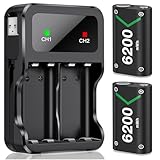
DXKK Xbox Controller Battery Pack, 2x6200mWh Rechargeable
A two-battery pack with a larger listed capacity, so one battery can charge while you play with the other. It suits long sessions.
BooNer Replacement Battery for Microsoft Xbox Elite Series 2 Controller
A replacement battery listed for the Elite Series 2 controller, model DYND01. It is the targeted fix when the original battery fades.

8BitDo Charging Dock for Xbox Wireless Controllers
A dock with a magnetic secure connection for standard Xbox controllers. It is a neat way to charge without using cables.

PowerA Solo Charging Stand for Xbox Series X|S
A single-controller stand that also works with Xbox One. It is a cheap and simple pick for one pad.

NinABXY Controller Charger Station with 2x6200mWh Battery Packs
A station that comes with two rechargeable battery packs. A good all-in-one if you want spare batteries and a dock together.

Before You Choose
Verify the exact controller model before ordering, since standard and Elite pads use different batteries. Choose a battery with a visible charge indicator, avoid stacking chargers in warm spots, and keep a spare pack charged so a session never ends early. Only use chargers matched to the battery type.
FAQ
Do these battery packs fit the Xbox One Elite Series 2?
No. The drop-in packs in this guide fit the removable battery bay of the original Xbox One Elite controller, the Elite Series 1, and standard Xbox One controllers. The Elite Series 2 has a built-in rechargeable battery with no removable bay, so it charges through its included dock or a USB-C cable. Series 2 owners should look for a spare dock or cable that names the Elite Series 2.
Can I play while the controller charges?
Yes, with most kits in this guide. Cable kits such as the PowerA Play and Charge Kit and the official Xbox pack support charging while you play: plug the cable into the controller and the pack charges inside it without pausing your game. With a dock kit, the usual pattern is different: you swap in the charged spare and keep playing while the spent pack charges on the dock.
How long does a full charge last?
It depends on the pack and how you play. The 6200mWh packs in the Ukor and Ponkor kits are rated for up to 28 hours per charge, while the smaller 1000mAh packs in the Fosmon dock kit run for fewer hours and rely on the dock to stay topped up. Vibration and headset use draw extra power, so treat the headline figure as a best case.
Do I need the battery cover that comes in the kit?
Yes. A rechargeable pack is shaped differently from a pair of disposable batteries, so the kit includes a cover that fits over it. Use the cover sized for the Xbox One generation on an Elite Series 1, and keep the Series X and S covers for Series controllers if your kit ships both shapes.
What should I do if the pack feels loose or the controller loses power?
Power the controller down, remove the cover, and re-seat the pack so it sits flat with its contacts lined up. Check that you fitted the Xbox One generation cover, not the Series cover, and that no part of the pack is catching on the bay. If the pack still feels loose after re-seating, check the listing again to confirm it names your exact Elite model.
Bottom Line
For most Xbox One Elite Series 1 owners, the choice comes down to two setups. Pick the PowerA Play and Charge Kit for Xbox One if you want an officially licensed single pack that charges while you play and fits without fuss. Pick a two-pack dock kit such as the Ukor 2600mAh set or the Ponkor 2x2600mAh set if you play long sessions and want a charged spare always ready to swap in. The official Xbox Rechargeable Battery with USB-C Cable is the simplest stay-official choice for a single controller, and the Fosmon dual-slot dock is the practical pick for a household running two controllers. Whichever you choose, confirm the listing names the Xbox One Elite, fit the Xbox One generation cover, and match the cable to your controller.
Disclosure: As an Amazon Associate, we may earn from qualifying purchases.
Related guides
More from Amazon
Programs that pair well with the guide above. Offers and eligibility are set by Amazon and may change.
Free shipping on eligible items, Prime Video and more. Eligible new members can start with a free trial.
Start a Prime free trialAd-free music streaming. Eligible new subscribers can start with a free trial.
Try Music Unlimited freeA Prime membership for ages 18-24 with a trial period. Eligibility is set by Amazon.
See Prime for Young AdultsAudiobooks and podcasts to listen to on the go. Eligible new members can start with a free trial.
Try Audible freeAs an Amazon Associate we earn from qualifying purchases.