Virtual reality is not all fast-paced shooters and workouts — some of its most rewarding uses are calm ones. VR meditation and relaxation apps place you inside serene environments with guided breathing, ambient soundscapes, and gentle visuals that make it far easier to switch off than staring at a phone app. This guide covers the categories worth exploring and how to set up a genuinely restful VR session.
Our Top Picks
 Core Meditation Trainer: Meditation Device for Relaxation1 Count (Pack of 1)4 x 4 x 4 inchesCheck on Amazon

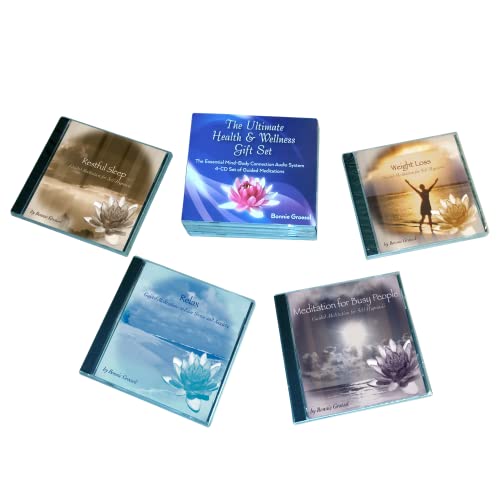

Top 3 picks at a glance
Guided meditation environments
The strongest relaxation apps drop you into a beautiful, distraction-free place — a mountain lake, a forest at dusk, a quiet beach — and layer guided breathing or mindfulness narration on top. Because the headset blocks out your cluttered room, presence is far stronger than audio-only meditation, which helps beginners actually settle. Sessions typically run 5–20 minutes.
As an Amazon Associate we earn from qualifying purchases at no extra cost to you.


Ambient and generative soundscapes
Other apps skip narration entirely, offering interactive or generative environments where you simply exist and breathe. Some respond to your gaze or hand movement, letting you shape the scene, while others focus on synchronized visuals and binaural audio designed to slow your breathing and heart rate.
| App style | Best for | Typical session |
|---|---|---|
| Guided meditation | Beginners, structure | 5–20 min |
| Ambient soundscapes | Unwinding, focus | 10–30 min |
| Breathing trainers | Anxiety, sleep prep | 3–10 min |
| Nature exploration | Gentle escapism | Open-ended |
Set the scene for real relaxation
A little preparation makes VR meditation far more effective. Sit or lie somewhere comfortable, use a seated boundary so you are not worried about bumping anything, and slip on a pair of quality headphones or use the headset’s spatial audio. Turn the brightness down and enable any comfort settings that reduce visual intensity.
Comfort and hygiene
For long, still sessions, a soft facial interface and a well-balanced strap matter more than they do in action games, because any pressure point becomes distracting when you are trying to relax. Keep the lenses clean so the scenery stays crisp, and take the headset off if you feel any warmth or fatigue rather than pushing through.
Fit VR calm into your day
Short, consistent sessions beat occasional long ones. A 10-minute guided meditation in the morning or a brief breathing session to decompress after work slots easily into a routine and, because the headset removes visual distractions, tends to feel more effective than the same length of phone-based practice. Keeping the headset charged and within reach lowers the friction that otherwise stops good intentions from becoming habits.
Pair visuals with the right audio
Relaxation in VR is as much about sound as scenery. Spatial or binaural audio through good headphones deepens the sense of presence, whether it is waves, rainfall, or a guide’s voice. Match the audio to your goal — soft narration for structured meditation, pure ambient sound for open-ended unwinding — and keep the volume gentle. The combination of an enveloping visual space and immersive sound is what makes VR calm distinct from any flat-screen app.
Comfort makes or breaks a session
Nothing ruins relaxation like a headset pressing on your cheekbones. For still, seated sessions, prioritize a soft, well-balanced fit, clean lenses for crisp scenery, and a comfortable place to sit or recline within a seated boundary. If the hardware disappears from your awareness, the environment can do its job. Take the headset off the moment it feels warm or heavy rather than letting discomfort creep into what should be a restful few minutes.
Frequently asked questions
Is VR meditation better than a phone app?
For many people, yes. The headset blocks visual distractions and creates a stronger sense of presence in the calming environment, which makes it easier to focus than a phone screen. If you struggle to sit still with audio-only apps, VR is worth trying.
Can VR help with sleep?
Used before bed, breathing trainers and calm environments can help you wind down, but avoid bright or stimulating scenes close to sleep. Keep the session short, use dim visuals, and remove the headset before actually lying down to sleep.
Manage expectations for beginners
If you are new to meditation, VR lowers the barrier but does not do the work for you — the first few sessions can still feel restless, and that is normal. Start with short guided experiences that give you something specific to focus on, like a breathing pattern or a narrated scene, before graduating to open ambient environments. Giving yourself permission to simply be present, without judging how well it is going, is the whole point.
Bottom line
VR meditation and relaxation apps use presence to make mindfulness stick, whether through guided sessions, ambient soundscapes, or breathing trainers. Set up a comfortable seated space, use good audio, and prioritize a soft interface for still sessions. It is one of the most underrated ways to use a headset — and a genuinely calming one.