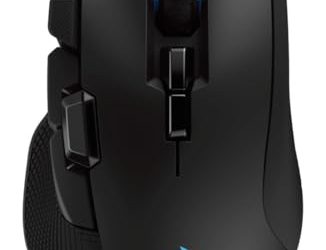
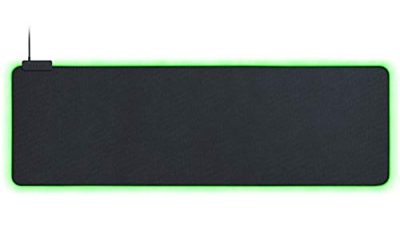
Buying a keyboard and mouse separately often leaves you with two lighting systems that never quite match: one cycles through a rainbow wave while the other sits on a single fixed color, and each needs its own software, cable, or receiver. A combo built as one set solves that mismatch from day one, because both pieces share a design language, a lighting approach, and usually a single connection plan.
This guide is for first-time battlestation builders, players replacing a worn office set, and anyone furnishing a second desk for a laptop or console corner. Every pick below is a genuine keyboard and mouse combo sold in one Amazon listing, chosen from the listing title and stated specifications, with RGB lighting named for both pieces rather than for the keyboard alone.
Top 3 picks at a glance


Quick Picks
As an Amazon Associate we earn from qualifying purchases
| Product | Best for | Key spec from title |
|---|---|---|
| Redragon S101M-KS Wireless Combo | Full-size wireless desks | Tri-mode combo with 4800 DPI mouse |
| Redragon S107 Updated Combo | Full-size wired setups | RGB keyboard and 10000 DPI mouse combo |
| Redragon S141 Combo | Compact boards with a numpad feel | 98 keys K515 keyboard and 10000 DPI M616 mouse |
| RedThunder K75 Wireless Combo | Small desks that switch devices | 75 percent layout with 4800 DPI optical mouse |
| BlueFinger Wireless Combo | Tenkeyless wireless on one receiver | 87 keys RGB rainbow keyboard and light-up mouse |
How to Choose
Check That Both Pieces Actually Light Up in RGB
The word combo hides an uneven split on many listings: the keyboard gets full RGB treatment while the mouse carries one fixed LED color that cannot change. Read the listing for both devices separately before anything else. Stronger sets describe lighting patterns for the keyboard and mouse together, or give the mouse its own named effects, such as the eight backlight patterns on the Redragon S101M-KS or the thirteen RGB effects on the RedThunder K75 mouse. If a listing only calls the keyboard RGB and says nothing about mouse lighting, expect a mismatch on your desk.
Decide Whether One Software Home Matters to You
Syncing two pieces through one program is the quiet advantage of a matched set. Redragon combos lean on the brand software to adjust lighting, record macros, and set mouse DPI from a single place, which suits players who like to tune profiles per game. Simpler sets such as the BlueFinger combo skip software entirely and handle brightness, breathing speed, and DPI from keys and buttons on the hardware itself. Neither route is wrong, but mixing them up is annoying: decide whether you want deep profile control or plug-in simplicity, then pick the combo built around that habit.
Match Layout and Key Feel to Your Desk and Games
All five sets here use membrane keys rather than mechanical switches, so the real choice is footprint. A full-size 104-key board keeps a number pad for spreadsheets, strategy hotkeys, and chat commands, while a 98-key layout squeezes nearly everything into less width. Tenkeyless and 75 percent boards free the right side of the desk, giving a low-sensitivity mouse far more sweep room in shooters. Side-engraved legends on the K75 keep characters readable without shining light straight up. Think about mouse travel first, because that space, once lost to a wide board, never comes back.
Weigh the Mouse as Carefully as the Keyboard
In a combo, the mouse is easy to treat as a free extra, yet it decides how aiming feels every minute. Compare the stated DPI steps rather than the headline maximum: the S141 mouse offers five onboard levels up to 10000, the BlueFinger mouse stops at four levels up to 2000, and both can be right depending on your sensitivity habits. Count programmable buttons if you bind abilities or push-to-talk to the side of the mouse. Also check grip shape and cable or battery demands, because a mouse that fights your hand will be replaced long before the keyboard wears out.
The 5 Best Options
Redragon S101M-KS Wireless Gaming Keyboard and Mouse Combo
Choose this set when you want a full-size board without giving up wireless freedom. The keyboard and mouse each connect by wired USB-C, Bluetooth, or a shared 2-in-1 2.4GHz receiver, so one dongle can run the whole desk while Bluetooth covers a laptop or tablet on the side. Redragon describes truly RGB backlighting across the combo, with patterns adjustable for speed and brightness, and the keyboard adds splash resistance plus a battery indicator. It suits a main gaming desk that doubles for work during the day.
Specs
- Layout: Full-size keyboard with 10 independent multimedia keys and 12 combination multimedia keys
- Lighting: RGB backlight with 8 patterns, adjustable speed and brightness on keyboard and mouse
- Mouse: 5 DPI levels, 800/1200/1600/3200/4800, adjustable further through software
- Mouse buttons: 7 buttons, remappable through software, polling adjustable from 125 to 1000Hz
- Connection: Tri-mode wired, Bluetooth, and 2.4GHz with one 2-in-1 receiver for both pieces
- Battery note: Rechargeable keyboard listed at up to 300 hours with RGB off, with battery indicator
- Extras: Splash resistance and WIN lock function, detachable USB-C cable listed at 6 feet
Best for: Players who want one full-size wireless set for a gaming desk that also handles office work.
Watch out for: The 300-hour figure applies with RGB off, so lit runtime will be far shorter between charges.
ASIN: B0DXTV9BGJ
Redragon Updated S107 Gaming Keyboard and Mouse Combo
This wired full-size set fits players who would rather plug in once and forget about charging altogether. The 104-key membrane board uses mechanical-feel keys with floating keycaps and a foldable stand, while 25-key anti-ghosting keeps busy inputs registering during crowded fights. Lighting is split clearly between the pieces, with six RGB modes on the keyboard and eight effects on the mouse, both adjustable for speed and brightness. Redragon software ties the package together, handling macros, DPI, polling, and lighting from one place instead of two separate utilities.
Specs
- Layout: 104 keys, full-size, membrane with mechanical feel and laser-engraved keycaps
- Lighting: Keyboard 6 RGB modes; mouse 8 lighting effects, speed and brightness adjustable
- Anti-ghosting: 25 keys
- Mouse: Up to 10000 DPI through software, with button adjustment across a lower onboard range
- Mouse buttons: 7 programmable buttons
- Polling: Adjustable up to 1000Hz through software
- Connection: Wired USB for both keyboard and mouse
- Extras: 12 multimedia function keys through Fn combinations, ergonomic floating keycaps
Best for: Wired full-size desks where software control over both pieces matters more than wireless freedom.
Watch out for: Reaching the full 10000 DPI figure needs the software, since the onboard button covers a smaller range.
ASIN: B0DWMQRK3M
Redragon S141 Gaming Keyboard and Mouse Combo
Pick the S141 when a full-size board eats too much desk but losing the number area entirely feels like a step too far. Its K515 keyboard packs 98 keys into a tighter frame and keeps four onboard macro keys that work on the fly, with no software session required before a match. The wired M616 mouse is the sharpest tool in this particular box, offering five onboard DPI levels that top out at 10000 and six programmable buttons. Both pieces carry their own RGB systems, so the narrower footprint does not cost you the matched glow.
Specs
- Layout: 98 keys, wired RGB membrane keyboard, model K515
- Lighting: Keyboard full dynamic RGB with 7 preset modes and 6 customizable slots; mouse 8 backlit modes
- Macro keys: 4 onboard keys, G1 to G4, programmable without additional software
- Anti-ghosting: 26 keys
- Mouse: M616 wired gaming mouse, 5 onboard DPI levels, 800/1200/1600/2400/10000
- Mouse buttons: 6 programmable buttons, including 2 side macro buttons
- Connection: Wired USB for both pieces
- Software: Pro software support for lighting, macros, and mouse settings
Best for: Smaller desks that still want near-full-size keys, onboard macros, and a high-ceiling wired mouse.
Watch out for: The board is membrane with a linear feel, so buyers chasing a mechanical switch sensation should look elsewhere.
ASIN: B0DG5QYQWX
RedThunder K75 Wireless Keyboard and Mouse Combo

The K75 answers a different problem: one set that hops between a Windows desktop and a Mac laptop without re-pairing rituals. Its 80-key board connects over Bluetooth 5.0, 2.4GHz, or a wired link, with a one-key switch between Windows and macOS layouts, and the keyboard and mouse share a single receiver in wireless mode. A metal control knob handles volume and lighting, which is quicker mid-game than hunting function combinations. Side-engraved characters keep legends from fading, and the mouse brings its own generous set of thirteen RGB effects to the pairing.
Specs
- Layout: 80 keys, 75 percent layout, side-engraved membrane keys, multi-function CNC knob
- Lighting: Keyboard RGB adjustable for brightness, speed, and effects by shortcut; mouse 13 RGB effects
- Mouse: Optical sensor, 5 DPI levels, 800/1000/1600/2400/4800, with color-coded level prompts
- Mouse buttons: 7 functional buttons; mouse weight listed at about 85 grams
- Connection: Bluetooth 5.0, 2.4GHz, and wired, with one shared USB receiver
- Battery: 4000mAh keyboard and 800mAh mouse, both rechargeable
- Compatibility note: Dual Windows and macOS system support; listing states not compatible with PlayStation
Best for: Compact desks that switch between Windows and Mac machines and want a knob for volume and lighting.
Watch out for: The listing rules out PlayStation use, so console-first buyers should pick a different set here.
ASIN: B0FYCVNG84
BlueFinger Wireless Keyboard and Mouse Combo

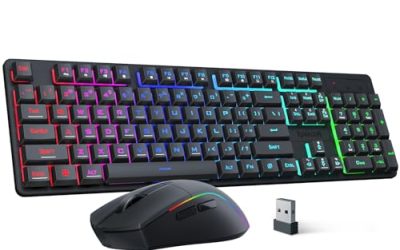
Go with BlueFinger when the priority is the simplest possible wireless pairing: one 2.4GHz receiver in the laptop, both devices awake, nothing else to install. The 87-key tenkeyless board frees mouse room without shrinking to a cramped mini layout, and its rainbow lighting offers four brightness levels plus an adjustable breathing mode from the keyboard itself. The mouse keeps things modest and predictable, with four DPI steps that suit everyday sensitivity ranges and a seven-color cyclic lighting effect that needs no configuration. A shared Type-C charging approach keeps cables consistent across both pieces.
Specs
- Layout: 87 keys, tenkeyless, with 12 multimedia shortcut keys
- Lighting: Keyboard 7 colors plus RGB rainbow, 4 brightness levels and breathing mode; mouse built-in 7-color cyclic gradual lighting
- Mouse: 4 DPI levels, 800/1200/1600/2000
- Mouse buttons: 6 buttons, including forward and backward side buttons and a DPI button
- Connection: 2.4GHz wireless through one shared USB receiver, listed range up to 33 feet
- Battery: 2000mAh keyboard and 800mAh mouse, rechargeable, Type-C charging port
- Compatibility: Windows and Mac OS X computers, plus Xbox, PS4, and PS5 per the listing
Best for: Laptop and console corners wanting a tenkeyless wireless set that runs from a single receiver.
Watch out for: The mouse tops out at 2000 DPI, which limits players who prefer very high sensitivity settings.
ASIN: B0BZ8KV86G
Which One Fits Your Situation
A Main Desk That Works All Day and Games at Night
Begin with the Redragon S101M-KS. The full-size layout keeps the number pad and dedicated multimedia keys your workday expects, while tri-mode links let the same set serve a desktop by receiver and a laptop by Bluetooth. Its shared RGB patterns keep the desk looking deliberate after dark, and the battery indicator removes the guesswork that makes wireless gear annoying during long sessions.
A First Gaming Setup Built From Nothing
The updated Redragon S107 removes the most friction for a newcomer. Wired connections mean no pairing, no charging schedule, and no receiver to lose, while the software gives room to grow into macros and finer DPI steps later. You also get clearly separate lighting control for keyboard and mouse, which teaches what each setting does without a second program confusing the picture.
A Tight Desk Where Mouse Room Wins Arguments
Choose between the S141 and the K75 by how much keyboard you can surrender. The S141 keeps 98 keys and onboard macros in a wired frame, suiting players who still lean on a number area. The K75 cuts down to 80 keys, adds wireless tri-mode links and a control knob, and hands the saved width straight to your mouse hand.
A Laptop or Console Corner Away From the Main PC
The BlueFinger combo belongs here. One receiver covers both pieces, the tenkeyless board travels between rooms without a fight, and the listed console compatibility matches how these corners actually get used. Its lower mouse ceiling matters less on a couch-side or spare-room setup, where convenience and a tidy single-dongle link carry more weight than extreme sensitivity.
Common Mistakes
- Assuming every combo lights both pieces in RGB, when many sets give the mouse a single fixed LED color instead.
- Buying a full-size board for a shallow desk, then wondering why wide mouse sweeps keep clipping the keyboard edge.
- Judging a mouse only by its maximum DPI figure rather than the onboard steps you will actually switch between.
- Forgetting that wireless runtime figures are usually quoted with lighting off, then being surprised by frequent charging with RGB on.
- Mixing two brands later for replacement parts, which breaks the shared receiver and single-software convenience that justified the combo.
Frequently Asked Questions
Is a combo better than buying a keyboard and mouse separately?
For lighting and convenience, usually yes. A matched set shares a receiver or cable plan, follows one design language, and often uses one program for settings on both devices. Separate purchases still win for players with strong preferences about switch type or mouse shape, because combos limit each piece to what the bundle includes.
Do these combos use mechanical switches?
No. Every set in this guide uses membrane keys, including the models described as mechanical feel, which refers to keycap shape and typing sensation rather than individual switches. If genuine mechanical switches are non-negotiable, a combo bundle is the wrong format, and you should shop for a standalone mechanical board and a separate mouse instead.
Can one receiver really run both the keyboard and mouse?
Yes, on the wireless sets designed for it. The S101M-KS uses a 2-in-1 receiver, the K75 shares one receiver between both pieces, and the BlueFinger set runs entirely through a single dongle. Keep that receiver safe, though, because losing it can disable the wireless link for the whole set at once.
How much DPI do I actually need for gaming?
Less than headline numbers suggest. Most players settle between the lower and middle steps on these mice, roughly the 800 to 3200 range covered by every set here, and raise sensitivity only for fast turns on large displays. Extra ceiling, such as the 10000 steps on the S141 and S107 mice, is headroom rather than a requirement for accurate aim.
Related guides
More from Amazon
Programs that pair well with the guide above. Offers and eligibility are set by Amazon and may change.
Free shipping on eligible items, Prime Video and more. Eligible new members can start with a free trial.
Start a Prime free trialAd-free music streaming. Eligible new subscribers can start with a free trial.
Try Music Unlimited freeA Prime membership for ages 18-24 with a trial period. Eligibility is set by Amazon.
See Prime for Young AdultsAudiobooks and podcasts to listen to on the go. Eligible new members can start with a free trial.
Try Audible freeAs an Amazon Associate we earn from qualifying purchases.