
The Xbox Series S outputs a maximum of 1440p natively, and most games run at 1080p with a dynamic resolution scaling system that rarely pushes past 1440p. This means the best monitor for Xbox Series S is not the most expensive panel you can find—it is the one whose resolution and refresh rate actually match what the console delivers on screen. Buying a 4K monitor for the Series S means paying for pixels the console cannot fill, while settling for a sluggish 60Hz panel means leaving the 120fps performance mode on the table entirely.
What separates a worthwhile pick from a frustrating purchase comes down to three practical concerns: does the monitor accept the console’s HDMI signal at a useful refresh rate, does its native resolution align with what the Series S renders, and is the panel quality good enough to make the image look sharp rather than washed out. We compared the eight options below on their published specs, current prices, and patterns that show up repeatedly in owner feedback to help you cut through the noise and find a display that does the job without overspending.
As an Amazon Associate we earn from qualifying purchases at no extra cost to you.





Our Top Picks
 Acer Nitro 27in QHD 2560x1440 IPS 180Hz Gaming27-inch9.2 x 24.2 x 18 Inches12.13 poundsCheck on Amazon
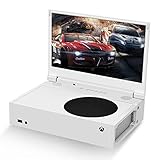
 G-STORY 12.5" 1080P Portable Gaming Monitor for Xbox12.5"&1080P&60Hz13.19 x 9.76 x 3.9 InchesCheck on Amazon
 New! Sceptre 24-inch Prime Gaming Monitor DisplayPort x224 inches6.7 x 21.3 x 15.6 inchesCheck on Amazon
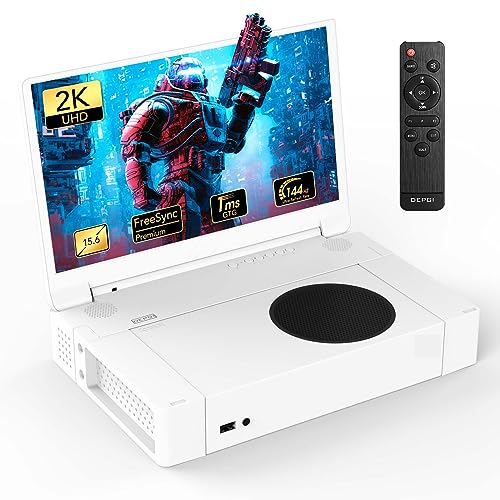 DEPGI 15.6" Portable Monitor for Xbox Series S15.6"-2K12.2 x 17.52 x 4.17 inches2.86 PoundsCheck on Amazon


Top 3 picks at a glance
Quick Picks
| Product | Best for | Price |
|---|---|---|
| Sceptre 22″ FHD 144Hz | Smallest footprint budget build | Check on Amazon |
| Acer Nitro 27″ QHD 180Hz | Best picture quality in the list | Check on Amazon |
| G-STORY 12.5″ Portable | Travelling with the console | Check on Amazon |
| Dell 27″ FHD 240Hz | Competitive 1080p gaming | Check on Amazon |
| Sceptre 24″ 165Hz Prime | Value mid-size upgrade | Check on Amazon |
| DEPGI 15.6″ Portable 2K | Premium portable QHD | Check on Amazon |
| Sceptre 27″ 100Hz Prime | Large screen on a tight budget | Check on Amazon |
| Sceptre 27″ 180Hz Prime | Best all-round large budget pick | Check on Amazon |
How We Compared
We focused on four criteria that directly affect the Xbox Series S experience. First, native resolution: panels at 1080p or 1440p match the console’s output without stretching or upscaling artifacts. Second, refresh rate: the Series S supports a 120fps mode in select titles, so a panel rated at 100Hz or above is essential to make that mode meaningful. Third, input type: the console uses HDMI exclusively, so monitors with at least one HDMI port that supports high refresh rates are far more practical than models relying on DisplayPort as their only high-rate input. Fourth, panel quality and consistent owner feedback on issues like colour accuracy, dead pixels, or stand build, which reveal how a product holds up after weeks on a desk.
The 8 Best Monitor For Xbox Series S in 2026
Sceptre 22″ FHD 144Hz
This is the cheapest way to get a high-refresh-rate display that the Xbox Series S can actually drive at full resolution. At 1080p native, every pixel the console outputs maps one-to-one on screen, and the 144Hz ceiling means 120fps gaming mode works without compromise. Owners consistently praise the value at under seventy dollars, noting the built-in speakers eliminate the need for a separate audio device on a small desk. The two downsides are the limited screen size, which makes text-heavy menus feel cramped, and the plastic-heavy construction that some reviewers describe as feeling hollow under pressure. Skip this if you have more than $90 to spend or if you plan to use the monitor for productivity alongside gaming.
Acer Nitro 27″ QHD 180Hz
For buyers who want the sharpest image the Series S can produce, this 2560×1440 IPS panel renders 1440p titles with genuine pixel density rather than a scaled 1080p signal pushed upward. The 180Hz refresh rate covers the console’s 120fps mode with headroom, and Acer’s IPS implementation draws praise for consistent viewing angles that hold up even when two people share the screen. The main trade-off is that not every Xbox Series S title reaches native 1440p; many still output 1080p and get upscaled, which softens the advantage. If your library skews toward competitive shooters that lock at 1080p, the extra resolution may not translate to a visible gain.
G-STORY 12.5″ Portable
Designed for players who move the Series S between locations, this slim 12.5-inch panel plugs in over HDMI and FreeSync support without needing a dedicated power adapter from the wall in many setups. Owners highlight the lightweight form factor and the fact that 1080p at this size produces a very dense, sharp image. The trade-offs are screen real estate, which limits readability in menu-heavy games, and a price that exceeds most desktop monitors offering far more space. Skip this unless portability is a genuine requirement rather than a nice-to-have.
Dell 27″ FHD 240Hz
The 240Hz refresh rate is overkill for the Series S, which tops out at 120fps, but that headroom means the panel runs its 120fps mode without any timing compromise, and owners report a noticeably smooth motion in racing and fighting games. The IPS panel delivers wide viewing angles, and Dell’s build quality is consistently rated above similarly priced competitors. The drawback is the 1080p resolution at 27 inches, which produces a pixel density around 82 PPI—visible at close desk distances as a slight graininess. Skip this if you plan to read text on the screen frequently or sit closer than an arm’s length.
Sceptre 24″ 165Hz Prime
At around $84, this 24-inch panel hits the sweet spot where screen size, resolution, and price converge cleanly for Series S use. The 1080p output fills the native resolution exactly, and 165Hz clears the 120fps target with ease. Owners appreciate the dual HDMI and dual DisplayPort input configuration, which makes it easy to run the console alongside a PC without unplugging cables. The weak point is colour calibration out of the box; several owner reviews note a slightly cool or washed appearance that requires manual adjustment. Skip this if you refuse to tinker with OSD settings.
DEPGI 15.6″ Portable 2K QHD
This premium portable option delivers a 2560×1440 image in a 15.6-inch travel form factor, which means the Series S can run its native 1440p titles at full pixel density without any upscaling. The 144Hz refresh rate and FreeSync support handle the 120fps mode cleanly, and the HDR support adds depth in well-tuned titles. Owners flag the steep price as the primary concern, and some note that the panel’s brightness is modest in very well-lit rooms. Skip this if a desktop monitor could serve the same purpose in a fixed location at a fraction of the cost.
Sceptre 27″ 100Hz Prime
For buyers who want maximum screen size without exceeding a hundred dollars, this 27-inch 100Hz panel is hard to beat on pure value. The 100Hz refresh rate still exceeds the Series S’s 60fps standard mode and supports 120fps in titles that enable it, though without as much headroom as faster panels. Owners praise the frameless design and sRGB coverage for casual use. The limitation is resolution: 1080p stretched across 27 inches drops pixel density noticeably, and text or HUD elements appear chunky up close. Skip this if image sharpness matters more than screen size on your budget.
Sceptre 27″ 180Hz Prime
This model takes the same large-screen Sceptre formula and pairs it with a 180Hz refresh rate, meaning the Series S runs its 120fps mode with substantial timing margin and no risk of frame pacing issues. The around $95 price keeps it under the hundred-dollar ceiling, and owners consistently highlight the dual HDMI and dual DisplayPort inputs as a flexibility advantage. The resolution remains 1080p at 27 inches, so pixel density is the same compromise as the 100Hz sibling. Skip this if you want a sharper image; the Acer Nitro above solves that but costs roughly double.
Buying Guide
Match Resolution to Console Output
The Xbox Series S renders most games at 1080p or 1440p. A 1080p monitor delivers a pixel-perfect 1:1 mapping, which guarantees sharpness without any scaler artifacts. A 1440p monitor shines in titles that natively render at that resolution but introduces upscaling blur in 1080p titles unless you accept the softer image. A 4K monitor is almost always wasted on the Series S because the console does not output a native 4K gaming image. Choose 1080p for consistency, or 1440p if your library skews toward the titles that support the higher target.
Refresh Rate and the 120fps Mode
The Series S offers a performance mode in select games that targets 120fps. To benefit from this, your monitor must accept a 120Hz signal over its HDMI input. Panels rated at 100Hz can sometimes run at 120Hz through a manual timing adjustment, but this is not guaranteed. A panel rated at 144Hz or above accepts the signal natively with no configuration. If you play racing games, shooters, or fighting titles that support 120fps, a refresh rate ceiling below 144Hz should be a hard filter in your search.
Input Type Matters More Than You Think
The Xbox Series S has a single HDMI 2.1 output and no DisplayPort. Many monitors in this list advertise DisplayPort as their primary high-refresh-rate input, with HDMI limited to a lower rate on some models. Before buying, confirm that the specific HDMI port on the monitor supports your target refresh rate. Monitors offering dual HDMI inputs give you the option to keep the console connected while leaving one port free for another device, which is a small but meaningful convenience on a shared desk setup.
Our Verdict
The Sceptre 27″ 180Hz Prime is our top pick for the best monitor for Xbox Series S. It gives you a large, immersive screen, a refresh rate well above the console’s maximum output, and a price under $100 that is difficult to challenge on any spec sheet. For a budget pick that keeps you under $70 with zero compromise on resolution matching or refresh rate, the Sceptre 22″ FHD 144Hz remains unmatched. And if you own a laptop-grade collection of 1440p titles and want the sharpest image the console can produce, the Acer Nitro 27″ QHD 180Hz wins on pure pixel density despite costing more than double the Sceptre.
FAQ
Can the Xbox Series S use a 4K monitor?
Yes, you can plug a 4K monitor into the Series S via HDMI, and the console will detect it. However, games render at 1080p or 1440p and get upscaled by the monitor’s internal processor, which introduces softness. You gain no native detail advantage over a 1440p monitor, so the added cost is difficult to justify.
Is 144Hz useful on Xbox Series S?
The Series S targets 120fps in its performance mode for supported titles, so a 144Hz panel accepts that signal without timing issues and provides a small buffer for variable frame scenarios. A 60Hz monitor forces you to play in quality mode only, cutting framerate options in half.
Do I need FreeSync or G-Sync on a monitor for Xbox Series S?
FreeSync support enables Variable Refresh Rate, which eliminates screen tearing when the console’s framerate dips below its target. The Series S supports AMD FreeSync over HDMI, so a monitor with FreeSync will produce a visibly smoother image in demanding titles where framerate fluctuates.
Is a portable monitor good enough for Xbox Series S at home?
It will display the image and run the console at full resolution and refresh rate, but a 12- or 15-inch panel at close desk distance limits immersion compared to a 24- or 27-inch desktop option. Portable monitors make the most sense when you genuinely need to move the setup between rooms or locations regularly.
Related guides
- Best Free MMOs on Steam: Subscription Limits, Pay-to-Win and Time Cost (2026)
- Best Free Horror Games on Steam: How to Pick One That Fits Your PC and Your Nerves (2026)
- Black Frame Insertion vs VRR: Which Smoothness Feature Should You Use?
- Best Webcams for Streaming: 11 Listings Compared by Resolution, Focus and Light (2026)








