
Your Nintendo Switch library grows faster than you expect. One minute you’re downloading The Legend of Zelda: Tears of the Kingdom at 16.7GB, the next you’re deleting games to make room for the next one. The console’s internal storage—32GB on the original Switch and Switch Lite, 64GB on the Switch OLED—fills up after just a handful of digital purchases. Switch 2 owners have a different wrinkle: that console demands the faster microSD Express standard, and it ships with only 256GB built in, which a serious library can outgrow within a year.
Adding storage is the single cheapest upgrade you can make to either console, but the market is cluttered with licensed cards, off-brand sticks, and—confusingly—a whole category of replacement card readers for consoles whose slots have worn out or been damaged. Below, we’ve organized the best options into both camps: cards that expand your library, and reader boards that fix a console that can no longer read the card you already own.
As an Amazon Associate we earn from qualifying purchases at no extra cost to you.




Our Top Picks



Top 3 picks at a glance
Quick Picks
| Product | Best for | Price |
|---|---|---|
| Samsung microSD Express Card – 256GB for Nintendo Switch 2 | Switch 2 owners needing certified Express speed | $59 |
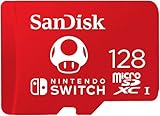
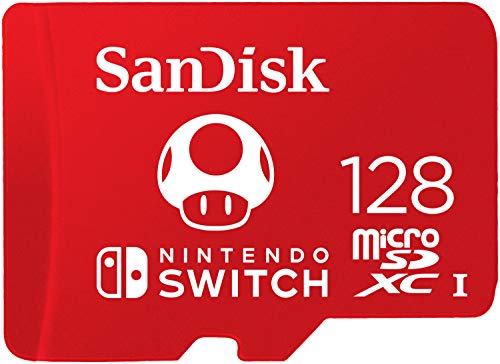
| SanDisk 128GB microSD Card, Super Mario Super Mushroom Edition | Gift-ready licensed storage | Check on Amazon |
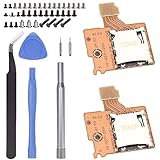
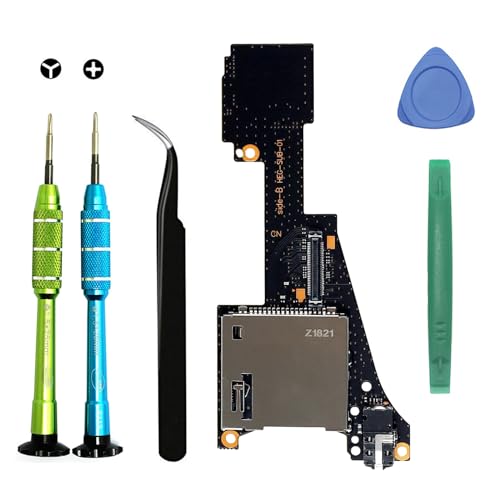
| Replacement Game Card Reader Cartridge Micro SD Card Slot Tray Headphone Jack Daughterboard for NS Switch OLED with Repair Tools | OLED repairs needing the complete kit | Check on Amazon |
| Ikpek 2pcs Micro SD Card Reader for Switch HAC-SD-01 | Repair shops and spares | Check on Amazon |
| iParto Micro SD Card Reader for Switch TF Card Slot Socket Reader Board | Budget single-console repairs | Check on Amazon |
| Silicon Power 1TB SDXC Micro SD Card Gaming Memory Card | Massive libraries on Switch and Steam Deck | Check on Amazon |
| SanDisk 128GB MicroSDXC Switch Memory Card SDSQXAO-128G Bundle | First-time Switch owners | Check on Amazon |
| Deal4GO Game Card Reader Cartridge Board w/MicroSD Slot Headphone Jack for Switch OLED | OLED board-only replacements | Check on Amazon |
How We Compared
We focused on what actually matters for Switch owners. For storage cards, that means matching the correct standard to your console: the Switch, Switch Lite, and Switch OLED use standard microSDXC cards (UHS-I, up to 2TB supported), while the Switch 2 requires microSD Express cards for expanded storage. A standard UHS-I card will not work in the Switch 2’s expansion slot, and an Express card is backward-compatible only in limited ways. Price per gigabyte, brand reliability, and genuine compatibility mattered more than peak speed claims, since the original Switch’s hardware caps read speeds well below what premium cards advertise.
For replacement readers, we looked at fitment accuracy (HAC-SD-01 spec boards for original consoles, OLED-specific variants), whether tools were included, and whether the part bundled related components like the game card reader and headphone jack, which sit on the same daughterboard assembly. We excluded no-name cards with unverifiable speed ratings and any part without a stated console fitment.
The 8 Best Picks
1. Samsung microSD Express Card – 256GB for Nintendo Switch 2
At $59 for 256GB—about 23 cents per gigabyte—this is the straightforward answer for Switch 2 owners who have filled the console’s built-in 256GB. Because it’s a microSD Express card, it delivers the faster interface the Switch 2’s expansion slot is built around, which matters for loading larger next-generation titles. Installation is trivial: power down, pop it in the slot under the kickstand area, and format through the system settings.
- Certified microSD Express format matched to the Switch 2’s slot
- 256GB capacity roughly doubles usable storage at a fair price
- Not compatible with the original Switch, Lite, or OLED expansion needs
Skip it if you own an original Switch or OLED—those consoles take cheaper UHS-I cards, and you’d be paying a premium for speed they can’t use.
2. SanDisk 128GB microSD Card, Super Mario Super Mushroom Edition
This officially licensed Nintendo card pairs 128GB of UHS-I storage with a Super Mushroom print on the shell. Functionally, it’s a standard SanDisk Switch-class card: roughly 30 cents per gigabyte, plenty for eight to twelve average-sized digital games, and it handles the original Switch’s modest read-speed ceiling without issue. The licensed artwork makes it a genuinely popular gift for younger players and collectors, and SanDisk’s Nintendo partnership means the card is validated against the console’s compatibility list.
- Official Nintendo licensing with collectible Super Mushroom design
- SanDisk reliability record at a reasonable around $39
- Poor price per gigabyte compared to plain 128GB cards
Skip it if you’re purely maximizing storage per dollar—unbranded designs of the same capacity often cost $10–15 less.
3. Replacement Game Card Reader Cartridge Micro SD Card Slot Tray Headphone Jack Daughterboard for NS Switch OLED with Repair Tools
If your OLED refuses to read cartridges or SD cards, this around $25 daughterboard is the fix, and it’s the most complete kit here. The assembly combines the game card reader, microSD slot, and headphone jack into one board—accurate, because on the OLED those components share a single flex assembly—so one swap restores all three functions. Included repair tools mean you’re not making a separate order for the tri-wing and Phillips drivers the console’s screws require.
- Complete assembly covering game reader, SD slot, and headphone jack
- Tools included, so the kit is genuinely all-in-one at around $25
- Requires OLED-specific fitment—do not buy for original Switch models
Skip it if your problem is software-side (a card that won’t format, or a corrupted library) rather than a physically failing slot.
4. Ikpek 2pcs Micro SD Card Reader Replace for Nintendo Switch HAC-SD-01
This two-pack of HAC-SD-01 microSD slot reader boards is aimed at tinkerers and repair households. At around $12 for two—about $6 per board—it’s the cheapest per-unit way to keep a spare on hand, useful if you’ve had a slot fail before or you’re repairing more than one original-model console. The HAC-SD-01 designation matters: it’s the correct part reference for standard Switch consoles, not the OLED’s differently arranged daughterboard.
- Two boards per order for roughly $6 each
- Correct HAC-SD-01 fitment for original Switch consoles
- SD slot only—doesn’t address a broken game card reader
Skip it if you own an OLED (different part) or if your console also has cartridge-reading problems, since this board won’t fix that.
5. iParto Micro SD Card Reader for Nintendo Switch NS TF Card Slot Socket Reader Board Repair kit
At around $9, this is the entry-level repair option: a single microSD socket reader board for original-model Switch consoles, sold as a small repair kit. It suits the confident DIYer with one console to fix and no interest in keeping spares. Like the Ikpek board, it replaces only the SD slot, so diagnose carefully before ordering—if your Switch won’t read game cartridges either, the fault may be in the shared daughterboard rather than this component.
- Lowest price in the roundup at around $9
- Simple single-board replacement for SD-slot failures
- Minimal kit contents; assumes you own the right screwdrivers
Skip it if you want tools included or you’re not comfortable with board-level swaps—step up to the full OLED-style kits instead.
6. Silicon Power 1TB SDXC Micro SD Card Gaming Memory Card
For around $210—about 21 cents per gigabyte—this 1TB SDXC card is the capacity ceiling for original Switch-family consoles, which support cards up to 2TB but realistically top out here for value. Silicon Power markets it specifically for gaming, and its UHS-I speed class is comfortably above what the Switch can read. The real selling point is dual use: it’s also Steam Deck-compatible, so one card can serve both handhelds if you move between them.
- 1TB holds roughly 20–25 large Switch titles
- Works in both Switch and Steam Deck for flexible ownership
- around $210 is a big outlay versus buying 256GB twice
Skip it if your library is under 400GB—a 256GB or 512GB card costs far less and covers you fine.
7. SanDisk 128GB MicroSDXC Switch Memory Card SDSQXAO-128G Bundle
The SDSQXAO-128G is SanDisk’s Nintendo-licensed workhorse, and this bundle listing at around $46 suits first-time Switch buyers who want a validated card without thinking about specs. It’s a UHS-I microSDXC card rated up to 100MB/s read—far beyond what the original Switch hardware can exploit—and SanDisk’s Nintendo licensing means it appears on the console’s officially compatible list. 128GB is the sweet spot for moderate libraries: enough for a handful of big first-party downloads plus numerous indies.
- Officially licensed and validated for Switch compatibility
- 100MB/s-class read speed with a strong reliability record
- At around $46, costs more per gigabyte than unlicensed 128GB cards
Skip it if you already know you’ll exceed 256GB—buying a larger card once is cheaper than this plus an upgrade.
8. Deal4GO Game Card Reader Cartridge Board w/MicroSD Slot Headphone Jack Replacement for Switch OLED
The Deal4GO board does the same job as the pricier OLED kit above—game card reader, microSD slot, and headphone jack on one daughterboard—for around $20, about $5 less. The tradeoff is that it’s board-only, so you’ll need your own tri-wing screwdriver, plastic pry tools, and patience with the console’s ribbon cables. For anyone who has repaired electronics before, that’s an easy trade; for first-timers, the tool-inclusive kit is worth the extra money.
- Same three-function OLED assembly for around $20
- Sensible choice if you already own repair tools
- No tools included, and OLED-only fitment
Skip it if you don’t own a tri-wing driver or haven’t opened a console before—the bundled-tools option above removes that friction.
Buying Guide
Match the Card Standard to Your Console
This is the mistake most buyers make. Original Switch, Switch Lite, and Switch OLED: buy standard microSDXC (UHS-I) cards. Switch 2: buy microSD Express cards only for the expansion slot—a standard UHS-I card won’t work there. Before you buy anything, confirm which console you have and which slot you’re filling.
Size the Card to Your Actual Library
Count what you own. Big first-party titles run 10–17GB each; most indies are under 2GB. A 128GB card holds roughly ten large games, 256GB around twenty, and 1TB can carry a near-complete digital collection of 40-plus titles. Buying one size up from your current need is usually smarter than buying twice.
Diagnose Before You Order Repair Parts
A console that won’t read cards might have a failing slot—or a corrupted card, dirty contacts, or outdated firmware. Test with a known-good card first. If hardware failure is confirmed, note your exact model: original Switch slots use the HAC-SD-01 reference part, while OLED consoles use a different combined daughterboard. Buying the wrong board is the most common repair mistake.
Our Verdict
For most Switch 2 owners, the Samsung microSD Express 256GB at $59 is the clear pick—the right standard at the right price. On original-family consoles, the SanDisk SDSQXAO-128G bundle at around $46 is the safe, licensed choice, while the Silicon Power 1TB at around $210 is the endgame for collectors. If your console’s slot has physically failed, the tool-inclusive OLED daughterboard kit at around $25 is the best repair value; budget builders should grab the iParto board at around $9.
FAQ
Can I use a regular microSD card in a Switch 2?
No. The Switch 2’s expansion slot requires microSD Express cards. Standard UHS-I microSDXC cards work in the original Switch, Lite, and OLED, but not in the Switch 2’s expansion slot.
What’s the largest card a Switch can use?
Original Switch-family consoles support microSDXC cards up to 2TB, though 1TB is the practical sweet spot on value—the Silicon Power card above runs about 21 cents per gigabyte.
Can I replace the microSD slot myself?
Yes, with care. It requires opening the console with a tri-wing screwdriver and disconnecting ribbon cables. Boards range from around $9 to around $25; kits with tools included are worth it for first-timers.
Do licensed Nintendo cards perform better?
Not meaningfully on original consoles, since the hardware caps read speeds well below any modern card’s capability. You’re paying the licensing premium for guaranteed compatibility and design, not performance.
Related guides
- Best Free MMOs on Steam: Subscription Limits, Pay-to-Win and Time Cost (2026)
- Best Free Horror Games on Steam: How to Pick One That Fits Your PC and Your Nerves (2026)
- Black Frame Insertion vs VRR: Which Smoothness Feature Should You Use?
- Best Webcams for Streaming: 11 Listings Compared by Resolution, Focus and Light (2026)








