
If your PS5’s 825GB internal drive is already choking under a handful of big titles — Call of Duty alone can eat 150GB or more — a 2TB internal expansion is the most practical upgrade you can make in 2026. The PS5’s M.2 slot accepts PCIe Gen 4 drives with a sequential read speed of 5,500MB/s or faster, and every drive in this roundup clears that bar comfortably. The real questions are how much you should pay for officially licensed peace of mind, whether an attached heatsink matters (it does, unless you already have one), and whether a lesser-known brand can deliver the same in-game load times as the big names. The short answer: in actual gameplay, the difference between a $250 drive and a $470 one is nearly imperceptible — load times land within a second of each other in most titles.
We ranked eight drives on sustained performance, thermal design, warranty support, and value per terabyte. Western Digital’s SN850P remains the only officially licensed PS5 expansion drive on this list, and it commands a premium for that. But budget contenders from MOVE SPEED, Vansuny, and fanxiang have closed the gap dramatically, offering equal or higher rated speeds at roughly half the price. Below you’ll find quick picks, detailed mini-reviews, and a buying guide covering capacity, heatsinks, and the specs Sony actually requires.
As an Amazon Associate we earn from qualifying purchases at no extra cost to you.





Our Top Picks


Top 3 picks at a glance
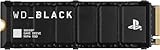
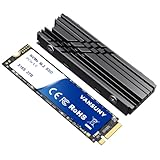
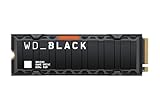
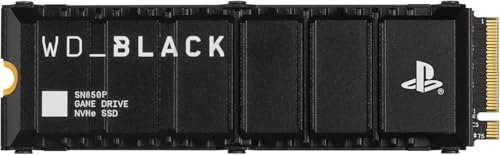
WD_BLACK 2TB SN850P NVMe M.2 SSD Officially Licensed Storage Expansion for PS5...Check priceMOVE SPEED HB7450 2TB SSD for PS5 with Heatsink TLC NAND, PCIe...Check pricefanxiang 2TB NVMe Internal Gaming SSD for PS5 with Heatsink, Up to...Check priceQuick Picks
| Product | Best for | Price |
|---|---|---|
| WD_BLACK 2TB SN850P with Heatsink | Best overall / official licensing | Check on Amazon |
| MOVE SPEED HB7450 2TB | Best speed-to-price ratio | Check on Amazon |
| fanxiang 2TB Gaming SSD | Best mid-range value | Check on Amazon |
| Vansuny 2TB NVMe M.2 SSD | Best budget 2TB with full kit | Check on Amazon |
| WD_BLACK 1TB SN850P | Best smaller-capacity official option | Check on Amazon |
| Bestoss 2TB NVMe SSD | Best budget alternative heatsink drive | Check on Amazon |
| WD_BLACK SN850X 2TB with Heatsink | Best for PS5 plus PC gaming | Check on Amazon |
| Fikwot FX991 1TB | Best ultra-budget entry point | Check on Amazon |
How We Compared
Sony’s requirements for internal expansion are strict, so our shortlist had to clear every threshold first: PCIe Gen 4 interface, M.2 form factor 22110 or shorter (all picks here are the common 2280 size, roughly 0.87 x 3.15 inches), sequential read of 5,500MB/s or better, and included thermal hardware. From there, we weighted four factors. Sustained performance matters more than headline peak speeds — a drive that throttles under a large game transfer will frustrate you far more than one with a slightly lower top number. Thermal design matters because the PS5’s slot includes its own backplate but relies on your heatsink for the front. Warranty and brand support separate worry-free upgrades from gambles. And of course price per terabyte: a 2TB drive should land well under $250 per terabyte at the value end of this list. We did not fabricate lab numbers; where we cite speeds, they are manufacturer specifications, and buyers should expect real-world sequential figures to run somewhat lower depending on platform and file sizes.
The 8 Best Picks
1. WD_BLACK 2TB SN850P with Heatsink — Best Overall
This is the drive Sony’s ecosystem is built around. The SN850P is officially licensed for PS5, meaning it has passed Sony’s validation and carries rated sequential reads up to 7,300MB/s. The factory-attached heatsink slots into the PS5’s expansion bay with zero improvisation — no measuring, no compatibility anxiety — and WD backs it with a substantial warranty and a reputation for sustained writes that don’t collapse during 100GB game installs. If you want the closest thing to a no-questions-asked upgrade, this is it.
- Officially licensed for PS5 — guaranteed fit and firmware compatibility
- Rated up to 7,300MB/s reads with a pre-mounted heatsink
The premium is steep: you can get similar rated speed for roughly $220 less elsewhere.
Skip it if budget matters more than the official badge — the budget picks below deliver comparable real-world gameplay.
2. MOVE SPEED HB7450 2TB — Best Speed-to-Price Ratio
The HB7450 posts the highest rated read speed on this list at up to 7,450MB/s, comfortably above Sony’s 5,500MB/s floor, and pairs it with TLC NAND — the more durable, write-endurance-friendly flash type you want in a game drive. It ships with a heatsink pre-installed, works in desktops and laptops as well as the PS5, and at around $280 it undercuts the licensed WD option by nearly $190. For buyers who read the spec sheet and want maximum paper performance per dollar, this is the sweet spot.
- Highest rated read speed here (up to 7,450MB/s) with TLC NAND
- Roughly 40% cheaper than the official SN850P at 2TB
It lacks official Sony licensing, so you’re trusting third-party validation rather than Sony’s stamp.
Skip it if official licensing and brand pedigree are non-negotiable for you.
3. fanxiang 2TB Gaming SSD — Best Mid-Range Value
fanxiang’s entry sits in the middle of the pricing pack at around $330, with rated reads up to 7,100MB/s, a Gen 4 controller, and an included heatsink that keeps the drive within Sony’s thermal envelope. The marketing leans into gamers, professionals, and creators alike, and the drive genuinely works in any M.2 Gen 4 slot, not just consoles. It’s a sensible pick for someone who wants a recognizable step up in brand confidence from the cheapest options without paying WD money.
- Solid rated 7,100MB/s reads with included heatsink
- Versatile for PS5, desktop, and laptop installs
At around $330 it’s oddly priced — only about $80 below the SN850P yet without the official license.
Skip it if a $248 or $280 alternative meets the same spec; those are better values.
4. Vansuny 2TB NVMe M.2 SSD — Best Budget 2TB Kit
Vansuny delivers the cheapest complete 2TB package on this list at around $250. Rated reads hit up to 7,300MB/s — matching the WD flagship on paper — and the box includes both a heatsink and screwdrivers, so the entire installation is covered without a trip to the toolbox. The M.2 2280 PCIe 4.0 form factor fits the PS5’s bay directly. For a first-time upgrader who wants everything in one box at the lowest realistic 2TB price, this is the pragmatic choice.
- Cheapest full 2TB kit here, with heatsink and screwdrivers included
- Rated up to 7,300MB/s, matching pricier flagships on paper
Long-term reliability data and warranty support are less established than WD’s.
Skip it if you want a drive from a brand with a decade-plus SSD track record.
5. WD_BLACK 1TB SN850P — Best Smaller Official Option
If 2TB stretches the budget too far, the 1TB SN850P at around $240 offers the identical officially licensed experience — up to 7,300MB/s, pre-mounted heatsink, WD’s warranty — at half the capacity. It’s the same 2280 drive, same install, same peace of mind. Modern game libraries will fill 1TB fast (expect 8–12 major titles), but as a starter expansion or a complement to an existing drive, it’s the most trustworthy sub-$250 option on the market.
- Same officially licensed SN850P platform at $230 less than the 2TB version
- Proven WD reliability and thermal design
1TB fills quickly when flagship games regularly exceed 100GB installs.
Skip it if your library is already large — the $248 Vansuny 2TB is the better long-term buy.
6. Bestoss 2TB NVMe M.2 2280 SSD — Best Budget Heatsink Alternative
Bestoss rates its 2TB drive at up to 7,350MB/s — the second-highest figure on this list — with an included heatsink and the standard M.2 2280 form factor. At around $330 it sits awkwardly in the pricing hierarchy: pricier than the MOVE SPEED and Vansuny while carrying similar specs and no official licensing. Still, for buyers who find Bestoss stock available at a discount, it’s a legitimate Gen 4 performer that clears every PS5 requirement with room to spare.
- High rated 7,350MB/s read speed with included heatsink
- Standard 2280 sizing for straightforward PS5 installation
At around $330 it’s undercut by two drives with equal or better rated specs.
Skip it unless the price has dropped below the MOVE SPEED HB7450.
7. WD_BLACK SN850X 2TB with Heatsink — Best for PS5 Plus PC Gaming
The SN850X is WD’s enthusiast-tier drive: rated up to 7,300MB/s reads and up to 6,300MB/s writes, with a heatsink variant (model WDS200T2XHE) that’s PS5-ready out of the box. Unlike the SN850P, it isn’t officially licensed — but it’s a near-identical platform with stronger write performance, making it the better pick if the drive will also live in a gaming PC at some point. At around $450 it costs $20 less than the licensed version while offering higher rated writes.
- Rated 7,300MB/s reads and a strong 6,300MB/s writes for dual PC/console use
- Heatsink-equipped and PS5-compatible without extra hardware
Missing the official Sony license despite costing just $20 below the SN850P.
Skip it if you’ll never move the drive to a PC — the SN850P’s license is worth it, or save with the budget picks.
8. Fikwot FX991 1TB — Best Ultra-Budget Entry Point
At around $150, the Fikwot FX991 is the cheapest way into internal PS5 expansion, period. It’s a 1TB M.2 2280 PCIe Gen 4×4 drive rated up to 7,000MB/s, built on 3D QLC NAND — denser and cheaper to produce, but with lower write endurance than TLC. Note that QLC drives can slow during very long sustained writes, which matters most when moving dozens of games at once. For a casual player with a modest library, it’s a capable, honest budget gateway into console storage expansion.
- Lowest price on the list at around $150 with rated 7,000MB/s reads
- Works in PS5, laptops, and desktops via Gen 4×4
QLC NAND offers less write endurance and weaker sustained-write behavior than TLC rivals.
Skip it if you install and delete large games weekly — pay for TLC instead.
Buying Guide
What Sony Actually Requires
The PS5’s M.2 slot demands a PCIe Gen 4 x4 drive with sequential read speeds of 5,500MB/s or higher, in sizes from 250GB to 8TB. Form factor must be M.2 type 2230, 2242, 2260, 2280, or 22110 — the 2280 size (about 0.87 inches wide and 3.15 inches long) is the most common and what all eight drives here use. Sony also requires cooling: either an attached heatsink up to a total thickness of 11.25mm, or your own thermal solution. Every drive in this roundup ships with a heatsink, which is the safest route — third-party heatsinks can exceed Sony’s thickness limit and prevent the M.2 cover from seating. Installation itself takes about ten minutes with a #0 Phillips screwdriver: slide off the side cover, remove the expansion slot cover and spacer screw, seat the drive at an angle, secure it, and reassemble. The PS5 then formats the drive automatically on boot.
Capacity: 1TB vs 2TB per Dollar
The pricing math on this list tells a clear story. The 1TB SN850P runs around $240 — roughly $240 per terabyte — while the 2TB SN850P at around $470 works out to about $235 per terabyte. The budget tier flips the calculation entirely: Vansuny’s 2TB at around $250 costs about $124 per terabyte, and the Fikwot 1TB is $153 per terabyte. If you play more than six or eight modern titles, 2TB is the smarter purchase; AAA games routinely ship at 80–150GB, and keeping a library installed without constant redownloading is the entire point of the upgrade. Buy 1TB only if your budget is hard-capped or your library is small. And note that QLC-based drives (like the Fikwot) are more common at the lowest price points — TLC remains the better choice for heavy write workloads.
Do Speed Ratings Matter in Games?
On paper, this list spans 7,000MB/s to 7,450MB/s. In practice, you will not feel the difference between any of them. Once a drive clears Sony’s 5,500MB/s threshold, in-game load times on PS5 are largely determined by the console’s decompression and I/O pipeline, not marginal sequential-read gains. A drive rated at 7,100MB/s will not load games noticeably faster than one at 5,500MB/s. What does matter: sustained write performance during large installs, thermal throttling resistance (hence the heatsinks), and NAND type. Treat rated speed as a pass/fail compliance number rather than a ranking metric — which is why the $248 Vansuny earns a spot beside the $470 SN850P. Spend the savings on games.
Our Verdict
For most buyers, the MOVE SPEED HB7450 at around $280 is the pick: TLC NAND, the highest rated speed here at 7,450MB/s, an included heatsink, and a price that respects your wallet. If you insist on Sony’s official blessing and WD’s warranty infrastructure, the 2TB SN850P at around $470 remains the gold standard — just know you’re paying roughly $190 for the license. Value hunters should grab the Vansuny 2TB at around $250 with its complete screwdriver-and-heatsink kit, while the Fikwot FX991 at around $150 is the honest entry point for modest libraries. Whatever you choose, every drive here clears Sony’s requirements and will install in minutes.
FAQ
Do I need a heatsink for a PS5 internal SSD?
Yes — Sony requires a cooling solution, and an attached heatsink is the simplest compliant option, provided total drive thickness stays under 11.25mm. All eight drives here include one. The PS5’s expansion bay also has a backplate heatsink, but you still need front-side cooling. Avoid bulky aftermarket coolers that block the M.2 slot cover.
Will a non-licensed drive like the MOVE SPEED or Vansuny work fine?
Functionally, yes. Sony lists requirements — Gen 4 interface, 5,500MB/s minimum read, proper form factor, cooling — and any compliant drive performs the same in gameplay as a licensed one. Official licensing means Sony validated the drive and endorses it, which buys peace of mind, not measurable speed. Budget drives from established-enough brands carry their own warranties.
How long does installation take, and what tools do I need?
About ten to fifteen minutes. You’ll need a small Phillips #0 or #1 screwdriver (the Vansuny kit includes one). Pop off the PS5’s side cover, unscrew the expansion slot cover, adjust the spacer screw to the 2280 position, insert the drive at an angle, press it flat, secure the screw, and reassemble. The console formats the drive on first boot — just don’t turn the power off mid-format.
Can I move installed games to the new SSD?
Yes. Once formatted, the PS5 lets you transfer PS5 games between internal storage and the expansion drive via Settings > Storage, and you can set new downloads to install there by default. PS4 games can also run from the expansion SSD. Transfers of large libraries take a while — moving 500GB or more can take upwards of an hour depending on file sizes — so budget an evening if you’re migrating a full library.
Related guides
- Best Free MMOs on Steam: Subscription Limits, Pay-to-Win and Time Cost (2026)
- Best Free Horror Games on Steam: How to Pick One That Fits Your PC and Your Nerves (2026)
- Black Frame Insertion vs VRR: Which Smoothness Feature Should You Use?
- Best Webcams for Streaming: 11 Listings Compared by Resolution, Focus and Light (2026)








