
Opening up your PlayStation 5 to install more storage can feel intimidating, but running out of space is an inevitability for any modern gamer. With massive game install sizes frequently exceeding 100 gigabytes, the console’s built-in usable storage of roughly 667 gigabytes quickly disappears after downloading just a handful of AAA titles.
When searching for a storage upgrade, many buyers fall into common traps. Some panic-buy the most expensive branded drive on the shelf, overpaying by hundreds of dollars. Others buy standard PC drives without a heatsink, assuming the console’s internal fan will prevent overheating, only to experience thermal throttling, system crashes, or hardware damage. Some even purchase older PCIe Gen 3 drives that physically fit into the expansion slot but are entirely incompatible with the console’s architecture. Learning how to choose an m2 ssd for ps5 expansion requires understanding a few strict hardware boundaries set by Sony, alongside knowing where you can safely cut costs without sacrificing gameplay performance.
As an Amazon Associate we earn from qualifying purchases at no extra cost to you.



Our Top Picks



Top 3 picks at a glance
Decide These 3 Things First
- Your Target Capacity: Decide if you actually need 1TB, 2TB, or 4TB of storage. A 1TB drive is the sweet spot for casual gamers, while a 2TB drive offers the best long-term value for those with large digital libraries. Avoid 500GB drives, as the price-per-gigabyte ratio is highly inefficient.
- Heatsink Configuration: Decide whether you want a plug-and-play drive with a pre-installed heatsink or if you are willing to buy a bare drive and attach an aftermarket heatsink yourself. Pre-installed heatsinks save time and guarantee structural integrity, but DIY options can save you $20 to $40.
- Licensing vs. Third-Party Pricing: Determine if you require the peace of mind that comes with an officially licensed PlayStation product or if you prefer to save money with third-party alternatives. Licensed drives often carry a premium price tag, but standard high-performance PCIe Gen 4.0 drives perform identically in real-world load tests.
Size and Physical Dimensions
The PS5 expansion bay is a dedicated physical slot located under the console’s removable faceplate. Because this bay is sealed with a metal cover, the physical dimensions of your chosen M.2 SSD and its attached heatsink are non-negotiable. If your drive is too wide, too long, or too tall, you will not be able to screw the expansion bay cover back on, which is critical for maintaining correct internal airflow pressure.
The console supports standard M.2 form factors, specifically widths of 22mm and lengths of 30mm, 42mm, 60mm, 80mm, or 110mm (referred to as 2230, 2242, 2260, 2280, and 22110). Virtually all consumer gaming SSDs are 2280 drives, measuring 22mm wide by 80mm long.
The total thickness of the SSD combined with its heatsink must not exceed 11.25mm (0.44 inches). Furthermore, this thickness must be distributed correctly: no more than 8.0mm of the cooling structure can sit above the SSD circuit board, and no more than 2.45mm can sit below it. The total width of the drive and heatsink structure cannot exceed 25mm (0.98 inches). Before buying any third-party heatsink, check these exact millimeter measurements to avoid a costly return.
Thermal Materials and Construction
Unlike a desktop PC case, which benefits from spacious air cavities and multiple intake fans, the PS5 expansion bay is a confined, passive heat trap. Under heavy workloads, such as loading high-fidelity textures, an M.2 SSD can rapidly heat up to over 80 degrees Celsius (176 degrees Fahrenheit). Without an adequate cooling apparatus, the drive will automatically throttle its read and write speeds to protect its NAND flash memory, resulting in stuttering gameplay and extended loading screens.
High-quality heatsinks are constructed from high-conductivity aluminum or copper. Aluminum alloy is the most common material because of its lightweight nature and excellent surface-area-to-weight ratio. Look for heatsinks that feature deep fins or grooved channels; these structures increase the overall surface area, allowing passing air from the PS5’s main intake fan to pull heat away more efficiently.
Additionally, pay attention to the thermal pads used to sandwich the SSD between the heatsink plates. High-performance drives use highly conductive thermal silicone pads with a thermal conductivity rating of at least 3.0 W/mK (Watts per meter-Kelvin) to ensure heat transfers rapidly from the memory controller to the metal heatsink structure.
Read/Write Speeds and Performance
Sony has established strict performance baselines for any expansion drive. The console requires a PCI-Express Gen 4.0 x4 M.2 NVMe SSD. While the console will technically boot with drives that have lower sequential speeds, Sony officially recommends a sequential read speed of at least 5,500 MB/s to ensure seamless asset streaming in modern titles.
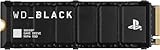
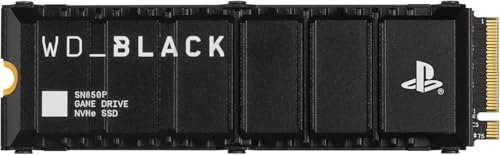
Premium drives on the market easily exceed this minimum. For example, officially licensed options like the WD_BLACK SN850P achieve sequential read speeds of up to 7,300 MB/s and write speeds of up to 6,600 MB/s. Third-party options like the SIX NVME PCIe 4.0 drive hit up to 7,350 MB/s.
While a speed of 7,300 MB/s sounds vastly superior to 5,500 MB/s on paper, real-world loading tests show only fractions of a second difference in game boot times. However, choosing a drive with higher raw speeds provides headroom for future titles that will push the console’s hardware to its absolute limits.
Price Tiers and Value Proportions
The SSD market is highly volatile, but prices generally align with branding, capacity, and sequential speeds. Understanding these tiers prevents you from overpaying for performance you won’t actually notice in daily gaming sessions.
- Budget Tier ($80 – $180): This tier consists of 1TB to 2TB drives from lesser-known or generic brands (such as the SIX NVME 1TB at approximately $180). These drives provide excellent read speeds up to 7,350 MB/s and include basic aluminum heatsinks. They offer the best raw storage-to-dollar ratio but may feature shorter warranty periods or generic controller chips.
- Mid-Range Tier ($180 – $330): This tier includes high-capacity drives from specialized gaming brands (such as the Fanxiang 2TB NVMe SSD at around $330). These drives feature robust custom heatsinks designed specifically for the PS5’s thermal profile, reliable controller chips, and consistent performance during massive file transfers.
- Premium Licensed Tier ($230 – $470+): This tier contains officially licensed products (such as the WD_BLACK 1TB SN850P at around $240 or the 2TB version at around $470). These drives carry the official PlayStation logo, guaranteeing complete compatibility out of the box. While they offer exceptional reliability and build quality, you pay a significant premium for the official licensing seal.
Warranty and Drive Endurance (TBW)
SSD lifespan is measured in Terabytes Written (TBW). This metric indicates how much data can be written to the drive before the memory cells begin to degrade. For a 1TB drive, a standard endurance rating is around 600 to 1,200 TBW, meaning you can completely fill and erase the drive hundreds of times before experiencing failure.
Always align your purchase with a solid manufacturer warranty. Reputable brands offer a 5-year limited warranty, while budget brands may only offer 1 to 3 years of coverage. Since game installations require constant writing, rewriting, and patching of large files, having a long warranty period ensures your investment is protected well into the future.
Installation and Assembly Ease
Adding an M.2 SSD to your PS5 is a straightforward DIY project that requires no advanced technical skills, but it does require the right tools. You will need a standard #1 Phillips screwdriver to remove both the expansion bay cover and the internal SSD securing screw.
If you purchase a drive with a pre-installed heatsink, the installation takes less than five minutes: slide the drive into the M.2 slot at a 30-degree angle, press it down flat, secure it with the included spacer and screw, and replace the metal cover. If you purchase a bare drive and a separate heatsink, you must manually apply the thermal pads, align the drive within the heatsink casing, and tighten the small assembly screws yourself. This DIY route requires steady hands to avoid damaging the delicate copper contacts of the SSD.
Spec Checklist
Use this quick-reference table to compare what you should expect across the three major market tiers when shopping for your PS5 storage expansion.
| Spec / Feature | Budget Tier | Mid-Range Tier | Premium Licensed Tier |
|---|---|---|---|
| Sequential Read Speed | 5,500 to 7,000 MB/s | 7,000 to 7,300 MB/s | 7,300+ MB/s |
| Heatsink Design | Basic sheet metal / Slim aluminum | Custom grooved aluminum / Fin design | Optimized branded heatsink (PS5 tested) |
| DRAM Cache | Often DRAM-less (uses HMB) | Dedicated DDR4 DRAM cache | High-speed dedicated DRAM cache |
| Endurance (1TB / 2TB) | 300 TBW / 600 TBW | 600 TBW / 1,200 TBW | 1,200 TBW / 2,400 TBW |
| Warranty | 1 to 3 Years | 5 Years | 5 Years (Direct support) |
| Estimated Price (2TB) | $150 – $250 | $260 – $340 | $400 – $470+ |
Red Flags
When evaluating different M.2 SSDs, keep an eye out for these critical warning signs that indicate a drive is unsuitable for your PS5 console:
- No Heatsink Included: If a listing does not explicitly state that a heatsink is included (or if the photos show a bare circuit board), you must buy a compatible heatsink separately. Running a bare drive in a PS5 will cause thermal failure.
- PCIe Gen 3.0 Specifications: If the product description mentions “Gen 3” or speeds lower than 5,000 MB/s, do not buy it. The PS5 will detect that it is a Gen 3 drive and refuse to boot past the formatting screen.
- Heatsink Height Over 11.25mm: Many PC-focused heatsinks feature massive cooling towers or integrated RGB fans that stand 15mm to 25mm tall. These will physically block the PS5’s expansion bay door from closing.
- QLC Flash Memory Without DRAM: Cheap, high-capacity drives often use QLC (Quad-Level Cell) flash memory without a DRAM cache to save costs. While fine for light storage, these drives experience massive speed drops during large game installations, sometimes falling slower than a traditional mechanical hard drive.
FAQ
Can I use an M.2 SSD without a heatsink in my PS5?
No. Sony explicitly states that a heatsink or thermal dissipation structure is mandatory for any M.2 SSD installed in the PS5. Without a heatsink, the confined space of the expansion bay will cause the drive to quickly overheat, resulting in severe performance drops, game crashes, or permanent damage to the SSD.
Will adding an M.2 SSD void my PS5 warranty?
No, installing an M.2 SSD does not void your console’s warranty. Sony designed the PS5 with a user-accessible expansion slot specifically for this purpose. However, physical damage caused to the console during the installation process (such as stripping screws or breaking the internal connector) is not covered by the warranty.
What is the maximum storage capacity the PS5 supports?
The PS5 supports M.2 NVMe SSD capacities ranging from 250GB up to a maximum of 8TB. However, for the vast majority of players, 1TB or 2TB drives offer the best balance of cost, performance, and usable space.
Do officially licensed PS5 SSDs perform better than standard PCIe Gen 4 SSDs?
No. Officially licensed drives (like the WD_BLACK SN850P) do not perform better than unlicensed Gen 4.0 SSDs with similar specs. They simply guarantee out-of-the-box compatibility and ease of mind. High-quality third-party drives with speeds of 7,000 MB/s or higher will deliver identical load times and gameplay performance. As game sizes continue to expand toward 2026, buying any high-quality, high-speed Gen 4.0 drive will keep your console running smoothly.
Related guides
- Best Free MMOs on Steam: Subscription Limits, Pay-to-Win and Time Cost (2026)
- Best Free Horror Games on Steam: How to Pick One That Fits Your PC and Your Nerves (2026)
- Black Frame Insertion vs VRR: Which Smoothness Feature Should You Use?
- Best Webcams for Streaming: 11 Listings Compared by Resolution, Focus and Light (2026)








