Our Short List of 3
All 4 Picks at a Glance
| Product | Specs | Action |
|---|---|---|
 1. TP-Link Archer AX73 — Best Overall for Distance | Check price on Amazon | |
 2. NETGEAR Nighthawk RAX50 — Best for a Stated Coverage Figure | Check price on Amazon | |
 3. ASUS RT-AX86U Pro — Best for Gaming at a Distance | Check price on Amazon | |
 4. TP-Link Archer AXE75 — Best Wi-Fi 6E Pick for Future-Proof Range | Check price on Amazon |
The best routers for distance are the ones that still deliver a usable signal in the far bedroom, the basement office, or the back garden room — not just next to the router itself. A router can post impressive top speeds on a spec sheet and still fall apart at range, because raw speed and real-world reach are two different things. Distance performance depends on antenna design, transmit power, the 2.4 GHz band, beamforming, and how well the router handles walls, floors, and interference from neighbouring networks.
This guide compares four standalone routers built for reach. Every pick is a full router in its own right, so you can use any of them as the single router for a house, a large apartment, or a home office that sits far from the modem.
Our Top Picks
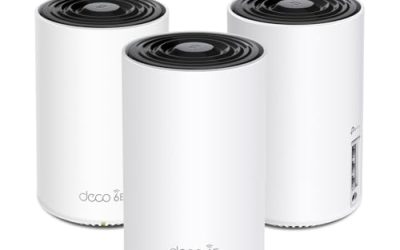
- TP-Link AXE5400 Tri-Band WiFi 6E RouterWiFi 6E, Tri-Band AXE540012.91 x 10.43 x 4.72 inches1.5 poundsCheck on Amazon
Top 3 picks at a glance
How to Choose a Router for Distance
Start with the 2.4 GHz band
The single most important fact about Wi-Fi distance is that the 2.4 GHz band travels much further than 5 GHz or 6 GHz. Lower frequencies pass through walls and floors more easily, so a device two rooms away will usually hold a stronger, more stable connection on 2.4 GHz than on 5 GHz. A good long-range router therefore needs a strong 2.4 GHz radio, not just a fast 5 GHz one. Look for routers that advertise high-gain antennas and good 2.4 GHz throughput, and do not judge a router by its 5 GHz speed alone.
That said, you should not force everything onto 2.4 GHz. The best setup is a router with smart band steering that keeps nearby devices on the fast 5 GHz or 6 GHz band while letting distant devices fall back to 2.4 GHz automatically. All four routers in this guide support that kind of automatic band management.
Count the antennas and the streams
More antennas generally mean better coverage, because each antenna can focus signal in a different direction and serve a different spatial stream. High-gain external antennas are a good sign for distance work, and they can often be angled to push signal toward a particular wing of a house. A router with four or six external antennas will usually cover a large home better than a compact router with internal antennas only.
Stream count matters too. A 6-stream router can talk to more devices at once without the congestion that causes dropouts at range. If your household has phones, laptops, consoles, smart TVs, and smart home gear all connected at the same time, a higher stream count keeps the far devices from being starved of airtime.
Look for beamforming and MU-MIMO
Beamforming lets a router focus its signal toward a connected device instead of broadcasting equally in all directions. That focused beam is exactly what a distant device needs. MU-MIMO lets the router serve several devices simultaneously rather than one at a time, which keeps latency down when many devices are connected across a large home. Both features are standard on the Wi-Fi 6 and Wi-Fi 6E routers in this guide.
Check the coverage claim — and read it carefully
Manufacturers often quote a coverage figure in square feet. These numbers are measured in open, ideal conditions, so treat them as a way to compare routers rather than a promise about your house. A router rated for 2,500 square feet will not necessarily cover a 2,500-square-foot home with thick walls, but it will very likely reach further than a router rated for 1,500 square feet.
Plan for expansion with mesh compatibility
Even the strongest single router has limits. If your home is very large, has multiple floors, or has thick concrete or brick walls, a single unit may not be enough no matter how good it is. That is why mesh compatibility matters: routers that can pair with a second unit from the same system let you add a node later instead of replacing the whole setup.
Do not forget placement
No router reaches its full range from inside a cabinet, behind a television, or on the floor in a corner. Place the router in a central, elevated, open position — ideally on a shelf at waist height or above, away from thick walls and metal objects. Keep it away from microwaves, baby monitors, and other 2.4 GHz devices that can interfere with the signal. A well-placed mid-range router will often outperform a badly placed flagship.
Top Picks
1. TP-Link Archer AX73 — Best Overall for Distance
The TP-Link Archer AX73 is the most direct answer to this keyword: its own listing describes it as a long-range router, and it is built around six high-gain external antennas designed to push signal across a large home. It is a dual-band Wi-Fi 6 router rated AX5400, with combined speeds of up to 5,400 Mbps across the 2.4 GHz and 5 GHz bands, and it uses OFDMA and MU-MIMO to keep many devices connected at once without the slowdowns that hurt distant clients first.
The six-antenna array is the headline feature here. Each antenna can be angled independently, which lets you shape coverage toward the rooms that need it most — for example, pointing two antennas toward a far bedroom or a home office at the end of a hallway. The router is powered by a 1.5 GHz triple-core CPU, which keeps routing, QoS, and security features running smoothly even with dozens of devices attached, and it supports WPA3 security plus TP-Link HomeShield for network protection and parental controls.
For distance specifically, the AX73 has two quiet advantages. First, its 2.4 GHz radio is strong, which is the band that matters most for far rooms. Second, it supports OneMesh, so if a single unit ever proves insufficient you can add a compatible OneMesh extender or router and build a mesh network without replacing the AX73. That upgrade path makes it a sensible pick for homes that might grow — a new extension, a converted garage office, or a garden room.
2. NETGEAR Nighthawk RAX50 — Best for a Stated Coverage Figure
The NETGEAR Nighthawk RAX50 is the easiest router in this guide to match against a floor plan, because its listing states coverage of up to 2,500 square feet. That printed figure makes it the most straightforward choice for buyers who know the size of their home and want a router whose maker has put a number on its reach. It is a dual-band Wi-Fi 6 router rated AX5400, with combined speeds of up to 5.4 Gbps, built on a 6-stream design with four external antennas.
The RAX50 runs on a 1.5 GHz tri-core processor and supports up to 25 devices, which suits a typical family home. Its Nighthawk app makes setup and management simple, with device prioritisation, guest network controls, and NETGEAR Armor security features. The four-antenna design is less imposing than the six-antenna AX73, but the antennas are high-gain and the router’s beamforming focuses signal toward connected devices rather than wasting it on empty space.
Where the RAX50 earns its place is in larger single-storey homes, where a stated coverage figure helps you plan. If you are replacing an older router that leaves a far bedroom or a living room at the opposite end of the house with a weak signal, the RAX50’s combination of a strong 2.4 GHz radio, beamforming, and a published coverage figure gives you a concrete reason to expect better reach.
One detail to verify when buying: confirm the listing is the new RAX50-100NAS model, because a Renewed version circulates under a separate code. The ASIN below is the new unit.
3. ASUS RT-AX86U Pro — Best for Gaming at a Distance
The ASUS RT-AX86U Pro is a dual-band Wi-Fi 6 gaming router rated AX5700, and it is the pick for anyone whose far room holds a gaming PC or a console. Gaming is the hardest test of a long-range connection, because it needs low latency and a stable signal at the same time, and a router that can keep ping steady two rooms away is doing genuinely difficult work. The RT-AX86U Pro is built for that job, with a 2.0 GHz quad-core processor, 1 GB of RAM, a dedicated gaming port, and a 2.5G port for a wired connection to a PC or a switch.
Its three external antennas use ASUS RangeBoost Plus, a combination of hardware and tuning designed to extend coverage and improve signal strength at range. The router supports AiMesh, so it can be paired with another ASUS AiMesh router to extend coverage across a very large home, and it includes AiProtection Pro security powered by Trend Micro at no subscription cost, plus parental controls and a mobile game mode that prioritises phone gaming traffic.
For distance, the RT-AX86U Pro’s strongest card is its processing power. A distant device on a weak signal needs more of the router’s attention — retransmissions, error correction, and beamforming calculations all cost CPU time — and the quad-core chip with 1 GB of RAM handles that load without the slowdowns a weaker router shows when many devices are connected. The dedicated gaming port is also useful in a far room setup: if you can run one Ethernet cable from the router to the gaming desk, the gaming port automatically prioritises that traffic, and the router’s Wi-Fi is then free to serve the rest of the house.
4. TP-Link Archer AXE75 — Best Wi-Fi 6E Pick for Future-Proof Range
The TP-Link Archer AXE75 is a tri-band Wi-Fi 6E router rated AXE5400, and it is the pick for buyers who want the newest wireless standard without giving up distance. Wi-Fi 6E adds the 6 GHz band, which is fast but short-range, so a 6E router lives or dies on the strength of its 2.4 GHz and 5 GHz radios — and the AXE75’s six high-gain antennas give both of those bands a strong foundation. Its combined speeds reach up to 5,400 Mbps across the 6 GHz, 5 GHz, and 2.4 GHz bands, with 160 MHz channels on the 6 GHz band for the fastest nearby connections.
The AXE75 uses a 1.7 GHz quad-core CPU with 512 MB of RAM, four gigabit LAN ports plus a 2.5G WAN port, and a USB 3.0 port. It supports OneMesh, WPA3 security, HomeShield, and VPN server and client features, which makes it a strong choice for a home office that needs secure remote access as well as long-range coverage. It was named a 2025 PCMag Editors’ Choice, which reflects its balance of speed, features, and value in its class.
Why include a Wi-Fi 6E router in a distance guide at all? Because the 6 GHz band takes the fastest nearby devices off the 5 GHz band, leaving more airtime for the distant devices that depend on 2.4 GHz and 5 GHz. In a busy household, that traffic separation is a real distance benefit: the far bedroom’s laptop is no longer competing with a nearby phone streaming in 4K on the same band.
Comparison Table
| Router | Wi-Fi Standard | Speed Rating | Antennas | Mesh System | Best For |
|---|---|---|---|---|---|
| TP-Link Archer AX73 | Wi-Fi 6, dual-band | AX5400 | 6 external | OneMesh | Best overall distance coverage |
| NETGEAR Nighthawk RAX50 | Wi-Fi 6, dual-band | AX5400 | 4 external | No | Homes needing a stated coverage figure |
| ASUS RT-AX86U Pro | Wi-Fi 6, dual-band | AX5700 | 3 external | AiMesh | Gaming in a far room |
| TP-Link Archer AXE75 | Wi-Fi 6E, tri-band | AXE5400 | 6 external | OneMesh | Future-proofing with many devices |
How to Get the Most Distance from Your Router
Buying a long-range router is only half the job. These setup steps will help any of the picks above reach as far as possible.
First, put the router near the centre of the home. The modem point is not always central, but moving the router a few metres toward the middle — on a shelf, a bookcase, or a hallway table — can add a room of coverage. Height helps: a router on a high shelf broadcasts over furniture instead of through it.
Second, angle the antennas. On a router with external antennas, point some vertically and some at an angle, and aim at least one antenna toward the far rooms. Small adjustments can make a noticeable difference, so test the signal in the far room after each change.
Third, split the bands if the router lets you. Give the 2.4 GHz and 5 GHz networks different names, then connect distant, low-bandwidth devices — smart speakers, printers, sensors — to 2.4 GHz, and keep nearby high-bandwidth devices on 5 GHz or 6 GHz.
Fourth, update the firmware. Manufacturers regularly improve beamforming, band steering, and stability through firmware updates, and a router that has never been updated may be running range-related bugs that were fixed long ago.
Fifth, reduce interference. Keep the router away from microwaves, cordless phone bases, and baby monitors, which all share the 2.4 GHz band. If neighbours’ networks are crowding your channels, use the router’s app or admin page to switch to a less congested channel.
Finally, know when to add a node. If a single router still leaves one room dead after good placement and antenna tuning, a mesh node or a compatible extender is the correct answer, not a third router. The AX73, RT-AX86U Pro, and AXE75 all support their maker’s mesh system, so adding coverage later is straightforward.
FAQ
What is the best router for distance in a large house?
For most large homes, the TP-Link Archer AX73 is the strongest all-round pick, because its six high-gain antennas, strong 2.4 GHz radio, and OneMesh upgrade path are all aimed at coverage. If you want a printed coverage figure to plan around, the NETGEAR Nighthawk RAX50 states up to 2,500 square feet in its listing. Gamers in a far room should look at the ASUS RT-AX86U Pro, and households with many new devices should consider the Wi-Fi 6E Archer AXE75.
Does Wi-Fi 6 reach further than Wi-Fi 5?
Wi-Fi 6 itself does not magically extend range, but its features help at distance. OFDMA and MU-MIMO let the router serve many devices more efficiently, beamforming focuses signal toward distant devices, and the improved 2.4 GHz handling in Wi-Fi 6 routers keeps far connections more stable. A good Wi-Fi 6 router will usually hold a usable signal further than an older Wi-Fi 5 router with similar antennas, but antenna design and placement still matter more than the Wi-Fi generation alone.
Is 2.4 GHz or 5 GHz better for distance?
2.4 GHz is better for distance. Its lower frequency passes through walls and floors more easily, so it reaches far rooms that 5 GHz cannot. The trade-off is speed: 2.4 GHz is slower and more crowded, so it suits browsing, streaming at standard quality, and smart home devices. Use 5 GHz or 6 GHz close to the router for maximum speed, and let distant devices use 2.4 GHz.
How many antennas do I need for long range?
Four to six external high-gain antennas is a good target for a large home. More antennas give the router more spatial streams and more directions to focus signal, which helps both coverage and the number of devices it can serve at once. That said, a well-designed three-antenna router with strong beamforming, like the ASUS RT-AX86U Pro, can outperform a cheap six-antenna router — antenna count is a useful guide, not a guarantee.
Should I buy a mesh system instead of a long-range router?
It depends on the house. A single long-range router is simpler, cheaper, and easier to manage, and it is enough for most homes up to a large single-storey or two-storey layout. A mesh system is the better choice for very large homes, homes with thick concrete or brick internal walls, or layouts where the modem point is at one extreme end. A good middle path is to buy a mesh-compatible router, like the AX73, RT-AX86U Pro, or AXE75, and add a node later only if you need it.
Conclusion
The best routers for distance are not the ones with the biggest speed numbers — they are the ones with the antennas, radios, and processing power to keep a signal alive through walls and across floors. The TP-Link Archer AX73 leads this guide for its six-antenna design and its explicit long-range focus, the NETGEAR Nighthawk RAX50 is the clearest choice when you want a stated coverage figure, the ASUS RT-AX86U Pro is the pick for gaming at range, and the TP-Link Archer AXE75 brings Wi-Fi 6E into a distance setup without sacrificing the 2.4 GHz reach that far rooms depend on.
Whichever you choose, remember that placement is part of the product: a central, elevated position, angled antennas, and the right band for each device will do as much for distance as the router itself.
Disclosure: As an Amazon Associate, we earn from qualifying purchases.
Related guides
More from Amazon
Programs that pair well with the guide above. Offers and eligibility are set by Amazon and may change.
Free shipping on eligible items, Prime Video and more. Eligible new members can start with a free trial.
Start a Prime free trialAd-free music streaming. Eligible new subscribers can start with a free trial.
Try Music Unlimited freeA Prime membership for ages 18-24 with a trial period. Eligibility is set by Amazon.
See Prime for Young AdultsAudiobooks and podcasts to listen to on the go. Eligible new members can start with a free trial.
Try Audible freeAs an Amazon Associate we earn from qualifying purchases.