Our Short List of 3
All 3 Picks at a Glance
| Product | Specs | Action |
|---|---|---|
 HyperX Cloud III Wired Gaming Headset | Check price on Amazon | |
 Razer BlackShark V2 X Gaming Headset | Check price on Amazon | |
 Logitech G733 LIGHTSPEED Wireless Gaming Headset | Check price on Amazon |
A good headset changes how a PlayStation session feels. Footsteps in a shooter arrive a fraction of a second earlier, dialogue in a story game sits clearly above the music, and party chat stays clean enough that your squad hears your callouts instead of your room. The console already gives you two ways to connect: a wired jack on the DualSense or DualShock 4 controller, and a USB port for a wireless dongle. This guide covers both paths, with four headsets that work on PS5 and PS4, chosen from listings that were checked against Amazon US.
One honest note before the picks: no headset here claims to do everything. Wireless sets need charging, wired sets tie you to the controller, and the surround-sound labels on several boxes apply to PC software rather than the console itself. Each section below says plainly how the headset connects to a PlayStation console, what the microphone looks like, and where the limits sit, so you can match a pick to the way you actually play.
Our Top Picks
- HyperX Cloud III Wired Gaming Headset for PCRegular3.41 x 6.1 x 7.48 inches0.7 poundsCheck on Amazon
- Razer BlackShark V2 X Wired Gaming Headset with3.5 mm7.6 x 6.76 x 3.86 inches0.5 poundsCheck on Amazon
Top 3 picks at a glance
What to look for
Connection comes first. A 3.5mm wired headset plugs straight into the controller and works on PS4 and PS5 with no dongle and no battery to charge. A 2.4GHz wireless headset uses a USB dongle in the console and frees you from the cable, but it needs regular charging and the dongle takes up a USB port. Bluetooth on its own does not carry game audio to a PlayStation console, so a headset that lists Bluetooth alone is not a PlayStation headset, even if it pairs with a phone. Check the connection type in the listing before you order, not the headline.
Sound matters next. Driver size is only part of the story: a 50mm driver does not guarantee better sound than a 40mm driver, because tuning and the earcup seal shape what you hear. Closed earcups keep game audio in and room noise out, which suits shared rooms and late sessions. Open earcups breathe more and sound wider, but they leak sound into the room. If you play competitive shooters, look for clear midrange detail, since footsteps and reload cues live in that band. If you play story games and action titles, look for a warm low end that gives explosions weight without drowning dialogue.
Microphone design decides whether your squad hears you. A boom microphone sits near your mouth and usually captures voice more clearly than microphones hidden inside the earcups. A detachable boom lets you remove it when you only want to listen. Some headsets use dual microphones built into the cups instead; they look cleaner, but they cannot be repositioned, and they pick up more room noise in a busy household. A mute control on the earcup or the cable is worth having, so you can silence yourself without opening a menu.
Comfort decides whether a headset stays on your head. Weight is the simplest number to compare: a headset near 240 grams feels light for long sessions, while one above 400 grams needs a well-padded headband and balanced earcups to stay comfortable. Memory foam cushions and a suspension headband spread the weight, and leatherette cushions seal better than fabric while running warmer. If you wear glasses, look for cushions with a channel or softer foam at the temples, since a hard cushion pressing on a glasses arm gets painful within an hour.
Battery life matters only for wireless picks. A figure of 12 hours means you will charge every few days with regular play, while a figure near 30 hours stretches to a week or more. Treat maker battery figures as lab numbers measured at moderate volume; loud listening drains a battery sooner. Swappable batteries remove the wait, since you can charge one pack while using the other, but very few headsets in this class carry that feature.
Finally, remember that PlayStation consoles handle audio their own way. The PS5 has its own 3D audio engine, and headsets tuned for it sound their best on that console. On a PS4, the same headset still plays game audio and chat, just without the PS5-specific processing layer. Virtual surround labels such as 7.1 on a box usually describe PC software, not the console. On PlayStation, most headsets in this guide run in stereo through the controller jack or the USB dongle, and that is normal.
Sony PULSE 3D Wireless Headset
The PULSE 3D is Sony’s own wireless headset, and it is the simplest answer for a PlayStation owner who wants wireless audio without thinking about compatibility. It connects to PS5 and PS4 through the included USB wireless adaptor, and a 3.5mm cable is in the box for wired use. The headset is fine-tuned for the PS5’s 3D audio engine, so spatial cues in supported games arrive with the placement the console intends. On a PS4, the wireless connection, controls and chat all work the same way, just without that PS5-specific 3D processing layer.
There is no boom microphone. Instead, two microphones are built into the earcups, with noise-cancelling technology applied to voice capture, so chat runs through the hidden dual-mic array. That keeps the design clean, but it also means you cannot move a mic closer to your mouth, and in a noisy room a boom mic would capture your voice more directly. Battery life is published at up to 12 hours of wireless play from the built-in rechargeable battery, charged over USB Type-C, which is the shortest battery figure in this guide. If you play long sessions every day, expect to charge it often.
The earcups carry easy-access controls for volume, mic mute and audio balance, so common adjustments stay on the headset instead of in a menu. The design is light enough for long sessions, and the black finish matches the console hardware. One more practical note: confirm the colour variant and the adaptor are in the box when you order, since the adaptor is the part that makes the wireless connection work. Without it, the headset can only run wired through the 3.5mm cable.
HyperX Cloud III Wired Gaming Headset
The Cloud III is the wired workhorse of this guide, and it is the strongest pick here on evidence. Its listing on Amazon US shows an active buy option with multiple colour variants, and a tracker snapshot from late November 2026 records it in stock. It connects to PS5 and PS4 through a 3.5mm jack on the controller, or through USB-A and USB-C connections, with all three cables in the box. That flexibility makes it easy to move between a console, a PC and a phone without swapping headsets.
Sound comes from angled 53mm drivers, the largest drivers in this guide, tuned by HyperX audio engineers for game audio. The angled design points the drivers toward the ear, which helps imaging, the sense of where a sound sits in space. DTS spatial audio is listed as a feature, but that processing runs through software on PC; on a PlayStation console the headset runs in stereo, which is the normal path for a wired headset on this console. Memory foam in the headband and ear cushions, wrapped in soft leatherette, gives a plush fit, and the durable frame is built to survive daily use.
The microphone is a detachable 10mm unit with an LED mute indicator, so you can see at a glance whether you are live. Detaching it turns the headset into a plain pair of headphones for music or films, which suits players who share one headset across uses. Weight with the microphone attached is 320 grams, heavier than the lightest wired pick here but well balanced by the padded headband. Model number 727A9AA is the code to confirm on the listing, and the black and red colourway is the variant tied to this listing.
Razer BlackShark V2 X Gaming Headset
The BlackShark V2 X is the lightest headset in this guide at 240 grams, and it is the pick for players who want a wired headset that disappears on the head. It plugs into the DualSense or DualShock 4 controller through a 3.5mm jack, and the same jack works on PC, Switch and mobile devices. Its Amazon US listing shows an active buy option sold by Amazon itself, with a fresh tracker snapshot from late November 2026 recording it in stock, which makes it the second-strongest pick here on evidence.
Sound comes from 50mm TriForce drivers, a design that divides the driver into three parts for separate tuning of highs, mids and lows. The result is a clean mix with clear highs and strong lows, and the tuning favours footstep detail in shooters, which is useful in competitive play. The 7.1 surround label on the box describes PC software; on a PlayStation console the headset runs in stereo through the controller jack. That is the normal path, and the clear midrange is what carries the competitive advantage, not the surround label.
The microphone is a bendable cardioid unit, a pattern that picks up voice from the front and rejects sound from the back and sides, so your squad hears more of you and less of your room. Closed earcups with memory foam cushions seal well and keep game audio in, which suits shared rooms. The headset ships with an audio and mic splitter extension cable, so it also works with a PC that has separate headphone and microphone jacks. Model number RZ04-03240100-R3U1 is the code to confirm on the listing.
Logitech G733 LIGHTSPEED Wireless Gaming Headset
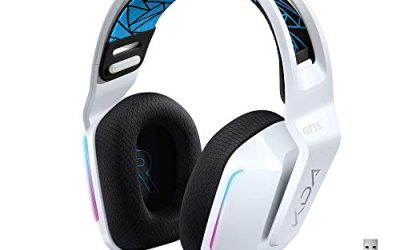
The G733 is the wireless pick for players who want a light headset with a distinctive look. It connects to PS5 and PS4 through a LIGHTSPEED USB dongle, a low-latency 2.4GHz link that keeps game audio and chat in sync. It does not carry game audio over Bluetooth, so the dongle is the connection that matters on a console; Bluetooth is not part of the PlayStation path. The suspension headband spreads the weight across the head, and at 278 grams it is one of the lighter wireless headsets in this class.
Sound comes from 40mm drivers with a tuning that suits both games and music, and the headset supports DTS Headphone:X spatial audio through Logitech software on PC. On a PlayStation console, that PC software is not in the chain, so the headset runs in stereo through the dongle, which is the normal path. The microphone is a boom unit that can be removed, and the headset carries on-ear controls for volume and mic mute. Battery life is published at up to 29 hours of wireless play, the longest figure in this guide, so a full week of regular sessions is realistic before charging.
The black colourway is the variant tied to this listing. One practical check applies: the G733 also ships in other colours under different listings, so confirm the black variant and the USB dongle are the ones in your cart before you order. The headset has no wired 3.5mm fallback for game audio on a console, so if the battery runs flat mid-session, you will need to charge it before you can play wireless again.
Comparison
| Headset | Connection | Drivers | Microphone | Weight | Battery |
|---|---|---|---|---|---|
| Sony PULSE 3D | 2.4GHz USB dongle, 3.5mm wired | Not published | Dual built-in mics | Not published | Up to 12 hours |
| HyperX Cloud III | Wired 3.5mm, USB-A, USB-C | 53mm angled | Detachable 10mm boom | 320 g | Wired, none needed |
| Razer BlackShark V2 X | Wired 3.5mm | 50mm TriForce | Bendable cardioid boom | 240 g | Wired, none needed |
| Logitech G733 | LIGHTSPEED USB dongle | 40mm | Removable boom | 278 g | Up to 29 hours |
Frequently asked questions
Do all four headsets work on both PS4 and PS5?
Yes, with one difference worth knowing. The PULSE 3D, Cloud III, BlackShark V2 X and G733 all connect to PS4 and PS5, either through the controller jack, a USB dongle, or both. The PULSE 3D is tuned for the PS5’s 3D audio engine, so on a PS4 you still get the full wireless connection, controls and chat, just without that PS5-specific processing layer. The other three headsets run the same way on both consoles, since their sound path is a standard stereo connection on either machine.
Do I need a wireless headset to play on PlayStation?
No. A wired headset plugged into the controller is the simplest and most reliable path: no battery, no dongle, no charging. Wireless headsets suit players who sit far from the console or who dislike a cable running to the controller, but they add charging to your routine and a dongle to a USB port. If you play at a desk close to the console, a wired headset gives you everything you need. If you play from a couch across the room, wireless is worth the trade.
Why do some headsets mention 7.1 surround or spatial audio?
Those labels usually describe software that runs on a PC, not on a PlayStation console. On PS4 and PS5, most headsets in this guide run in stereo through the controller jack or the USB dongle. The exception is the PULSE 3D, which is tuned for the PS5’s own 3D audio engine. Stereo is not a weakness: clear midrange detail and a good earcup seal matter far more for hearing footsteps and dialogue than a surround label does. Check the listing for the connection type and the microphone design first, and treat surround labels as a PC feature.
How to choose
Begin with the connection. If you want the simplest setup, pick a wired headset: the Cloud III if you want the largest drivers and a detachable microphone, or the BlackShark V2 X if you want the lightest fit and the clearest midrange for shooters. Both plug into the controller and work at once, with no battery to manage.
If you want wireless, pick between the PULSE 3D and the G733. The PULSE 3D is Sony’s own headset, tuned for the PS5’s 3D audio engine, with hidden microphones and a 12-hour battery. The G733 is lighter, runs up to 29 hours on a charge, and carries a removable boom microphone that captures voice more directly. Players who sit far from the console will feel the difference that a boom microphone makes in party chat.
Whatever you pick, confirm three things on the listing before you order: the exact model number, the colour variant, and the connection in the box. The PULSE 3D needs its USB adaptor for wireless play, the G733 needs its LIGHTSPEED dongle, and the wired picks need the right cable for your controller. A quick check of those three items avoids the most common buying mistake in this category, which is ordering a variant that connects differently from the one you expected. Then plug it in, set the chat balance in the console menu, and play.
Disclosure: As an Amazon Associate, we may earn a commission from qualifying purchases made through links in this article, at no additional cost to you.
Related guides
More from Amazon
Programs that pair well with the guide above. Offers and eligibility are set by Amazon and may change.
Free shipping on eligible items, Prime Video and more. Eligible new members can start with a free trial.
Start a Prime free trialAd-free music streaming. Eligible new subscribers can start with a free trial.
Try Music Unlimited freeA Prime membership for ages 18-24 with a trial period. Eligibility is set by Amazon.
See Prime for Young AdultsAudiobooks and podcasts to listen to on the go. Eligible new members can start with a free trial.
Try Audible freeAs an Amazon Associate we earn from qualifying purchases.