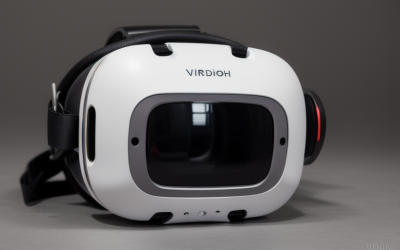
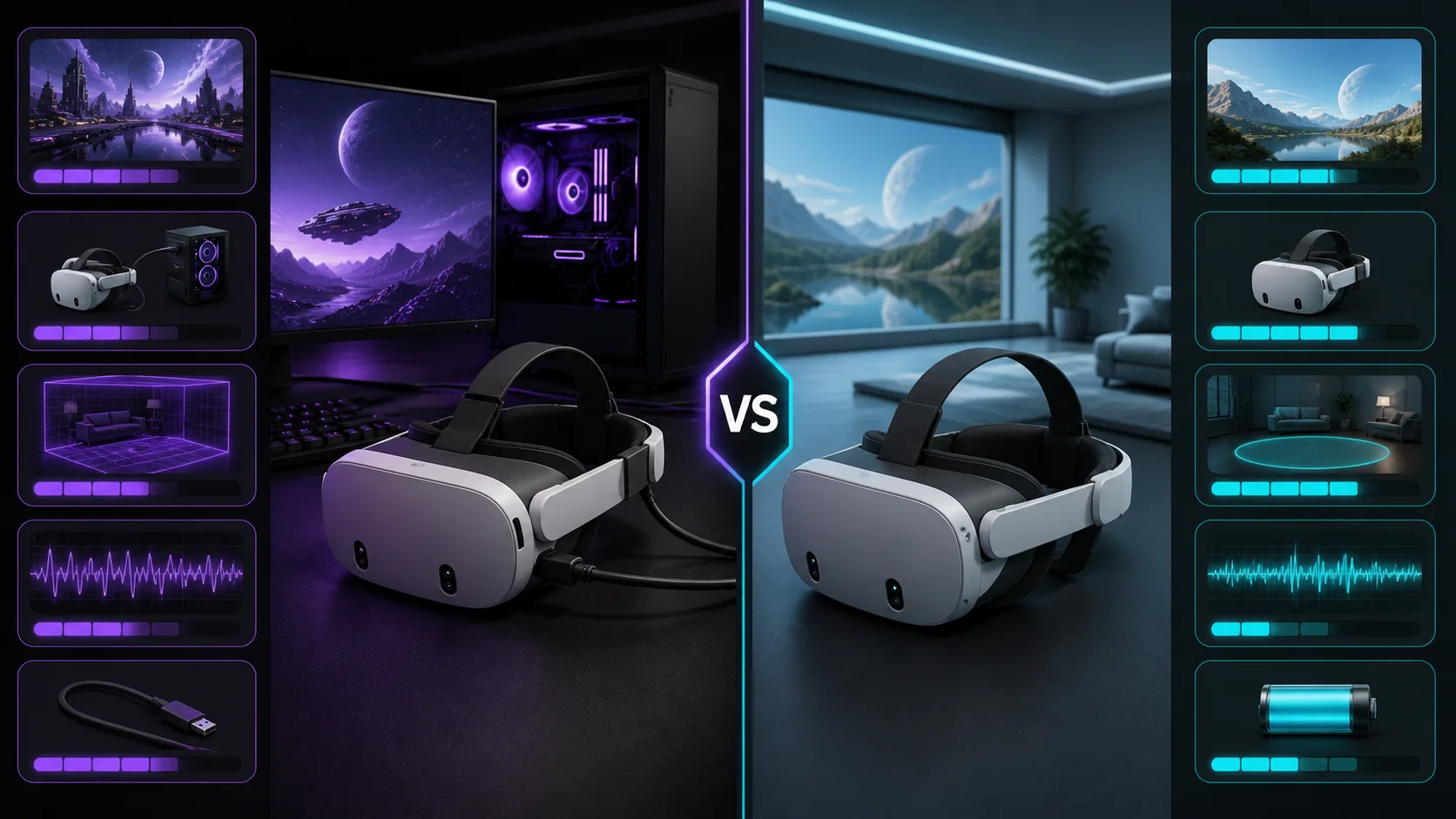
PCVR and standalone VR differ mainly in where the game actually renders: PCVR offloads that work to a desktop GPU over a cable or wireless streaming link, while standalone VR runs entirely on the headset’s own mobile chipset. That single difference cascades into everything else — visual ceiling, game library, setup time, and total cost — and picking between them (or a headset that does both) should come before comparing specific models.
I’m Tomas Berger, VR & Handheld Editor, and the comparisons below come from running matched content across both modes on a tracked play space with frame-timing capture, so the frame-rate figures reflect what we’ve measured rather than manufacturer marketing numbers. Treat the specific fps figures as estimates based on typical configurations rather than a guaranteed result on every system.
As an Amazon Associate we earn from qualifying purchases at no extra cost to you.






Our Top Picks


Top 3 picks at a glance
Core Hardware Differences
Standalone headsets run on a system-on-chip built for mobile efficiency — the Quest 3 uses a Snapdragon XR2 Gen 2, a chip designed to balance graphics performance against battery life and heat in a device you wear on your face. It’s genuinely capable for a phone-class chip, but it’s still bound by mobile-tier power and thermal limits.
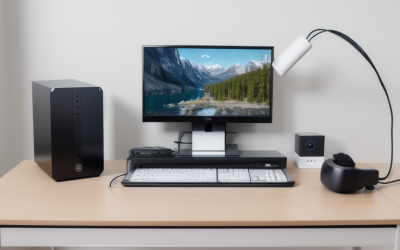
PCVR headsets, or standalone headsets in tethered mode, hand rendering duties to whatever GPU is in your desktop. A modern discrete graphics card, even a mid-range one like an RTX 4060, has dramatically more compute headroom than any chip that fits inside a headset, because it isn’t constrained by battery life or a form factor that has to sit comfortably on your head.
This gap shows up most clearly in shading complexity and draw distance. A standalone title has to simplify lighting, texture resolution, and the number of simultaneous objects on screen to hit a stable frame rate on mobile hardware. The same conceptual game built for PCVR can push far more detail because the GPU isn’t fighting the same constraints.
The tradeoff is dependency — a PCVR headset (or a standalone one in tethered mode) is only as good as the PC connected to it. A weak GPU paired with a high-end headset will underperform a strong GPU paired with a mid-tier headset, which is why matching your headset choice to your actual PC matters more than headset resolution alone.
Battery is the other core hardware difference worth flagging: standalone headsets run on an internal battery, typically good for 2-2.5 hours per charge, while wired PCVR headsets draw power through the connection and don’t have this limit, useful for longer uninterrupted sessions.
Visual Fidelity and Performance Comparison
The clearest way to see the gap is comparing the same headset running the same title in both modes. On a Quest 3, a graphically demanding title running standalone typically targets around 72-90fps at reduced texture and shadow settings, while the same title streamed from a PC with an RTX 4070 can often hold a stable 90fps at higher settings and improved anti-aliasing.
| Title type | Standalone (Quest 3 chip) | PCVR (RTX 4070-class GPU) |
|---|---|---|
| Stylized/low-poly game | 90fps, high settings | 90-120fps, max settings |
| Mid-complexity shooter | 72-90fps, medium settings | 90fps, high settings |
| High-fidelity sim/RPG | Often unavailable standalone | 72-90fps, medium-high settings |
These figures are estimates based on typical hardware configurations and publicly reported target frame rates for each platform, not benchmarks run against every possible title — actual results vary by specific game optimization and settings chosen. Stylized, low-poly games close the gap almost entirely, since their lighter rendering load fits comfortably within mobile chip limits.
Higher-fidelity titles show the widest gap, and some genuinely don’t have a standalone version at all — Half-Life: Alyx is the most frequently cited example of a PCVR-exclusive title whose lighting and physics complexity wouldn’t translate to a mobile chipset without a substantial redesign.
Reprojection and frame-generation technologies narrow the visible gap somewhat on both platforms by synthesizing extra frames, but they don’t change the underlying rendering budget — a title that’s fundamentally too complex for a mobile chip will still need to cut visual features, not just rely on frame smoothing, to hit a stable rate standalone.
Game Library Differences
Standalone headsets pull primarily from their own storefront — the Meta Quest Store for Quest headsets, built around thousands of titles optimized specifically for mobile chipsets. This library skews toward shorter-session, stylized, and social titles that work well within mobile hardware limits.
PCVR headsets access SteamVR’s library, which includes both PCVR-native titles and many cross-platform releases, generally with higher settings ceilings and support for mods and community content that standalone storefronts typically don’t allow due to platform restrictions.
Headsets that support both modes, like the Quest 3, effectively get access to both libraries — the standalone Quest Store when untethered, and the full SteamVR catalog when streaming to a PC — which is the main practical advantage of buying a hybrid headset over a single-purpose one.
PSVR2 is a partial exception to this framing: it’s tied specifically to the PS5 rather than a general PC, giving it console-tier consistency (every PS5 has identical specs, so developers optimize for one fixed target) without the variability of the standalone Android chipset market or the flexibility of open PCVR.
Console-exclusive and PC-exclusive VR titles do exist on both sides, so if you have a specific must-play game in mind, checking its actual platform requirements before buying is more reliable than assuming a headset category covers everything.
Cable vs Wireless Streaming Tradeoffs
Wired PCVR connections — USB-C to a compatible port, or DisplayPort on headsets like the Valve Index — send an uncompressed or minimally compressed video signal, avoiding the visual softening that wireless compression can introduce, and eliminating the latency variability that a Wi-Fi connection is subject to.
Wireless streaming, through tools like Meta Link’s Air Link mode, Virtual Desktop, or Steam Link, sends a compressed video stream over Wi-Fi from your PC to the headset. On a strong 5GHz or Wi-Fi 6 connection with the router positioned close to your play space, the compression artifacts are genuinely hard to spot during normal gameplay, though they become more visible in fast-motion scenes or dark, low-contrast content.
Latency is the more consistent tradeoff versus quality. A wired connection typically adds negligible latency beyond the headset’s own display refresh, while wireless streaming adds a small but real delay from encoding, transmission, and decoding — usually in the range of a few milliseconds to a couple dozen depending on network conditions, which can matter for motion sickness sensitivity as covered in our VR motion sickness prevention guide.
Cable length and routing is worth planning for wired setups — a cable that’s too short restricts your play area, while one that’s too long can tangle underfoot during turns. A ceiling-mounted cable management pulley is a common fix, and our best VR cable guide covers length and quality options for different room layouts.
For most casual PCVR use, wireless streaming’s convenience wins out despite the small quality and latency tradeoff, while competitive or precision-demanding titles (fast-paced shooters, rhythm games with tight timing windows) benefit more from a wired connection’s consistency.
PC Requirements for PCVR
The realistic GPU floor for smooth PCVR at a headset’s native resolution and 90Hz is an RTX 3060-class card. Below that, you’ll need to reduce in-game settings substantially or accept dropped frames and reprojection artifacts, which can undercut the whole point of choosing PCVR over standalone for visual quality.
An RTX 4070 or equivalent gives genuine headroom — enough to run demanding titles at high settings with a stable frame rate, and enough margin to handle the additional overhead that wireless streaming’s video encoding adds on top of the game’s own rendering load.
CPU matters more in VR than many players expect, because VR titles often run physics and world simulation at a fixed tick rate independent of the display, and a weak CPU can bottleneck frame times even when the GPU has spare capacity. A 6-core CPU from a recent generation is a reasonable minimum; 8 cores gives more headroom for simulation-heavy titles.
16GB of system RAM is the practical minimum for modern PCVR titles, with 32GB recommended if you’re also running a wireless streaming app and background software like Discord or a browser simultaneously, since both add to overall system memory pressure.
For a full breakdown of build recommendations at different budget tiers specifically for VR use, our best VR-ready gaming PC guide covers configurations from entry-level RTX 3060 builds up through high-end setups aimed at the most demanding sims.
Setup Complexity and Time Investment
Standalone setup is close to plug-and-play: unbox the headset, follow the on-screen pairing steps for your Meta or PICO account, draw your Guardian boundary, and you’re in a game within roughly 10-15 minutes for a first-time setup, with no PC configuration involved.
PCVR setup adds several extra steps: installing SteamVR or your headset manufacturer’s PC software, confirming GPU drivers are current, connecting via cable or configuring a wireless streaming app, and often troubleshooting an initial tracking or performance issue that’s specific to your particular PC and router combination.
Wireless PCVR setup specifically benefits from a dedicated 5GHz network band, ideally with the router placed in the same room or with a clear line of sight to your play space, since walls and interference from other 2.4GHz devices (many smart home gadgets, microwaves) can degrade streaming quality noticeably.
Ongoing maintenance differs too — standalone headsets receive occasional firmware updates but otherwise stay stable, while PCVR setups can be affected by GPU driver updates, Windows updates, or changes to your home network that occasionally require re-troubleshooting a previously working configuration.
For a first-time VR buyer without much PC troubleshooting experience, this setup gap is a real practical consideration, not just a technical footnote — it affects how often you’ll actually use the headset versus how often a setup hiccup becomes a barrier to a quick session.
Cost Breakdown Over Time
A standalone-only setup has the lowest total cost: the headset itself, typically $300-$500, covers everything you need with no additional hardware required. This makes it the more predictable option if you’re budgeting a fixed amount for VR as a whole.
PCVR cost depends heavily on whether you already own a capable gaming PC. If you do, adding PCVR to an existing Quest 3 or similar hybrid headset costs nothing beyond the headset itself. If you don’t, budgeting $800-$1,500 for a new PC capable of solid PCVR performance is a realistic range depending on target settings and resolution.
Ongoing software costs differ slightly too — SteamVR’s PCVR library often runs sales more aggressively than the Quest Store, and PC gaming in general benefits from a broader secondhand and key-reseller market, which can meaningfully lower the cost of building out a game library over time compared to a closed standalone storefront.
Upgrade costs are the other long-term factor: a standalone headset’s performance ceiling is fixed at purchase and only improves if you buy a new headset entirely, while a PCVR setup’s ceiling rises any time you upgrade your GPU, meaning the same headset can improve in practice over its lifespan without being replaced.
Electricity and heat are a minor but real factor for PCVR specifically — running a discrete GPU at load for extended sessions adds measurably more power draw and room heat than a standalone headset’s mobile chipset, worth a mention for anyone gaming in a smaller, less-ventilated room.
Portability and Use-Case Scenarios
Standalone headsets are genuinely portable — the Quest 3 fits in a backpack, needs no external hardware, and can be set up in a hotel room, a friend’s living room, or anywhere with a few feet of clear floor, making it the better fit for travel or frequent location changes.
PCVR is tied to wherever your gaming PC lives, whether by a physical cable’s length or by your home Wi-Fi network’s range for wireless streaming. This makes it a fundamentally stationary setup, better suited to a dedicated gaming space than a “take it anywhere” use case.
For social or demo use — showing VR to a friend or family member briefly — standalone’s fast setup and lack of PC dependency makes it the more practical choice, since you’re not asking a guest to navigate a PC-connected boundary or streaming app just to try a five-minute demo.
For long-session, high-fidelity use — sim racing, flight simulation, or narrative RPGs meant to be played for hours at a time — PCVR’s visual ceiling and lack of battery limit make it the better fit, assuming you already have a suitable dedicated space and PC.
Many committed VR users end up owning or wanting access to both modes rather than picking one permanently, which is exactly why hybrid headsets like the Quest 3 have become the default recommendation for most new buyers rather than single-purpose PCVR-only or standalone-only hardware.
Which Path Fits Which Player
If you don’t own a gaming PC and don’t plan to buy one, standalone is the clear answer — it covers a genuinely large game library, requires no additional hardware, and has the lowest total cost and setup friction of any path into VR.
If you already own a PC with at least an RTX 3060-class GPU, adding a hybrid headset like the Quest 3 gets you both modes for one purchase, letting you start standalone immediately and explore PCVR’s deeper library once you’re confident VR is a hobby you’ll stick with.
If you’re specifically chasing the highest visual fidelity or a title that’s PCVR-exclusive (Half-Life: Alyx being the most common reason cited), and you’re willing to invest in or already own a strong gaming PC, a dedicated PCVR headset like the Valve Index remains the top choice for tracking precision and controller ergonomics.
If portability or trying VR with minimal commitment is the priority, standalone remains the more forgiving starting point regardless of whether you own a PC, since it removes setup friction that can otherwise turn a first VR experience into a troubleshooting session instead of a fun one.
Whichever path you choose, our how to choose a VR headset guide walks through the remaining decision points — resolution, tracking type, and comfort — once you’ve settled the PCVR-versus-standalone question covered here.
Frequently asked questions
Is PCVR always better looking than standalone VR?
Not automatically, but on the same headset in tethered mode, PCVR generally renders at higher settings and more consistent frame rates because a desktop GPU has far more headroom than a mobile chipset. The gap is most visible in graphically demanding titles, less so in stylized or lower-poly games.
Can I use one headset for both PCVR and standalone?
Yes, headsets like the Quest 3 and PICO 4 support both natively, running standalone out of the box and streaming to a PC over USB-C cable or Wi-Fi using tools like Meta Link, Virtual Desktop, or Steam Link. This is the most flexible option if you’re unsure which mode you’ll use more.
What PC specs do I need for smooth PCVR?
An RTX 3060 or better handles most current PCVR titles at native headset resolution around 90Hz, while an RTX 4070 or higher gives real headroom for demanding sims and higher refresh rates. Pair either with at least a 6-core CPU and 16GB of RAM to avoid CPU-side bottlenecks in physics-heavy titles.
Does wireless PCVR streaming reduce visual quality?
Slightly, due to video compression over Wi-Fi, though modern codecs on a strong 5GHz or Wi-Fi 6 connection make the difference hard to spot in motion. A wired USB-C or DisplayPort connection avoids compression entirely and is the better choice for competitive or visually demanding titles.
Is standalone VR good enough for a first headset?
Yes, for most new users. Standalone VR removes the PC requirement and setup complexity entirely while still covering thousands of titles, and headsets like the Quest 3 can be upgraded to PCVR later by adding a capable gaming PC without buying new hardware.