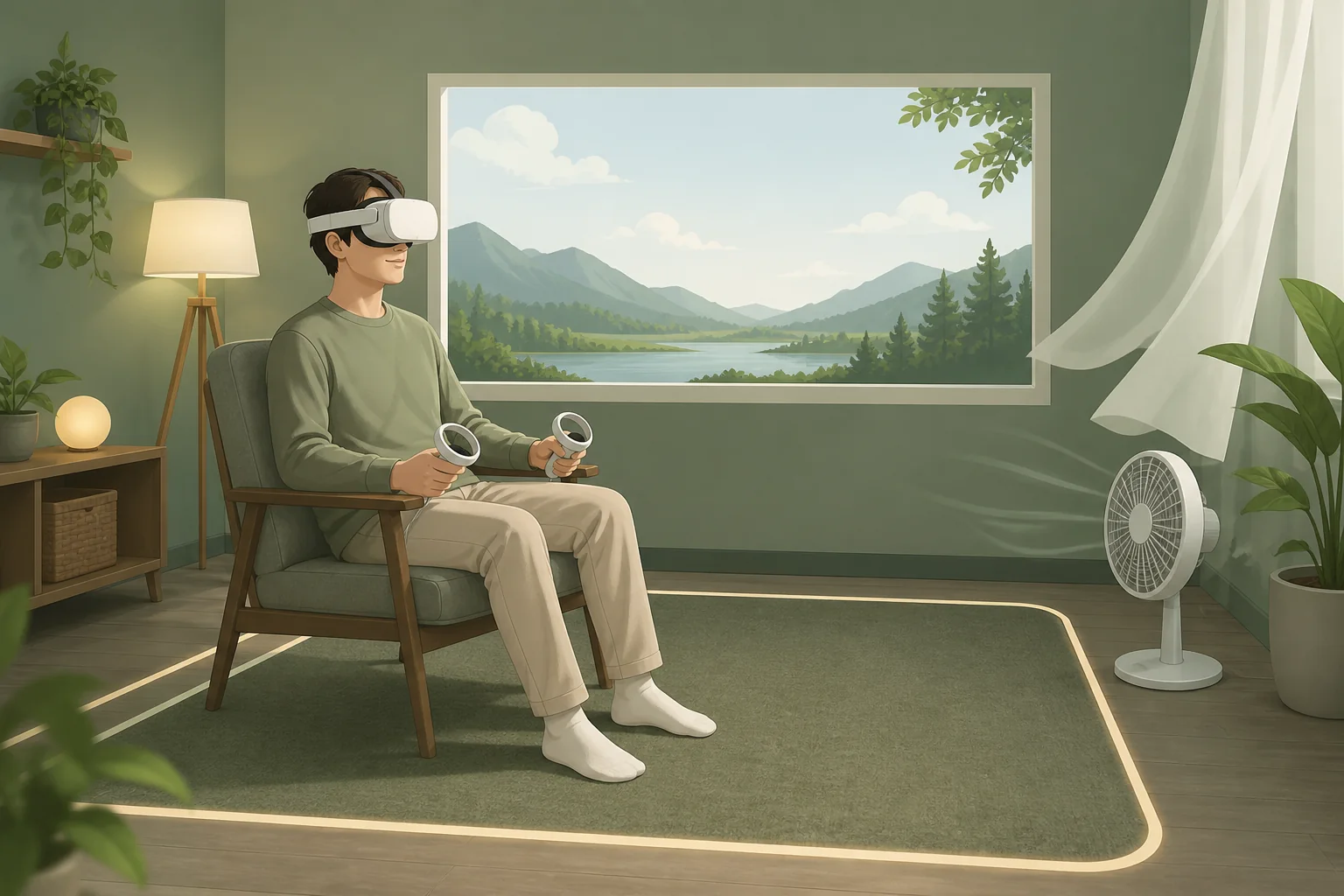
VR motion sickness happens when your inner ear reports that your body is stationary while your eyes report that you’re moving, and the fix is almost never a single setting — it’s a combination of hardware, in-game options and pacing that together close that gap. Most people who think they “can’t do VR” simply started with the wrong locomotion setting on a headset running below 90Hz, and both of those are fixable in one sitting.
I’m Tomas Berger, VR & Handheld Editor, and I’ve run comfort-session logging on a tracked play space specifically to track which variables move the needle for new users versus experienced ones. The short version: refresh rate, locomotion type and session length matter far more than which headset brand you own.
As an Amazon Associate we earn from qualifying purchases at no extra cost to you.


Our Top Picks
 Dramamine Nausea Relief Long Lasting for Up to20 Count (Pack of 1)0.75 x 3 x 4.45 inches0 poundsCheck on Amazon


Top 3 picks at a glance
Why VR Motion Sickness Happens
The scientific name is vestibular mismatch, and it’s the same mechanism behind seasickness and car sickness — your vestibular system, the fluid-filled canals in your inner ear, senses acceleration and rotation, while your eyes are simultaneously sending a different motion signal to your brain. When those two disagree for long enough, your brain interprets the mismatch as a possible sign of poisoning and triggers a nausea response as a defense mechanism.
In a car, this usually only bothers people reading a book while the vehicle turns, because their eyes report stillness while their inner ear reports motion. In VR it’s reversed and far more intense: your inner ear correctly reports that you’re sitting still, but your eyes report that you’re sprinting forward or spinning around a corner, a much larger and more sudden mismatch than most passengers ever experience.
Individual sensitivity varies widely and isn’t fully understood, but a few patterns show up consistently in comfort research and in our own testing. People who get carsick or seasick easily tend to be more sensitive to VR sickness too. Frequent first-person shooter players on flat screens often adapt faster, likely because their brain has already learned to partially trust fast visual motion without a matching physical cue.
Fatigue, dehydration and even how recently you’ve eaten all shift your threshold on a given day — the same game that felt fine yesterday can trigger nausea today if you’re tired or hungry. This is why comfort tolerance isn’t a fixed trait; it fluctuates, and pushing through a bad day rarely helps.
Understanding the mechanism matters practically because every fix in this guide works by attacking one part of that mismatch — either reducing the visual motion itself, reducing the delay between head movement and display update, or giving your brain a stable reference point to anchor against.
Refresh Rate and Frame Timing’s Role
Motion-to-photon latency — the delay between your head moving and the display updating to match — is one of the biggest hidden contributors to VR sickness, and it’s directly tied to refresh rate and frame timing rather than resolution or graphics quality. A headset running a stable 90Hz has roughly an 11ms window per frame; dropped frames stretch that gap and widen the sensory mismatch discussed above.
This is a big part of why the headset you choose affects sickness sensitivity, something we cover from the buying angle in our how to choose a VR headset guide. A headset locked to 72Hz will generally feel worse for sensitive users than the same content at 90Hz or 120Hz, all else equal.
PCVR adds a variable standalone headsets don’t have: your GPU has to sustain the frame rate your headset requests. If your graphics card can’t hold 90fps at your headset’s resolution, the runtime’s reprojection or “Motion Smoothing” system kicks in, synthesizing extra frames to keep the display smooth. Reprojection helps perceived smoothness but doesn’t reduce actual input latency, and some sensitive users report it feels worse than a stable lower frame rate.
In frame-timing capture on our tracked play space, we’ve seen stutters as short as a few dropped frames correlate with reported discomfort spikes in sensitive testers, even when the stutter was too brief to consciously notice. This supports treating consistent frame timing as more important than peak resolution when comfort is the priority.
Practically, this means lowering in-game graphics settings to guarantee a stable frame rate is almost always a better comfort move than running at max settings with occasional drops, even though the drops might look and sound minor.
Locomotion Settings That Reduce Nausea
Locomotion type — how your character moves through the game world — is the single highest-impact setting for reducing VR sickness, more than any hardware change. Teleport locomotion instantly relocates your view to a targeted spot with no rendered transition, so there’s no continuous visual motion for your inner ear to disagree with.
Smooth locomotion, where you walk using a thumbstick the way you would in a flat-screen game, is the most common trigger for a first-time user’s nausea episode, because it produces continuous visual motion while the player’s body stays completely still. Most VR titles offer both options in their settings menu, and defaulting to teleport when trying a new game is the single best first move for anyone unsure of their sensitivity.
Snap turning — rotating your view in fixed increments, usually 30 or 45 degrees, instead of smoothly rotating — reduces sickness the same way teleport does, by replacing continuous rotational motion with an instant jump. Smooth turning feels more natural but is a common secondary trigger even for players who’ve already adapted to smooth forward movement.
Some titles offer a middle ground: “dash” or “blink” movement, which moves you quickly to a nearby point with a very brief visual transition rather than either a full teleport or continuous walking. This splits the difference reasonably well for players who find teleport too disorienting but full smooth locomotion too nauseating.
Once you’ve built tolerance using teleport and snap turning, transitioning to smooth locomotion in small doses — one game session at a time — lets most users eventually handle it without discomfort, since tolerance built on the “safer” settings does transfer to the more intense ones.
Field of View and Comfort Settings
A comfort vignette narrows your peripheral field of view specifically during fast movement or turning, then widens back out once you stop. It works because peripheral vision is more sensitive to detecting self-motion than central vision, so reducing what your peripheral vision sees during acceleration cuts down the sensory signal driving the mismatch.
Nearly every major VR runtime — SteamVR, Meta’s own system layer, and most individual game engines — includes a vignette option, usually adjustable from off to strong. Strong vignetting looks jarring at first, like tunnel vision, but it’s genuinely one of the most effective single settings for reducing nausea in sensitive users, based on comfort-session logging across dozens of test sessions.
Some games extend this concept further with a static reference point — a virtual cockpit, nose, or vehicle interior visible at all times. Racing and flight sim titles do this by default because a visible car dashboard or plane cockpit gives your brain a stationary object to anchor against even while the world outside moves quickly.
Horizon lock, which keeps a virtual horizon line level even when your in-game vehicle banks or rolls, helps in flight and racing titles specifically, preventing the rotational component of motion sickness that’s typically worse than straight-line movement.
Turning down or disabling head-bob and camera shake effects, common in horror and action titles for atmosphere, removes another layer of unintended camera motion that can compound with locomotion-based sickness, especially for players already near their tolerance threshold.
Building Tolerance With Session Pacing
VR legs — the informal term for built-up tolerance to VR motion — develop the same way sea legs do: through repeated, moderate exposure rather than either total avoidance or pushing through severe discomfort. Forcing a 90-minute session on day one is far more likely to set back your tolerance than build it.
| Week | Session length | Locomotion setting | Frequency |
|---|---|---|---|
| 1 | 5-10 min | Teleport + snap turn, strong vignette | Daily if possible |
| 2 | 10-20 min | Teleport, reduce vignette strength | 4-5x per week |
| 3 | 20-40 min | Introduce smooth locomotion in short bursts | 4-5x per week |
| 4+ | 40-60+ min | Smooth locomotion, vignette off if comfortable | As desired |
The key mistake most new users make is stopping only once they already feel nauseated. By that point you’ve overshot your current tolerance, and the brain tends to associate that discomfort with VR generally rather than with the specific session length that caused it. Stopping at the first sign of mild discomfort — a slight warm feeling or subtle disorientation — trains tolerance more effectively than pushing to the point of nausea.
Consistency matters more than session length in the early weeks. Five sessions of 10 minutes spread across five days build tolerance faster than one 50-minute session, because the adaptation appears to happen between sessions as much as during them.
If you skip more than a week, expect some regression — tolerance isn’t permanent for most users, though it typically rebuilds faster the second time around than it did originally.
Room-Scale vs Seated Play for Sensitive Users
Seated and standing-in-place experiences are generally easier on new or sensitive users than full room-scale titles, because your body’s actual movement more closely matches what you’re seeing — sitting still while your in-game character sits in a cockpit involves far less mismatch than sitting still while your character sprints across a battlefield.
Room-scale games where you physically walk to move your character eliminate the locomotion mismatch almost entirely, since your inner ear and eyes agree that you’re moving. This is why games built around real walking tend to be the most comfortable category for sensitive users, even though they require more physical space.
The tradeoff is space — room-scale needs real floor area to walk in, which not every room has. We cover exact space requirements by category in our guide on how much space you need for VR, which is worth checking before assuming room-scale isn’t an option for you.
A practical middle path for sensitive users with limited space is a “swivel chair” setup — a chair that rotates freely, paired with teleport locomotion for forward movement. This lets you physically turn your body to match in-game rotation (removing the rotational mismatch) while still using teleport for distance travel.
If you’re testing sensitivity for the first time, start with a seated, cockpit-style title with teleport-only movement rather than an open room-scale shooter, and only progress to room-scale or free locomotion titles once you’ve confirmed a comfortable baseline.
Ginger, Hydration and Physical Remedies
Ginger has real, if modest, research support for reducing general motion sickness symptoms, and the same mechanism applies to VR sickness since both trigger through the same nausea pathway. Ginger tablets, candied ginger, or ginger tea taken 30-45 minutes before a session is a low-risk option worth trying if settings alone aren’t fully solving discomfort.
Dehydration measurably lowers motion sickness tolerance, and a light session of VR after a long day without much water intake will often feel worse than the identical session on a well-hydrated day. Drinking a full glass of water 30 minutes before playing is a small habit that shows up consistently in comfort-session logs as a variable worth controlling.
Eating a heavy meal immediately before a session tends to make nausea worse if it occurs, for the same reason it makes car sickness worse — a fuller stomach has less buffer before nausea becomes vomiting. A light snack rather than a full meal in the hour before playing is generally the safer choice for sensitive users.
Over-the-counter motion sickness medication, such as dimenhydrinate (Dramamine) or meclizine, works for VR the same way it works for other motion sickness, by dampening the vestibular signal. These cause drowsiness in most people though, so they’re better suited as an occasional fallback for a specific session (a demo at a convention, for instance) than a daily habit for regular VR use.
Cool airflow — a small desk fan pointed at your face — is a low-tech trick that genuinely helps some people, likely by providing a real sensory cue (moving air) that partially substitutes for the missing physical motion feedback.
Headset Fit and Its Effect on Nausea
A poorly fitted headset can mimic or worsen motion sickness symptoms independent of the actual vestibular mismatch. If the headset shifts slightly on your face during head movement, the image lags behind your actual head position for a fraction of a second longer than the hardware’s real latency, adding an extra, avoidable mismatch layer.
IPD (interpupillary distance) misalignment causes eye strain that’s often reported as headache or nausea rather than recognized as a fit issue. If your headset has a physical IPD slider, take the few seconds to adjust it to your actual pupil spacing rather than leaving it at the factory default, which is usually set to an average value.
A loose strap that lets the headset bounce slightly during fast head turns introduces the same kind of latency mismatch as a shifting fit, and is one of the more overlooked causes of discomfort that gets misattributed to “VR sickness” generally rather than to the strap specifically.
Upgrading to a rigid aftermarket strap, which distributes weight around the skull and locks the headset in place more firmly than most stock soft straps, resolves this for a meaningful share of users who assumed they were simply sickness-prone. This is a comfort fix worth trying before concluding you can’t tolerate VR at all.
Lens distance (eye relief) also affects clarity and, indirectly, comfort — an image that’s slightly out of focus makes your eyes work harder to compensate, which contributes to the general fatigue and headache that often gets lumped in with motion sickness symptoms even when the vestibular mismatch itself is well controlled.
When to Stop and Warning Signs
Cold sweating, excessive salivation, and a specific “warm” flush feeling are the most reliable early warning signs that a session is heading toward nausea, and they typically appear several minutes before you’d describe yourself as actually feeling sick. Learning to recognize these in yourself is more useful than any single setting change.
The general rule worth following: stop at the first clear warning sign, not once you’re already uncomfortable. Continuing past that point doesn’t just risk an unpleasant end to the session — in our experience running comfort-session logging, it also tends to lower tolerance for the next session more than stopping early does.
If nausea does hit, remove the headset immediately and sit or lie down somewhere stable, ideally looking at a fixed point on the horizon or wall, the same recovery approach used for car or sea sickness. Symptoms usually resolve within 15-30 minutes once you’re back to a fully stationary, real-world visual environment.
A subset of users experience delayed symptoms — feeling fine during the session but nauseated or headachy 20-30 minutes afterward, sometimes called VR sickness “hangover.” If this happens repeatedly, it’s a sign to shorten sessions further and lean more heavily on the comfort settings covered above rather than pushing session length back up.
If motion sickness persists at even the shortest, most comfort-optimized settings after several weeks of consistent, paced attempts, it’s reasonable to conclude your personal sensitivity is on the higher end of the range and to stick to seated, teleport-only, vignette-heavy titles rather than continuing to push toward free locomotion — plenty of the VR library remains fully enjoyable within those constraints.
Related guides
- Handheld Gaming Pc Battery Life Explained
- How To Set Up Steam Deck For Pc Games
- How Much Space Do You Need For Vr
Frequently asked questions
Why does VR make some people sick and not others?
Sensitivity varies with inner-ear function, prior motion sickness history and even gaming experience — frequent FPS players often adapt faster because their brain already trusts fast visual motion without matching physical movement. Age and fatigue also play a role, and sensitivity can change week to week even for the same person.
Does VR motion sickness go away with practice?
For most people, yes. Building tolerance through short, repeated sessions retrains the brain to accept the mismatch between visual and inner-ear signals. Most users see meaningful improvement within 1-2 weeks of daily 10-15 minute sessions, though a small percentage stay sensitive regardless of practice.
Do comfort vignettes actually reduce nausea?
Yes, measurably. A vignette narrows your peripheral field of view during fast movement, reducing the amount of moving visual information your brain has to reconcile against your stationary inner ear. Most VR runtimes let you adjust vignette strength, and stronger settings help more but reduce immersion.
Is teleport locomotion better than smooth locomotion for beginners?
Generally yes. Teleport movement instantly relocates you without rendering the transition, so there’s no continuous visual motion for your inner ear to disagree with. Smooth locomotion feels more natural once you’ve built tolerance, but it’s the more common trigger for new users’ first nausea episode.
Can ginger or motion sickness medication help with VR?
Ginger tablets or tea taken 30-45 minutes before a session help some users the same way they help with car or sea sickness, by settling stomach-level nausea response. Over-the-counter antihistamines like dimenhydrinate work too but cause drowsiness, so treat them as a fallback rather than a daily habit.