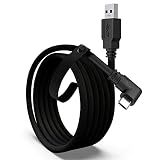
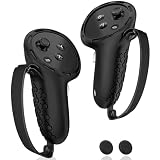
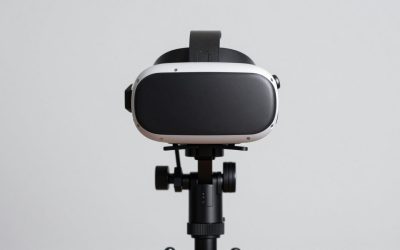
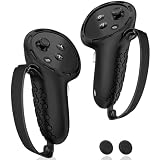
The Kinwin Magnetic Charging Station is the best overall VR charging dock in this group for Meta Quest 3 and Quest 3S owners, because its listing states it charges the headset and both controllers at once, uses a magnetic USB-C connection and ships with two rechargeable batteries and controller covers. A VR charging dock is a stand that holds your headset and controllers in one place and, on the better models, keeps them charged between sessions. If you only want a tidy headset stand with a cable, the alcopanda and XBERSTAR stands do that job, and PlayStation VR2 owners have a separate option in this list.
Below are six docks and stands, the differences between charging and display-only designs, and a simple way to choose.
Our Top Picks



Top 3 picks at a glance
Quick List
- alcopanda VR Headset Charging Dock – best for a headset-charging stand that stores Quest controllers
- Kinwin Magnetic Charging Station – best for charging the headset and both controllers with included batteries
- AodoT Quest Charging Dock with RGB Light – best for a lit dock that covers Quest 3S, 3 and 2
- YOGES Fast Charging Dock – best for a Quest 3S and 3 dock with a two-battery kit
- PS VR2 Controller Charging Dock with Headset Stand – runner-up for PlayStation VR2 owners, not for Quest
- XBERSTAR VR Stand – best for a plain display stand with headset charging for Quest 2 and 3
Which One Is Right for You?
| If you… | Choose |
|---|---|
| want one dock for headset plus controllers on Quest 3 or 3S | Kinwin Magnetic Charging Station |
| need a kit with rechargeable controller batteries for Quest 3S or 3 | YOGES Fast Charging Dock |
| want a lit dock that also fits Quest 2 | AodoT Quest Charging Dock with RGB Light |
| only need the headset charged and the controllers parked | alcopanda VR Headset Charging Dock |
| want a simple display stand for a Quest 2 or 3 headset | XBERSTAR VR Stand |
| own a PlayStation VR2 | PS VR2 Controller Charging Dock with Headset Stand |
The key question is whether you want the dock to charge controllers. On Quest headsets the controllers run on AA-style batteries, so a dock that charges them has to come with rechargeable cells or special battery covers. Docks that charge only the headset are simpler, but you still manage controller batteries yourself.
All 6 Picks in Detail
1. alcopanda VR Headset Charging Dock – Best for a Headset Stand That Stores Controllers
As an Amazon Associate we earn from qualifying purchases at no extra cost to you.

The alcopanda dock is a stand with a built-in way to charge the headset through a Type-C cable. The listing is explicit that the stand cannot charge the controllers, which is useful honesty. What it does give you is a tilted headset tray, a base for controllers and a set of non-slip pads, so the headset lives on the desk instead of the floor. It fits Quest 3, Quest 3S and Quest 2.
- Compatible with Quest 3, Quest 3S and Quest 2 per the listing
- Charges the headset through a Type-C cable; it does not charge controllers
- Listing states a charge time of about three to five hours
- Recommends 5V-3A, 9V-3A or 12V-3A adapters for full speed
- ABS plastic construction with four non-slip pads
- Tool-free assembly
Pros
- Stores the headset and controllers neatly
- Controllers wearing silicone sleeves can be stored without removing them
Cons
- Controllers are not charged
- A weak adapter slows charging
Compared with the Kinwin, it is simpler and cheaper to understand but leaves controller batteries up to you. It suits someone who already uses ordinary rechargeable AA batteries and mainly wants the headset off the floor and plugged in every night. Because the stand is angled, it also helps keep the lenses pointed away from a bright window, a small but useful habit.
2. Kinwin Magnetic Charging Station – Best for Charging Headset and Both Controllers

The Kinwin station is the most complete charging solution in this group. The listing says it charges the headset and two controllers at the same time, uses a magnetic USB-C interface that reduces wear compared with a plug-and-pull connection, and includes two controller covers and two rechargeable batteries. A small RGB light also shows charge status: orange means charging, and green means fully charged or in standby.
- Designed for Meta Quest 3S and Quest 3
- Charges the headset and two controllers simultaneously
- Magnetic USB-C connection for the headset
- Includes two rechargeable batteries and two controller covers
- Listing cites about three hours for the headset and about four hours for the controllers
- RGB light with orange and green status colors
Pros
- One dock handles the headset and both controllers
- Rechargeable batteries reduce disposable battery use
Cons
- Listing names Quest 3S and Quest 3, so Quest 2 owners should look elsewhere
- Only works well if you use the supplied covers and batteries
Next to the YOGES, the Kinwin spells out its status colors and magnetic connection, while the YOGES highlights its fast-charging kit. Before ordering, make sure your controllers will take the supplied covers if you wear silicone grips, because a thick grip can stop a charging cover from seating. Place the dock near an outlet so the cable does not dangle across a walkway.
3. AodoT Quest Charging Dock with RGB Light – Best for a Lit Dock Covering Three Models

The AodoT dock is named for the Meta Quest 3S, Quest 3 and Quest 2, which makes it the broadest match in the Quest group. The listing mentions an RGB light and a stand that holds both the headset and controllers. Beyond that, the listing text is thin: it does not spell out battery inclusion or charge times, so check the product page for those details before buying. It suits households with mixed Quest generations that want one look on the shelf.
- Named for Meta Quest 3S, Quest 3 and Quest 2
- RGB light feature
- Stand design for headset and controllers
- Whether controllers are charged is not stated; confirm on the product page
- Included batteries or covers are not stated; confirm on the product page
- Cable and adapter requirements should be confirmed
Pros
- Covers three Quest models
- Lit display looks good on a shelf
Cons
- Limited charging information in the listing
- Lighting may be distracting in a dark room
It is a good alternative to the alcopanda if you want lighting, but read the details before assuming it charges controllers. If lighting is the draw, check whether the glow can be turned off or dimmed, since a bright strip in a dark bedroom can be irritating. Mixed households with a Quest 2 and a newer headset are the clearest fit for this model.
4. YOGES Fast Charging Dock – Best for a Dock with a Two-Battery Kit

The YOGES dock is aimed at Quest 3S and Quest 3 owners and is described as a fast-charging station with a kit of two rechargeable batteries. That kit points to controller charging in addition to the headset, though the listing text does not give charge times, so confirm them on the product page. A mention of Elite Strap compatibility suggests the dock can hold a headset with that strap fitted, which many owners use for comfort.
- Designed for Meta Quest 3S and Quest 3
- Fast-charging station wording in the listing
- Includes a kit of two rechargeable batteries
- Stand holds the headset; Elite Strap support is mentioned in the listing
- Charge times are not stated; confirm on the product page
- Controller covers or sleeves should be confirmed on the product page
Pros
- Battery kit included
- Works with an upgraded head strap per the listing
Cons
- Fewer stated details than the Kinwin
- Not listed for Quest 2
Compared with the Kinwin, the YOGES offers a similar idea with less published detail, so choose it if the layout or look appeals more. Ask yourself whether you want the included batteries at all; if you already own good rechargeable AAs, you may be paying for a kit you do not need. Confirm the charge times on the product page before relying on a dock for a quick top-up between sessions.
5. PS VR2 Controller Charging Dock with Headset Stand – Runner-Up for PlayStation VR2

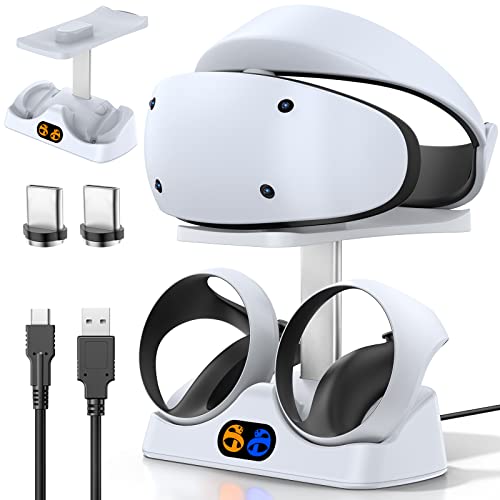
This dock does not match the Quest devices above: it is made for PlayStation VR2. It is a controller charging station with a headset holder and display stand, powered through a Type-C cable, with an LED indicator and magnetic clasps for the controllers. It is included as a runner-up because PS VR2 owners search for the same kind of product, but Quest owners should skip it.
- Made for PlayStation VR2 Sense controllers
- Type-C cable connection
- LED indicator for charge status
- Magnetic clasps for the controllers
- Includes a headset holder and display stand
- Charge time is not stated; confirm on the product page
Pros
- Keeps PS VR2 controllers charged and parked
- Headset display stand is built in
Cons
- Does not work with Meta Quest headsets
- Does not appear to charge the headset itself
It has no direct competitor in this list, since every other pick targets Quest headsets. If you own both a Quest and a PlayStation VR2, you would need two docks, and a shared shelf with a neat cable run is the sensible way to keep them organized. Check on the product page whether the headset holder charges the headset or only displays it, because the listing text reads as controller charging first.
6. XBERSTAR VR Stand – Best for a Plain Display Stand with Headset Charging
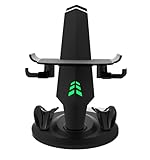
The XBERSTAR is a black display stand for Quest 2 and Quest 3 headsets, described as a headset charging dock. It sits at the simple end of the group: a place for the headset to rest, with room for the cable to route in. The listing name does not mention controllers or batteries, so treat it as a headset-only dock unless the product page says otherwise.
- Made for Quest 2 and Quest 3
- Black finish
- Display and charging stand design
- Controller charging is not stated; confirm on the product page
- Included cable and adapter are not stated; confirm
- Quest 3S fit should be confirmed on the product page
Pros
- Simple and unobtrusive
- Suits a minimalist setup
Cons
- Few published features
- Does not name Quest 3S
Compared with the alcopanda, it offers fewer listed details, so the alcopanda is the safer pick when you want specifics. It could suit a shelf or desk where you simply want the headset to rest on something stable, with the cable tucked in behind, and where appearance matters more than extra functions. Confirm Quest 3S fit if that is your model.
Specs Compared
| Product | Headset support | Charges headset | Charges controllers | Batteries included | Extras |
|---|---|---|---|---|---|
| alcopanda VR Headset Charging Dock | Quest 3, 3S, 2 | Yes, via Type-C cable | No | No | Non-slip pads, controller storage |
| Kinwin Magnetic Charging Station | Quest 3S, 3 | Yes, magnetic USB-C | Yes | 2 rechargeable batteries plus covers | RGB status light |
| AodoT Quest Charging Dock | Quest 3S, 3, 2 | Confirm on listing | Confirm on listing | Confirm on listing | RGB light |
| YOGES Fast Charging Dock | Quest 3S, 3 | Yes (fast-charging dock) | Confirm on listing | 2 rechargeable batteries | Elite Strap mention |
| PS VR2 Controller Charging Dock | PlayStation VR2 | Confirm on listing | Yes, PS VR2 controllers | Not applicable | LED, magnetic clasps, headset holder |
| XBERSTAR VR Stand | Quest 2, 3 | Confirm on listing | Confirm on listing | Confirm on listing | Black display stand |
How We Chose These
We read each listing name, feature field and the manufacturer information that was available. We compared which headsets each dock supports, whether it charges controllers or only the headset, whether batteries come in the box, how it connects, and what the listing says about status lights and charge times. We separated Quest-specific docks from the PlayStation VR2 dock and labeled it a runner-up. When a listing did not state a detail, we say to confirm it on the product page rather than assuming. Everything here comes from published specifications and research, not from our own measurements.
What to Look For
Which Headset and Which Controllers
Dock compatibility starts with the exact headset. Quest 2, Quest 3 and Quest 3S have different shapes and controller designs, and a dock built for one may not seat another properly. Quest 3 and 3S controllers are a different shape from Quest 2 controllers, so a battery cover or cradle made for one generation may not fit the other. If you own more than one headset, a dock that names all of them, as the AodoT and alcopanda listings do, saves buying twice. Always check whether the listing says the generation and the strap you use are supported.
Headset Charging Versus Controller Charging
The headset charges over USB-C. Controllers are the harder part: most Quest controllers run on a single AA cell, so docks that charge them include rechargeable cells and special covers or contacts. A dock without those parts can only store the controllers. When comparing, count the pieces: a headset-only dock is a stand with a cable, while a full dock should list batteries, covers and a charging indicator. Rule of thumb: if you play most days, controller charging saves the hassle of replacing AAs every few weeks; if you play occasionally, a headset-only dock with a pack of ordinary rechargeable AAs works just as well.
Power Adapter and Charge Speed
Fast headset charging needs a capable adapter. One listing here recommends 5V-3A, 9V-3A or 12V-3A adapters and warns that a weaker adapter slows charging. The same principle applies to every dock: the cable and adapter set the ceiling, not the stand. Use the charger supplied with the headset or a certified USB-C power adapter, and avoid very cheap cables. As a worked example, a listing that cites roughly three hours for the headset assumes a suitable adapter; on a weak charger the same job may take noticeably longer.
Magnetic Versus Cable Connections
A magnetic connector, like the one on the Kinwin, aligns itself and reduces wear from repeated plugging. A cable connector is simpler but demands a careful alignment each time. In both cases, avoid forcing the headset onto the dock and keep the contacts clean and dry.
Display, Storage and Everyday Convenience
A good dock is also a habit. Putting the headset on a stand every time you finish means the lenses stay protected from dust and sunlight, the cable stays untangled and the battery is topped up for the next session. Look for a stand with a stable base, non-slip pads and enough clearance for a head strap or a third-party strap such as the Elite Strap. If you share a headset with family, a stand with a clear place for the controllers makes it easier to put everything back where it belongs, and a status light helps the next person see whether the headset is charged. Wall-mounting is not offered by the listings here, so plan a shelf or desk spot with an outlet close by.
Safety, Heat and Placement
VR headsets and battery packs are lithium-ion devices. Place the dock on a hard, flat, ventilated surface rather than a bed, couch or carpet, keep it away from windows with direct sun and do not cover the headset while it charges. Use only the batteries supplied with a dock, and never mix them with non-rechargeable cells in the same charger. Stop using and unplug any dock that gets very hot, smells odd or has damaged cables. Also keep the lenses covered or turned away from sunlight, because sunlight through the lenses can damage the display.
Battery Care Across a Dock’s Lifetime
The headset battery is sealed in, so how you charge it matters over the years. Avoid leaving it at zero for long stretches, avoid heat, and do not let it sit fully charged in a hot room for weeks. If you will not play for a month or more, store the headset at a middling charge somewhere cool. For controller cells, rotate the pair that is on the dock so both age evenly, and replace any rechargeable cell that swells, leaks or stops holding charge. Keeping a spare set of ordinary rechargeable AAs by the dock is a cheap safeguard: if a dock’s batteries fail, you can keep playing the same evening.
Questions
Do all VR charging docks charge the controllers?
No. Some, like the alcopanda, charge only the headset and just store controllers. Others include rechargeable batteries and covers to charge both controllers too, so read the feature list carefully.
Will a Quest 3 dock work with a Quest 3S?
Often, since many listings name both, but you should confirm it on the product page. The headsets differ in shape, so a stand made only for one may not seat the other well.
Is it safe to leave a Quest on the charger?
Modern headsets include charge control, so staying plugged in is generally fine when you use a proper adapter. Still, keep it on a hard, ventilated surface, avoid covering it and unplug it if anything feels unusually hot.
Can I use ordinary rechargeable AA batteries instead?
Yes, standard rechargeable AA batteries work in Quest controllers. A dock with special batteries and covers is a convenience, not a requirement.
Does the PS VR2 dock work with Meta Quest?
No. It is made for the PlayStation VR2 Sense controllers and headset, and Quest owners should choose one of the Quest docks instead.
Why is my headset charging slowly on a dock?
The most common cause is a weak power adapter or an inexpensive cable. Use the charger that came with the headset or a certified high-output USB-C adapter, and check that the contacts are clean and seated correctly.
Should I buy a dock or just leave the cable plugged in?
A cable alone charges the headset, but a dock keeps everything in one spot, protects the lenses from dust and makes picking up the headset faster. If your space is tight and you only play occasionally, a plain cable is fine.
Update History
- October 20, 2026 – Initial publication; product set drawn from current catalog listings.
- Check the product page for current specifications and availability before buying.
Sources
- Retailer listing titles, feature fields and specification fields for each dock and stand
- Manufacturer-supplied product descriptions available on the listings
- Meta and PlayStation product information for the supported headsets