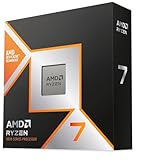
The Ryzen 7 9800X3D is the best CPU for VR in 2026 because its 3D V-Cache keeps frame times steady, and steady frame times matter more than peak FPS for comfort. If you want to spend less, the Ryzen 7 7800X3D is nearly as good, and a Ryzen 5 7600 or Core i5-14400F covers most mainstream PC VR on a Quest 3 or similar headset.
As an Amazon Associate we earn from qualifying purchases at no extra cost to you.


Our Top Picks



Top 3 picks at a glance
Why VR needs different CPU thinking
A headset must hit its refresh rate every frame. At 90Hz a frame has 11.1 ms to finish; at 120Hz it has 8.3 ms. If the CPU misses that window, the headset reprojects or drops frames, which feels like judder. Games with heavy simulation, such as VRChat, iRacing, Microsoft Flight Simulator and Assetto Corsa, are CPU-bound, so cache size and single-thread speed help more than extra cores.
Quick comparison
| Pick | Best for | Key specs | Price range |
|---|---|---|---|
| AMD Ryzen 7 9800X3D | Best overall | 8 cores / 16 threads, up to 5.2 GHz boost, 96 MB L3, AM5 | Premium |
| AMD Ryzen 7 7800X3D | Best value X3D | 8 cores / 16 threads, 96 MB L3, AM5 | Upper-mid |
| AMD Ryzen 9 9950X3D | VR plus streaming and editing | 16 cores / 32 threads, 3D V-Cache, AM5 | Flagship |
| Intel Core Ultra 7 270K Plus | Intel LGA 1851 builds | Multi-core hybrid design, DDR5 | Upper-mid |
| AMD Ryzen 5 7600 | Best budget | 6 cores / 12 threads, AM5 | Budget |
| Intel Core i5-14400F | Budget on LGA 1700 | 10 cores (6P + 4E), no integrated graphics | Budget |
Best overall: Ryzen 7 9800X3D
This is the pick reviewers such as PC Guide place first for PC VR, and it suits simulators, VRChat worlds with many avatars, and high-refresh headsets. A single 8-core chiplet avoids the scheduling quirks of dual-chiplet X3D parts. The trade-off is price: it costs far more than a mainstream six-core, and the extra performance only shows if your GPU is not the limit.
Best value: Ryzen 7 7800X3D
It uses the same 96 MB L3 cache idea at a lower cost and is often described as the sensible choice for most gamers. It still needs an AM5 board and DDR5, which is why it pairs well with the same platform as the 9800X3D if you may upgrade later.
Best for creators: Ryzen 9 9950X3D
If you record, stream or edit while playing VR, the 16 cores give headroom. For VR alone it gains little over the 9800X3D, and PC Games Hardware notes the 9800X3D is slightly faster in games for much less money.
Best Intel option: Core Ultra 7 270K Plus
For LGA 1851 builds, this is the CPU recommended for demanding simulators in some 2026 roundups. The trade-off is that it generally trails the X3D chips in cache-sensitive VR titles, so choose it if you want the Intel platform or strong productivity performance.
Best budget: Ryzen 5 7600 or Core i5-14400F
For headsets running at 72 to 90Hz in typical PCVR games, either chip is a sensible starting point, and a balanced build with a capable GPU matters more than buying the top CPU tier. The trade-off is less headroom in packed VRChat instances and flight sims.
Worked example: frame budget by headset refresh rate
| Refresh rate | Frame time budget | What it means |
|---|---|---|
| 72 Hz | 13.9 ms | Most forgiving for CPUs |
| 90 Hz | 11.1 ms | Common Quest 3 setting for PCVR |
| 120 Hz | 8.3 ms | Needs a fast CPU and GPU together |
If a CPU needs 9 ms to prepare a frame in a busy scene, it fits at 72 or 90Hz but not at 120Hz without reprojection. Moving from 90Hz to 120Hz shrinks the budget by about 25 percent, which is why high-refresh VR benefits most from X3D cache.
How to choose
Match the CPU to the game you play
For fitness and rhythm games, a six-core is enough. For simulators and social VR, choose an X3D chip.
Do not overspend if the GPU is the limit
At high render resolution the GPU is often the bottleneck. Check GPU utilization during play; if it sits near 95 to 100 percent, a faster CPU will not help.
Plan the platform
AM5 has an upgrade path across several CPU generations, while LGA 1700 is at the end of its line. Use DDR5-6000 with low latency on AM5 as a common sweet spot.
Cooling and power
X3D chips run relatively cool for their performance, and a mid-range air cooler is usually enough.
Frequently Asked Questions
Is the CPU or the GPU more important for VR?
Both matter, but the GPU limits visual quality and resolution, while the CPU limits consistency. In simulation-heavy titles the CPU becomes the first wall you hit.
Do I need an X3D CPU for the Quest 3?
No. A Quest 3 can run most PC VR with a mainstream six-core. X3D helps mainly in simulators and crowded social worlds.
How many cores do I need for VR?
Six to eight fast cores are enough for nearly all VR. Extra cores mostly help if you stream, record or run other apps.
Is Intel or AMD better for VR in 2026?
AMD X3D chips usually lead in cache-sensitive VR titles, while Intel offers strong multi-core value. Pick based on the games you play and your platform.
Does wireless streaming change CPU needs?
Wireless streaming adds video encoding, which mostly uses the GPU encoder, but a CPU with spare capacity helps keep latency steady.