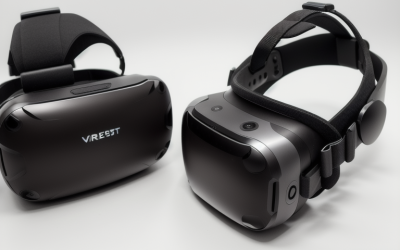
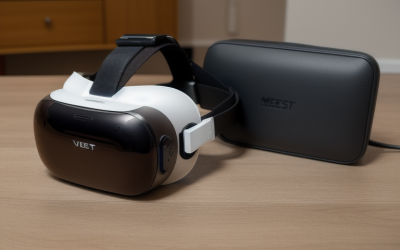
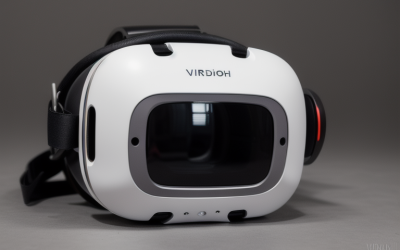
If you mostly play games and want the lowest cost of entry, the Quest 3S runs the same games on the same chip as the Quest 3. If you care about image sharpness, a wider field of view, a headphone jack, or you wear glasses and need precise eye-spacing adjustment, the Quest 3 is the better headset. The two are closer than their names suggest on processing power and further apart on optics. Below we compare the optics, the hardware cuts, which accessories carry over, and how to decide, then match four accessories to each situation.
Our Top Picks


Top 3 picks at a glance
Quick Verdict
| Your situation | Our verdict |
|---|---|
| First VR headset, mostly games and fitness apps | Quest 3S. Same chip, same RAM, same game library. |
| You notice screen-door blur or care about text clarity | Quest 3. Higher resolution and pancake lenses. |
| Your eye spacing is outside 58-68 mm | Quest 3. Its continuous adjustment covers a wider range. |
| You want to use wired headphones | Quest 3. The 3S has no 3.5 mm jack. |
| You care about room scanning and mixed reality accuracy | Quest 3 has a dedicated depth projector; the 3S does not. |
| Buying for kids or a shared household headset | Quest 3S is the easier fit if budget matters; check IPD and age guidance first. |
What Actually Changes Between Them
Same brain, different eyes
Both headsets use the Snapdragon XR2 Gen 2 chipset with 8 GB of RAM, according to Android Central’s comparison and other spec roundups. Games are built for that shared hardware, so you should not expect a Quest 3 title to be unavailable on the 3S. A conflicting retail blog claims the 3S has less RAM and pancake lenses; Every other source we checked contradicts it, so we do not use it.
The real difference is the display and lens stack. The Quest 3 uses pancake lenses and a resolution of 2064 x 2208 per eye, about 25 pixels per degree. The Quest 3S uses Fresnel lenses and 1832 x 1920 per eye, about 20 pixels per degree, matching the older Quest 2 panel. Pancake lenses give a clearer image across more of the field of view, while the 3S’s Fresnel lenses have a smaller sharp central area.
Field of view and eye-spacing adjustment
Reported horizontal field of view is about 110 degrees for the Quest 3 and about 96 degrees for the 3S (sources differ slightly on the 3S figure). That is a noticeable difference in how much of the virtual world sits in your peripheral vision.
Interpupillary distance (IPD), the spacing between your pupils, is adjusted differently. The Quest 3 has a continuous wheel covering roughly 53 to 75 mm. The Quest 3S has three fixed positions at 58, 63 and 68 mm. If your eye spacing falls between settings, you may see slightly less sharpness on a 3S. Rule of thumb: many adults land near the middle of that range, but measure yours before buying, since a small mismatch matters more on lower-resolution Fresnel optics.
Hardware that was cut or changed
| Feature | Quest 3 | Quest 3S |
|---|---|---|
| Chipset | Snapdragon XR2 Gen 2 | Snapdragon XR2 Gen 2 |
| RAM | 8 GB | 8 GB |
| Resolution per eye | 2064 x 2208 | 1832 x 1920 |
| Lenses | Pancake | Fresnel |
| IPD adjustment | Continuous, about 53-75 mm | Three steps: 58, 63, 68 mm |
| Storage options | 512 GB | 128 GB or 256 GB |
| 3.5 mm headphone jack | Yes | No |
| Depth projector | Yes | No (uses flood LEDs and cameras) |
| Controllers | Touch Plus | Touch Plus |
Cross-checked across Android Central, UploadVR and other spec roundups: chipset, RAM, lens type, headphone jack and depth-sensor differences. Sources vary on exact IPD range, field of view and battery estimates, so use Meta’s current spec page for the final numbers. The Quest 3 128 GB variant has been reported as discontinued, so availability may vary by retailer.
Size, weight and battery
Both headsets weigh roughly the same, around 515 grams according to UploadVR’s comparison, so neither feels dramatically lighter on your face. The Quest 3 is the slimmer design from the side because its pancake optics fold the light path; one spec roundup puts the headset body at 62.3 mm deep for the Quest 3 versus 73.9 mm for the 3S, excluding the facial interface. A shallower headset pulls less weight forward, which some people notice in long sessions. Meta’s estimated battery life is similar on both, a little over two hours of average use, and it drops with demanding games and high refresh rates. For longer sessions, plan around a battery strap or play while plugged in rather than counting on the headset alone. Weight and runtime figures vary by source and by use, so treat them as rough guides.
Controllers and tracking in practice
Because both headsets use Touch Plus controllers, the day-to-day feel of aiming, grabbing and menu navigation is the same. The 3S also lacks a proximity sensor, according to UploadVR, which means it does not automatically sleep when you take it off the way the Quest 3 does. That is a small habit change, not a deal-breaker, but it affects battery drain if you forget to power down.
What carries over, and what does not
Touch Plus controllers are used by both headsets, so controller grips and straps generally fit either one. The official carrying cases, Elite Straps and Link cable are reported to work with both. Two things do not carry over: facial interfaces (the 3S has its own design) and the full-size Quest 3 charging dock, which Meta lists as incompatible with the 3S. Meta later released a compact dock that supports both headsets. When you shop for third-party docks, look for explicit “Quest 3S” wording in the listing and confirm it before buying.
How to Decide
Work through these steps in order and stop when one gives a clear answer.
- Measure your IPD. Ask an eye-care clinic or use a ruler and mirror. If your number is outside 58-68 mm, favor the Quest 3.
- Decide what you do most. Fitness, rhythm and casual games are less sensitive to resolution; reading text, productivity apps and simulators are more sensitive.
- Plan your storage. VR games can run from a few GB to tens of GB each. A 128 GB headset holds a modest library, and system software uses part of it. As a rule of thumb, pick 256 GB or more if you expect to keep more than a handful of large games installed.
- Check audio needs. If you want wired headphones, the Quest 3 offers a headphone jack. The 3S relies on built-in speakers, Bluetooth or a USB-C adapter, which cannot charge at the same time.
- Weigh mixed reality use. Both have color passthrough. The Quest 3 includes a depth projector for room mapping; reports say the 3S still performs well for mixed reality games but with some cuts.
- Budget the accessories. Add a charging solution, a protective case and possibly better controller grips. These cost little relative to the headset and protect it.
Worked example: a household with two teenagers and one adult. If IPDs are within 58-68 mm, the 3S covers everyone for games. If the adult has a 70 mm IPD, the continuous wheel on the Quest 3 is worth the upgrade.
Products That Fit
These four items are accessories, not headsets. Each one is listed for the Quest 3S and Quest 3, so they suit buyers on either side of the decision.
AMZDM Controller Grips – for active games on either headset
As an Amazon Associate we earn from qualifying purchases at no extra cost to you.

Because both headsets use Touch Plus controllers, one set of grips can follow you if you upgrade. This suits boxing, sword and fitness apps where controllers can slip or fly out of a sweaty hand. The silicone covers protect the controllers from impact, and the knuckle strap keeps the controller secured when you open your hand.
- Silicone controller covers with a non-slip pattern
- Vegan-leather elastic knuckle straps
- Listed for Quest 3S and Quest 3 touch controllers
- Color shown: black; check the exact strap length on the listing
Caveat: covers add thickness, so check that they do not interfere with your charging dock or sensor rings.
Kinwin Magnetic Charging Dock – for a tidy daily charging spot

If you plan to use the headset daily, a dock beats hunting for cables. This one is listed for both the 3S and 3, and it uses a magnetic USB-C connector designed to reduce plug wear. It charges the headset and both controllers together, and it has RGB lighting you can turn off or change.
- Charges headset and two controllers at once
- Magnetic USB-C connector
- RGB ambient light with selectable modes
- Weight listed around 1.3 pounds; confirm headset fit if you use a strap or cover
Caveat: Meta’s own full-size dock does not fit the 3S, so rely on the listing’s stated compatibility, and confirm that it holds your controllers when they wear grips.
sarlar VR Hard Carrying Case – for travel and shelf storage

If the headset goes between rooms, to a friend’s house, or in a car, a hard case protects the lenses. This one is listed for the Quest 3S, Quest 3 and Quest 2, and it is described as a smaller case with a felt-style lining and elastic straps for individual items.
- Listed for Quest 3S, 3 and 2
- Exterior dimensions about 11 x 7.9 x 4.7 inches
- Individual slots with elastic straps
- Color shown: grey
Caveat: a compact case may not hold a larger head strap or battery strap attached to the headset. Check the interior before ordering if you use a third-party strap.
alcopanda VR Charging Dock – a stand-style alternative

This is a stand-style dock for the Quest 3, Quest 3S and Quest 2. The headset sits on an angled bracket and the controllers hang on the sides. It suits a desk or shelf where you want a visible display spot more than a bundle of cables.
- Listed for Quest 3, Quest 3S and Quest 2
- ABS plastic body with an enlarged base for stability
- Headset charges through its Type-C cable
- Weight listed around 1.1 pounds; controller charging details: confirm on listing
Caveat: the listing text mentions Quest 2 controllers hanging on the side, so verify that Touch Plus controllers charge on it, or whether it only holds them.
Common Mistakes
- Assuming Quest 3 accessories fit the 3S. Facial interfaces and the full-size dock do not carry over.
- Buying on storage alone. The 128 GB size fills faster than expected once system files and a few big games are installed.
- Ignoring IPD. If your spacing is outside the three fixed steps, the image may look slightly soft.
- Counting on a headphone jack. The 3S does not have one, and a USB-C audio adapter blocks charging.
- Believing the 3S has weaker performance. It uses the same chipset and RAM; the gap is optics and sensors.
Questions
Will Quest 3 games run on the Quest 3S?
Yes. Both headsets share the same Snapdragon XR2 Gen 2 chipset and 8 GB of RAM, so the game library is the same. Visual sharpness will differ because of the lens and resolution gap.
Is the Quest 3S good for mixed reality?
It supports color passthrough, and reviewers describe its mixed reality performance as close to the Quest 3. It lacks the dedicated depth projector, so room scanning may be less precise.
Can I wear glasses in a Quest 3S?
Many people use glasses inside either headset, and optional prescription lens inserts exist for both. Check the glasses spacer and your frame size, and test the fit if you can.
Do the controllers differ between the two?
No. Both use Touch Plus controllers, which is why grips and straps from one headset generally fit the other.
Which headset will stay supported longer?
Both are current Meta headsets running the same system software. No support end date has been announced, but check Meta’s support pages for the latest information.
Update History
- October 14, 2026 – Initial publication.
- Check the product page for current specifications and availability before buying.
Sources
- Android Central: Meta Quest 3S versus Quest 3 comparison
- UploadVR: Quest 3S specifications compared with Quest 3
- Meta product pages for Quest 3 and Quest 3S
- MIXED: Quest 3 accessory compatibility with the Quest 3S
- Retailer listing fields for each accessory named above
Related guides
- TechKen Quest 2 Facial Interface Review: Single-Bracket Set with Lens Cover
- AMZDM Quest 2 Face Cushion Pad Review: Fit, Venting and Replacement Requirements
- HTC VIVE Focus Vision Wired Bundle Review: PC VR Connections and Fit Considerations
- Meta Quest Elite Strap Review: Quest 3/3S Fit and Accessory Compatibility