Using a VR headset as a multi-monitor workspace is one of the most practical non-gaming uses for the technology, letting you carry a wall of screens in a small bag. But not every headset is comfortable or sharp enough for hours of text work. This guide explains what actually matters when choosing a headset for productivity and gives a realistic framework rather than hype.
As an Amazon Associate we earn from qualifying purchases at no extra cost to you.
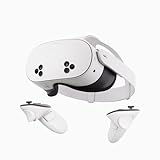


Our Top Picks
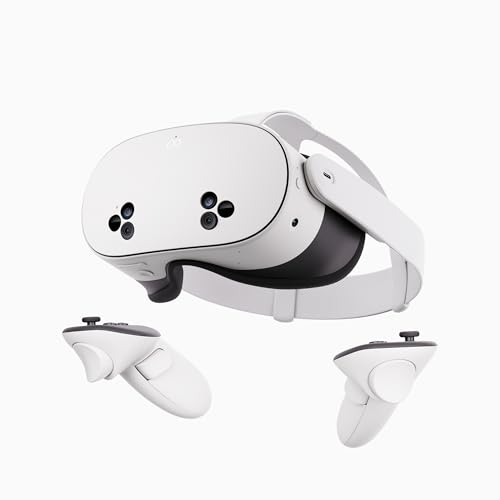

Top 3 picks at a glance
What makes a headset good for work
Gaming and productivity stress different things. For a virtual desktop, resolution and text clarity beat refresh rate, and long-session comfort beats raw performance. A headset that is thrilling for 30 minutes of action can be miserable for a three-hour spreadsheet session.
Resolution and lens sharpness
Text is unforgiving. You want high per-eye resolution and pancake lenses, which keep the image sharp closer to the edges than older fresnel lenses. Blurry edges force constant head movement to read a screen, which is tiring.
Comfort and weight balance
A front-heavy headset creates neck strain long before your eyes tire. A counterweighted or well-balanced strap matters more for work than for gaming because sessions run longer.
Key specifications to compare
| Factor | Why it matters for work | Target |
|---|---|---|
| Per-eye resolution | Text sharpness | Higher is better; 2K+ per eye ideal |
| Lens type | Edge clarity | Pancake preferred |
| Refresh rate | Eye comfort | 90Hz is plenty for desktop |
| Weight/balance | Long-session comfort | Balanced strap, under ~500g feels best |
| Passthrough | Grabbing coffee, typing | Color passthrough is a big plus |
Standalone versus PC-connected
Standalone headsets run virtual desktop apps without a computer and are the simplest option for a portable travel office. Connecting to a PC gives you your real desktop with full horsepower, better for heavy multitasking but tethered by a cable or a strong wireless link. Many people use standalone mode for light work on the go and PC mode at a desk.
The passthrough and keyboard question
Good color passthrough lets you see your real keyboard and desk, which massively reduces the friction of typing in VR. Some headsets can also track a specific keyboard and show it inside the virtual space, which is a genuine productivity boost.
Realistic expectations
Even the best current headsets are not a perfect replacement for a crisp physical monitor for all-day fine text work, but they excel at portable multi-screen setups, focus-friendly immersion, and travel. Budget for a comfort strap and a prescription lens insert if you wear glasses, since both dramatically affect whether you actually keep using it.
Setting up an ergonomic VR office
The headset is only part of a comfortable workspace. Arrange your virtual screens at a natural eye level so you are not tilting your head up or down for hours, which causes the neck strain that ends sessions early. Keep one primary screen dead ahead and secondary screens angled just off to the sides within easy glancing range.
Peripherals and breaks
A real mechanical keyboard and mouse on your physical desk, visible through color passthrough or shown virtually, make VR work feel natural rather than clumsy. Take a genuine break away from the headset roughly every 45 minutes to rest your eyes and neck. Budget for a comfort strap that shifts weight off your face and, if you wear glasses, a prescription lens insert, because both dramatically extend how long you can comfortably work. Approached this way, a VR workspace is not a gimmick but a legitimately useful tool for focus-heavy tasks, travel, and anyone craving more screen real estate than their desk can physically hold.
FAQ
Is a VR headset sharp enough to read text all day?
Modern high-resolution headsets with pancake lenses handle document and code work well for most people, though the very sharpest fine print still favors a good physical monitor. Comfort and a correct IPD setting matter as much as raw resolution for readable, fatigue-free text.
Do I need a powerful PC for a VR workspace?
For a virtual desktop you do not need a gaming PC; displaying screens is far lighter than rendering games. Standalone headsets can even do light work with no PC at all. A stronger PC only matters if you are running demanding applications on those virtual screens.
Bottom line
For a VR workspace, prioritize per-eye resolution, pancake lenses, comfortable weight balance, and quality color passthrough over gaming specs like high refresh rate. Decide between standalone portability and PC-connected power, budget for a comfort strap and prescription inserts, and set your IPD correctly. Chosen well, a headset becomes a genuinely useful portable multi-monitor office.