Integrating a high-performance gaming console into your living room furniture can be a major design challenge. Unlike the flat, horizontal consoles of previous generations, the Xbox Series X features a bold, monolithic tower design that is engineered to move a massive volume of air. Because it draws cool air from the bottom and back and expels hot air through its top grille, placing it inside a media console requires careful planning. If you are wondering how much clearance does xbox series x need in cabinet spaces, this comprehensive size guide provides the exact dimensions, ventilation requirements, and measurement steps you need to protect your investment and keep your living room looking pristine.
Our Top Picks



Top 3 picks at a glance
The Short Answer
For an Xbox Series X placed inside an open cabinet or shelving unit, Microsoft recommends a minimum of 4 to 6 inches (10 to 15 cm) of clearance on all sides, particularly around the top exhaust vent and the rear intake vents. This ensures that the console can draw in fresh air and expel waste heat without recirculating the same hot air.
As an Amazon Associate we earn from qualifying purchases at no extra cost to you.



However, if you plan to place the console inside a fully closed cabinet (one with solid wood or glass doors), a simple 6-inch clearance is not enough. Without active ventilation, a closed cabinet acts as an oven, trapping the 150 to 200 watts of heat generated during gameplay. For closed cabinets, you must either leave the cabinet door wide open during gaming sessions or install an active USB-powered cooling fan system in the back panel of the furniture to pull the hot air out of the enclosure.
Standard Sizes
Before measuring your media center, it is crucial to understand the physical footprints of the Xbox Series X and how it compares to older models, such as the Xbox One S, which had a more traditional flat profile. The table below outlines the physical dimensions, weights, and recommended clearance zones for these consoles to help you plan your layout.
| Console Model | Orientation | Height | Width | Depth | Weight | Minimum Recommended Clearance |
|---|---|---|---|---|---|---|
| Xbox Series X | Vertical | 11.85 in (30.1 cm) | 5.94 in (15.1 cm) | 5.94 in (15.1 cm) | 9.8 lbs (4.4 kg) | 6 inches (15 cm) above exhaust; 4 inches (10 cm) on sides/back |
| Xbox Series X | Horizontal | 5.94 in (15.1 cm) | 11.85 in (30.1 cm) | 5.94 in (15.1 cm) | 9.8 lbs (4.4 kg) | 6 inches (15 cm) to the side of the exhaust grille; 4 inches (10 cm) behind |
| Xbox Series S | Vertical | 10.82 in (27.5 cm) | 2.55 in (6.5 cm) | 5.94 in (15.1 cm) | 4.25 lbs (1.9 kg) | 3 to 4 inches (7.5 to 10 cm) around the main black fan exhaust vent |
| Xbox One S (Legacy Reference) | Horizontal | 2.50 in (6.4 cm) | 11.60 in (29.5 cm) | 9.00 in (23.0 cm) | 6.4 lbs (2.9 kg) | 2 to 3 inches (5 to 7.5 cm) on top and sides |
How to Measure Your Space
To ensure your media console can safely accommodate the Xbox Series X without causing it to overheat or trigger a thermal shutdown, follow these step-by-step measurement instructions:
- Step 1: Measure the Internal Shelf Depth: Open your cabinet door and measure from the back panel to the inside of the closed door. Do not just measure the shelf surface; you must account for any door hinges, magnetic latches, or decorative molding. Ensure you have at least 9 inches of absolute depth to accommodate the console’s physical body plus its rear cables.
- Step 2: Account for Cable Bend Radius: The heavy-duty power cable and high-speed HDMI cable plug directly into the back of the Xbox Series X. These cables require a natural bend radius and add roughly 2 to 3 inches of depth to the back of the console. If your cabinet is exactly 6 inches deep, you will not be able to plug the cables in without damaging the ports or bending the wires at a dangerous angle.
- Step 3: Measure the Height Clearance (Vertical vs. Horizontal): If standing the console vertically, you need at least 18 inches of internal cabinet height (11.85 inches for the console plus 6 inches of clearance). If laying it horizontally, you need at least 12 inches of width and 10 inches of height clearance.
- Step 4: Check the Back Panel Openings: Look at the rear of your media console. Is it solid wood, thin MDF, or completely open? If it is closed, locate the pre-drilled cable management holes. Standard 2-inch grommet holes are excellent for routing cables but are entirely insufficient for venting hot air.
By Room or Use Case
Every living space is unique, and how you integrate your gaming hardware depends heavily on your furniture style, room layout, and design priorities. As we look ahead to 2026, home entertainment trends are shifting toward cleaner, highly organized media centers that conceal bulky electronics while maintaining peak performance.
The Closed Media Console
For a clean, clutter-free living room, housing the Xbox Series X behind closed cabinet doors is the ultimate design goal. However, wood and glass act as excellent thermal insulators. If you choose this route, you must install an active cooling solution. Specialized cabinet fan kits (typically costing between $30 and $60) can be mounted into the back panel of your credenza. These quiet, USB-powered fans plug directly into the back of the Xbox and turn on automatically when the console powers up, actively drawing the hot exhaust air out of the cabinet cavity.
Open Shelving and Floating Credenzas
If your media center features open shelving or a sleek, floating credenza, you have much more flexibility. Airflow is generally not an issue here, but orientation is key. Placing the console horizontally on an open shelf allows it to blend in with soundbars and streaming boxes. In this configuration, make sure the right side of the console (which becomes the top exhaust when horizontal) has plenty of room to breathe. Keep decorative items, books, or plants away from this side of the unit.
Under-Desk and Wall-Mounted Setups
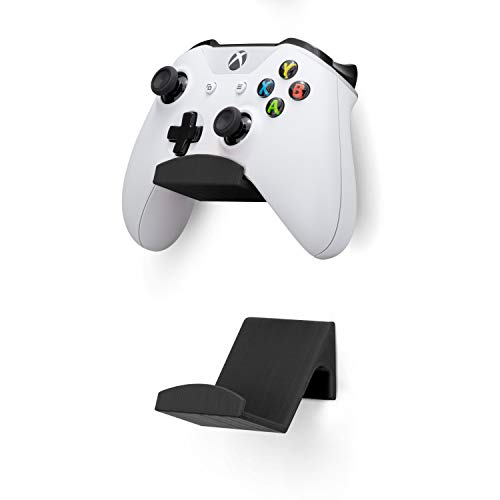
In dedicated gaming nooks, home offices, or secondary bedrooms, desk space is often at a premium. Instead of stuffing the console into a dusty desk cabinet, many gamers opt for structural mounts. Using an under-desk dual mount or heavy-duty wall bracket allows you to suspend the console safely out of sight while ensuring 360-degree airflow. To keep the rest of your setup organized, you can pair these configurations with stick-on wall mounts or under-desk hangers for your controllers and gaming headsets, which typically range in price from $12 to $20.
Common Sizing Mistakes
When setting up a new gaming center, it is easy to overlook small details that can eventually lead to hardware failure. Avoid these common mistakes to keep your system running smoothly:
Overlooking Cable Stiffening: The Ultra High Speed HDMI cable included with the Xbox Series X is relatively thick and stiff. Forcing the console backward to fit flush against a cabinet shelf can put immense upward or downward pressure on the HDMI port, which can crack the internal solder joints over time.
Forgetting the Bottom Intake: The Xbox Series X has small rubber feet on its base (and on one side for horizontal placement) that elevate the console slightly off the shelf surface. This tiny gap is crucial for pulling cool air into the system. Never place the console on a soft surface, such as a plush carpet, a velvet runner, or a foam pad inside your cabinet, as this will choke the intake vents.
Blocking the Exhaust with Accessories: Many gamers store their gaming gear right next to their console. Stashing a bulky travel backpack, extra controller cases, or stack of game boxes directly against the exhaust side of the Xbox blocks the natural convection cycle, forcing the console to work harder and run much louder.
FAQ
Can I put the Xbox Series X in a closed cabinet if I leave the door open while playing?
Yes, leaving the cabinet door wide open during gameplay is a viable manual solution. This allows the hot air to escape into the room rather than swirling inside the wooden enclosure. Just remember to leave the door open for about 5 to 10 minutes after you turn off the console to let the internal components cool down completely before closing up the cabinet.
Is it better to position the Xbox Series X vertically or horizontally in a cabinet?
From a pure cooling performance standpoint, both orientations work exceptionally well because the internal vapor chamber and 130mm fan are designed to operate efficiently in either position. However, for cabinet placement, horizontal is often better because it distributes the exhaust heat across a wider horizontal plane, making it easier to vent out of standard rectangular furniture compartments.
How do I know if my Xbox Series X is overheating in its cabinet?
If your console is struggling to breathe, you will notice the internal fan spinning at maximum speed, creating a loud, noticeable whirring noise. If the internal temperature exceeds safe operating limits, the Xbox will automatically display an on-screen warning message before shutting itself down entirely to prevent permanent damage to the processor.
What accessories can help maximize space and cooling inside my media center?
To free up valuable shelf space inside your cabinet, consider mounting your gamepads on the wall or under your desk using low-profile adhesive hangers (usually costing around $15 to $17). If you travel frequently with your console, investing in a padded gaming backpack (typically priced between $60 and $80) allows you to store your console, controllers, and cables safely when they are not inside the media cabinet, keeping your entertainment hub completely clutter-free.
Related guides
- Best Free MMOs on Steam: Subscription Limits, Pay-to-Win and Time Cost (2026)
- Best Free Horror Games on Steam: How to Pick One That Fits Your PC and Your Nerves (2026)
- Black Frame Insertion vs VRR: Which Smoothness Feature Should You Use?
- Best Webcams for Streaming: 11 Listings Compared by Resolution, Focus and Light (2026)