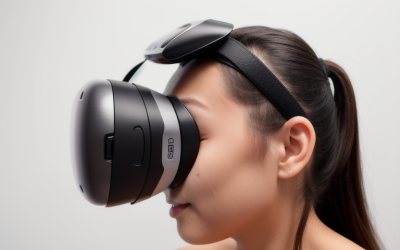
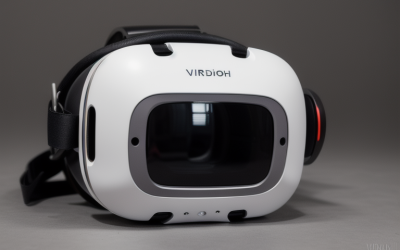
Most virtual reality setups ship with what can only be described as a glorified elastic band. While these default fabric straps keep the initial packaging compact and retail costs down, they are the primary culprit behind the infamous “VR face”—that red, indented ring around your eyes—along with nagging neck strain and tension headaches. When searching for the ideal VR headset headstrap, many buyers make the mistake of choosing the cheapest option on a whim or assuming that thicker padding solves everything.
In reality, strapping a 500-gram block of glass, copper, and plastic to your face requires a careful balance of ergonomics, material science, and weight distribution. As we look ahead to 2026, VR headsets are becoming more compact, but the need for ergonomic weight distribution remains unchanged. Buying the wrong strap can lead to snapped plastic side-arms, slipping adjustments during active gameplay, or even physical discomfort that cuts your play sessions short. To get the most out of your hardware, you need to know exactly which mechanical and structural features actually matter.
As an Amazon Associate we earn from qualifying purchases at no extra cost to you.


Our Top Picks
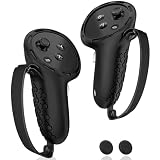
 Kawaye for Meta Quest 3S/Quest 2/Quest 3 HeadPro Strap (Strap Only)8.78 x 8.54 x 2.01 inchesCheck on Amazon
 Original Replacement Head Strap for Meta Oculus QuestStandard Size0.49 x 0.06 x 0.19 inches0.1 poundsCheck on Amazon

Top 3 picks at a glance
Decide These 3 Things First
Before diving into the specifications, you must define how you use your headset. Answering these three questions upfront will instantly filter out 80 percent of the headstraps on the market:
- Do you need an integrated battery? A standard replacement strap simply holds the headset on your head. A battery-equipped strap (typically featuring a 5,000mAh to 10,000mAh capacity) acts as a physical counterweight, balancing the front-heavy design of the VR headset while doubling or tripling your playtime. However, it adds total physical weight to your neck.
- What is your primary use case? If you primarily play high-intensity, room-scale physical games (like Beat Saber or Supernatural), you need a rigid, highly secure fit that won’t slide when you shake your head. If you mostly watch movies, write code, or play seated simulations, you should prioritize a halo-style strap that suspends the headset in front of your eyes without pressing hard against your face.
- How do you store your headset? Rigid plastic straps do not fold down. If you travel frequently or use a compact carrying case, a bulky elite-style strap may force you to buy a brand-new, oversized gear bag. Some modular straps offer quick-release mechanisms or folding hinges specifically to address this issue.
1. Material Quality and Torsional Durability
The side straps of a VR headstrap undergo constant twisting, bending, and tension as you pull the headset over your head. Cheap replacement straps use standard, rigid ABS plastic that degrades quickly under UV light and snaps under minimal torsional stress.
Look for straps constructed from upgraded polymer materials, such as modified Polycarbonate (PC) or high-flexibility nylon. High-quality side straps should be able to bend up to 180 degrees without cracking or showing signs of stress whitening. The thickness of these side arms should be at least 2.0 mm to 2.5 mm.
For the rear padding, steer clear of cheap open-cell foam, which acts like a sponge for sweat and facial oils, leading to bacterial growth and unpleasant odors over time. Instead, opt for closed-cell polyurethane (PU) leather pads or breathable, medical-grade thermoplastic polyurethane (TPU). PU leather can be easily wiped down with an alcohol-free antibacterial wipe between sessions, while TPU offers superior airflow and grip against the back of your skull.
2. Size, Fit, and Adjustment Mechanics
A headstrap must accommodate a wide range of skull shapes and sizes. Standard default straps often slip on smaller heads or pinch larger ones. When evaluating a replacement, look for a strap that explicitly states its adjustment range. Most high-quality rigid straps support head circumferences ranging from 20 inches (50.8 cm) to 26 inches (66 cm), which covers roughly 95 percent of adults and children.
The mechanism used to adjust the fit is critical. Avoid sliding friction buckles, which slip over time. Look for a rear rotary dial (often referred to as a gear knob or fit wheel). Premium models utilize double-knob adjustments or dual-axis hinges that allow you to adjust both the horizontal tension and the vertical angle of the rear support cup independently.
The internal gears of these rotary dials should be made of reinforced POM (polyoxymethylene) plastic rather than standard polystyrene. POM gears offer a distinct, tactile “click” and can withstand thousands of adjustment cycles without stripping. A gear slipping under rapid head movements is a clear sign of poor construction.
3. Construction Design: Halo vs. Elite Style
There are two primary structural designs for rigid VR headstraps, and they distribute weight in fundamentally different ways:
- Elite-Style Straps: These feature rigid side arms that connect directly to the sides of the VR headset, with a cup that cradles the occipital bone at the lower back of your skull. This design presses the headset directly against your face. It is highly secure and ideal for fast-paced gaming, but it puts more pressure on your cheeks and forehead. Examples include the classic Elite Strap design and double-knob variations.
- Halo-Style Straps: These use a large, padded ring that sits high on your forehead, suspending the VR headset down in front of your eyes. This completely removes pressure from your face, making it incredibly comfortable for long, stationary sessions or for users who wear glasses. However, because the headset “hangs,” it can wobble during rapid side-to-side head movements. Modular 3-in-1 designs (like those from Saqico) allow you to swap between these styles depending on your activity.
4. Weight Distribution and Ergonomics
A standard VR headset (like the Meta Quest 3 or Quest 2) weighs between 500 and 515 grams (approximately 17.6 to 18.1 ounces). Because all of this weight sits on the front of your face, it acts as a lever, pulling your head forward and straining your neck muscles.
To achieve ergonomic balance, look for a headstrap that aims for a 50:50 weight distribution front-to-back. If you choose a strap without a battery, the rear support pad must be wide and contoured—ideally measuring at least 4.5 inches to 5 inches across—to distribute the clamping force over a larger surface area of your occipital bone.
If you choose a battery-backed strap, the battery pack itself should weigh between 150 and 250 grams. This added rear weight counterbalances the front visor, shifting the center of gravity to the center of your head. This actually makes the entire setup feel lighter and more comfortable, despite the increase in total gross weight.
5. Battery Capacity and Power Delivery
If you decide on a battery-integrated headstrap, do not look at capacity (measured in milliampere-hours, or mAh) in isolation. You must also evaluate the power delivery capabilities of the battery pack.
A high-capacity 10,000mAh battery (such as those found on premium Kawaye models) can extend your play sessions by an additional 4 to 6 hours. However, the battery must output enough wattage to keep up with the headset’s power draw. Modern VR headsets pull between 15 watts (5V/3A) and 27 watts (9V/3A) during intensive gaming with mixed reality (MR) pass-through enabled.
If the headstrap battery only outputs 10W (5V/2A), your headset’s internal battery will continue to drain even while plugged into the strap. Look for a battery strap that specifies an output of at least 15W to 18W (9V/2A) via USB-C Power Delivery (PD). Furthermore, premium setups feature hot-swappable magnetic battery systems, allowing you to swap a dead battery for a fresh one without removing the headset.
6. Price Tiers and What You Get
Understanding what your money buys prevents you from overpaying or buying unsafe, low-quality accessories:
- Budget ($10 to $20): This tier consists of simple fabric strap replacements or basic plastic retrofits. You can find original replacement fabric straps in this range (around $13), but they offer minimal ergonomic improvement over what came in the box. They are best suited for replacing a damaged original strap rather than upgrading your comfort.
- Mid-Range ($20 to $35): This is the sweet spot for non-battery ergonomic upgrades. In this tier, you will find robust, highly adjustable elite and halo straps (ranging from around $25 to around $29) featuring thick TPU/PU foam padding, dual-axis adjustment knobs, and modular designs that are compatible across multiple headset generations (such as the Quest 2, 3, and 3S).
- Premium ($35 to $80+): This tier includes battery-integrated straps and advanced hot-swap magnetic power systems. Prices generally range from $45 to $75 depending on battery capacity (e.g., a 10,000mAh double-knob setup sits around $45). These models offer superior balancing, fast-charging capabilities, and reinforced structural polymers.
7. Compatibility and Installation Ease
Not all headstraps are universally compatible. The mounting arms on the Meta Quest 2 differ in shape and thickness from those on the Quest 3 and Quest 3S. If you own multiple headsets or plan to upgrade soon, look for a “3-in-1” or multi-compatible strap that includes interchangeable snap-on adapters.
Installation should not require tools. Look for slide-and-snap designs that click directly onto the headset’s audio arms. The connection points should be lined with thin silicone or rubber pads to prevent the hard plastic of the strap from scratching your headset’s housing during installation or removal. Avoid straps that require you to force or aggressively twist the mounting arms, as this can crack the delicate internal audio components of the headset itself.
Spec Checklist
Use this quick-reference specification table to compare headstrap categories and ensure you are getting the right features for your budget:
| Feature / Spec | Budget ($10–$20) | Mid-Range ($20–$35) | Premium ($35–$80+) |
|---|---|---|---|
| Material | Standard ABS / Soft Elastic Fabric | Reinforced ABS / Flexible PC Polymer | High-Flex Polycarbonate / TPU / PU Leather |
| Adjustment Mechanism | Friction Buckle or Elastic Velcro | Single Rear Rotary Dial (POM Gears) | Double-Knob / Dual-Axis Articulating Dial |
| Padding Thickness | 0mm to 5mm (Thin Foam) | 10mm to 12mm (TPU or PU Leather) | 15mm+ (Memory Foam with PU Leather) |
| Battery Integration | None | None (or basic holder for external power bank) | 5,000mAh to 10,000mAh Built-In (Hot-Swap optional) |
| Power Output | N/A | N/A | 15W to 22.5W Fast Charging (USB-C PD) |
| Weight Balance Ratio | 80:20 (Extremely front-heavy) | 60:40 (Improved rear cup distribution) | 50:50 (Balanced counterweight) |
Red Flags to Avoid
When shopping for a VR headstrap, keep an eye out for these common manufacturing shortcuts and design flaws:
- Screeching or Slipping Adjustment Dials: If the rear rotary dial makes a high-pitched grinding noise or slips when you pull on the strap, the internal gears are made of cheap, thin plastic that will wear smooth within a few months of daily use.
- Thin Side Arms: Avoid any strap where the side arms are less than 1.5mm thick. Under the pressure of holding a headset to your face, these thin plastic strips will develop hairline fractures and eventually snap.
- Exposed Wiring: On battery straps, the cable running from the rear battery to the front USB-C port should be cleanly routed, braided, or integrated directly into the side arms. Avoid models with loose, dangling, unreinforced wires that can easily snag on your hands or environment.
- No Top Strap Option: Some rigid straps completely eliminate the top velcro strap. Without a top strap to support the vertical weight, the headstrap must clamp significantly tighter around your temples to stay in place, leading to localized pressure headaches.
FAQ
How do I clean my VR headstrap padding?
If your strap features PU leather or silicone padding, wipe it down with an alcohol-free antibacterial wet wipe after every session. Avoid using harsh chemical solvents or standard rubbing alcohol, as these can dry out and crack synthetic leather over time. If the padding is fabric or open-cell foam, gently hand wash it with warm water and a drop of mild dish soap, then allow it to air dry completely before reattaching it to the headset.
Will a Quest 2 headstrap fit a Quest 3 or Quest 3S?
Not natively. The mounting arms on the Quest 3 and Quest 3S are narrower and angled differently than those on the Quest 2. However, many modern aftermarket straps are sold as “3-in-1” systems that include small plastic shim adapters. These adapters allow the same headstrap to securely snap onto the different arm profiles of all three headset models.
Is a battery headstrap safe to use for long sessions?
Yes, provided the battery is manufactured by a reputable brand and features certified safety protocols. Look for battery straps that list built-in protection against overcharging, overcurrent, short circuits, and overheating. High-quality lithium-polymer batteries sit safely at the back of your head, away from any heating elements, and run cool during normal operation.
Do halo straps or elite straps work better for glasses wearers?
Halo straps are generally superior for glasses wearers. Because a halo strap suspends the headset from your forehead rather than pulling it straight back against your face, you can pivot the headset visor outward, put the headset on over your glasses, and then swing the visor back down. Elite-style straps clamp the headset directly inward, which can press your glasses frames painfully against your nose and temples.