
As an Amazon Associate we earn from qualifying purchases at no extra cost to you.

Our Top Picks


The Short Answer
Do you actually need a third-party vertical stand for your Xbox Series X? The short answer is no, unless you have specific safety, space, or aesthetic demands in your entertainment center.
Microsoft engineered the Xbox Series X to stand vertically right out of the box. It features a built-in, non-removable circular rubber base that provides decent grip and elevates the console just enough to allow cold air to enter the bottom intake vents. However, this native footprint is relatively narrow. You should only purchase an aftermarket vertical stand if you need to widen that footprint to prevent tip-overs from pets or children, want to add front-facing USB ports for accessory management, or desire integrated RGB lighting to match your media room’s decor.
What You Actually Get
To understand whether an aftermarket stand is worth your money, it helps to look at the physical reality of the Xbox Series X. The console is a substantial piece of hardware, measuring 5.91 x 5.91 x 11.85 inches and weighing a hefty 9.8 pounds. When stood vertically without assistance, its center of gravity is relatively high, making it vulnerable to side impacts.
An aftermarket vertical stand typically falls into one of three categories:
- Basic Stabilizers: Simple plastic collars, like the KlsyChry Vertical Stand (retailing around $10 to $15), that snap onto the bottom of the console to widen its base footprint from 5.9 inches to roughly 7.5 inches. These do not require power.
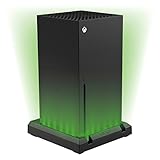
- Illuminated Accent Stands: Aesthetic bases, such as the Venom Multi-Colour LED Light-up Stand (typically priced between $30 and $35), which use low-draw USB power to cast an ambient glow around the base of the console.
- Multi-Functional Cooling Hubs: Heavy-duty utility stands that feature built-in cooling fans, controller charging docks, and extra USB pass-through ports. These draw 5V power directly from the console’s rear USB ports, pulling anywhere from 2.5 to 7.5 watts of electricity.
Ultimately, a stand does not change the core performance of your console. Instead, it alters how the console physically and visually integrates into your home furniture.
Pros
- Enhanced Physical Stability: A 9.8-pound console falling off a media console can cause serious damage to both your floor and the console’s internal vapor chamber. A vertical stand widens the base of support, significantly reducing the risk of accidental tipping if bumped by a vacuum cleaner, a pet, or a toddler.
- Elevated Airflow Clearance: If your console sits on a low shelf, a carpeted floor, or inside a dusty media cabinet, a vertical stand lifts the bottom intake vents an extra 0.5 to 1.5 inches off the surface. This prevents dust bunnies and carpet fibers from immediately clogging the intake.
- Improved Living Room Aesthetics: Modern interior design favors clean lines and ambient lighting. As we look toward living room design trends leading into 2026, integrated, subtle LED accents are becoming standard in high-end media centers. Stands like the Venom LED model turn a plain black plastic block into an attractive design focal point.
- Convenient USB Expansion: The Xbox Series X only has one USB port on the front. Many vertical stands feature built-in USB hubs that convert one rear port into three front-facing ports, making it much easier to plug in wired controllers, headsets, or external hard drives without reaching behind your entertainment center.
- All-in-One Organization: Multi-functional stands keep your gaming area tidy by offering dedicated slots for charging controllers and storing physical game cases, keeping clutter off your tabletop surfaces.
Cons
- Acoustic Disturbance: Many budget stands feature cheap, high-RPM cooling fans. While they promise lower temperatures, these small 40mm or 60mm fans often emit a high-pitched whine exceeding 35 decibels, which can be highly distracting during quiet gameplay moments.
- Disruption of Engineered Airflow: Microsoft designed the Xbox Series X with a highly efficient chimney-effect cooling system—cool air enters the bottom and warm air exhausts out the top via a whisper-quiet 130mm fan. Some poorly designed third-party stands actually block the bottom intake vents, trapping heat instead of dispersing it.
- Parasitic Power Draw: Active cooling and RGB stands must be plugged into the console’s rear USB ports. This means they draw continuous power from the console, even when it is in Standby mode, which can slightly increase your standby energy usage.
- Cheap Material Matching: The Xbox Series X has a premium, matte-black finish. Many low-cost vertical stands (especially those under $15) are made of lightweight, glossy ABS plastic that does not match the console’s texture, cheapening the overall look of your media cabinet.
- Cable Clutter: If you buy an illuminated or active-cooling stand, you must run a USB cable from the base of the stand to the back of the console. This introduces visible wires to what is otherwise a very clean, minimalist console design.
Who Should Buy It
You should purchase a vertical stand if you house your Xbox Series X on top of an open media console in a high-traffic home. If you have active pets, young children, or a robot vacuum that frequently bumps into your furniture, the added stability of a wider base is cheap insurance against a catastrophic drop.
Additionally, if your entertainment center is pushed into a dark corner, an aesthetic light-up stand is an excellent buy for design-conscious gamers who want to turn their console into a deliberate piece of accent decor rather than a hidden black box.
Who Should Skip It
You should skip a vertical stand if your console is safely tucked away inside a spacious, well-ventilated media cabinet where it cannot be easily bumped. If you are sensitive to fan noise, you should absolutely avoid any stand that features active cooling fans, as they will almost certainly be louder than the console’s incredibly quiet stock fan. Finally, if you prefer a clean, cord-free aesthetic, the extra USB cables required to power these stands will likely frustrate you.
Cheaper Alternatives
If you want to optimize your Xbox Series X setup without spending a premium on specialized gaming accessories, consider these alternative approaches to stability and airflow:
| Option | Approximate Cost | Trade-off |
|---|---|---|
| Stock Horizontal Orientation | Check on Amazon | Requires a larger horizontal footprint (11.85″ x 5.91″) on your shelf, but offers 100% tip-proof stability with zero extra cost. |
| Self-Adhesive Rubber Riser Feet | around $5 – around $8 | Provides excellent bottom-vent clearance on carpets or dusty shelves, but does not widen the console’s footprint or add extra ports. |
| Basic Non-Electric Base (e.g., KlsyChry) | around $10 – around $15 | Widens the physical base of support for safety, but lacks any visual flair, extra USB ports, or controller charging capabilities. |
| Premium LED Accent Stand (e.g., Venom) | around $30 – around $35 | Provides high-end visual appeal and solid stability, but requires a permanent USB connection and costs as much as a budget game. |
FAQ
Does the Xbox Series X need a stand to sit vertically?
No. The Xbox Series X has a built-in, circular rubber foot on its bottom panel that provides slip resistance and raises the console a few millimeters off flat surfaces to allow airflow. A third-party stand is entirely optional.
Do cooling stands actually lower the console’s temperature?
Generally, no. In some cases, they can actually restrict airflow if the stand’s plastic housing blocks the bottom intake vents. The console’s internal thermal management is already highly optimized; external fans are usually redundant and add unnecessary noise.
Can I use a vertical stand if I lay my Xbox horizontally?
No. Vertical stands are specifically molded to fit the square bottom footprint of the console. If you prefer to lay your console horizontally, it already has four small rubber feet pre-installed on its side panel for this exact orientation.
Will using a third-party USB stand void my Xbox warranty?
No, using a third-party stand will not void your Microsoft warranty. However, you should ensure that any stand you buy does not physically block the intake vents or draw more power than standard USB specifications allow (typically 5V, 0.9A for USB 3.0 ports).
Related guides
- Best Free MMOs on Steam: Subscription Limits, Pay-to-Win and Time Cost (2026)
- Best Free Horror Games on Steam: How to Pick One That Fits Your PC and Your Nerves (2026)
- Black Frame Insertion vs VRR: Which Smoothness Feature Should You Use?
- Best Webcams for Streaming: 11 Listings Compared by Resolution, Focus and Light (2026)








