
Designing a seamless home entertainment center involves balancing visual polish, thermal efficiency, and whisper-quiet operation. Modern media consoles and floating TV stands are built to conceal wiring and hardware, but high-performance gaming consoles generate significant heat inside these enclosed spaces. When adding an M.2 2280 NVMe SSD (measuring 22mm by 80mm) to expand your PlayStation 5 storage, managing thermal dissipation becomes a priority. High-speed PCIe 4.0 expansion drives consume between 6 to 9 Watts under sustained 4K gaming loads, routinely pushing uncooled flash controllers past 70°C.
To keep drive speeds stable and protect nearby living room furniture from ambient heat buildup, homeowners face a specific hardware choice: a dedicated heatsink cover replacement or a universal snap-on heatsink for the PS5 SSD. A cover replacement swaps out the console’s original stamped-metal expansion bay door with a solid aluminum heatsink plate engineered to dissipate heat directly into the console’s primary airflow cavity. A snap-on heatsink, by contrast, wraps directly around the top and bottom of the SSD card itself using thermal pads and metal side clips, remaining tucked underneath the factory bay cover.
As an Amazon Associate we earn from qualifying purchases at no extra cost to you.


Both options effectively prevent thermal throttling, but they interact differently with your media center’s airflow, maintenance schedule, and equipment longevity. Specialized hardware options—ranging from a full plate design like the SABRENT M.2 NVMe PS5 heatsink (SB-PSHS) (around $13) to simple universal designs like a double-sided M.2 Heatsink Cooler 2280 SSD with thermal silicone pads (around $5)—offer distinct approaches depending on whether your home values low ambient noise, ultra-clean installation, or cross-device hardware flexibility.
Our Top Picks
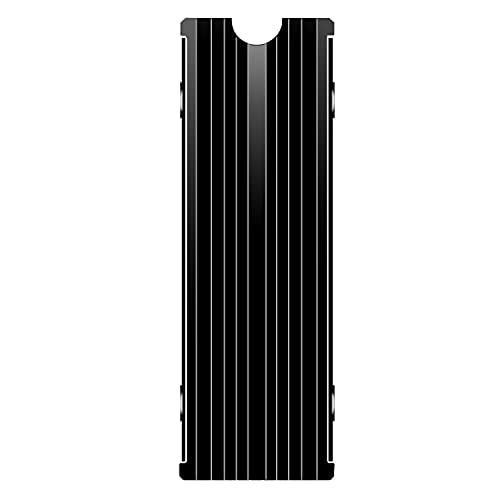 M.2 Heatsink Cooler 2280 SSD Double-Sided Heat Sink3"L x 0.95"W x 0.4"H3 x 0.95 x 0.4 inches0.1 PoundsCheck on Amazon


Top 3 picks at a glance
Quick Verdict
For most home living rooms and dedicated media setups, a heatsink cover replacement is the superior choice. Replacing the factory bay plate with an integrated aluminum heatsink provides significantly more surface area for thermal dissipation. This extra mass dumps thermal energy straight into the PS5’s main negative-pressure exhaust stream, keeping fan noise down to a hushed 28 to 32 decibels—a key factor when watching movies or playing games in a open-plan living space.
However, a snap-on heatsink remains the better value if you frequently transfer storage drives between devices, such as migrating a drive from a PC tower, a laptop expansion bay (similar to a Slot 2 M.2 SSD Heatsink Cover for Dell XPS 15 series, around $9), or a portable gaming rig utilizing a custom thermal kit like a Steam Deck SSD Heatsink Pad kit (around $7). Snap-on models cost less upfront and preserve the original console hardware in its stock configuration.
Side by Side
| Feature / Criterion | Heatsink Cover Replacement | Snap-On Heatsink (PS5 SSD) |
|---|---|---|
| Installation & Comfort | Very Easy (Replaces factory cover plate directly) | Easy (Clips directly onto M.2 SSD board) |
| Durability & Material Mass | High (Heavy extruded or CNC aluminum plate) | Moderate (Lightweight aluminum/copper fin structure) |
| Price Range | around $12 – around $25 | around $5 – around $12 |
| Routine Maintenance | Low (Dust wiped during external console cleaning) | Moderate (Requires unscrewing metal bay door to clean) |
| Space Needed / Clearance | Fills complete expansion bay aperture cleanly | Must stay within 11.25mm height limit |
| Visual Look | Seamless OEM-style finish inside console | Industrial/tech look hidden under factory plate |
| Resale & Versatility | PS5-specific (Low cross-platform transferability) | High (Fits standard PC, server, or desktop slots) |
| Best For | Enclosed media cabinets & noise-sensitive homes | Budget-conscious builds & multi-device users |
Where Heatsink Cover Replacement Wins
Heatsink cover replacements excel in home environments where acoustics, thermal headroom, and long-term hardware protection matter most. By converting the entire expansion slot opening into a giant radiator plate, this design maximizes passive surface area. Engineered replacements fit flush against the console structure, replacing the standard sheet-metal cover entirely.
- Superior Thermal Transfer for Enclosed Cabinets: In wooden TV credenzas or entertainment centers with limited rear ventilation, heat tends to linger. A direct cover replacement channels heat off the SSD’s high-temperature controller chip (up to 8W peak output) and draws it into the console’s main internal fan channel, keeping internal temperatures 5°C to 10°C lower than standard mini-heatsinks.
- Quieter Media Center Operation: When an SSD operates at elevated temperatures, the PS5 console fan ramps up its pulse-width modulation (PWM) profile to pull more air through the chassis. By distributing thermal load across a larger aluminum mass, a cover replacement helps keep console fan speeds in lower, near-silent operating tiers.
- Foolproof Clearance and Fitment: Standard PS5 expansion slots have strict height limits—2.45mm below the PCB and 8.0mm above it (11.25mm total). Bulky third-party coolers can push against the metal factory cover door. Specialized door replacements, like the SABRENT M.2 NVMe PS5 heatsink (SB-PSHS), are tailored specifically to these dimensions, eliminating any installation trial-and-error.
Where Snap on Heatsink Ps5 Ssd Wins
Snap-on heatsinks offer versatility, low cost, and multi-device utility. These units consist of top and bottom aluminum plates lined with high-conductivity thermal pads (typically 1.5mm to 2.0mm thick) that clamp together around the 2280 M.2 SSD using side tension tabs or tiny screws.
- Unmatched Hardware Versatility: A double-sided snap-on cooler—such as a universal M.2 Heatsink Cooler 2280 SSD unit—can easily be transferred out of a PS5 and installed into a desktop motherboard, an external storage enclosure, or specialized computing setups. Dedicated cover plates are locked to a single console chassis shape.
- Budget-Friendly Pricing: If you are outfitting a home gaming setup on a budget, basic snap-on heatsinks typically cost under $10. This leaves more room in your budget for higher-capacity storage drives or wireless peripheral upgrades.
- Stock Hardware Retention: For gamers who prefer keeping their home electronics strictly original, snap-on coolers sit inside the storage compartment while allowing the console’s factory-original metal cover plate and screw to remain in place.
Cost Over 5 Years
Evaluating storage thermal management over a five-year lifespan involves factoring in initial purchase costs, system maintenance, and component longevity. As standard games demand faster read/write speeds through 2026 and beyond, storage heat output will stay consistently high.
A double-sided snap-on heatsink carries an initial cost of $6 to $10. Over five years, maintenance requires replacing dried-out silicone thermal pads once or twice, costing approximately $3 to $5 per pad set. The total 5-year investment sits around $10 to $18.
A heatsink cover replacement costs between $14 and $25 up front. Because of its larger thermal mass, thermal pads run cooler, reducing thermal degradation and typically lasting the full five-year span without needing replacement. Total 5-year cost remains around $14 to $25. While slightly higher initially, the reduced wear on your high-end M.2 drive (often costing $100 to $200+) makes the overall protection value roughly equal over time.
Which One for Your Home
Small Apartment or Enclosed Media Center
If your gaming console sits inside an enclosed wooden cabinet, an apartment entertainment console, or an acoustic media cubby with restricted rear airflow, choose a heatsink cover replacement. Its massive surface area dissipates thermal pockets rapidly into the console’s main airflow, preventing heat from building up inside closed furniture compartments.
Family Home with Kids or Pets
In homes with active pets or young children where dust, pet dander, and loose hair accumulate rapidly, a heatsink cover replacement works best. It seals the entire expansion cavity edge-to-edge, preventing stray fur and airborne dust from settling into the deep crevices of the M.2 slot.
Rental Home or Temporary Setup
For renters or college students who frequently pack up, move, or reconfigure their home desk and entertainment setups, a snap-on heatsink is ideal. Its compact profile allows you to quickly pull the SSD out of your PS5 and drop it into a desktop PC or external drive dock without needing unique replacement panels.
Long-Term Home Gaming Setup
If you are building a permanent home theater or high-end living room gaming station designed for years of maintenance-free performance, install a heatsink cover replacement. The combination of maximum passive cooling, low acoustic output, and clean mechanical fit makes it a permanent set-it-and-forget-it upgrade for modern home entertainment centers.
FAQ
Does replacing the PS5 expansion slot cover void my manufacturer warranty?
No. Removing the original metal expansion bay cover to install an M.2 SSD or custom heatsink cover is fully supported by Sony and does not void your console warranty, provided you follow standard installation guidelines and do not break main chassis security seals.
Can I use a double-sided snap-on heatsink inside a laptop or handheld PC?
Usually no. Double-sided snap-on heatsinks add 5mm to 9mm of total thickness, which exceeds the tight interior clearances of thin laptops and handhelds. Laptops and handheld PCs use flat thermal shields, such as a Slot 2 M.2 SSD Heatsink Cover for Dell XPS laptops or specialized copper pads like those found in a Steam Deck thermal pad kit.
Do silicone thermal pads need to be replaced over time in a home console?
Under normal household usage, quality thermal pads last 3 to 5 years without performance degradation. However, if you remove or transfer your SSD to another system, replacing the thermal pad ensures optimal contact and performance.
Is it safe to run a PS5 without any expansion bay cover attached?
Running the PS5 without any cover plate or replacement heatsink cover is not recommended. The expansion bay door helps guide negative-pressure airflow through the console chassis. Leaving the bay completely wide open disrupts internal air circulation and allows ambient dust to accumulate inside the drive socket.
Related guides
- Best Free MMOs on Steam: Subscription Limits, Pay-to-Win and Time Cost (2026)
- Best Free Horror Games on Steam: How to Pick One That Fits Your PC and Your Nerves (2026)
- Black Frame Insertion vs VRR: Which Smoothness Feature Should You Use?
- Best Webcams for Streaming: 11 Listings Compared by Resolution, Focus and Light (2026)








