
Your PS5 lives in the tightest spot in the house. Whether it’s tucked inside a media console, sitting on a low TV stand in the living room, or squeezed onto a shelf in a bedroom gaming nook, airflow is rarely ideal. That closed-in setup traps heat, and when you add a high-speed NVMe M.2 SSD for extra storage, temperatures climb even faster during long downloads, installs, and extended play sessions. Sony requires a heatsink for any internal M.2 drive, not just for performance, but to prevent thermal throttling that can cause stuttering, slower load times, and long-term wear on the drive.
Staying under 100 dollars for that protection is easy in 2026, because a quality heatsink costs far less than the SSD itself. The challenge is finding one that actually fits the PS5’s compact expansion bay, makes solid contact on both sides of the drive, and stays secure without complicated installation. We focused on affordable, widely available 2280-size coolers that meet Sony’s clearance requirements and work for both PS5 and PC, so you can keep your setup clean and your storage running cool without overspending.
As an Amazon Associate we earn from qualifying purchases at no extra cost to you.


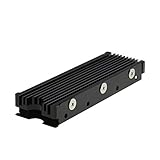


Our Top Picks
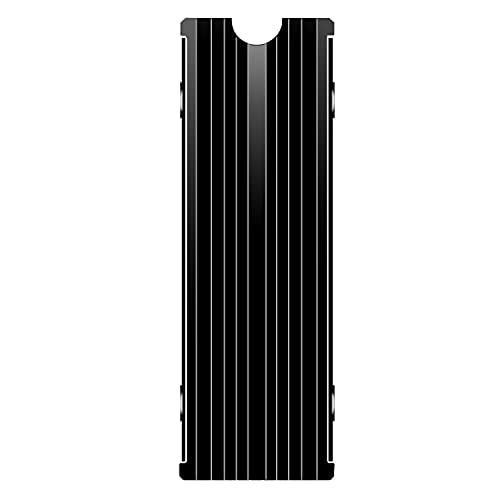 M.2 Heatsink Cooler 2280 SSD Double-Sided Heat Sink3"L x 0.95"W x 0.4"H3 x 0.95 x 0.4 inches0.1 PoundsCheck on Amazon
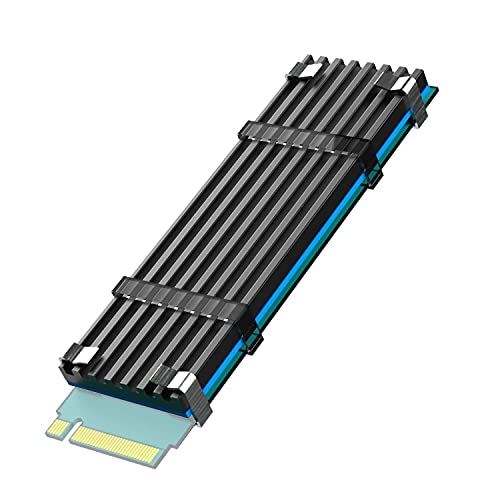
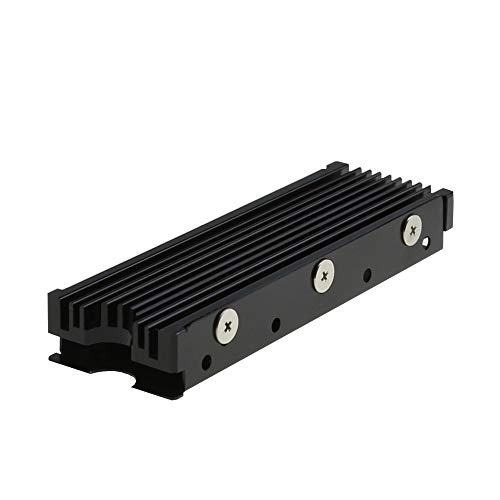 MHQJRH M.2 2280 SSD heatsink for PC /Double Side Heatsink(black)3 x 0.95 x 0.4 Inches0.1 poundsCheck on Amazon

Top 3 picks at a glance
Quick Picks
| Product | Best for | Price |
|---|---|---|
| M.2 Heatsink Cooler 2280 SSD Double-Sided Heat Sink with Thermal Silicone pad for PS5/PC PCIE NVME M2 SSD(Black) | Best for Budget Double-Sided Cooling | Check on Amazon |
| SABRENT M.2 NVMe PS5 heatsink (SB-PSHS) | Best for Guaranteed PS5 Fit | Check on Amazon |
| MHQJRH M.2 2280 SSD heatsink for PC / PS5 M.2 PCIE NVMe SSD or M.2 SATA SSD | Best for Versatile SATA/NVMe Support | Check on Amazon |
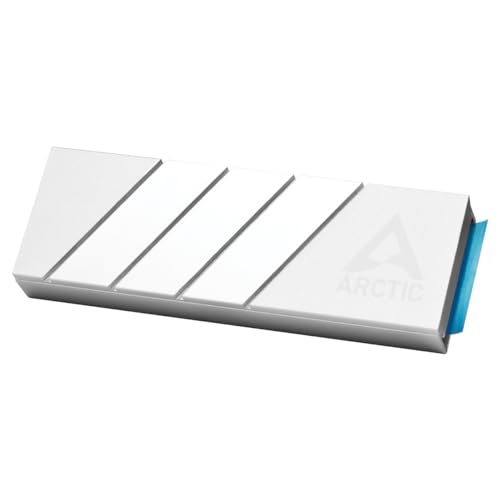
| ARCTIC M2 Pro – Heatsink Cooler for M.2 2280 SSD, Compatible with PC & PS5 | Best for Trusted Brand on a Budget | Check on Amazon |
| M.2 Heatsink Cooler 2280 SSD Double-Sided Heat Sink with Thermal Silicone pad for PS5/PCPCIE NVME M2 SSD (red) | Best for Color-Matched Builds | Check on Amazon |
| GLOTRENDS M.2 NVMe SSD Heatsink 22x70x3mm, Aluminum Heat Sink Cooler | Best for Ultra-Low Profile | Check on Amazon |
| Bestoss M.2 2280 SSD NVMe Heatsink,Double Surface Thermal Dissipation | Best for Double-Surface Dissipation | Check on Amazon |
| EGSMTPC NVMe M.2 SSD Heatsink, Aluminum Heat Sink | Double-Sided Cooling with Thermal Pad | for PS5 & PC NVMe M.2 2280 SSDs | Best for Simple Tool-Free Install | Check on Amazon |
How We Compared
Every cooler here is designed for the standard M.2 2280 form factor, which is the size Sony specifies for the PS5 expansion slot. We prioritized heatsinks that explicitly list PS5 compatibility and stay within the console’s height limits, so the bay cover can close properly without pressure on the drive. Double-sided designs with included thermal silicone pads were favored for better contact and heat transfer across the controller and NAND chips. We also weighed build quality, focusing on aluminum fin construction for passive dissipation rather than tiny fans that add noise and failure points.
Price was the final filter. All eight options sit well under the 100 dollar ceiling, ranging from around $4 to around $13, leaving room in your budget for the SSD itself. We avoided proprietary or oversized coolers that require case modifications and excluded any model that lacked clear dimensions or pad inclusion. No lab temperature claims are included, since real-world results vary by room temperature, console placement, and SSD wattage, but each pick meets the basic requirements for safe, sustained PS5 use and general PC installation.
The 8 Best Picks
1. M.2 Heatsink Cooler 2280 SSD Double-Sided Heat Sink with Thermal Silicone pad for PS5/PC PCIE NVME M2 SSD(Black) – around $5
This black double-sided cooler is built for players who want straightforward, full-coverage cooling without paying extra for branding. Sized for 2280 drives, it sandwiches your NVMe SSD between two aluminum sinks with thermal silicone pads that fill gaps and improve contact on uneven components. It is a strong match for the PS5 expansion bay and for desktop motherboards where clearance is tight but you still want heat spread across both sides of the drive.
- Pro: Double-sided design spreads heat from both sides of the SSD for more even cooling
- Pro: Includes thermal silicone pads so you do not need to source pads separately
- Con: Plain black finish and generic hardware may feel less premium than name-brand options
When to skip: If you prefer a branded solution with detailed installation instructions for first-time PS5 upgrades.
2. SABRENT M.2 NVMe PS5 heatsink (SB-PSHS) – around $13
Sabrent designed the SB-PSHS specifically around Sony’s PS5 requirements, which makes it the safest bet if you want a guaranteed fit. The aluminum heatsink replaces the need to use the stock PS5 M.2 spacer with a design that aligns with the console’s screw placement and lid height. It is ideal for owners who are installing their first internal drive and want to avoid measuring or trimming pads. The price is higher than generic coolers, but you get PS5-specific engineering and a cleaner install.
- Pro: Purpose-built for PS5, so bay cover closes without interference
- Pro: Reputable storage brand with consistent quality control and support
- Con: At around $13, it costs more than twice the cheapest aluminum options
When to skip: If you are outfitting a PC or want the absolute lowest price and do not need a PS5-specific design.
3. MHQJRH M.2 2280 SSD heatsink for PC / PS5 M.2 PCIE NVMe SSD or M.2 SATA SSD – around $6
The MHQJRH heatsink stands out because it supports both M.2 PCIE NVMe and M.2 SATA 2280 drives, which is useful if you have spare SATA-based M.2 drives for a PC build. For PS5 use, it functions like other 2280 coolers, with an aluminum body and pads for top and bottom contact. At around $6, it sits in the middle of the budget range and offers flexibility if you swap drives between systems or repurpose older hardware.
- Pro: Works with both NVMe and SATA M.2 2280 SSDs, great for mixed systems
- Pro: Compatible with PC and PS5, so one cooler can serve either platform
- Con: Grooved fin design is more basic than larger fin arrays for maximum surface area
When to skip: If you will only ever use a PS5 NVMe drive and want the slimmest possible profile.
4. ARCTIC M2 Pro – Heatsink Cooler for M.2 2280 SSD, Compatible with PC & PS5 – around $5
ARCTIC is a well-known cooling brand, and the M2 Pro brings that reputation to a around $5 price point. This cooler is marketed for both PC and PS5 and uses a solid aluminum heatsink to passively pull heat away from the drive without adding noise. It is a good choice for buyers who trust established thermal brands but still want to stay at the low end of the budget. Installation follows the standard clip and pad method common to 2280 coolers.
- Pro: Established cooling brand with reliable manufacturing and packaging
- Pro: Effective passive cooling with no moving parts or extra power draw
- Con: Minimalist design does not include extra color or finish options
When to skip: If you need a specific color accent for a themed build or want the absolute lowest height.
5. M.2 Heatsink Cooler 2280 SSD Double-Sided Heat Sink with Thermal Silicone pad for PS5/PCPCIE NVME M2 SSD (red) – around $5
Functionally identical to its black counterpart, this red version adds a visual touch for open PC builds or for users who simply prefer to spot their drive quickly inside the PS5 bay. It is a 2280 double-sided heatsink with thermal silicone pads included for top and bottom coverage on PCIE NVMe M.2 SSDs. The aluminum construction provides durable, lightweight cooling, typically weighing only a few ounces, and the around $5 price keeps it firmly in impulse-buy territory.
- Pro: Same double-sided cooling as the black model with a bold red finish
- Pro: Easy to identify during installation and future drive swaps
- Con: Bright color may not suit all-black PS5 or PC interiors
When to skip: If your setup is entirely black or you prefer a neutral, understated look inside the console.
6. GLOTRENDS M.2 NVMe SSD Heatsink 22x70x3mm, Aluminum Heat Sink Cooler – around $4
At around $4, the GLOTRENDS cooler is the most affordable pick in the roundup and also the most compact, measuring 22mm wide by 70mm long by 3mm tall. That low 3mm height is useful for tight motherboards where a tall heatsink would conflict with a GPU, and it easily clears the PS5 bay cover. It is a single-piece aluminum heat sink cooler rather than a bulky sandwich design, making it lightweight and simple to mount with the included thermal pad.
- Pro: Ultra-low 3mm profile fits easily under PS5 cover and tight PC slots
- Pro: Lowest price in the group at around $4 without sacrificing aluminum construction
- Con: Slim single-sided design offers less mass than double-sided sandwich coolers
When to skip: If you want maximum thermal mass on both sides of a high-wattage performance NVMe drive.
7. Bestoss M.2 2280 SSD NVMe Heatsink,Double Surface Thermal Dissipation – around $6
The Bestoss heatsink focuses on double surface thermal dissipation, using two aluminum surfaces to pull heat away from the drive more evenly than a single pad alone. It is sized for 2280 NVMe SSDs and includes the pads needed to ensure good contact across controllers and memory modules. Priced at around $6, it balances cost and coverage well for gamers who run demanding titles with frequent loading and want consistent performance without throttling.
- Pro: Double surface design improves heat distribution across the entire drive
- Pro: Mid-range price with complete pad set for immediate installation
- Con: Slightly more complex assembly with two pieces to align than single-piece sinks
When to skip: If you prefer a one-piece, ultra-simple installation and want the lowest possible price.
8. EGSMTPC NVMe M.2 SSD Heatsink, Aluminum Heat Sink | Double-Sided Cooling with Thermal Pad | for PS5 & PC NVMe M.2 2280 SSDs – around $5
EGSMTPC offers a straightforward double-sided aluminum solution for around $5 that covers the needs of both PS5 and PC users with 2280 NVMe drives. The kit includes thermal pads for double-sided cooling, helping to bridge height differences between components on the SSD. It is lightweight, typically under 2 ounces total, and adds no power draw or noise. For most mainstream Gen4 drives used in the PS5, this level of passive cooling is sufficient when the console has reasonable ventilation.
- Pro: Double-sided cooling with pads included for both sides of the SSD
- Pro: Works across PS5 and PC 2280 slots for flexible use
- Con: Generic branding means less documentation than premium brands
When to skip: If you want a PS5-specific engineered heatsink with brand support and tailored instructions.
Buying Guide
Fit and Clearance for PS5
Sony specifies that an M.2 2280 SSD with heatsink must fit within a total height of 11.25mm from the top of the board to the top of the heatsink. That leaves very little room, so avoid oversized gaming heatsinks designed for desktop cases. Look for coolers explicitly labeled for PS5 or with dimensions under that limit. Length should be 80mm (2280), with widths of 22mm. Most aluminum coolers in the around $4 to around $13 range meet this spec, but always confirm before buying, especially if your console sits in an enclosed cabinet.
Thermal Design: Single vs Double-Sided
Single-sided heatsinks, like many slim 3mm models, sit on top of the drive and are easiest to install. Double-sided or sandwich designs place aluminum on both the top and bottom with pads on each side, which helps when the SSD has components on both surfaces. Neither design requires power, and both rely on passive aluminum fins to spread heat. For typical PS5 workloads, either is adequate, but double-sided models offer more complete coverage for drives that run hotter. Always use the included silicone pads and do not stack extra pads, which can increase height and reduce contact pressure.
Price and What You Actually Need
You do not need to spend close to 100 dollars on a heatsink alone. All of the coolers in this roundup cost between around $4 and around $13, and even the cheapest aluminum option is far better than running a bare drive in the PS5. Spend the savings on the SSD itself, where capacity and sustained read speeds matter more. If you are new to PS5 upgrades, consider paying a few dollars more for a PS5-specific model like the Sabrent for peace of mind. If you are comfortable with a basic install, the around $5 to around $6 generic double-sided options deliver the same core function.
Our Verdict
For most PS5 owners adding storage, the M.2 Heatsink Cooler 2280 SSD Double-Sided Heat Sink in black at around $5 and the ARCTIC M2 Pro at around $5 offer the best balance of price, coverage, and compatibility. Both provide double-sided cooling with pads included and fit the PS5 bay without fuss. If you want the most confidence in fit and are willing to spend a bit more, the SABRENT M.2 NVMe PS5 heatsink at around $13 is the purpose-built choice. Players who need the slimmest profile should grab the GLOTRENDS 22x70x3mm at around $4, while anyone wanting a splash of color can choose the red double-sided model at around $5 with identical performance.
FAQ
Do I really need a heatsink for a PS5 M.2 SSD?
Yes. Sony requires a heatsink for all internal M.2 SSDs installed in the PS5 expansion slot. Without one, the drive can overheat, throttle performance, and may experience reduced longevity. Even SSDs marketed with built-in heat spreaders should be checked against Sony’s height and cooling requirements.
Will these heatsinks fit any M.2 SSD?
These models are designed for the 2280 size, which is 22mm wide and 80mm long. That is the size the PS5 supports. They are not intended for shorter 2230, 2242, or 2260 drives, and you should confirm your SSD is a 2280 model before purchasing. Most PS5-ready Gen4 drives are sold as 2280.
Can I use a PS5 heatsink in my PC?
Yes. All eight picks in this list are compatible with PC motherboards that have an M.2 2280 slot. The PS5 compatibility simply ensures the cooler is low-profile enough for the console. On a PC, clearance is usually more generous, so fit is even less of a concern, though you should still check for interference with large GPUs or motherboard shrouds.
How hard is it to install an M.2 heatsink for PS5?
Installation is straightforward and requires only a small Phillips screwdriver. You remove the PS5 side cover and expansion slot cover, insert the SSD, attach the heatsink with the included thermal pads and clips or screws, and secure the drive with the PS5’s retention screw. The process typically takes 10 to 15 minutes and does not require thermal paste.
Related guides
- Best Free MMOs on Steam: Subscription Limits, Pay-to-Win and Time Cost (2026)
- Best Free Horror Games on Steam: How to Pick One That Fits Your PC and Your Nerves (2026)
- Black Frame Insertion vs VRR: Which Smoothness Feature Should You Use?
- Best Webcams for Streaming: 11 Listings Compared by Resolution, Focus and Light (2026)








