
Every Switch owner hits the same wall eventually: you’re three game installs deep, the console flashes the dreaded “not enough space” message, and you’re forced to choose between archiving Zelda or finally deleting that indie roguelike you keep meaning to finish. Digital libraries grow fast — a single AAA title like a Zelda or Pokémon entry can eat 10–16 GB on its own, and a physical cartridge collection only solves half the problem since patches and DLC still land in internal storage. The Switch’s modest 32 GB of built-in space (64 GB on OLED) fills up quickly, making a microSD card one of the first and most worthwhile accessories any owner buys.
But “best microsd card for switch game library” doesn’t just mean picking the biggest capacity you can afford. The original Switch tops out at UHS-I speeds, while the Switch 2 demands the faster microSD Express standard for smooth loading of modern titles. And if your console has stopped reading cards entirely, the fix isn’t a new card at all — it’s a replacement card reader board. We’ve covered both sides of that problem below: express-speed storage for Switch 2 owners, high-capacity UHS-I cards for the original hardware, and the reader boards and repair kits that bring a dead card slot back to life.
As an Amazon Associate we earn from qualifying purchases at no extra cost to you.





Our Top Picks




Top 3 picks at a glance
Quick Picks
| Product | Best for | Price |
|---|---|---|
| Ikpek 1 Pack Micro SD Card Reader Replacement (HAC-SD-01) | Cheapest single-board slot repair | Check on Amazon |
| Samsung microSD Express Card – 256GB for Nintendo Switch 2 | Official express storage for Switch 2 | $59 |
| SanDisk 128GB microSD Card, Super Mario Super Mushroom Edition | Gift-worthy branded storage | Check on Amazon |
| Ikpek 2pcs Micro SD Card Reader Replacement (HAC-SD-01) | Repair shops and backup boards | Check on Amazon |
| addlink 512GB Gaming microSD Express Card | Massive express storage for Switch 2 | Check on Amazon |
| iFixit Micro SD Card Reader Repair Kit | Complete repair with tools included | Check on Amazon |
| iParto Micro SD Card Reader Repair Kit | Budget full repair kit | Check on Amazon |
| GIGASTONE 256GB Gaming Plus Micro SD Card (Switch 1 only) | High-capacity UHS-I for original Switch | Check on Amazon |
How We Compared
We approached this roundup the way a Switch owner actually shops: first by deciding whether you need storage or a repair, then by matching capacity and speed to your console generation. For storage, that meant separating microSD Express cards (required for Switch 2 game installs) from UHS-I cards (the ceiling for the original Switch and Switch OLED). We looked at advertised read/write speeds, capacity-per-dollar, and extras like included SD adapters and licensing. For the reader boards, we focused on compatibility with the HAC-SD-01 slot used in the original Switch, whether the part ships as a bare board or a full kit with tools, and whether you get one unit or multiples. Prices ranged from under $10 for a single reader board to around $130 for 512 GB of express storage. We did not run our own load tests on this batch; instead, we leaned on manufacturer specs, which we’ve flagged as such throughout.
The 8 Best Picks
1. Ikpek 1 Pack Micro SD Card Reader Replacement — around $9
This is the fix for a very specific, very frustrating problem: your Switch boots fine, but it refuses to acknowledge any microSD card you insert. Rather than replacing the console or paying a shop $50+ in labor, this replacement HAC-SD-01 reader board lets you swap the faulty socket yourself. It’s designed for the original NS console’s card slot, and at around $9 it costs less than most games’ DLC. You will need a small tri-point screwdriver and some patience with ribbon connectors, so it’s best for tinkerers comfortable with board-level repair.
- Extremely affordable at around $9 for a complete replacement board
- Direct-fit HAC-SD-01 part for the original Switch card slot
Con: Tools and disassembly know-how are not included — it’s the board only.
Skip it if: your card slot works fine and you simply need more storage; this repairs, it doesn’t expand.
2. Samsung microSD Express Card – 256GB for Nintendo Switch 2 — $59
If you own a Switch 2, this is the path of least resistance. Samsung’s officially co-branded microSD Express card uses the express interface the new console requires for game installs — standard UHS-I cards simply won’t work for that purpose on Switch 2 hardware. At 256 GB for $59, it roughly quadruples usable storage over the console’s built-in space and slots in without any formatting headaches. The official licensing means you’re not guessing about compatibility, which matters when third-party express cards are still finding their footing.
- Official Nintendo Switch 2 licensed express card, so compatibility is guaranteed
- Strong price-per-gigabyte at roughly $0/GB for express speeds
Con: 256 GB fills up fast if you buy large games digitally; heavy users will want more.
Skip it if: you own an original Switch or OLED — it cannot serve as a UHS-I fallback for older consoles.
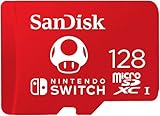
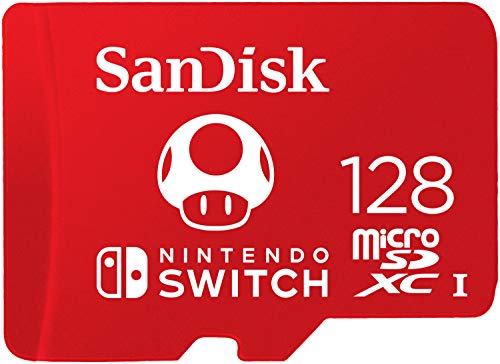
3. SanDisk 128GB microSD Card, Super Mario Super Mushroom Edition — around $39
Yes, it’s a licensed novelty card — but it’s a SanDisk underneath, which means legitimate UHS-I performance and a real warranty rather than a no-name gamble. The Super Mushroom printing makes it a genuinely fun gift for a young Switch owner or a collector’s shelf piece, and 128 GB is enough for roughly 8–12 mid-size digital games. At around $39 it costs more per gigabyte than generic cards, so you’re paying partly for the branding and included SD adapter.
- SanDisk reliability wrapped in official Nintendo-themed packaging
- Includes SD adapter for use in cameras, laptops, and card readers
Con: Poor value per gigabyte — generic 128 GB UHS-I cards routinely cost half as much.
Skip it if: you’re maximizing capacity on a budget; buy the largest plain card your money allows instead.
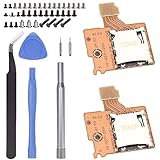
4. Ikpek 2pcs Micro SD Card Reader Replacement — around $12
The same HAC-SD-01 replacement board as our top repair pick, but in a two-pack for just $3 more. That arithmetic is hard to argue with if you repair consoles for friends, run a small refurbishing operation, or simply want a spare in the drawer for the next time a ribbon connector tears or a socket wears out. Card slot readers are among the most commonly damaged Switch components, thanks to cards being swapped constantly and springs fatiguing over years of use.
- Two boards for around $12 — about $6 each, ideal for repeat repairs
- Keeps a spare on hand so a failed slot doesn’t sideline your console
Con: Same bare-bones package as the single pack: no tools, no guide, no adhesive.
Skip it if: you only need one repair and would rather spend the difference on a proper tool kit.
5. addlink 512GB Gaming microSD Express Card — around $130
For Switch 2 owners building a serious digital library, addlink’s 512 GB express card doubles the Samsung’s capacity with advertised read/write speeds of up to 880/750 MB/s. Those figures also make it attractive beyond the Switch — addlink lists compatibility with ROG Ally, Steam Deck, and UHS-I cameras, with C10, U3, and V30 ratings supporting 4K recording. At around $130 you’re paying a premium over the officially licensed option, but capacity is the real currency for anyone buying 30+ GB games regularly.
- 512 GB of express storage — room for a dozen or more large Switch 2 titles
- Cross-device utility: ROG Ally, Steam Deck, and camera use are all listed
Con: Roughly double the price of the licensed Samsung 256 GB express card.
Skip it if: you buy mostly physical cartridges and only need space for patches and indies.
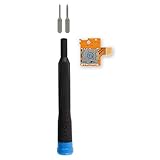
6. iFixit Micro SD Card Reader Repair Kit — around $19
iFixit’s reputation in the repair world is well earned, and this kit pairs a Switch-compatible microSD card reader with the tools you’ll actually need to install it. That’s the crucial difference from the around $9 bare boards: if you’ve never opened a Switch, the included drivers and iFixit’s library of free step-by-step guides turn a nerve-wracking job into a manageable afternoon project. At around $19, it’s the friendliest on-ramp to console repair for first-timers.
- Reader plus tools in one package — no separate screwdriver purchase needed
- Backed by iFixit’s detailed repair guides and parts-quality reputation
Con: Costs twice as much as bare replacement boards, and experienced repairers don’t need the tools.
Skip it if: you already own a precision driver set and just want the cheapest working part.
7. iParto Micro SD Card Reader Repair Kit — around $9
iParto splits the difference between the bare Ikpek boards and iFixit’s premium kit: it’s a reader board bundled as a repair kit at the same around $9 price as the single Ikpek pack. For budget-conscious tinkerers, that makes it arguably the best value in the repair category — you get the part plus kit packaging without paying extra for a big-name brand. As with all third-party reader boards, fit and connector quality can vary slightly between production runs, so inspect the ribbon connector carefully before seating it.
- Full repair kit pricing at just around $9 — matches bare-board competitors
- Serves as the TF card slot socket reader board for NS console repairs
Con: Less-established brand than iFixit, with fewer supporting guides and reviews.
Skip it if: this is your first console repair and you’d value iFixit’s documentation at $10 more.
8. GIGASTONE 256GB Gaming Plus Micro SD Card (Switch 1 Only) — around $84
GIGASTONE’s Gaming Plus card is built explicitly for the original Switch ecosystem — the listing is emphatic that it’s for Switch 1 only, not the express-demanding Switch 2. You get 256 GB of UHS-I storage rated up to 100 MB/s with A1, U3, V30, and C10 certifications, enough for a large library of Switch 1 digital titles, plus Steam Deck use and 4K video recording in other devices. The included SD adapter adds flexibility. At around $84, it prices well above equivalent generic UHS-I cards, so you’re paying for the gaming-focused branding and included accessories.
- 256 GB with A1 U3 V30 C10 ratings, up to 100 MB/s reads
- Includes SD adapter; works in Steam Deck and for 4K video capture
Con: Expensive per gigabyte compared with unbranded UHS-I cards of the same capacity.
Skip it if: you own a Switch 2 — a UHS-I card won’t handle express game installs there.
Buying Guide
Match the Card Standard to Your Console
This is the single most important decision. The original Switch and Switch OLED use UHS-I microSD cards, which top out around 100 MB/s in practice. The Switch 2 uses microSD Express for game installs — a faster interface with real-world transfers several times quicker — and standard UHS-I cards won’t fill that role for new games. Buying the wrong standard is the most common and most expensive mistake in this category, so confirm your console generation before checkout.
Size Your Library Honestly
Count what you actually own and plan to buy. First-party Nintendo titles typically run 10–16 GB; large multiplatform games can exceed 30 GB; indies often sit under 2 GB. A 128 GB card holds roughly 8–12 big games, 256 GB doubles that, and 512 GB covers most permanent digital collections. If you skew physical, a smaller card dedicated to patches and saves-adjacent data is fine — but note that Switch game saves stay on internal storage regardless of card size.
Know When the Problem Is Hardware, Not Storage
If your console errors on every card you try — not just one — the card slot itself has likely failed. Replacement HAC-SD-01 reader boards cost around $9–around $19 and take a careful disassembly to install: you’ll need a tri-point Y00 driver, a steady hand on the ribbon connector, and about 30–60 minutes. Choose a bare board if you have tools and experience, a bundled kit like iFixit’s if you don’t. If a shop does the repair, expect labor to exceed the part cost many times over.
Our Verdict
For most Switch 2 owners, the Samsung 256GB microSD Express card at $59 is the smart default: guaranteed compatibility, fair pricing, and enough room to get started. Power users with big digital libraries should step up to the addlink 512GB express card at around $130. Original Switch and OLED owners get the best raw value from GIGASTONE’s 256GB Gaming Plus, though the SanDisk Mario Edition remains the charming gift pick. And if your console refuses to read cards at all, don’t buy storage — buy a repair: iFixit’s around $19 kit for first-timers, or Ikpek’s around $9 board if you know your way around a ribbon cable. As the Switch 2 catalog keeps expanding through 2026, express storage will only become more essential.
FAQ
Can I use a regular microSD card in a Switch 2?
For Switch 2 game installs, no — those titles require microSD Express storage. Some UHS-I cards can still be used for transferring screenshots and compatible media, but you can’t install new express-format games to them. Original Switch and OLED consoles, by contrast, use standard UHS-I cards exclusively.
How much storage do I actually need?
A light physical-game buyer can live with 128 GB for patches and a few indies. Most digital buyers should target 256 GB as a floor, and anyone collecting large 30 GB-plus releases will appreciate 512 GB. Remember that Switch save data stays on internal storage and can’t be moved to a card.
Why won’t my Switch read my microSD card at all?
If multiple cards fail, the card reader board (HAC-SD-01 on original consoles) is probably faulty. Replacement boards cost around $9–around $12, full kits with tools run around $9–around $19, and installation involves opening the console’s back panel and reseating a ribbon connector. It’s a well-documented, beginner-accessible repair.
Do branded Nintendo-themed cards perform differently?
Functionally, no — licensed cards like the SanDisk Super Mario edition use the same UHS-I technology as their standard counterparts. You’re paying for the design and packaging. Check the speed class ratings (A1, U3, V30, C10) on any card rather than assuming branding equals performance.
Related guides
- Best Free MMOs on Steam: Subscription Limits, Pay-to-Win and Time Cost (2026)
- Best Free Horror Games on Steam: How to Pick One That Fits Your PC and Your Nerves (2026)
- Black Frame Insertion vs VRR: Which Smoothness Feature Should You Use?
- Best Webcams for Streaming: 11 Listings Compared by Resolution, Focus and Light (2026)








