
Just like organizing a compact, high-efficiency home, managing your digital library requires a keen understanding of space, physical limits, and structural quality. When you first unbox a Nintendo Switch, the excitement of diving into sprawling virtual worlds is often cut short by a harsh reality: storage limitations. With only 32GB of internal storage on the standard Switch and Nintendo Switch Lite, and a modest 64GB on the OLED model, you will run out of space surprisingly fast. A single major game release can easily consume that entire allocation, leaving you with the tedious task of constantly archiving and redownloading your purchases.
The most common mistake consumers make is treating digital storage as a cheap commodity. Many buyers simply sort by “lowest price” on online marketplaces, falling prey to counterfeit cards that claim massive capacities but fail within weeks. Others swing too far in the opposite direction, overpaying for ultra-premium, high-speed professional camera cards whose peak performance capabilities are completely wasted on the Switch’s modest internal hardware interface. To get the absolute most out of your console, you need to understand exactly where the sweet spot of price, physical durability, and speed lies.
As an Amazon Associate we earn from qualifying purchases at no extra cost to you.



Our Top Picks
 SANDISK 512GB microSD Express Card for Nintendo Switch512GB0.59 x 0.43 x 0.1 inches0 PoundsCheck on Amazon


Top 3 picks at a glance
Decide These 3 Things First
Before you begin comparing brands or clicking “add to cart,” you must establish your personal usage profile. Answering these three foundational questions will instantly narrow down your choices and prevent you from overspending or underbuying.
- Your Digital-to-Physical Ratio: Do you prefer the tactile experience of physical game cartridges, or are you building a completely digital, clutter-free library? Physical cartridge players only need space for game updates, patches, and save files (usually 1GB to 5GB per game). Digital hoarders require massive, dedicated storage drives to hold entire game files that can exceed 30GB each.
- Your System’s Lifespan: Are you looking for a quick, low-cost storage patch to get you through the next year, or are you investing in forward-compatible storage that can transition to next-generation gaming systems? As we look ahead to 2026 and the next generation of handheld hardware, investing in premium, high-bandwidth storage cards like microSD Express may offer excellent long-term utility, even if current consoles cannot fully leverage their speeds.
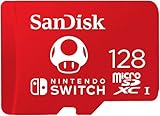
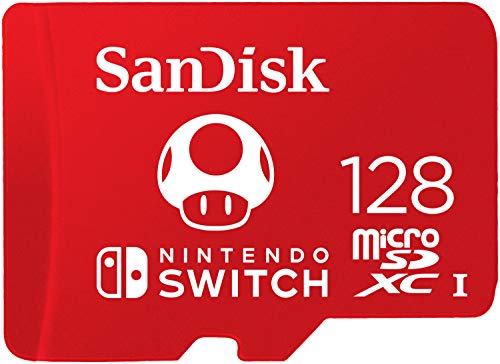
- Your Tolerance for Aesthetics vs. Utility: Are you willing to pay a premium for officially licensed merchandise? For example, custom-branded cards featuring iconic gaming motifs—such as a special character design—often command a higher price tag (around $39 for 128GB) compared to standard, unadorned cards of the same capacity which typically retail for half that price. Decide if the collectible design is worth the surcharge.
Storage Capacity: Finding Your Ideal Volume
Storage capacity is the single most important factor in your decision. MicroSD cards are measured in gigabytes (GB), and while a higher number is always better, the price-per-gigabyte curve shifts constantly. To put these numbers into perspective, consider the physical size of popular game downloads. A massive, open-world title like The Legend of Zelda: Tears of the Kingdom requires roughly 16.3GB of space. A highly detailed port like The Witcher 3: Wild Hunt demands over 30GB. Conversely, smaller indie titles or cozy puzzle games typically occupy between 1GB and 5GB.
If you primarily play physical games and only download occasional indie titles, a 128GB card is a safe, highly economical baseline. It offers plenty of breathing room for system updates and dozens of small games. For the average gamer who enjoys a mix of physical and digital releases, a 256GB or 512GB card is the absolute sweet spot, providing enough space to store 15 to 30 major titles simultaneously without ever needing to archive your progress. Power users who want their entire library accessible at all times should look directly at 1TB options, though these carry a higher premium.
Read and Write Speeds: Navigating the Hardware Bottleneck
It is easy to get swept up in marketing jargon promising transfer speeds of up to 300 MB/s or more. However, the Nintendo Switch hardware features a built-in physical limitation: its internal microSD card reader utilizes a UHS-I (Ultra High Speed Phase I) interface. This interface maxes out at a theoretical transfer speed of approximately 104 MB/s. In real-world performance, the console generally achieves read speeds between 60 MB/s and 95 MB/s.
What does this mean for you? Buying a high-end UHS-II card or a cutting-edge microSD Express card designed for professional 8K video cameras will not make your games load any faster on a standard Switch, Lite, or OLED console. The console simply cannot access those higher speed lanes. To maximize performance without wasting money, look for cards rated as UHS-I Class 10 with a U3 (UHS Speed Class 3) or V30 (Video Speed Class 30) rating. These guarantee minimum write speeds of 30 MB/s and read speeds hovering around the system’s physical limit of 100 MB/s, ensuring smooth gameplay, fast load screens, and quick download installations.
Physical Build Quality and Card Reader Safety
A microSD card is a delicate piece of physical hardware, measuring just 15mm by 11mm and weighing less than half a gram. Despite its tiny footprint, it houses highly sophisticated flash memory and a miniature controller board. The physical manufacturing quality of the card matters immensely. Poorly molded, off-brand cards can have microscopically uneven thicknesses or rough edges. Over time, inserting and removing a poorly manufactured card can bend or wear down the delicate spring-loaded pins inside your console’s card reader slot.
If those internal console pins damage or break, your console will fail to detect any external memory. Fixing this requires purchasing a replacement card reader board (which costs around $9 for the part itself) and performing a delicate hardware repair. To protect your console’s physical integrity, stick to reputable manufacturers who utilize precise molding tolerances. Premium cards are also built to withstand physical environmental stressors; they are typically rated to operate in temperatures ranging from -25°C to 85°C (-13°F to 185°F), and offer shockproof, waterproof, and X-ray-proof construction to safeguard your precious save data during travel.
Price Tiers: Balancing Budget and Performance
When shopping for storage, understanding the realistic price landscape prevents you from buying overpriced items or falling for suspiciously cheap counterfeits. Here is how the market segments by price and capacity:
- Budget Tier ($15 to $25): This tier consists of reliable, entry-level 128GB cards from trusted brands. They offer standard UHS-I performance with read speeds up to 100 MB/s. This is the perfect option for casual gamers or those on a tight budget.
- Mid-Range Tier ($30 to $60): The sweet spot for most consumers. In this range, you will find high-quality 256GB and 512GB cards. You can also find specialty branded items in this tier, such as officially licensed 128GB cards featuring custom colors and gaming graphics for around $39.
- Premium and Future-Proof Tier ($100 to $160+): This tier includes massive 1TB UHS-I cards for ultimate storage capacity, as well as high-end 512GB microSD Express cards (ranging from around $130 to around $160). While current Switch models cannot fully utilize the ultra-fast Express speeds, these premium cards offer incredible longevity and high transfer speeds when connected to modern PCs or next-generation handheld consoles.
Warranty and Brand Reliability
Because flash memory naturally degrades over time with constant read and write cycles, a solid manufacturer’s warranty is an essential safety net. Reputable storage brands typically stand behind their products with robust warranties, ranging from a 5-year limited warranty to a limited lifetime warranty. These warranties protect you against premature component failure, corruption, and manufacturing defects.
When you purchase a generic, unbranded card from an unauthorized third-party seller, you receive zero warranty protection. If the card fails after three months, your data is lost forever, and your money is gone. Opting for established industry giants ensures that if your card ever experiences a technical failure, you can easily initiate an RMA (Return Merchandise Authorization) process to receive a brand-new replacement card. This peace of mind is well worth the minor price difference over generic alternatives.
Spec Checklist
Use this quick-reference table to compare the standard specifications across different buying tiers and match them to your personal gaming style.
| Specification | Budget Tier | Mid-Range Tier | Premium / Future-Proof Tier |
|---|---|---|---|
| Target Capacity | 128GB | 256GB to 512GB | 512GB (Express) to 1TB (UHS-I) |
| Speed Class Rating | UHS-I, Class 10, U1 | UHS-I, Class 10, U3, V30 | UHS-I U3 / microSD Express |
| Average Read Speed | Up to 80 MB/s | 95 MB/s to 100 MB/s | 100 MB/s (Switch) / Up to 800+ MB/s (on compatible hardware) |
| Price Range | $15 to $25 | $30 to $60 | $100 to $160+ |
| Best Suited For | Casual gamers, physical cartridge collectors, budget setups. | Active digital gamers, moderate downloaders, long-term storage. | Power users, massive digital libraries, forward-compatibility seekers. |
Red Flags
The market for flash memory is flooded with deceptive listings and outright scams. Keep an eye out for these critical red flags when shopping:
- Unbelievably Low Prices: If you see a 1TB or 2TB microSD card advertised for $10 to $15, it is guaranteed to be a counterfeit. These cards are physically hacked to report a false capacity to your console, but once you try to write data past their true capacity (often only 16GB or 32GB), the card will silently overwrite your existing files, corrupting your entire library.
- Generic, Non-Existent Branding: Avoid listings that feature generic titles like “Memory Card for Switch” without a clear, recognizable manufacturer name printed on the card itself. Reliable storage comes from established brands with dedicated customer support channels.
- Misspelled Brand Names: Carefully inspect the product images and packaging. Counterfeiters often use subtle misspellings of famous brand names or mimic their distinct packaging color schemes to trick distracted shoppers.
- Unpackaged or “OEM” Bulk Listings: Be highly suspicious of cards sold loose in tiny plastic cases without their original retail blister-packaging. These are often factory rejects, used cards, or counterfeit units passed off as overstock inventory.
FAQ
Can I use any microSD card with my Nintendo Switch?
Yes, the Nintendo Switch is compatible with standard microSD cards (up to 2GB), microSDHC cards (4GB to 32GB), and microSDXC cards (64GB up to 2TB). To use a microSDXC card, your console must be connected to the internet to perform a quick, one-time system update so the Switch can recognize the exFAT file system format.
Is it worth buying a licensed Nintendo Switch microSD card?
Officially licensed cards are highly reliable and guaranteed to work perfectly with your console, but they carry an aesthetic premium. Underneath the custom-colored plastic and iconic character graphics, they utilize the same high-quality flash memory found in standard, non-licensed cards from the same manufacturer. If you want to save money, buy the standard version; if you love the themed design, the licensed card is an excellent, albeit pricier, option.
What happens if my Switch memory card reader breaks?
If your console suddenly stops reading your memory card or displays frequent read errors, the internal card reader pins may be bent or damaged. Fortunately, the reader is a modular component. You can purchase a replacement reader board part for around $9 and have it installed by a repair professional, or replace it yourself if you are comfortable opening the console’s back plate.
Should I buy a microSD Express card for my current Switch?
For a standard Switch, Lite, or OLED model, a microSD Express card will not offer any performance advantages over a standard UHS-I card, because the current consoles lack the hardware interface to support Express speeds. However, if you are looking to invest in a premium, future-proof storage setup that you plan to carry over to next-generation handheld devices in the coming years, purchasing high-speed Express media now can be a smart, forward-thinking investment.
Related guides
- Best Free MMOs on Steam: Subscription Limits, Pay-to-Win and Time Cost (2026)
- Best Free Horror Games on Steam: How to Pick One That Fits Your PC and Your Nerves (2026)
- Black Frame Insertion vs VRR: Which Smoothness Feature Should You Use?
- Best Webcams for Streaming: 11 Listings Compared by Resolution, Focus and Light (2026)








