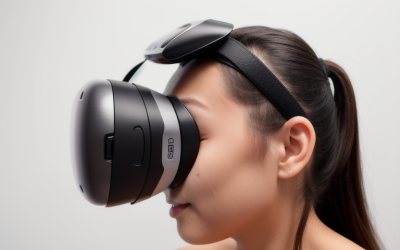
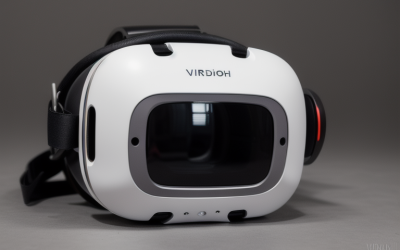
Most glasses wearers buy a VR facial interface the same way they buy socks: glance at the price, check that it fits the headset model, click buy. That approach works fine until the first long session, when you discover the foam crushes your frames against your cheekbones, sweat soaks into material you can’t clean, or light leaks in through a nose gap that was never designed with glasses in mind. A facial interface is the single contact point between your face and the headset, and for the roughly 60% of VR users who wear corrective lenses, it’s also the part most likely to scratch your glasses or pressure your temples.
The most common mistakes are predictable. People buy the thinnest foam they can find, thinking it increases field of view, and then their glasses rest directly on the lenses. They buy plush fabric covers that look comfortable but absorb sweat and never fully dry. They buy interface frames with no removable nose pad, so there’s no way to relieve pressure on the bridge of the nose where glasses sit. And they assume a $9 pad and a $25 kit are interchangeable — they usually aren’t, because the frame geometry, not the foam, determines how much room your glasses actually get.
As an Amazon Associate we earn from qualifying purchases at no extra cost to you.


This guide breaks down what actually matters when you wear glasses, with real dimensions, materials, and price expectations, plus a spec checklist you can compare against before spending anything.
Our Top Picks


Top 3 picks at a glance
Decide These 3 Things First
Before you compare a single product, answer these questions. They eliminate half the options on the market immediately.
1. Which headset do you own, exactly? Facial interfaces are molded to a specific headset’s faceplate curve. A Quest 2 interface will not seal on a Quest 3, and a Quest 3 pad won’t fit a Quest 3S — the 3 and 3S share a design family but use differently shaped frames in many aftermarket kits. Check the listing for an explicit model match, not just “Meta compatible.” If a listing says “for Quest 2/3/3S/PSVR2,” treat that as a warning sign.
2. How tall are your frames? Measure your glasses from the bottom of the lens to the top of the frame, including any thick acetate or browline styling. Most stock and aftermarket interfaces offer 12–18 mm of internal clearance for glasses. If your frames measure over 15 mm tall, you need an interface with a documented glasses spacer or an adjustable lens-distance feature, or you should plan to wear contacts. If you’re under 12 mm, nearly everything on the market will work, and you can prioritize comfort over clearance.
3. Do you sweat? A 45-minute fitness session changes your buying decision completely. Workout users need wipeable PU leather or silicone; a fabric or velvet cover is a hygiene problem within two weeks. Sedimentary use — sim racing, slower games, media viewing — opens up softer fabric options.
With those three answers, read on for the factors that separate a good glasses-friendly interface from a wasted purchase.
Glasses Clearance and Frame Geometry
This is the make-or-break spec for glasses wearers, and it’s the one listings are vaguest about. Clearance comes from two places: the depth of the foam (thicker foam pushes the lens away from your face, creating space) and the shape of the frame’s cutout around the nose bridge.
Look for these concrete markers:
Foam thickness of 12–16 mm is the sweet spot for glasses. Stock thin pads run 8–10 mm and frequently put frame pressure on the lens cage. Aftermarket kits in the around $17–around $24 range typically include 10 mm, 14 mm, and 16 mm options — the AMVR multi-cushion kit, for example, ships multiple cushion thicknesses specifically so glasses wearers can dial in spacing. If a listing doesn’t state thickness in millimeters, email the seller or skip it.
A removable or anti-leakage nose pad matters more than most buyers realize. A silicone nose pad that pops off (common in kits like the around $17 Quest 2 facial interface sets) does two jobs: it blocks light leaking under your frames, and it lets you pull the pad out to relieve pressure on the nose bridge, which is exactly where your glasses sit. Fixed nose cutouts force you to choose between light leak and discomfort.
Aim for at least 3–4 mm of air gap between your lens and the headset lens at the closest point. Glasses touching VR lenses is the leading cause of scratched headset optics. If your frames are deep, use a thicker foam cushion rather than loosening the head strap — a loose strap causes the headset to slide, and sliding glasses are worse than snug ones.
Width matters too. Temple arms need roughly 130–145 mm of internal width to pass without bending. Most interfaces accommodate this, but rigid one-piece frames (see below) can pinch wide temples at the cheek.
Material and Hygiene
Facial interface materials fall into three camps, and each has a clear best-use case.
PU leather (polyurethane) is the default for good reason. It wipes clean in five seconds with a damp cloth, doesn’t absorb sweat, and adds almost no weight. Budget PU pads — like the around $8 SUPERUS one-piece cushion for Quest 3 — are thin (typically 8–11 mm) but perfectly serviceable for moderate sessions. The trade-off: cheap PU can peel or crack after 6–12 months of heavy sweat exposure. If you game hard, expect to replace a $9 pad annually.
Velour and fabric covers feel noticeably softer against the face and stay warmer in winter, which some people prefer. The problem for glasses wearers is twofold: fabric holds sweat and skin oils, requiring washing after every few sessions, and fabric fibers can micro-scratch lens coatings if your glasses contact the pad. Choose fabric only if your frames clear comfortably and you don’t sweat much.
Silicone is the most sweat-proof and durable option — it survives years of workouts — but it traps heat and can feel sticky on bare skin. Best for dedicated fitness users, especially paired with a cotton mask cover.
For glasses wearers specifically, PU leather is the safest all-around pick: smooth surface (no fibers to catch on frames), easy cleaning, and no moisture retention that would fog your glasses mid-session.
Construction: One-Piece vs. Modular Kits
Construction style determines whether you can adapt the interface as your needs change.
One-piece designs — a frame and cushion molded or bonded together, like the SUPERUS Quest 3 pad — are simple and cheap. Installation takes under 10 seconds: pop off the stock interface, press the new one in until the side clips click. The downside is zero adjustability. If the foam is 10 mm, that’s what you live with.
Modular kits separate the frame, cushions, and nose pad into swappable parts. Typical contents: one rigid frame, two or three foam cushions (8 mm, 12 mm, 16 mm), a removable silicone nose pad, and a lens cover. Kits in the around $17–around $24 band — the budget Quest 2 interface set and the AMVR comfort kit are representative — give glasses wearers the flexibility to add foam thickness on days when a tighter fit fogs the lenses, and remove it on days when it doesn’t. Weight stays reasonable: a full kit adds roughly 40–80 grams over stock, which is negligible on a headset weighing 500–515 grams.
For glasses wearers, modular almost always wins. The extra $10–15 buys you the ability to tune clearance rather than gamble on a fixed thickness.
Comfort and Real-World Performance
Specs don’t capture how a pad feels at minute 40. Here’s what to evaluate:
Pressure distribution. Wider contact surfaces (a cushion 20+ mm wide where it meets your cheekbones) spread the headset’s ~500 g weight and reduce the red stripe across your face after long sessions. Narrow foam ridges concentrate pressure right where glasses temples exit — avoid pads with a hard plastic rim pressing directly at temple height.
Light leakage with frames. Glasses create natural gaps at the nose bridge and temples. An anti-leakage nose pad should close the nose gap completely. Temple gaps are harder; some users report minor leak at the temples with any aftermarket pad. Expect 80–90% light blockage with glasses versus near-total without, and prioritize a deep nose cutout over marketing claims of “zero light leak.”
Fogging. Glasses fog when warm exhaled air escapes upward through a poor nose seal and hits cool lenses. A well-fitted anti-leak nose pad reduces this dramatically. If fogging persists, a thicker cushion (increasing lens-to-eye distance) plus slight strap loosening usually solves it — no gadget required.
Weight and bulk. Adding more than about 100 g of aftermarket material at the face noticeably shifts the headset’s balance forward. Most quality kits stay under 80 g added.
Price Tiers: What Each Dollar Buys
Budget: $8–13. Single-cushion PU pads, typically one-piece, 8–11 mm thick, no removable nose pad. Fine as a hygiene upgrade or backup. Limited value for glasses wearers needing tuned clearance, though simple enough that a good fit out of the box can work — the SUPERUS-style Quest 3 pads sit here.
Mid-range: $15–30. Modular kits with 2–3 cushion thicknesses, removable silicone nose pad, lens cover, and wipeable PU surfaces. This is the right tier for nearly every glasses wearer. Representative products: the around $17 Quest 2 interface-and-foam set and the around $24 AMVR multi-cushion kit for Quest 2; on the Quest 3S side, the around $24 MS.CLEO interface and pad combo plays in the same bracket.
Premium: $30–60. Adds magnetic attachment systems, premium vegan leather, cooling fabric top layers, or custom-molded fits. Worth it if you log 10+ hours weekly or stream. Not necessary merely because you wear glasses.
For most glasses wearers, the mid-range modular kit is the rational buy: it’s one Pizza-night’s difference in cost and solves every problem the budget pad leaves open.
Warranty and Seller Support
Facial interfaces fail in boring ways: PU delaminates, clip tabs snap, nose pads tear. Expect a serviceable lifespan of 12–24 months with regular cleaning. Look for listings offering at least a 90-day replacement guarantee; reputable accessory brands commonly offer 12 months on frames and cushions. Given that the entire category sits between $9 and $25, don’t pay extra for extended coverage — just buy from sellers with responsive support and read recent reviews mentioning fit and durability, not just comfort out of the box.
Installation requires no tools on any major headset: stock interfaces pull free with firm finger pressure, and aftermarket units press in with side clips. If a listing mentions adhesive, pass — adhesives mean a non-standard fit.
Delivery and Sizing Confidence
Most facial interfaces ship in padded envelopes weighing under 150 g, arriving within 3–7 days domestically at $0–5 shipping. Nothing here needs assembly beyond snapping the cushion onto the frame. Before ordering, confirm two things in the listing: an explicit headset model match and stated cushion thickness in millimeters. Listings that dodge either question are usually generic molds with loose tolerances, and loose tolerances are what cause the light leaks and pressure points glasses wearers complain about most.
Spec Checklist
| Spec | Budget ($8–13) | Mid ($15–30) | Premium ($30–60) |
|---|---|---|---|
| Cushion thickness options | Single, 8–11 mm | 2–3 options, 8–16 mm | 2–4 options, often magnetic-swap |
| Material | Thin PU leather | PU leather + optional fabric cover | Premium vegan leather, cooling layers |
| Removable nose pad | Rarely | Yes, silicone anti-leak | Yes, often magnetic |
| Glasses clearance | Fixed, 10–12 mm effective | Adjustable to 14–16 mm | Adjustable to 16 mm+ |
| Cleaning | Wipe only | Wipe; some covers washable | Wipe; swappable top covers |
| Added weight | ~20–40 g | ~40–80 g | ~50–100 g |
| Warranty | 30–90 days typical | 90 days–12 months | 12 months |
| Best for | Backup / hygiene swap | Most glasses wearers | Heavy users, streamers |
Red Flags
“Compatible with Quest 2/3/3S and more.” One mold cannot fit three differently shaped faceplates. This phrasing almost always means a loose fit and light leak.
No thickness listed. If the seller can’t tell you whether the foam is 10 mm or 16 mm, they likely don’t know — and glasses clearance is entirely a thickness question.
“Zero light leakage” claims. No interface fully seals around glasses temples. Absolute claims suggest marketing copy rather than product understanding.
Adhesive mounting. Stock interfaces are clip-in. Anything glued on was made for a different shape.
Review photos missing glasses. If no reviewer with frames has posted fit photos, treat the “glasses friendly” claim as unverified — check whether the listing’s own example images show glasses in use.
PU leather with no thickness or “delamination-resistant” mention. The cheapest PU stocks peel within months; sellers confident in their material usually say so.
FAQ
Can I wear glasses in VR without buying a new facial interface?
Often, yes — most stock interfaces accommodate frames under about 14 mm tall. But stock thin foam frequently leaves glasses resting near the headset lenses, risking scratches. An aftermarket kit with a 14–16 mm cushion and a nose pad gives you margin, and the anti-leak nose pad cuts both fogging and light leak. If your frames are under 12 mm tall, an upgrade is nice-to-have rather than necessary.
How thick should the foam be if I wear glasses?
Start at 14 mm. That thickness typically provides a 3–4 mm air gap between your frames and the headset lenses, which is enough to prevent contact. If you still feel lens pressure, move to 16 mm; if the fit feels loose or your glasses slide, drop to 10–12 mm. This is exactly why modular kits with multiple cushions suit glasses wearers better than one-piece pads.
Will a thicker facial interface reduce my field of view?
Marginally. Moving your eyes 4–6 mm farther from the lenses trims the effective field of view by a small amount — noticeable if you look for it, invisible during actual gameplay for most people. The trade is worth it: scratched glasses or scratched headset lenses cost far more than a few degrees of peripheral vision.
How do I stop my glasses from fogging up in VR?
Fog comes from warm air escaping through gaps and condensing on cool lenses. Three fixes, in order: install an anti-leakage nose pad to close the gap under your frames; use a thicker cushion to increase lens distance; and start sessions with the headset at room temperature rather than pulling it from a cold case. Together these resolve fogging for the large majority of glasses wearers without anti-fog sprays or inserts.
The bottom line: if you wear glasses, buy a modular kit in the $15–30 range with multiple cushion thicknesses and a removable silicone nose pad, confirm the exact headset model match, and measure your frames before ordering. Twenty-five dollars spent on the right interface protects lenses worth twenty times that.