
The dream of playing the Nintendo Switch on a larger screen while traveling is highly appealing. Whether you want to play The Legend of Zelda: Tears of the Kingdom on an airplane tray table or host a four-player Mario Kart tournament in a hotel lobby, the Switch’s built-in 6.2-inch (or 7-inch OLED) screen often feels too small. A portable monitor seems like the perfect solution.
However, many gamers make costly mistakes when buying their first portable screen. They overpay for 4K resolutions that the Switch cannot output, buy screens that require a tangled mess of three different cables to turn on, or purchase power-hungry monitors that drain their portable power banks in under an hour. To find the right match, you need to understand exactly how the Nintendo Switch interacts with external displays and power sources.
As an Amazon Associate we earn from qualifying purchases at no extra cost to you.


Our Top Picks
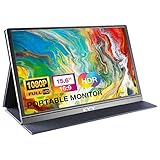
 KYY Portable Monitor 15.6" 1080P Computer Monitor Screen15.6-inch8.85 x 14.48 x 0.35 inches1.7 PoundsCheck on Amazon
 VILVA 15.6" FHD IPS USB-C HDMI Portable Monitor15.6 inch 1080P14.48 x 8.85 x 0.3 Inches3.8 poundsCheck on Amazon
 InnoView InnoView 16" TravelPortable Monitor USB-C 144Hz16 inches (1200P 144Hz)0.6 x 14.06 x 9.55 Inches1.73 PoundsCheck on Amazon
Top 3 picks at a glance
Decide These 3 Things First
Before looking at specific monitor brands or screen sizes, you must define how and where you plan to use your portable gaming setup. Answering these three questions will instantly narrow down your choices.
- What is your primary power source? The Nintendo Switch requires a specific power profile (15V/2.6A) to enter “docked mode” and output video. If you are playing on a plane or train, you will need a portable monitor that can run off a high-output power bank (supporting USB-C Power Delivery of 45W or higher). If you only plan to play in hotel rooms or cafes near wall outlets, a standard wall-plug setup is perfectly fine.
- Do you want a one-cable setup? A “full-featured” USB-C port on a portable monitor allows you to run a single USB-C cable from the monitor to the Switch to transfer both video and power. However, this only works if the monitor itself is plugged into a high-wattage power brick. If you do not want to carry a power brick, you will have to use the official Nintendo Switch dock (or a third-party dongle) with an HDMI cable, which requires multiple cords.
- Will you use this monitor for other devices? If this screen is strictly for your Switch, you do not need to pay extra for high-end features like 4K resolution, HDR, or 144Hz refresh rates. The Switch maxes out at 1080p resolution at 60 frames per second. However, if you plan to dual-purpose the screen as a second monitor for a work laptop or a PS5, those higher specs become worth the investment.
Size and Weight (Portability vs. Immersion)
Portable monitors typically range from 11.6 inches to 17.3 inches. Finding the sweet spot depends on how much weight you are willing to carry in your backpack.
For maximum portability, an 11.6-inch monitor (like the ARMORR Orion) is incredibly compact, often weighing around 1.1 to 1.3 pounds. These smaller screens easily fit on tight airplane tray tables and can run on very low power (often requiring as little as 5V/2A). However, they do not offer a massive upgrade over the Switch OLED’s built-in 7-inch screen if you are sitting more than two feet away.
The industry standard for portable monitors is 15.6 inches (such as the KYY and VILVA models). These screens offer a massive leap in visual immersion, making split-screen multiplayer actually playable. A standard 15.6-inch monitor weighs between 1.5 and 2.2 pounds and is about 0.3 to 0.4 inches thick—roughly the size of a thin legal pad. If you want a slightly taller view for reading game menus, 16-inch displays with a 16:10 aspect ratio (like the InnoView 16″) provide extra vertical screen space without adding significant weight.
Panel Tech: IPS vs. TN and Color Gamut
Never buy a portable monitor with a TN (Twisted Nematic) panel. While TN panels are cheap, they have terrible viewing angles. If you tilt the screen slightly, the colors wash out, making local multiplayer impossible.
Instead, look for an IPS (In-Plane Switching) panel. IPS displays offer 178-degree viewing angles, meaning players sitting to your left and right will see the exact same vibrant colors and contrast as you do.
When comparing IPS panels, look at the color gamut rating, which is typically measured in NTSC or sRGB percentages:
- 45% NTSC (roughly 60% sRGB): Found on entry-level budget monitors ($40 to $65). Colors are decent but can look slightly dull or cold. Perfect for casual gaming on a budget.
- 72% NTSC (roughly 100% sRGB): Found on mid-range monitors ($70 to $100). Colors are highly accurate, rich, and vibrant. This brings games like Super Mario Odyssey to life.
Power Delivery and Port Architecture
This is where most buyers run into trouble. To connect your Switch directly to a portable monitor without using the bulky plastic Nintendo dock, the monitor must have a “Full-Featured” USB-C port that supports DisplayPort Alt Mode and Power Delivery (PD) pass-through.
Here is how the ideal “one-cable” setup works:
- You plug a 45W (or higher) USB-C PD wall charger into the wall.
- You run a USB-C cable from the charger to the monitor’s “Power In” port.
- You run a second USB-C cable from the monitor’s “Type-C” port directly to the Nintendo Switch.
The monitor takes the power from the wall, uses what it needs to light up the screen, and passes the remaining 15V power down to the Switch to charge the console and trigger its “docked” high-performance mode. If a monitor only has a Mini-HDMI port and a basic USB-C power port, you will still need to use your official Nintendo Switch dock or an external HDMI adapter hub.
Refresh Rates, Resolution, and Console Performance
The Nintendo Switch has strict hardware limitations. It cannot output video higher than 1080p (1920×1080 pixels), and its internal graphics chip caps game performance at 60Hz (60 frames per second).
If you buy a 4K portable monitor, your Switch will still scale down to 1080p, which can sometimes make the image look slightly blurry due to scaling artifacts. A native 1080p (FHD) or 1200p screen is the ideal match for the Switch.
Similarly, high-refresh-rate monitors (like 144Hz models) will not make your Switch games run smoother. The monitor will simply run at 60Hz to match the console. However, if you are looking to future-proof your setup for 2026 and beyond, or if you plan to plug a gaming laptop or a PS5 into the same screen, buying a 144Hz monitor (like the InnoView 16″) is a smart move. For pure Switch gaming, a standard 60Hz monitor is all you need.
Stand Styles, Cases, and Ergonomic Construction
A portable monitor is only as good as its stand. If the screen constantly slides down or wobbles, you will quickly grow frustrated. There are three main construction styles:
- Magnetic Smart Covers: These are thin, folding folio cases (common on budget monitors like KYY and VILVA) that double as stands. While they protect the screen in your bag, they can be finicky to set up and easily collapse if bumped.
- Integrated Kickstands: These monitors feature a built-in metal or plastic kickstand on the back of the panel that folds out. This allows you to adjust the viewing angle precisely (usually from 0 to 180 degrees) and offers much better stability on uneven surfaces.
- Specialty Gaming Frames: Some monitors, like the ARMORR Orion, feature rigid plastic shells with built-in ergonomic handles, stereo speakers, and slots where you can slide your Joy-Con controllers directly onto the sides of the screen. This turns your portable monitor into a giant, high-performance handheld console.
Price Tiers: What Do You Get for Your Money?
The portable monitor market is highly competitive, allowing you to get excellent hardware at very reasonable price points.
- The Budget Tier ($40 to $65): Monitors in this category (like the VILVA 15.6″ or KYY 15.6″) offer basic 1080p resolution, 60Hz refresh rates, and lightweight plastic frames. They usually come with a magnetic smart cover. They are perfect for budget-conscious gamers, though they may lack premium color accuracy and often require you to provide your own USB-C wall adapter.
- The Mid-Range Tier ($70 to $100): In this tier, you start seeing upgraded features like 144Hz refresh rates, slightly larger 16-inch screens (like the InnoView), or unique physical enclosures with built-in docks and handles (like the ARMORR Orion). The build quality shifts from cheap plastic to aluminum alloy, and color accuracy improves significantly.
- The Premium Tier ($100+): These monitors feature OLED panels, built-in rechargeable batteries (allowing you to play for hours without a wall outlet), or touchscreen capabilities. While luxurious, they are often overkill if your only goal is playing Nintendo Switch games.
Spec Checklist
Use this quick-reference table to compare what features you should expect to find across different price points when shopping for a Switch-compatible portable monitor.
| Spec / Feature | Budget ($40 – $65) | Mid-Range ($70 – $100) | Premium ($100+) |
|---|---|---|---|
| Resolution | 1080p (FHD) | 1080p or 1200p (WUXGA) | 1080p, 1440p, or 4K |
| Panel Type | Standard IPS | High-Brightness IPS | OLED or QLED |
| Refresh Rate | 60Hz | 60Hz to 144Hz | 120Hz to 240Hz |
| Power Pass-Through | Sometimes (requires high-watt wall brick) | Yes (highly stable) | Yes (often with built-in battery) |
| Chassis Material | Hard Plastic | Textured Plastic / Aluminum | Premium Aluminum Alloy |
| Included Accessories | USB-C cable, Mini-HDMI cable, Smart Cover | All cables, protective sleeve, sometimes a power brick | Premium stand, carrying bag, PD power brick |
Red Flags to Avoid
When shopping online, look out for these warning signs that a monitor might cause headaches during your gaming sessions:
- “No Power Adapter Included” in the fine print: Many budget-friendly monitors do not include a wall plug to save on costs. If you do not own a high-wattage USB-C Power Delivery wall charger (at least 30W to 45W), you will have to buy one separately, wiping out your budget savings.
- Weak Speakers (Under 1 Watt): Many portable monitors include tiny 0.5W or 1W speakers that sound tinny and quiet. Look for monitors with at least dual 2W speakers, or ensure the monitor has a 3.5mm headphone jack so you can plug in external speakers or headphones.
- Cables That Are “Charging Only”: If you use a cheap USB-C cable from a gas station to connect your Switch to the monitor, it will not work. You must use the high-speed, full-featured USB-C cable that comes in the box with the monitor, as standard charging cables do not carry video signals.
- No HDCP Support: If you plan to use your portable monitor to stream Netflix, Hulu, or YouTube via your Switch or laptop, ensure the monitor supports HDCP (High-bandwidth Digital Content Protection). Without it, streaming apps will display a black screen.
FAQ
Can I power a portable monitor directly from the Nintendo Switch battery?
Technically, yes, but only with very small, low-power monitors (typically under 11 inches) and at low brightness levels. The Nintendo Switch USB-C port only outputs a small amount of power. Attempting to power a large 15.6-inch monitor directly from the Switch without an external power source will either result in the monitor flickering off instantly or draining your Switch battery completely in less than 30 minutes. It is always recommended to plug the monitor into an external power source.
Do I need the official Nintendo Switch dock to use a portable monitor?
No, you do not need the bulky plastic dock as long as your portable monitor features a “Full-Featured” USB-C port with Power Delivery pass-through. You can connect a single USB-C cable directly from the Switch to the monitor. However, if your monitor only has an HDMI input, you will need to use the official dock or a compact third-party USB-C to HDMI adapter hub.
Is a 4K portable monitor better for the Nintendo Switch?
No. The Nintendo Switch is hardware-locked to a maximum output of 1080p when docked. Plugging it into a 4K monitor will not make your games look sharper; in fact, the monitor has to stretch the 1080p signal to fit the 4K screen, which can sometimes result in a slightly softer image. Save your money and stick to a native 1080p or 1200p display.
Why does my portable monitor screen keep turning off and on when playing?
This is almost always a power delivery issue. The Nintendo Switch requires a highly specific power flow to output video. If your wall charger or portable power bank is outputting less than 30 Watts, or if you are using a low-quality USB-C cable, the monitor will struggle to stay powered while trying to charge the Switch simultaneously. Ensure you are using a wall charger rated for 45W or higher and the high-speed USB-C cable that came with your monitor.
Related guides
- Best Free MMOs on Steam: Subscription Limits, Pay-to-Win and Time Cost (2026)
- Best Free Horror Games on Steam: How to Pick One That Fits Your PC and Your Nerves (2026)
- Black Frame Insertion vs VRR: Which Smoothness Feature Should You Use?
- Best Webcams for Streaming: 11 Listings Compared by Resolution, Focus and Light (2026)








