Our Top Picks
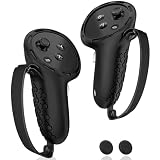
 Hard Carrying Case for Meta Quest 3S/Quest 3/Steam8.8 x 8.4 x 4.5 inches8.4 x 4.5 x 8.8 inchesCheck on Amazon


Top 3 picks at a glance
The Short Answer
When planning your home layout, determining how much storage space do i need for vr depends heavily on how you store your device. At a bare minimum, a standard virtual reality headset and two controllers require a flat, dedicated physical footprint of 12 x 10 x 8 inches (30 x 25 x 20 cm).
However, if you upgrade your setup with a rigid aftermarket head strap, a dedicated charging dock, or a protective travel case, your storage needs will expand. For a fully accessorized setup, you should allocate a shelf or desk footprint of at least 15 x 12 x 10 inches (38 x 30 x 25 cm). If you are tight on surface space, vertical wall mounts can reduce your desktop footprint to zero, utilizing just 8 to 10 inches of horizontal wall width.
As an Amazon Associate we earn from qualifying purchases at no extra cost to you.


Standard Sizes
To help you plan your shelving, desk space, or closet storage, here is a breakdown of the actual physical dimensions of popular VR headsets and their common storage accessories.
| Device / Storage Accessory | Dimensions (Inches) | Dimensions (Centimeters) | Recommended Clearance (Inches) |
|---|---|---|---|
| Meta Quest 3 / 3S (Standard Strap) | 7.2″ x 6.3″ x 3.9″ | 18.4 x 16.0 x 10.0 cm | 9″ x 8″ x 6″ |
| Apple Vision Pro (Solo Knit Band) | 6.5″ x 5.5″ x 4.2″ | 16.5 x 14.0 x 10.7 cm | 8″ x 7″ x 6″ |
| Standard Hard Carrying Case | 12.2″ x 8.7″ x 5.1″ | 31.0 x 22.0 x 13.0 cm | 14″ x 10″ x 7″ |
| Dual Controller Charging Dock | 13.5″ x 4.5″ x 3.5″ | 34.3 x 11.4 x 8.9 cm | 15″ x 6″ x 8″ (for height access) |
| Aluminum Wall Mount Bracket | 8.0″ x 4.0″ x 3.0″ | 20.3 x 10.2 x 7.6 cm | 12″ x 10″ x 10″ (including hung headset) |
How to Measure Your Space
Before buying furniture, floating shelves, or organizers, follow these steps to accurately measure your space for VR storage:
- Measure the Maximum Depth of Your Headset: Place your headset on a flat surface. Measure from the front visor to the furthest back point of the head strap. If you use a rigid elite strap or battery pack strap, this length can easily increase by 3 to 5 inches.
- Account for Controller Placement: Controllers are often forgotten. If you lay them flat next to the headset, add an extra 8 to 10 inches of width. If you nest them inside the head strap cavity, you can keep the footprint closer to the headset’s base size.
- Calculate Cable and Plug Clearance: If you are charging your headset on a shelf or desk, you must account for the power cord. Add 2 to 3 inches of depth clearance behind your charging dock or headset to prevent bending and damaging your USB-C cables.
- Check Vertical Clearance for Enclosed Spaces: If you plan to store your gear in a drawer or cabinet, measure the internal height. Most VR headsets require at least 5 to 6 inches of vertical clearance to slide in comfortably without scraping the top of the opening.
By Room or Use Case
Depending on where you play and how you organize your home, your storage strategy will change. As we look ahead to 2026, home integration of mixed-reality tech is focusing heavily on keeping equipment hidden yet accessible.
The Dedicated Gaming Desk
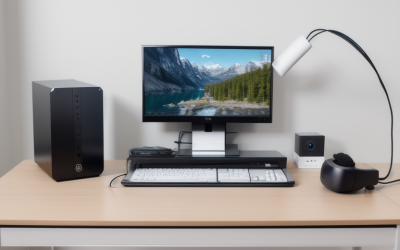
If you prefer to keep your headset at your workspace, a desktop charging dock is the most convenient option. These docks typically cost between $25 and $35 and act as both a visual display and a functional utility. A typical dock has a footprint of roughly 13.5 x 4.5 inches. This setup requires dedicated desk real estate, so it is best suited for desks that are at least 48 inches wide. Ensure your power strip can accommodate the USB-C power block, which typically draws 15W to 45W depending on the model.
The Living Room Media Console
For those who play in the living room, keeping equipment out of sight preserves a clean, minimalist aesthetic. Storing your gear inside a media console cabinet is ideal. However, because VR headsets use lithium-ion batteries that can warm up during charging, ensure your cabinet has back ventilation cutouts. Alternatively, a premium zippered hard shell carrying case (typically priced from $20 to $30) protects the lenses from dust and sunlight while sitting neatly on a bookshelf or under a coffee table.
Vertical Wall Storage
When desk and shelf space are at a premium, going vertical is the smartest design choice. Basic universal plastic wall mounts cost around $10 to $15, while heavy-duty aluminum wall holders range from $20 to $30. Wall mounts require a clear wall patch of about 12 x 12 inches. They keep your headset safe from accidental spills on your desk and lift your gear out of reach of pets and young children. Make sure to mount the bracket into a wall stud or use high-quality drywall anchors to support the weight.
Common Sizing Mistakes
Avoid these frequent oversights when planning your physical VR storage setup:
- Ignoring the “Elite” Strap Upgrade: Many users buy a storage box or shelf based on the manufacturer’s out-of-the-box dimensions. Upgrading to a rigid, ratcheting head strap or a strap with an integrated battery pack will lengthen the headset’s physical profile, making it too large for compact carrying cases or shallow drawers.
- Forgetting Cable Bend Radius: Pushing a charging dock flush against a wall or the back of a cabinet puts severe stress on the power cable. Always leave a 2-inch buffer zone to allow the cables to curve naturally.
- Failing to Block Direct Sunlight: Lenses act as magnifying glasses. If you store your headset on an open shelf facing a window, even brief exposure to direct sunlight can permanently burn and ruin the internal LCD or OLED displays. Always store the lenses facing away from windows, or use a dedicated lens cover.
- Neglecting Controller Charging Space: While some basic docks only charge the headset, dual-charging docks hold both the headset and controllers side-by-side. This setup nearly doubles the width requirement of your storage area.
FAQ
How much space does a VR charging dock actually take up on a desk?
A standard dual-charging dock for a modern headset and controllers requires a flat surface area of about 14 inches wide by 5 inches deep (35 x 13 cm). You should also ensure you have at least 8 to 10 inches of vertical clearance so you can easily lift the headset off the magnetic charging pins without hitting overhead shelves.
Can I store my VR headset in a standard desk drawer?
Yes, but you must measure the drawer’s internal height. Most standard desk drawers are only 3 to 4 inches deep, which is too shallow for a VR headset (which typically stands 4 to 5 inches tall). You will need a deep file drawer or cabinet drawer with at least 6 inches of usable vertical clearance to store the headset safely without crushing the head strap.
Do third-party head straps change the storage space needed?
Absolutely. Standard fabric straps allow the headset to sit compactly. Rigid plastic replacement straps, battery straps, and halo-style straps do not fold down. They can increase the overall depth of your headset by 50%, transforming a 7-inch-deep device into an 11-inch-long footprint.
Is a wall mount safe for heavy VR headsets?
Yes, standard wall mounts are highly secure if installed correctly. Most consumer VR headsets weigh between 1.1 and 1.4 pounds (500 to 650 grams). Even premium aluminum wall mounts, which cost around $25, are rated to hold up to 10 to 15 pounds when secured with proper drywall anchors, offering more than enough support for your headset and controllers.