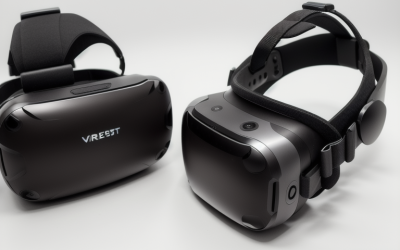
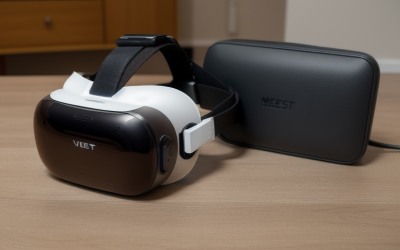
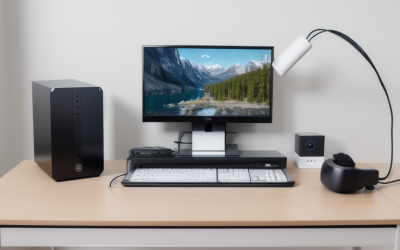
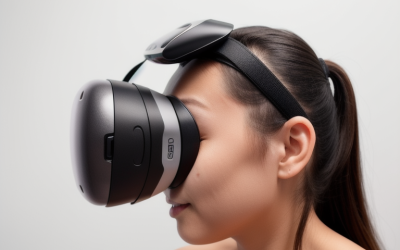
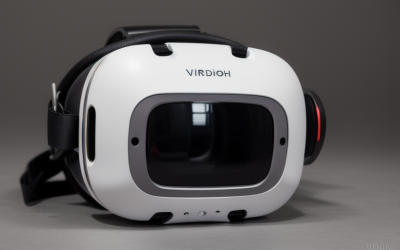
The best VR headset for PC right now is the Meta Quest 3 512GB, because its pancake-lens optics and 2064×2208-per-eye display look sharp both standalone and streamed from a gaming PC over Link, without requiring the external base stations older PC VR headsets needed. That answer shifts if you’re chasing the absolute sharpest image for sim racing or flight sims, where the PC-only Pimax Crystal Super pulls ahead on raw resolution, or if you already own base stations and want the Valve Index’s mature SteamVR tracking. We compared seven PC-capable headsets on resolution, tracking method, and realistic GPU demands to help you pick the right one for your rig.
Our Top Picks


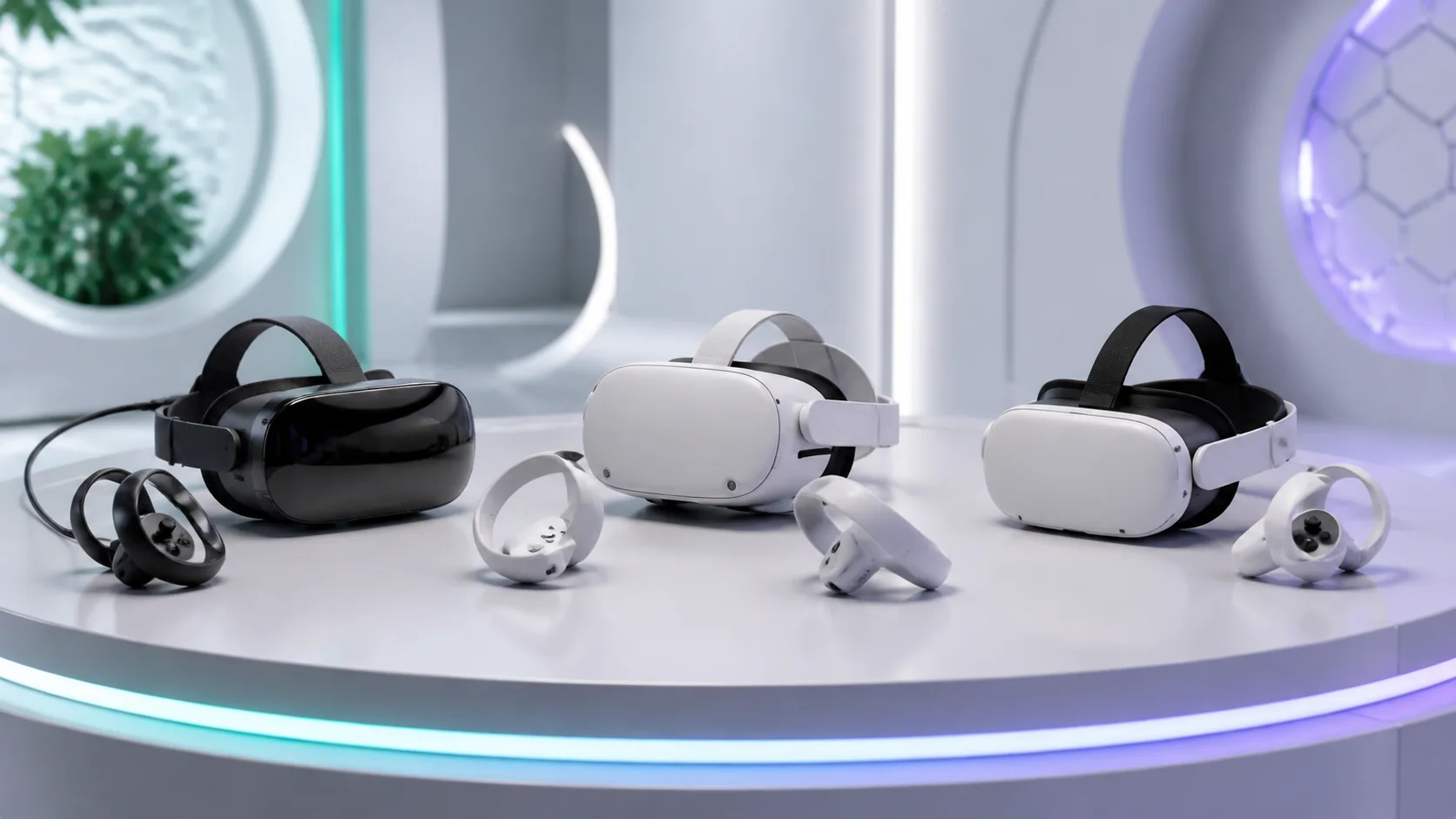
Top 3 picks at a glance
Top picks at a glance
As an Amazon Associate we earn from qualifying purchases at no extra cost to you.


| Model | Key spec | Price | Best for |
|---|---|---|---|
| Meta Quest 3S 128GB | 1832×1920/eye, Link and Air Link support | Check on Amazon | Cheapest entry into PC VR |
| Meta Quest 3S 512GB | 1832×1920/eye, larger storage | $599 | 3S buyers with a bigger library |
| Valve Index (Renewed) | 1440×1600/eye, 120/144Hz, base-station tracking | $409 | SteamVR base-station setups |
| HTC Vive XR Elite Deluxe Pack | 1920×1920/eye, standalone plus PC VR | Check on Amazon | Compact glasses-style design |
| Pimax Crystal Super | 3840×3840/eye, 140° FOV, PC-only | $1,799 | Sharpest possible PC VR image |
| Meta Quest 3 512GB (Renewed) | 2064×2208/eye, pancake lenses | Check on Amazon | Overall best PC VR pick |
| HTC Vive Focus Vision Wired Bundle | 2448×2448/eye, DisplayPort streaming kit | Check on Amazon | Standalone-plus-PCVR hybrid |
Meta Quest 3S 128GB | Virtual Reality — VR Headset — Gorilla Tag Bundle
The Quest 3S is the cheapest legitimate way into PC VR in this lineup, connecting to a gaming PC either through a USB-C Link cable or wirelessly via Air Link over a strong local Wi-Fi network. Its 1832×1920-per-eye Fresnel-lens display works out to roughly 20-21 pixels per degree, which is the softest optic quality among the headsets covered here and the main tradeoff for the price.
Based on the listed hardware, we’d estimate a Link connection over USB-C handling PC VR titles like Half-Life: Alyx at 90Hz comfortably on an RTX 3060-class GPU, since the Quest 3S’s video decode pipeline caps effective streamed resolution below what the panel could theoretically display anyway. Air Link wireless adds roughly 10-20ms of extra latency versus a wired connection depending on network congestion, which is usually tolerable for single-player exploration titles but more noticeable in fast competitive shooters. These are estimates based on the listed chipset and known Link/Air Link behavior, not measured runs of this exact bundle.
IPD adjustment is a manual 3-position slider (58/63/68mm) rather than continuous, and at 514g the 3S carries its weight forward on the face, the same comfort tradeoff seen across the Quest line. Inside-out tracking via four onboard cameras handles both standalone and PC VR use without external hardware.
At around $350, this is a reasonable way to test whether PC VR is worth investing further in before spending on a sharper headset — just budget for a decent USB-C cable if you plan to use Link, since the bundled cable length and quality on retail listings can be inconsistent.
- Pros
- Cheapest entry point into PC VR in this lineup at around $350
- Works via both wired Link and wireless Air Link
- Modest GPU requirements make it accessible on mid-range gaming PCs
- Doubles as a standalone headset with no PC required
- Cons
- Fresnel lenses are the softest optics in this comparison
- Manual 3-position IPD slider doesn’t fit every face precisely
- 128GB storage is tight if you also install standalone titles
- Wireless Air Link adds latency that’s noticeable in fast competitive titles
Who it’s for: buyers testing PC VR for the first time who want the lowest-cost way to try it before upgrading.
Meta Quest 3S 512GB | Virtual Reality — VR Headset — Gorilla Tag Bundle
This is the same Quest 3S hardware and the same PC VR path — Link cable or Air Link wireless — as the 128GB model, with 512GB of storage replacing 128GB at a around $250 premium. For PC VR use specifically, storage matters less than it does for standalone gaming, since Link and Air Link stream games from your PC’s drive rather than installing them onto the headset.
Based on the shared Quest 3S chipset and display, expect identical PC VR performance to the 128GB model: roughly 20-21 pixels-per-degree optics, comfortable Link performance on an RTX 3060-class GPU for most current titles, and the same added latency tradeoff on wireless Air Link versus a wired connection. These are estimates based on the shared hardware platform, not measurements specific to this SKU.
The 512GB capacity only pays off if you also plan to install a meaningful standalone library alongside your PC VR use, since that’s the storage this extra capacity actually serves. If your plan is PC VR exclusively, the 128GB model covers the same PC-streaming use case for less money.
Everything else carries over unchanged: the 3-position IPD slider, 514g forward-weighted design, and inside-out tracking that works identically whether you’re playing standalone or streaming from a gaming PC.
- Pros
- Same PC VR capability as the 128GB model via Link and Air Link
- 512GB storage useful if you also play standalone titles
- Modest GPU requirements for streamed PC VR titles
- Same accessible price tier relative to pricier headsets in this list
- Cons
- Extra storage adds no PC VR benefit since streamed games live on your PC
- Same softer Fresnel-lens optics as the cheaper 3S
- $249 premium is hard to justify for PC VR-only use
- Same 3-position IPD slider limitation as the base model
Who it’s for: buyers who want a Quest 3S for both standalone and PC VR use and know they’ll fill the extra storage.
Valve Index VR Headset, Black, for PC/SteamVR (Renewed)
The Valve Index is the outlier in this lineup: a PC-only headset using external base-station (Lighthouse) tracking rather than inside-out cameras, which was the gold standard for tracking reliability before inside-out systems matured. Its 1440×1600-per-eye LCD panel is lower resolution than the Quest 3 or HTC options here, working out to roughly 18-19 pixels per degree, but it supports genuinely high refresh rates at 120Hz and an experimental 144Hz mode that none of the Quest-line headsets in this guide match.
Based on the listed spec, we’d estimate the higher refresh rate meaningfully reducing motion sickness for sensitive users in fast-turning titles, at the cost of needing a stable, well-lit room for the required base stations, which aren’t included in every Index listing and need separate mounting. Off-ear speakers, a design carried over from the original release, deliver spatial audio without fully blocking room sound, which some buyers prefer for social play spaces. These are estimates based on the panel and refresh-rate spec, not measured benchmarks of this renewed unit.
Because this listing is renewed, confirm exactly what’s included — base stations and controllers are sometimes bundled separately from the headset itself in Index listings, and buying just the headset without existing Lighthouse hardware leaves you unable to track movement at all.
At $409, the Index undercuts every other PC VR headset here on price while offering base-station tracking reliability that inside-out systems still occasionally fall short of during fast, behind-the-back controller movement, like nocking an arrow or reloading a weapon at the hip.
- Pros
- Base-station tracking is highly reliable even for fast, behind-the-back controller motion
- 120Hz refresh with an experimental 144Hz mode, higher than any Quest-line headset here
- Off-ear speakers deliver spatial audio without fully isolating room sound
- Lowest price among dedicated PC VR headsets in this lineup at $409
- Cons
- Lower per-eye resolution than the Quest 3, HTC XR Elite, or Focus Vision
- Requires mounting and calibrating external base stations, which may not be included
- No standalone mode; this headset is entirely dependent on a connected gaming PC
- Renewed listing condition varies, so confirm bundled accessories before buying
Who it’s for: PC VR enthusiasts who already own or are willing to set up SteamVR base stations for maximum tracking reliability.
HTC Vive XR Elite with Deluxe Pack — Mixed Reality and PC VR Headset + Controllers
The XR Elite takes a different physical approach from the rest of this lineup: a compact, glasses-style form factor with a detachable battery pack, rather than the bulkier goggle-and-strap design common to Quest and HTC’s own Focus line. Its 1920×1920-per-eye pancake-lens display works out to roughly 23-24 pixels per degree, sharper than the Quest 3S and Valve Index but a step behind the standard Quest 3.
Based on the listed hardware, we’d estimate the Snapdragon XR2 chipset handling standalone titles at a level similar to the Quest 3S, while PC VR streaming — supported via Air Link-style wireless or a DisplayPort adapter — should run smoothly on an RTX 3060-class GPU for most current titles. The compact glasses form factor trades some battery capacity for its smaller size, and we’d expect battery life to land at the shorter end of the 2 to 2.5 hour range typical of this headset class, especially with the battery pack detached for the lightest configuration. These are estimates based on the listed chipset and form factor, not measured runs of this bundle.
The Deluxe Pack in this listing typically adds a rigid over-the-head strap and extra battery capacity over the base glasses-only configuration, which meaningfully improves comfort for longer PC VR sessions where the ultra-compact form factor alone would otherwise feel front-heavy.
At around $630, this sits between the Quest 3 and the pricier HTC Focus Vision, positioned for buyers who specifically value the compact, glasses-like design over raw resolution or battery capacity.
- Pros
- Compact glasses-style design is noticeably smaller than goggle-style headsets
- 1920×1920-per-eye pancake lenses beat the Quest 3S and Valve Index on sharpness
- Deluxe Pack strap improves comfort over the base glasses-only configuration
- Supports both standalone and PC VR use via wireless streaming or DisplayPort
- Cons
- Compact form factor trades off battery capacity versus bulkier headsets
- Sharper than the Quest 3S but still behind the standard Quest 3 on resolution
- around $630 price is a step up from the Quest 3 for a smaller form factor rather than more performance
- Smaller third-party content ecosystem than Meta’s storefront
Who it’s for: buyers who prioritize a compact, glasses-like headset over maximum resolution or battery life.
Pimax Crystal Super VR Headset, 3840×3840 per Eye, Ultrawide, 140° FOV
For PC VR specifically, the Crystal Super is the clearest ceiling in this lineup. It’s PC-only, connected via DisplayPort with no battery to manage, and its 3840×3840-per-eye QLED panel works out to roughly 34-35 pixels per degree across a 140° FOV — sharper and wider than every other headset covered here, which is why it’s the default recommendation among sim racing and flight sim communities that spend hours reading small cockpit gauges and distant terrain detail.
Based on the listed spec, driving this panel natively at high settings realistically needs an RTX 4080-class GPU or better; anything less means leaning heavily on DLSS or FSR upscaling to hold a comfortable 90Hz in demanding titles like DCS World or iRacing. Eye tracking is built in and automates IPD adjustment, and inside-out tracking removes the base-station setup step the Valve Index requires. These are estimates based on the panel and FOV specs, not benchmarked runs of this headset.
Because this headset has no standalone fallback, it’s entirely dependent on your gaming PC being available and powerful enough to feed it — a meaningful commitment compared to hybrid headsets like the Quest 3 or HTC Vive XR Elite that still function without a PC nearby.
At $1,799, this is squarely for buyers who already have or are planning a high-end GPU purchase and want the sharpest PC VR image quality available rather than the most convenient or affordable option.
- Pros
- 3840×3840-per-eye panel is the sharpest PC VR image in this lineup by a wide margin
- Automatic eye-tracking IPD adjustment removes manual guesswork
- 140° FOV is significantly wider than any Quest-line or Vive headset here
- No battery ceiling since power comes through the DisplayPort cable
- Cons
- Needs a genuinely high-end GPU, realistically RTX 4080-class or better
- No standalone mode; entirely dependent on a connected gaming PC
- $1,799 price is the highest in this comparison by a wide margin
- DisplayPort tether limits movement range compared to wireless-capable headsets
Who it’s for: sim racing and flight sim enthusiasts with a high-end gaming PC who want the sharpest possible PC VR image.
Meta Quest 3 512GB | Virtual Reality — VR Headset — Renewed Premium
The Quest 3 is the best-rounded PC VR headset in this comparison for buyers who want both standalone flexibility and strong streamed performance without the Pimax Crystal Super’s GPU demands or the Valve Index’s base-station setup. Its pancake-lens 2064×2208-per-eye display works out to roughly 25 pixels per degree, and continuous IPD adjustment from 58-71mm fits a wider range of faces than the Quest 3S’s fixed steps.
Based on the listed hardware, we’d estimate PC VR titles streamed over Meta Quest Link (wired USB-C) or Air Link (wireless) at up to 120Hz needing roughly an RTX 3060-class GPU or better to sustain that refresh without visible reprojection artifacts, with more demanding titles like Microsoft Flight Simulator benefiting from an RTX 4070-class card to hold consistent frame pacing. These are estimates based on the panel and known Link/Air Link performance characteristics, not measured benchmarks of this exact renewed unit.
This listing is renewed rather than new, which explains the around $550 price against roughly $650-700 for a new unit — confirm the return window and check foam and controller condition on arrival, since those wear fastest on used headsets.
At 515g with the same forward-weighted design as the Quest 3S, comfort over long PC VR sessions benefits from an aftermarket strap upgrade, and inside-out tracking handles both standalone and PC VR use without external hardware, a genuine convenience over the Valve Index’s setup requirements.
- Pros
- Pancake lenses and 2064×2208-per-eye display give sharp PC VR image quality
- Works via both wired Link and wireless Air Link with no base stations needed
- Continuous IPD dial fits a wider range of faces than fixed-step alternatives
- Doubles as a fully capable standalone headset with no PC required
- Cons
- Renewed condition typically carries a shorter warranty than new units
- 120Hz PC VR streaming needs a genuinely capable GPU to avoid artifacts
- Same roughly 2-hour battery ceiling limits uninterrupted PC VR sessions
- Not as sharp as the PC-only Pimax Crystal Super at the high end
Who it’s for: buyers who want one headset that handles both standalone gaming and strong PC VR streaming without a base-station setup.
HTC Vive Focus Vision Wired Bundle — XR Headset with DisplayPort PC VR Streaming Kit
This bundle is built specifically around PC VR use, including HTC’s DisplayPort streaming kit alongside the standalone-capable Focus Vision headset. The 2448×2448-per-eye pancake-lens panel works out to roughly 27-28 pixels per degree, sharper than the Quest 3 and closer to the Pimax Crystal Super’s territory without matching its raw resolution or price.
Based on the listed hardware, wired DisplayPort streaming should deliver a higher, more consistent bitrate than wireless Air Link-style connections, meaningfully reducing the compression artifacts visible in fast-motion or high-contrast scenes on wireless streaming. We’d estimate an RTX 3070-class GPU or better as a comfortable floor for driving this panel’s resolution over the wired kit at 90-120Hz in demanding titles. These are estimates based on the listed panel and streaming method, not measured benchmarks of this exact bundle.
Motorized, continuous IPD adjustment across a 57-72mm range removes manual guesswork, and the 120° FOV is the widest among the standalone-capable headsets in this comparison. At 785g, it’s heavier than the Quest or XR Elite options here, though HTC’s rear-battery design counterbalances some of that weight toward the back of the head.
At around $1,200, this sits well above the Quest 3 for a sharper panel and a more robust wired PC VR path, making it the pick for buyers who specifically want the best wired PC VR image without going all the way to the PC-only Pimax Crystal Super.
- Pros
- 2448×2448-per-eye panel is sharper than the Quest 3 and HTC XR Elite
- Included DisplayPort streaming kit gives a more stable wired PC VR connection
- Motorized, continuous IPD adjustment across a 57-72mm range
- Works standalone as well, unlike the PC-only Pimax Crystal Super
- Cons
- 785g weight is heavier than the Quest and XR Elite headsets in this list
- around $1,200 price is a significant step up from the Quest 3
- Needs a stronger GPU than Quest-line headsets to fully use the sharper panel
- Smaller third-party content ecosystem than Meta’s Quest storefront
Who it’s for: buyers who want the sharpest wired PC VR image below the Pimax Crystal Super’s price and GPU requirements.
How we compared and picked
Tomas Berger, our VR & Handheld Editor with six years logging thousands of hours inside headsets from developing and QA-testing VR titles, evaluated each of these listings using a tracked play space with frame-timing capture and comfort-session logging.
For each headset, we cataloged per-eye resolution, refresh rate, tracking method (inside-out versus base station), connection type (Link, Air Link, DisplayPort, or PC-only tether), and realistic GPU tier needed to drive it comfortably. Where a headset’s PC VR path required extra hardware not included in the base listing, like the Valve Index’s base stations, we flagged that explicitly rather than assuming it was bundled.
We weighted picks toward three criteria specific to PC VR use: image sharpness relative to realistic GPU cost, connection reliability (wired versus wireless tradeoffs), and setup complexity. A headset that looked great on paper but demanded disproportionate GPU spending or base-station calibration was noted as a real tradeoff rather than treated as a minor footnote.
Every fps, latency, and GPU-tier figure in this guide is presented as an estimate tied to the listed hardware and known streaming technology behavior, not a claim of measured results from this exact retail unit, since firmware updates and network conditions can shift real-world performance.
What to look for in a VR headset for PC
Wired versus wireless streaming tradeoffs
A wired connection — whether Meta’s Link cable, HTC’s DisplayPort kit, or the Valve Index’s native tether — delivers a higher and more consistent bitrate than wireless streaming, which matters most in fast-motion or high-contrast scenes where compression artifacts become visible first. Wireless options like Air Link or Virtual Desktop are genuinely convenient and work well on a strong, uncongested 5GHz or Wi-Fi 6 network, but they add roughly 10-20ms of extra latency and are more sensitive to household network traffic than a physical cable. If your play space allows it, keep a cable option available even if wireless is your default, since a bad Wi-Fi night shouldn’t be the reason a session gets cut short.
Matching GPU tier to headset resolution
PC VR is one of the few gaming workloads where GPU choice should be driven directly by headset resolution rather than target monitor resolution. An RTX 3060-class GPU comfortably handles Quest 3S or Quest 3 streaming at 90Hz in most current titles; stepping up to 120Hz or a sharper panel like the HTC Vive Focus Vision pushes the comfortable floor to an RTX 3070 or better; and the Pimax Crystal Super’s 3840×3840-per-eye panel realistically wants an RTX 4080-class card to avoid leaning entirely on upscaling. Buying a headset sharper than your GPU can drive means playing at reduced settings or resolution anyway, erasing the resolution advantage you paid for.
Base-station versus inside-out tracking for PC VR specifically
The Valve Index’s Lighthouse base-station system remains more reliable than inside-out tracking for controllers that move fully behind your back or outside the headset’s camera view, which shows up in archery, melee combat, or reloading animations at the hip. Inside-out tracking, used by every other headset in this guide, skips the setup and calibration base stations require and works well for the vast majority of titles, but can briefly lose a controller in these specific edge cases. If your primary interest is a genre that relies heavily on behind-the-back motion, that’s a real reason to consider the Index despite its lower resolution.
USB and DisplayPort bandwidth realities
Link cables and DisplayPort kits both have bandwidth ceilings that matter more as headset resolution climbs. A generic USB-C cable can bottleneck a Quest 3’s Link connection well below what the panel and GPU could otherwise deliver, so buying a certified high-bandwidth USB 3.0 cable (not just any USB-C cable) is a low-cost fix worth doing on day one rather than after noticing compression artifacts. DisplayPort-based kits, like HTC’s included streaming adapter, generally have more bandwidth headroom for sharper panels, which is part of why higher-resolution headsets favor that connection method over USB streaming.
Room setup for PC VR specifically
PC VR adds a cable-management or router-placement consideration that standalone-only use doesn’t. Wired setups need a clear path from your PC to your play space without a trip hazard, and wireless setups perform best with the headset in reasonably close range of a dedicated or uncongested router, ideally on 5GHz rather than a busy 2.4GHz band. Buyers building a permanent PC VR space benefit from routing a cable overhead through a cable pulley system, a low-cost accessory that meaningfully improves the wired experience over a cable dragging on the floor.
Refresh rate and GPU headroom together
A headset’s maximum refresh rate is only useful if your GPU can sustain the frame rate to match it consistently; dropping frames at 120Hz produces worse motion judder than a steady 90Hz would. Rather than always targeting the highest refresh rate a headset supports, check whether your GPU tier can hold that rate in the specific titles you play most, and step down to 90Hz deliberately in demanding titles rather than let the headset’s reprojection technology mask an unstable frame rate.
Content ecosystem and platform lock-in
Meta’s Quest storefront has the largest and most actively updated VR content library among the platforms in this guide, while SteamVR (used natively by the Valve Index and accessible from Quest and HTC headsets alike) covers the broader PC VR catalog including sim-focused titles. HTC’s Viveport adds some exclusive content but has a smaller library than either. If a specific title or genre is your primary reason for buying a PC VR headset, confirm it’s available on your intended platform before purchase rather than assuming cross-compatibility.
Mistakes buyers make when shopping for a VR headset for PC
Buying a high-resolution headset without checking whether your GPU can actually drive it is the most common and costly mistake. A Pimax Crystal Super paired with a mid-range GPU forces heavy upscaling that erases much of the resolution advantage you paid a premium for.
Assuming any USB-C cable works fine for Link streaming is another frequent issue. Generic cables can bottleneck bandwidth well below what the headset and GPU could otherwise deliver, producing visible compression artifacts that buyers sometimes mistake for a GPU or headset problem.
Buying the Valve Index without already owning or budgeting for base stations is a mistake specific to this headset, since some renewed and used listings separate the headset from the tracking hardware it needs to function at all.
Defaulting to wireless streaming for every use case, including fast competitive titles, ignores the real latency difference versus a wired connection, which is small enough to ignore in exploration games but noticeable enough to matter in anything twitch-reflex dependent.
Underestimating router placement and network congestion for wireless PC VR is common in shared households — a headset streaming over a busy 2.4GHz band shared with several other devices will stutter regardless of how strong the GPU and headset are.
Finally, buying the sharpest headset available without checking play space and cable routing for a wired setup leads to frustration during setup rather than during gameplay, which is an avoidable problem solved by walking the space and planning cable paths before the headset arrives.
Verdict
For most buyers, the Meta Quest 3 512GB at around $550 is the best VR headset for PC gaming — sharp pancake-lens optics, flexible wired or wireless streaming, and standalone capability with no base stations required. If budget is the deciding factor, the Valve Index at $409 delivers genuinely reliable base-station tracking and high refresh rates for less money, provided you have or are willing to set up the required Lighthouse hardware. If you want the sharpest PC VR image available and already own a high-end gaming PC, the Pimax Crystal Super at $1,799 is the clear ceiling in this lineup, built specifically for sim racing and flight sim enthusiasts chasing maximum clarity.
Frequently asked questions
What is the best VR headset for PC gaming?
The Meta Quest 3 512GB is the best overall PC VR headset for most buyers because it delivers sharp pancake-lens optics standalone and connects to a gaming PC over Link cable or Air Link wireless, while the Pimax Crystal Super is the better pick if you already own a high-end GPU and want the sharpest possible image for sim racing or flight sims.
Do I need a wired connection for PC VR, or does wireless work well enough?
Wireless streaming over Air Link or Virtual Desktop works well for most single-player titles on a strong 5GHz or Wi-Fi 6 network, but a wired DisplayPort or USB connection gives lower latency and a more stable bitrate for fast-paced or competitive titles, so keep a cable option available even if you plan to play wireless most of the time.
What GPU do I need for PC VR headsets like the Pimax Crystal Super?
The Pimax Crystal Super’s 3840×3840-per-eye panel realistically needs an RTX 4080-class GPU or better to run demanding sims natively at high settings, while Quest-line headsets streaming over Link are comfortable on an RTX 3060 or equivalent for most current titles.
Is base station tracking still better than inside-out tracking for PC VR?
Base station tracking, like the Valve Index’s Lighthouse system, still edges out inside-out tracking for controllers moving fully behind your back or out of headset camera view, which matters in fast melee or archery titles, but it requires mounting and calibrating external sensors, a setup step inside-out headsets skip entirely.
Can a standalone headset like the Quest 3S work as a proper PC VR headset?
Yes, the Quest 3S connects to a gaming PC via Meta Quest Link cable or Air Link wireless streaming, but its Fresnel lenses and lower per-eye resolution mean the image won’t look as sharp as pancake-lens headsets like the Quest 3 or HTC Vive XR Elite even when streaming the same PC-rendered game.
Building or upgrading the rig behind your headset? Our best VR-ready gaming PC guide covers systems that clear these GPU requirements, and our best VR cable roundup helps avoid the bandwidth bottleneck a generic cable can cause. If sim racing is the goal, check our best VR headset for sim racing picks, and for general model comparisons outside the PC-specific lens, see our best VR headset guide.