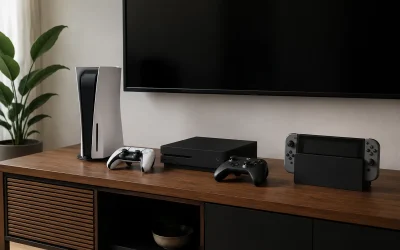
For most homes and gaming setups, the best network switch is the TP-Link 8 Port Gigabit Ethernet Network Switch (TL-SG108): eight gigabit ports in a fanless metal body, true plug-and-play behavior, and no configuration screen to fight through. It suits a household that has run out of router LAN ports and wants one silent box to fan out wired connections to a desk PC, a console, and a TV at the same time. If four extra ports are genuinely enough, the TP-Link TL-SG105 does the same job for less and is the best budget pick, while the NETGEAR GS305 is the same tiny footprint in a metal chassis. If you can stretch to eight ports, do it — the price gap between a 5-port and an 8-port unmanaged switch is small, and spare ports save you from buying twice. Everything in this roundup is unmanaged, non-PoE gigabit hardware; if you need VLANs, link aggregation, or Power over Ethernet, the How to Choose section explains exactly when the decision changes.
Our Top Picks
 NETGEAR 5-Port Gigabit Ethernet Unmanaged Network Switch5 Port6.2 x 4 x 1.1 Inches0.55 poundsCheck on Amazon
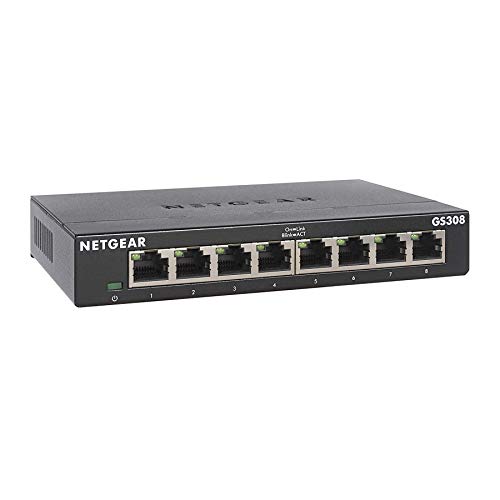 NETGEAR 8-Port Gigabit Ethernet Unmanaged Network Switch8 Port6.22 x 4.02 x 1.02 Inches0.86 poundsCheck on Amazon
 NETGEAR 24-Port Gigabit Ethernet Unmanaged Network Switch24 Port13.5 x 11.12 x 3.12 Inches2.9 poundsCheck on Amazon
 NETGEAR 16-Port Gigabit Ethernet Unmanaged Network Switch16 Port11.3 x 4 x 1.3 inches2.93 poundsCheck on Amazon
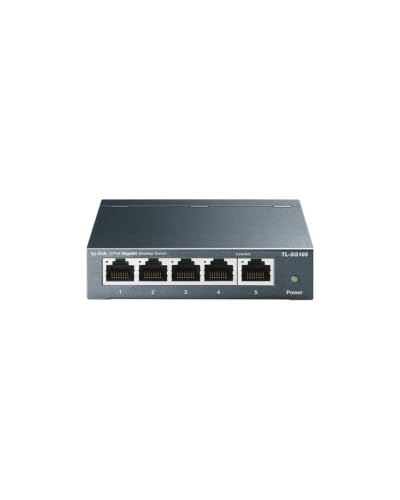

Top 3 picks at a glance

Quick Comparison
All six switches below are unmanaged, fanless, gigabit-class devices — the differences are port count, chassis material, and how much room they leave for growth. None of them supplies Power over Ethernet, and none offers a management interface.
| Product | Best for | Key specs | Price tier |
|---|---|---|---|
| TP-Link TL-SG105 | Adding four ports with zero fuss | 5 × gigabit RJ45, unmanaged, fanless, compact plastic housing, external power adapter, plug-and-play | Budget |
| NETGEAR GS305 | A tough little 5-port for a desk or shelf | 5 × gigabit RJ45, unmanaged, fanless, metal chassis, external power adapter, plug-and-play | Budget |
| TP-Link TL-SG108 | The typical home and gaming room | 8 × gigabit RJ45, unmanaged, fanless, sturdy metal chassis, plug-and-play | Mid-range |
| NETGEAR GS308 | Silent living-room and media-cabinet expansion | 8 × gigabit RJ45, unmanaged, fanless, metal chassis, desktop footprint | Mid-range |
| NETGEAR GS324 | Whole-home structured wiring and racks | 24 × gigabit RJ45, unmanaged, metal chassis, rack-mountable, fanless design class | Premium |
| NETGEAR GS316v3 | Mid-size racks and growing home labs | 16 × gigabit RJ45, unmanaged, metal chassis, desktop or rack-friendly | Premium |
How We Chose
This roundup is built from published manufacturer specifications, the underlying IEEE Ethernet standards, and the practical constraints that show up in real homes — not from lab testing or hands-on measurement. Selection came down to five filters. First, category fit: every pick is an unmanaged gigabit switch, because that is what the overwhelming majority of home and gaming buyers actually need, and mixing in managed or multi-gig models without saying so would make the comparison dishonest. Second, port count spread across the range people shop in — 5, 8, 16, and 24 — so the list maps to a real room rather than a single use case. Third, physical design: fanless operation and a metal chassis where the price tier allows, since a switch often ends up behind a desk, inside a media cabinet, or in a bedroom. Fourth, setup complexity: plug-and-play behavior with no IP address to manage, no firmware to babysit, and no way to lock yourself out of your own network. Fifth, upgrade path and price tier, judged by how much headroom each model leaves before you would have to replace it. Models that could not be confirmed as currently available were left out rather than guessed at, and PoE or managed requirements are handled as spec classes in the buying guide below.
1. TP-Link TL-SG105 – Best for the Simplest Budget Setup
As an Amazon Associate we earn from qualifying purchases at no extra cost to you.

The TL-SG105 is the switch you buy when the problem is small and specific: your router has four LAN ports, all four are full, and you need two or three more wired devices online without thinking about it again. It is a five-port gigabit unmanaged switch, which in practice means one port goes back to the router and four become available to your gear. For a single gaming PC plus a console and a TV, that is exactly enough. The listing describes it as a “network hub” and an “ethernet splitter,” and the splitter half of that is accurate in the everyday sense — it turns one router port into several. The hub half is not: a true hub repeats every frame out of every port, forcing all connected devices to share one collision domain. A switch learns which MAC address lives on which port and forwards frames only where they need to go, so two devices can move data at full gigabit simultaneously instead of taking turns. That distinction is why a cheap switch from this decade is still a huge upgrade over any genuine hub.
Key specifications, as stated by the manufacturer and standard Ethernet behavior:
- Ports: 5 × RJ45, auto-negotiating 10/100/1000 Mbps
- Management: none — unmanaged, no web interface, no IP address, no firmware login
- Cooling: fanless, so no audible noise at any load
- Chassis: compact plastic housing, small enough to sit on a shelf or hide behind a desk
- Power: external power adapter
- Switching features: auto MDI/MDI-X on every port (straight-through or crossover cables both work), IEEE 802.3x flow control, and energy-efficient Ethernet support for reduced idle power
- PoE: none on this model — powered devices need their own power or a separate PoE switch
What makes it worth recommending is the absence of friction. There is no setup step beyond plugging in the power adapter, running a patch cable to the router, and connecting devices. No IP conflict with your router, no default password to change, no chance that a failed firmware update takes your LAN down. For a gaming setup, that matters more than it sounds: the switch sits invisibly between the router and everything wired, adding only the store-and-forward delay of a single frame — on the order of a dozen microseconds at gigabit, which is roughly a thousandth of a typical internet round trip. It will not improve your ping to a game server, because the bottleneck is the path to the server, not the box on your desk. What it will do is let your PC download a game at full line rate while a console streams and a TV plays 4K video, all without Wi-Fi contention.
Pros
- Genuinely plug-and-play — no configuration at any point
- Fanless, so it can live in a bedroom or beside a monitor without being audible
- Gigabit on every port, which is enough for 4K streaming, cloud gaming, and LAN play
- Very small footprint and low power draw
- The cheapest way to solve “my router ran out of ports”
Cons
- Only four usable ports once the uplink to the router is connected
- Plastic housing feels less substantial than a metal chassis and is less tolerant of being crammed behind furniture
- No PoE, no VLANs, no link aggregation, no monitoring — nothing you can configure
- Relies on an external power adapter rather than an internal supply
Compared with the nearest alternative, the NETGEAR GS305, the choice comes down to chassis and habit rather than performance. Both are five-port gigabit unmanaged switches with fanless operation and identical real-world throughput, because the underlying standard is the same. The GS305’s metal body is the differentiator: it dissipates heat better in an enclosed cabinet and stands up to being shoved around. If the switch will sit on an open shelf and never be touched, the TL-SG105 is the more economical route. If it will be wedged into a media cabinet or a desk cable tray, the metal GS305 is the safer buy. Either way, if you can picture a fourth or fifth device arriving in the next year, skip both and go straight to the eight-port TP-Link TL-SG108.
2. NETGEAR GS305 – Best for a Tough Little Metal 5-Port
The GS305 is NETGEAR’s five-port gigabit unmanaged switch, and its pitch is simple: the same port count and the same gigabit class as the budget competition, but wrapped in a metal case that survives environments where plastic does not. It suits the buyer who has already decided they need four extra ports and would rather spend a little more once than replace a switch that got cooked inside a closed cabinet or cracked in a backpack. It is also the natural pick for anyone who has standardized on NETGEAR gear elsewhere in the house and wants a consistent look and support experience.
Key specifications:
- Ports: 5 × RJ45, auto-negotiating 10/100/1000 Mbps
- Management: unmanaged — no interface, no configuration, no monitoring
- Cooling: fanless
- Chassis: metal, small desktop form factor
- Power: external power adapter
- Behavior: automatic cable detection, auto-negotiation of speed and duplex, plug-and-play installation
- PoE: none on this model
- Warranty class: NETGEAR’s unmanaged switches typically carry a multi-year limited hardware warranty, though terms vary by region and revision
The metal case is not marketing fluff. Unmanaged gigabit switches in this class generate only a few watts of heat, but inside a closed media cabinet or a stacked equipment pile, that heat has nowhere to go, and plastic housings insulate rather than spread it. A metal chassis acts as a heat spreader and gives the internals a better chance of staying within tolerance over years of continuous operation. It also means the switch is more likely to survive being dropped, stepped on, or used as a cable anchor, which is not an abstract concern when the device lives on the floor behind a desk.
From a networking standpoint, the GS305 does nothing the TL-SG105 cannot: same five ports, same gigabit line rate, same unmanaged behavior, same fanless silence. Frame forwarding is based on a MAC address table, so traffic is delivered only to the port that needs it, and devices talk at full speed in both directions at once. There is no QoS, no VLAN tagging, no trunking, and no way to see port statistics. That is the point — a switch in this category exists to be invisible, and the GS305 is invisible in the best sense.
Pros
- Metal chassis handles heat and physical abuse better than plastic
- Completely silent, fanless operation
- Zero-configuration setup — plug in power and cables, done
- Gigabit on all five ports with automatic cable and speed detection
- Consistent with the rest of NETGEAR’s unmanaged line, which simplifies support and warranty handling
Cons
- Costs more than equivalent plastic-bodied five-port switches for the same network performance
- Only four ports remain free once the router uplink is connected
- No PoE, no managed features, and no diagnostics if a link misbehaves
- External power adapter adds one more plug to find room for
Against its closest competitor, the TP-Link TL-SG105, the GS305 wins on build and loses on price. Both are five-port unmanaged gigabit switches that will deliver identical file-transfer and gaming results. If the switch will sit in the open and never be stressed, the TL-SG105 saves money for the same outcome. The GS305 makes sense when the environment is hostile to cheap hardware — an enclosed cabinet, a garage rack, a shared desk where things get knocked around. If your device count is the real constraint rather than the environment, the better move is the NETGEAR GS308, which keeps the metal chassis and doubles the ports for a modest step up in tier.
3. TP-Link TL-SG108 – Best Overall for a Home Gaming Room

The TL-SG108 is the pick for the majority of people searching for a home network switch: eight gigabit ports, a sturdy metal chassis, fanless operation, and the same plug-and-play simplicity as the five-port models. It suits a gaming room or home office where the router lives in another part of the house and a single cable arrives at the desk, feeding a gaming PC, a work laptop dock, a console, a streaming box, and a smart TV. Eight ports means seven usable after the uplink, which is enough headroom that you will not be shopping for another switch in six months.
Key specifications:
- Ports: 8 × RJ45, auto-negotiating 10/100/1000 Mbps
- Management: unmanaged — no web interface, no IP address, no configuration
- Cooling: fanless
- Chassis: sturdy metal housing, desktop form factor
- Installation: plug and play; no software, no drivers, no setup wizard
- Behavior: automatic speed and duplex negotiation, auto MDI/MDI-X, store-and-forward switching with a MAC address table
- PoE: none — this is a data-only switch
The case for eight ports over five is arithmetic, not preference. A router uplink consumes one port on every switch, so a five-port unit leaves four usable connections while an eight-port leaves seven. If you have a gaming PC, a console, a TV, and a work dock, a five-port switch is already at capacity on day one, and the next device forces a replacement. The price difference between the 5-port and 8-port tiers is small enough that buying the 8-port first is almost always the cheaper decision over a two-year horizon.
The metal chassis in this model is described by the manufacturer as sturdy with shielding, and that is meaningful in a desk environment where the switch may sit near a monitor, a powered speaker, or a pile of display cables. Metal does not eliminate interference in a switched Ethernet context — twisted-pair cabling and differential signaling handle most of that — but it does make the unit mechanically durable and better at shedding the small amount of heat it generates. Combined with fanless operation, that means the switch can sit on a desk or inside a cabinet without contributing noise or becoming a heat source.
Performance-wise, every port runs at gigabit line rate in both directions simultaneously, so a large game download on the PC does not starve the console’s online session or the TV’s 4K stream. Typical real-world throughput on a gigabit link lands around 940 Mbps of TCP payload after Ethernet and IP overhead, which is roughly 112 MB/s for file copies — fast enough that a 100 GB game install moves in about fifteen minutes if the source can feed it that quickly, and fast enough that a local NAS backup is limited by the drive rather than the network in most homes.
Pros
- Eight gigabit ports — enough for a full desk without an immediate upgrade
- Metal chassis with fanless cooling, suitable for a bedroom or shared living space
- Truly plug-and-play; no configuration or account setup
- Handles simultaneous downloads, streaming, and online play at line rate
- Best balance of ports, build quality, and price tier in this roundup
Cons
- No PoE, so access points and cameras need their own power
- No management features: no VLANs, no QoS, no port monitoring
- Gigabit only — a 2.5G or 10G NAS or internet plan will not get its full speed
- External power adapter rather than an internal supply
Its nearest alternative is the NETGEAR GS308, and the two are close enough that brand familiarity and price should decide it. Both offer eight gigabit ports, metal housings, and fanless operation with no configuration. The GS308 is the more established name in network closets and is often the safer choice if you want a single vendor across router, switch, and access points. The TL-SG108 typically sits at a slightly friendlier point in the mid-range tier and is the one to buy if you simply want the most ports per dollar with a metal body. Neither will change your ping; both will remove Wi-Fi from the equation for everything that can be plugged in, which is the real performance gain here.
4. NETGEAR GS308 – Best for Silent Living-Room Expansion
The GS308 is NETGEAR’s eight-port gigabit unmanaged switch, and it is the natural answer for a living room or media cabinet where several devices need wired connections but nobody wants to hear or see the network gear. It suits a household running a smart TV, a streaming stick or box, a console, and an AV receiver, all fed by a single cable run from the router. Because it is fanless and housed in metal, it can be tucked into a cabinet without adding fan whine to a quiet room or turning into a hotspot.
Key specifications:
- Ports: 8 × RJ45, auto-negotiating 10/100/1000 Mbps
- Management: unmanaged — no configuration interface of any kind
- Cooling: fanless
- Chassis: metal, compact desktop footprint
- Installation: plug and play, no software required
- Behavior: store-and-forward switching, automatic speed and duplex negotiation, automatic crossover detection
- PoE: none on this model
The living-room use case is where the “silent and simple” design earns its keep. Media cabinets are hostile places: they are enclosed, they contain devices that generate heat, and they are usually within earshot of where people sit. A fanless metal switch in this class draws only a few watts and has no moving parts, so it adds neither noise nor a meaningful heat load. The alternative — a small managed switch with a fan, or a repurposed old router running custom firmware — adds complexity and often noise for capabilities a living room does not use.
Eight ports is the right count here because AV devices multiply. A typical setup might include a TV, a console, a streaming box, an AV receiver, and a gaming PC on the same wall, which is five wired endpoints before you add anything else. With seven usable ports after the uplink, there is room for all of them plus a spare for a laptop dock or a future device. All of them can operate at gigabit simultaneously, which matters when one device is pulling a 4K stream while another downloads a patch and a third is in an online match.
It is worth being clear about what a switch in this class cannot do. It cannot prioritize gaming traffic over a video stream — that is QoS, and it belongs on the router or on a managed switch. It cannot power a PoE access point or camera. It cannot be monitored or segmented. What it does is provide full-rate, low-latency, collision-free connectivity to everything plugged into it, which is exactly what the vast majority of home networks need at the edge.
Pros
- Fanless and quiet enough for a living room or bedroom cabinet
- Eight gigabit ports with a metal chassis at a mid-range tier
- No setup, no accounts, no firmware maintenance
- Handles multiple simultaneous gigabit flows without contention
- Consistent NETGEAR unmanaged behavior and support path
Cons
- No PoE and no managed features
- Gigabit-only ports limit multi-gig NAS or multi-gig internet plans
- No port-level diagnostics if a cable or device misbehaves
- Costs more than the comparable TP-Link eight-port model for equivalent network performance
Versus the TP-Link TL-SG108, the GS308 is the conservative choice. The two are functionally interchangeable for home use: eight gigabit ports, metal bodies, fanless, unmanaged, plug-and-play. Choose the GS308 if you already run NETGEAR networking gear and prefer one ecosystem, or if you value the brand’s longer track record in structured-wiring installs. Choose the TL-SG108 if you want the same capability at a lower point in the mid-range tier. If eight ports is not enough, the next sensible step in this list is the NETGEAR GS316v3 at sixteen ports rather than stacking two eight-port switches, which adds another power adapter and another point of failure for no real benefit.
5. NETGEAR GS324 – Best for Whole-Home Rack Wiring

The GS324 is a 24-port gigabit unmanaged switch, and it belongs in one specific place: a structured-wiring panel, a basement rack, or a utility closet where every Ethernet run in the house terminates. It suits the homeowner or renter who has pulled cable to multiple rooms — or bought a house that already has it — and needs one device to connect twenty-plus drops to the router without paying for management features they will never configure. It is also a sensible pick for a small office, a LAN party host, or anyone who wants the network to be boring infrastructure rather than a project.
Key specifications:
- Ports: 24 × RJ45, auto-negotiating 10/100/1000 Mbps
- Management: unmanaged — no interface, no VLANs, no monitoring
- Chassis: metal, rack-mountable form factor with a desktop orientation option
- Cooling: fanless design class — verify the specific revision before placing it in a bedroom-adjacent closet, since fanless claims vary by model year
- Installation: plug and play; no configuration required
- PoE: none — this model carries data only
- Use pattern: one uplink to the router, up to 23 downstream drops
The economics of a 24-port switch are different from the small units. Twenty-three usable ports after the uplink means you can wire every bedroom, the kitchen, the living room, the office, and still have ports left for cameras or access points later. Because it is unmanaged, there is no IP address to plan, no VLAN scheme to document, and no risk that a misconfigured setting takes down the whole house. In a wiring closet, that reliability is worth more than configurability: the switch is set once and forgotten for years.
Two practical notes matter before buying at this port count. First, cabling discipline: 24 ports means 24 cables, and a patch panel plus short, correctly sized patch leads will keep the install serviceable. Use Cat6 or better for any run that might later carry multi-gig, and keep runs under the length limits for the cable category. Second, heat and airflow: even a fanless switch at this port count generates more heat than a five-port unit, and a closed closet with no ventilation will shorten its life. Leave a rack unit of space above and below, and do not stack it directly on a router or a NAS.
The 24-port unit also changes how you think about Wi-Fi. Once every fixed device has a wire, the wireless network is left to do what it is good at — phones, tablets, and IoT gear — instead of carrying console downloads and 4K streams. That single change typically does more for perceived network quality in a busy home than any router upgrade, and it costs one switch rather than a new mesh system.
Pros
- 23 usable ports after the uplink — enough for a fully wired house
- Rack-mountable metal chassis suits a proper wiring closet
- Unmanaged simplicity: nothing to configure, nothing to break
- Removes fixed devices from Wi-Fi, improving wireless performance for everything else
- Cheaper per port than buying three eight-port switches
Cons
- Premium price tier for a device with no management features
- Overkill for a single room or a small apartment
- No PoE, so cameras and access points still need injectors or a separate PoE switch
- Gigabit-only ports; a multi-gig uplink would require a different class of switch
- Physical size and heat output require real planning, not a shelf corner
Against the NETGEAR GS316v3, the GS324 is the right answer only if you genuinely expect to fill more than fifteen drops. Twenty-four ports cost more and take more space, and an unmanaged switch with empty ports delivers no benefit beyond the option value. The GS316v3 is the smarter purchase for a mid-size install — a home office with a dozen devices, a small studio, or a rack that will grow slowly. Choose the GS324 when the cabling already exists and you are terminating it all in one place; choose the GS316v3 when you are building out incrementally and want to spend the difference on cable and a patch panel instead.
6. NETGEAR GS316v3 – Best for a Mid-Size Rack on a Budget

The GS316v3 is the sixteen-port gigabit unmanaged switch in NETGEAR’s lineup, and it fills the gap between the eight-port desktop units and the full 24-port closet switch. It suits a home office, a small studio, or a rack that is growing but has not reached the point where twenty-four ports make sense. Fifteen usable ports after the uplink covers a dozen wired devices with room to spare, which is the realistic ceiling for most single-room and small-premises setups.
Key specifications:
- Ports: 16 × RJ45, auto-negotiating 10/100/1000 Mbps
- Management: unmanaged — no configuration interface
- Chassis: metal, desktop-friendly with rack placement options depending on the revision
- Cooling: fanless design class; confirm the specific revision’s cooling before installing in a quiet room
- Installation: plug and play
- PoE: none
- Use pattern: one uplink, up to 15 downstream connections
The argument for sixteen ports over eight is about avoiding the awkward middle stage. Most people who outgrow an eight-port switch do not jump straight to a full wiring closet; they add a second eight-port switch, which means another power adapter, another cable between switches, and a topology that is harder to reason about when something breaks. A single sixteen-port unit keeps everything in one place, uses one power outlet, and gives a clean star topology where every device connects directly to the same switch. That simplicity pays off precisely when you are troubleshooting at an inconvenient hour.
As with the GS324, the honest limitations are the ones that come with the unmanaged category. There is no way to segment traffic, so a compromised smart device shares the same broadcast domain as your PC. There is no QoS, so you cannot prioritize one port over another. There is no PoE, so any camera or access point you add needs its own power source or a separate PoE switch upstream. And there is no monitoring, so a flapping link shows up as an intermittent problem with no log to consult. For most homes these limitations never surface; for anyone planning cameras, VLANs, or link aggregation, they are the reason to look at a smart-managed switch instead.
Pros
- Fifteen usable ports — the sweet spot for a small rack or busy home office
- Metal chassis and fanless design class suit a closet or cabinet
- Single-switch topology instead of daisy-chained eight-port units
- Plug-and-play with no management overhead
- Lower cost and smaller footprint than a 24-port switch with the same feature set
Cons
- Premium tier pricing for a switch with no configurable features
- No PoE and no multi-gig ports
- Sixteen ports can still run out in a fully wired house
- Revision differences mean you should confirm chassis, cooling, and mounting details on the exact listing before buying
Its nearest alternatives sit on both sides. Against the GS308, the GS316v3 roughly doubles capacity for a higher tier and is the better buy the moment you expect more than six wired devices. Against the GS324, it trades eight ports and some rack-friendly bulk for a lower price and a smaller footprint. The deciding question is simple: count the Ethernet drops you have today, add four for growth, and if the total is sixteen or fewer, buy the GS316v3. If it is above sixteen — or you are terminating a patch panel with runs to every room — go straight to the GS324 and do not revisit the decision.
Unmanaged vs Managed: What the Difference Actually Costs You
The switches in this roundup are all unmanaged, and for most homes that is the correct choice. But the managed-versus-unmanaged question is the one buyers most often get wrong in both directions — some people pay for management features they will never open, and others buy unmanaged hardware and then discover the one feature they actually needed. Here is the practical breakdown.
Unmanaged switches have no IP address, no web interface, and no configuration. They learn MAC addresses, forward frames to the correct port, and that is the entire feature set. Setup time is measured in seconds. Failure modes are almost always physical: a bad cable, a dead power adapter, a port that got fried by a surge. Typical market ranges are roughly $15–$30 for a five-port gigabit unit, $20–$40 for eight ports, $60–$100 for sixteen, and $90–$150 for twenty-four. Managed-capable hardware at the same port counts generally costs two to four times as much.
Managed switches add an interface and a set of capabilities. The ones that matter at home are: VLANs (IEEE 802.1Q) for separating IoT devices, guest gear, or cameras from your main network; IGMP snooping, which prevents multicast video from flooding every port and is the usual fix for stuttering IPTV or multicast-heavy smart-home systems; QoS, which lets you mark and prioritize traffic; link aggregation (LACP), which bonds two links for more throughput or redundancy to a NAS; spanning tree, which prevents a cabling loop from taking down the network; port mirroring for diagnostics; and SNMP or a cloud dashboard for monitoring. “Smart managed” or “smart” switches sit in the middle, offering VLANs and QoS through a simplified interface without the full command-line depth of an enterprise device.
The trade is not just money — it is attention. A managed switch needs an IP address on your LAN, a password you will forget, and occasional firmware updates. Configure a VLAN wrong and devices disappear from the network with no obvious cause. That is a fair price for someone who needs segmentation or multicast handling, and a bad deal for someone whose only problem is that the router has four ports.
Use this matrix to map your situation to a category before you shop:
| Your situation | Category to buy | Why |
|---|