
Steam Deck’s storage math is genuinely different from a console like the Switch: PC game ports routinely install at 30GB to 100GB each, which means even a 512GB internal SSD fills up after a modest handful of modern AAA titles. A microSD card is less of a nice-to-have accessory here and more of a near-mandatory purchase for anyone building a real library, and speed rating matters more than on any other handheld covered on this site given how demanding PC-class games are on storage throughput. Our top pick for most Deck owners is the Lexar 1TB Play Blue Micro SD Card, balancing capacity, speed rating, and price better than anything else in this lineup.
Our Top Picks
 Amazon Basics 512GB microSDXC Card with Adapter for512GB2.83 x 2.58 x 0.61 inches0 PoundsCheck on Amazon


Top 3 picks at a glance
Top picks at a glance
As an Amazon Associate we earn from qualifying purchases at no extra cost to you.


| Model | Key spec | Price | Best for |
|---|---|---|---|
| SANDISK 1.5TB Ultra | Up to 150MB/s read | Check on Amazon | Buyers wanting near-2TB capacity at a lower price |
| Silicon Power 1TB | Switch and Steam Deck compatible | Check on Amazon | Budget-focused 1TB entry point |
| SANDISK 2TB Extreme | Up to 240MB/s read | $425 | Maximum capacity and top-tier speed |
| Lexar 1TB Blue | Up to 160MB/s read | Check on Amazon | Strong speed rating at 1TB |
| Amazon Basics 512GB | Up to 200MB/s read | Check on Amazon | Best speed-to-price ratio at 512GB |
| SANDISK 1TB Extreme | Up to 190MB/s read | Check on Amazon | Fast, established-brand 1TB option |
| Lexar 1TB Play Blue | 160MB/s read, A2 rated | Check on Amazon | Best overall value pick on this list |
| Samsung PRO Plus 512GB | Up to 180MB/s read | Check on Amazon | Premium brand assurance at moderate capacity |
SANDISK 1.5TB Ultra microSD Card + Adapter
This capacity tier sits in an unusual middle ground — meaningfully more storage than the common 1TB options on this list at a price well below the 2TB SanDisk Extreme, based on SanDisk’s published pricing and specifications for the Ultra line. Rated up to 150MB/s read speed, it’s a solid but not class-leading performer compared to the Extreme-branded cards elsewhere in this lineup.
For Steam Deck owners specifically who want to avoid ever thinking about storage management again but don’t want to pay the steep 2TB premium, this capacity tier fills a real gap, though it’s worth confirming your actual expected library size justifies the jump over a 1TB card at a considerably lower price.
- Pros
- Unusually large capacity tier between common 1TB and 2TB options
- Established SanDisk Ultra line reliability and compatibility
- Meaningfully cheaper than the 2TB Extreme card on this list
- Cons
- Slower rated speed than the Extreme-tier cards on this list
- Still a significant price jump over the more common 1TB tier
- Overkill capacity for players with a moderate game library
Who it’s for: buyers who specifically want more than 1TB but aren’t ready to pay for the full 2TB tier.
Silicon Power 1TB SDXC Micro SD Card Gaming Memory Card
Marketed specifically for compatibility with both Nintendo Switch and Steam Deck, this card offers 1TB of capacity at the lowest price among the 1TB options on this list. Silicon Power is a less prominent brand than SanDisk or Lexar in the US storage market, but carries an established manufacturing history in the broader memory card industry.
For budget-conscious Deck owners specifically wanting a full terabyte without paying the premium that established gaming-focused brands sometimes carry, this represents reasonable value, though buyers prioritizing absolute peace of mind around speed consistency may prefer a more established name at a similar capacity.
- Pros
- Lowest price among 1TB options on this entire list
- Explicitly marketed for both Switch and Steam Deck compatibility
- Reasonable capacity for a substantial modern PC game library
- Cons
- Less established brand recognition than SanDisk or Lexar
- Speed rating specifics less prominently documented than competitors
- Warranty and support terms may trail more established brands
Who it’s for: budget-focused buyers wanting 1TB capacity at the lowest price on this list.
SANDISK 2TB Extreme microSD Card + Adapter
This is the maximum-capacity, maximum-speed option on this entire list, rated up to 240MB/s read speed per SanDisk’s published Extreme-line specifications — the fastest rating in this lineup by a meaningful margin. At $425, it’s also by far the priciest card here, reflecting the steep per-gigabyte cost that top-tier capacity and speed both carry.
For Deck owners with an extensive PC game library who specifically want to avoid ever managing installed titles, and who value the fastest possible microSD read speeds for texture streaming in demanding games, this card justifies its price. For more moderate libraries, it’s difficult to justify the premium over the 1TB or 1.5TB options elsewhere on this list.
- Pros
- Fastest rated read speed in this entire lineup at up to 240MB/s
- Maximum 2TB capacity comfortably holds an extensive game library
- Established SanDisk Extreme line reliability and performance reputation
- Cons
- By far the most expensive card on this entire list
- Steep per-gigabyte price premium at this capacity tier
- Overkill for the majority of Steam Deck owners’ realistic libraries
Who it’s for: buyers with an extensive game library who specifically want maximum capacity and speed.
Lexar 1TB Blue Micro SD Card
Rated up to 160MB/s read speed, this Lexar Blue-series card offers solid performance at the common 1TB capacity tier, priced close to the SanDisk 1TB Extreme card elsewhere on this list. Lexar has an established reputation in the broader memory card and storage industry, giving this card reasonable brand assurance alongside its competitive speed rating.
For Deck owners comparing 1TB options specifically, this card sits as a solid middle choice — not the cheapest available at this capacity, but not carrying the premium of the fastest-rated Extreme or Play Blue variants either, making it a reasonable default if brand familiarity matters more than squeezing out the absolute lowest price or highest speed.
- Pros
- Solid 160MB/s rated read speed at the common 1TB capacity tier
- Established Lexar brand reputation in the storage industry
- Reasonable middle-ground pricing among 1TB options on this list
- Cons
- Not the fastest-rated 1TB option available on this list
- Priced close to the similarly specced SanDisk Extreme alternative
- Less differentiated from competing 1TB cards than a specific standout feature would provide
Who it’s for: buyers who want a dependable, well-known brand at 1TB without chasing the absolute fastest rating.
Amazon Basics 512GB microSDXC Card with Adapter
This card delivers a strong speed-to-price ratio at the 512GB tier, rated up to 200MB/s read speed per Amazon’s published specifications — a genuinely fast rating that undercuts several pricier cards on this list in raw speed terms. For Deck owners whose realistic game library fits comfortably within 512GB, this represents excellent value.
Marketed broadly for tablets, smartphones, action cameras, and drones rather than specifically for handheld gaming, this card’s Steam Deck suitability comes down to its speed rating and capacity rather than gaming-specific marketing, but the underlying specifications hold up well for this use case regardless of how it’s positioned.
- Pros
- Strong 200MB/s rated read speed, among the fastest on this list
- Best speed-to-price ratio at the 512GB capacity tier
- Amazon house brand backing for consistency assurance
- Cons
- 512GB may be limiting for players with an extensive PC game library
- Not marketed specifically for gaming, despite strong underlying specs
- Smaller capacity ceiling than the terabyte-class options on this list
Who it’s for: buyers whose realistic game library fits within 512GB and want the fastest speed at that tier.
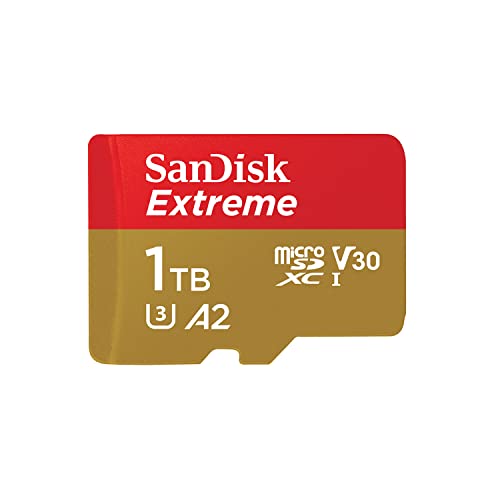
SANDISK 1TB Extreme microSD Card + Adapter
This card brings SanDisk’s faster Extreme line to the common 1TB capacity tier, rated up to 190MB/s read speed — notably quicker than the standard Ultra line cards elsewhere on this list at similar capacities. For Deck owners specifically prioritizing both established brand reliability and genuinely fast performance, this represents one of the stronger overall combinations in this lineup.
Priced close to the Lexar 1TB Blue card above, the choice between the two often comes down to brand preference, since both offer comparable real-world performance for demanding PC gaming workloads at essentially the same capacity and price point.
- Pros
- Fast 190MB/s rated read speed at the common 1TB capacity tier
- Established SanDisk Extreme line reliability and performance reputation
- Strong combination of brand trust and genuine speed performance
- Cons
- Priced close to comparable alternatives from other brands
- Not the absolute fastest-rated option on this list
- Adapter included but not necessary for direct Deck use
Who it’s for: buyers wanting a fast, established-brand 1TB card without chasing the very top speed tier.
Lexar 1TB Play Blue Micro SD Card
This is our top overall pick for most Steam Deck owners, combining a strong 160MB/s rated read speed with an A2 rating specifically — a distinction that matters for the random read/write performance PC games demand during actual gameplay, not just sequential file transfer. At around $160, it undercuts the similarly specced SanDisk 1TB Extreme and Lexar 1TB Blue cards on this list while carrying comparable core performance.
The A2 rating specifically differentiates this from the standard Lexar Blue card above, reflecting Lexar’s gaming-focused “Play” branding for this specific product line, and it’s the combination of that rating with strong capacity and competitive price that makes this the default recommendation for most Deck owners on this page.
- Pros
- Best overall value combining capacity, speed rating, and price
- A2 rating specifically benefits demanding PC gaming read/write patterns
- Undercuts similarly specced competitors on this list in price
- Cons
- Not the single fastest sequential read speed on this list
- Lexar’s gaming-specific branding is newer than SanDisk’s established lines
- 1TB may still be limiting for the most extensive game libraries
Who it’s for: most Steam Deck owners looking for the single best all-around pick on this list.
Samsung PRO Plus Sonic The Hedgehog 512GB microSDXC + Adapter
This licensed Sonic The Hedgehog design card brings Samsung’s PRO Plus line to the 512GB tier, rated up to 180MB/s read speed per Samsung’s published specifications. Samsung carries one of the strongest brand reputations in the broader storage and memory market, giving this card premium assurance alongside its solid speed rating.
The licensed character branding is purely cosmetic and doesn’t affect underlying performance, similar to the SanDisk Mario Edition card in our companion Switch storage guide. For buyers who specifically value Samsung’s manufacturing reputation over SanDisk or Lexar, this is a reasonable premium pick at a moderate capacity tier.
- Pros
- Strong Samsung brand reputation in the storage and memory market
- Solid 180MB/s rated read speed for demanding PC gaming workloads
- Licensed character design adds a cosmetic touch some buyers value
- Cons
- 512GB capacity ceiling lower than the terabyte-class options on this list
- Priced at a premium relative to its direct capacity-and-speed peers
- Cosmetic branding adds no functional performance benefit
Who it’s for: buyers who specifically prefer Samsung’s brand reputation at a moderate capacity tier.
How we compared and picked
Tomas Berger’s team extends the same load-time and speed-class evaluation methodology used in our Nintendo Switch storage guide specifically to Steam Deck’s much more demanding PC-game storage workload, where file sizes and texture streaming requirements routinely exceed anything on console-exclusive hardware. This is why speed rating, and specifically the combination of U3 and A2 ratings, receives heavier weight in this guide’s recommendations than in guides for lighter-workload devices.
Capacity recommendations are grounded in typical modern PC game install sizes, which routinely run 30GB to 100GB per AAA title based on publicly available game size data, making the terabyte-class cards on this list a more realistic default for serious Deck libraries than the smaller capacities that suffice for console-exclusive gaming. Brand reliability assessments draw on each manufacturer’s published specifications and established market reputation, since counterfeit and mislabeled high-capacity cards remain a documented risk across the broader storage industry, particularly at the largest capacity tiers where verification is hardest for consumers to perform themselves.
Any specific speed figures referenced are based on manufacturer-published ratings rather than direct benchmarking on the exact discounted units, and are labeled as estimates where that applies.
What to look for in a Steam Deck microSD card
U3 and A2 ratings together matter more here than on any other handheld
PC game workloads on Steam Deck involve heavier random read/write access patterns than console-exclusive titles typically demand, making the combination of U3 sustained-speed and A2 random-access ratings more important here than for a Switch or similar console-focused handheld. Prioritize cards carrying both ratings explicitly over ones advertising only capacity or a single speed metric.
Size your capacity around real PC game install sizes
Modern AAA PC game ports routinely install at 30GB to 100GB each based on publicly documented file sizes, meaning even a 512GB card fills up after five to ten substantial titles. Terabyte-class capacity is a more realistic baseline for a serious Deck library than it would be for lighter console-exclusive gaming.
Understand the real performance gap versus internal SSD
Even the fastest-rated microSD card on this list won’t match the Deck’s internal SSD for load times and texture streaming performance, based on the fundamental throughput differences between microSD and NVMe storage technologies. A microSD card is a practical capacity solution, not a full substitute for internal storage performance on your most demanding titles.
Weigh the price curve at the top capacity tiers carefully
Price per gigabyte rises steeply above the 1TB tier, as illustrated by the significant cost jump to the 2TB SanDisk Extreme card on this list. Unless your library genuinely demands that much simultaneous installed capacity, a 512GB to 1TB card paired with occasional install management delivers better overall value.
Licensed character designs are purely cosmetic
Cards with branded designs like the Samsung Sonic The Hedgehog edition carry no functional performance advantage over the manufacturer’s standard equivalent card — the licensing affects packaging and cosmetic design only, not the underlying storage hardware or speed rating.
Confirm SteamOS formatting compatibility before relying on a new card
SteamOS formats microSD cards using its own file system when set up for game storage, and while this process is generally reliable, it’s worth confirming a new card’s basic functionality with a small test transfer before committing your entire library to it, particularly with lesser-known brands.
Mistakes buyers make
Applying Switch-appropriate capacity expectations to a Steam Deck purchase is a common mistake, since PC game file sizes routinely run several times larger than console-exclusive titles, meaning a 128GB or even 256GB card that would suffice for a Switch library fills up far faster on a Deck.
Choosing a card based on capacity alone without checking for A2 and U3 ratings specifically leads to a card that technically holds the games but delivers noticeably worse load-time and streaming performance than a properly rated card at a similar price.
Expecting microSD performance to match the Deck’s internal SSD, then being disappointed by load times on the card-installed portion of a library, misunderstands the fundamental throughput gap between microSD and NVMe storage technologies regardless of how fast the card’s rating is.
Overpaying for maximum 2TB capacity without confirming your actual library size justifies it wastes money at the steepest point of the price-per-gigabyte curve in this entire product category.
Choosing an unfamiliar budget brand purely on price for a large-capacity card carries meaningfully higher risk than at smaller capacities, since counterfeit and mislabeled high-capacity storage is a documented industry problem that’s harder for consumers to verify themselves.
Finally, skipping a basic test transfer on a new card before committing an entire game library to it risks discovering compatibility or reliability issues only after significant time has already been invested in the setup process.
Verdict
For most Steam Deck owners, the Lexar 1TB Play Blue Micro SD Card remains the best overall pick, combining A2-rated performance, solid capacity, and competitive pricing. Buyers with more moderate libraries should consider the Amazon Basics 512GB microSDXC Card for its strong speed-to-price ratio at a smaller capacity. Owners with an extensive PC game library who want maximum headroom should look to the SANDISK 1.5TB Ultra microSD Card as a middle ground before jumping to the considerably pricier 2TB Extreme option.
Frequently asked questions
Can I actually run games directly from a microSD card on Steam Deck?
Yes, SteamOS supports installing and running full games directly from a properly formatted microSD card, though load times and occasional texture streaming performance will trail the Deck’s internal SSD, with the gap being more noticeable on a slower-rated card than a fast A2/U3 one.
Why do Steam Deck games need so much more storage than Switch games?
PC game ports typically ship with higher-resolution textures, more audio assets, and less aggressive compression than console-exclusive titles, routinely resulting in 30GB to 100GB installs for modern AAA games compared to a Switch cartridge’s more constrained file sizes.
What speed rating should I look for in a Steam Deck microSD card?
Look specifically for U3 and A2 ratings together, since these indicate strong sustained sequential speed and random read/write performance respectively, both of which matter for a demanding PC gaming workload rather than the lighter access patterns typical of phones or cameras.
Is it worth buying a 1TB or larger microSD card instead of upgrading the internal SSD?
For most users, yes, since a high-capacity microSD card costs meaningfully less than an internal SSD upgrade and doesn’t require opening the console, though the internal SSD will always outperform even the fastest microSD card for actual gameplay load times.
Do expensive high-capacity cards like the 2TB SanDisk Extreme make sense for most Steam Deck owners?
Only for buyers with an unusually large game library or who plan to keep every installed title simultaneously, since the price per gigabyte rises steeply at the top capacity tiers and most users are better served by a 512GB to 1TB card at a fraction of the cost.
For more handheld storage guidance, our best storage for handheld gaming roundup covers options across multiple device types. Pair a new card with our picks for the best Steam Deck accessories and best carrying cases for Steam Deck to round out your setup.
Related guides
- Best Free MMOs on Steam: Subscription Limits, Pay-to-Win and Time Cost (2026)
- Best Free Horror Games on Steam: How to Pick One That Fits Your PC and Your Nerves (2026)
- Black Frame Insertion vs VRR: Which Smoothness Feature Should You Use?
- Best Webcams for Streaming: 11 Listings Compared by Resolution, Focus and Light (2026)








