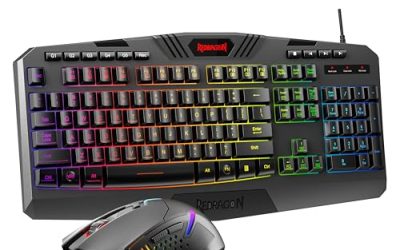
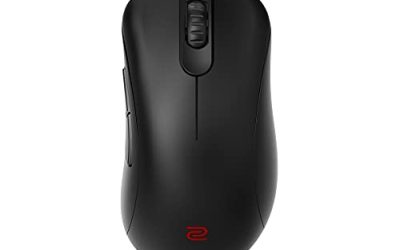
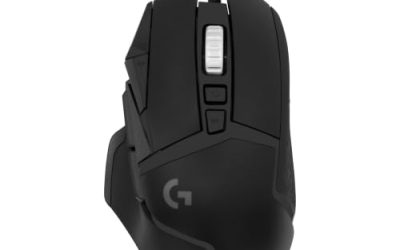
Our Short List of 3
All 5 Picks at a Glance
| Product | Specs | Action |
|---|---|---|
 Redragon M725 Honeycomb Shell Wireless Gaming Mouse | Check price on Amazon | |
 ASUS TUF Gaming M3 Gen II | Check price on Amazon | |
 Attack Shark X3 Wireless Gaming Mouse | Check price on Amazon | |
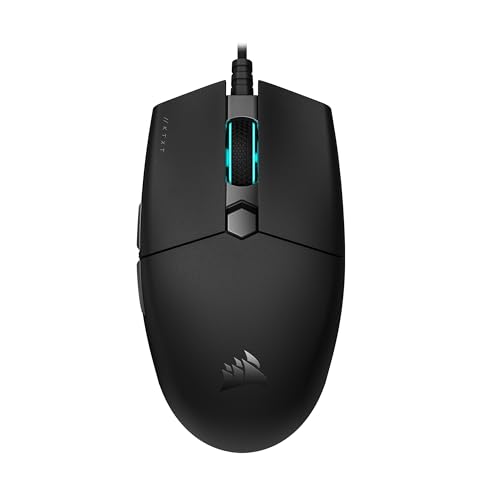 Corsair Katar Pro XT | Check price on Amazon | |
 Razer Cobra Wired Gaming Mouse | Check price on Amazon |
A heavy mouse fights you on every flick. It takes more effort to start moving, more effort to stop, and by the end of a long session your wrist knows it. A light mouse does the opposite: it gets out of the way, so small wrist movements turn into fast, precise aim. The good news is that you no longer need a big budget to get one. The five mice in this guide all weigh 73 grams or less, all come from makers with real track records, and all sit in the same affordable tier that this guide is built around. Each one takes a different route to light weight, from honeycomb shells to compact shapes to stripped-back wired designs, so the right pick depends on your grip, your games, and whether you want wireless freedom or a cable you never have to charge.
As an Amazon Associate, we earn from qualifying purchases.
Top 3 picks at a glance
Quick Answer
The five picks are the Redragon M725, ASUS TUF Gaming M3 Gen II, Attack Shark X3, Corsair Katar Pro XT, and Razer Cobra. The M725 is the lightest wireless pick at 49 grams, the X3 pairs that weight with the strongest sensor, the TUF M3 Gen II is the toughest, and the Cobra suits smaller hands best.
How to Choose
Weight is the first filter, and it helps to think in bands. Mice under 60 grams feel featherweight and suit low-sensitivity players who lift the mouse often. Mice between 60 and 75 grams still feel light but carry a little more presence, which some players prefer for control. Every mouse in this guide falls in one of those two bands, so the choice is about how light you want to go, not whether the mouse qualifies.
Shape matters as much as weight. A symmetrical mouse suits fingertip and claw grips and works for either hand, while a right-handed ergonomic shape fills the palm and supports longer sessions. If you play with a palm grip, an ergonomic shell with a thumb rest will feel more secure. If you play claw or fingertip, a compact symmetrical body gives your fingers more room to work. Hand size counts too: players with smaller hands should look at the compact picks, while larger hands suit the longer ergonomic models.
The sensor is the next thing to check. Modern gaming sensors track cleanly at high speeds, and the differences between them show up at the extremes. A sensor rated for 200 inches per second or more will keep up with fast flicks without spinning out. Maximum DPI is less important than it looks: most players settle somewhere in the low thousands, so a high ceiling is headroom, not a requirement. Polling rate matters more in practice, because it sets how often the mouse reports its position, and 1000Hz is the standard to expect.
Connection is a lifestyle choice. Wireless mice remove the cable entirely, which helps at low sensitivity, but they add a battery to manage and a dongle to keep track of. Tri-mode mice cover Bluetooth, a 2.4GHz dongle, and wired play, so they adapt to any setup. Wired mice never need charging and usually cost less for the same sensor, and a soft paracord-style cable keeps drag low enough that many players never notice it.
Buttons and software round out the decision. Five or six programmable buttons cover forward, back, and DPI switching for most players, while MMO players will want more. Check whether the software lets you remap buttons, set DPI stages, and adjust lighting, and whether it runs on your operating system. Feet matter as well: PTFE feet glide more smoothly than plain plastic, and they make a bigger difference on cloth pads than most buyers expect. Finally, think about durability. A honeycomb shell saves weight but leaves the inside exposed to dust and spills, while a solid shell with a water resistance rating will survive a desk accident that would end a lighter mouse.
Redragon M725 Honeycomb Shell Wireless Gaming Mouse
The Redragon M725 is the lightest wireless pick in this roundup at 49 grams, and the honeycomb shell is the reason it gets there. The perforations cut weight without turning the mouse into a fragile shell, and the symmetrical shape suits palm, claw, and fingertip grips in roughly equal measure. It connects three ways: Bluetooth, a 2.4GHz dongle, and a USB-C wired mode that also charges the battery, so it can move between a desktop, a laptop, and a living-room setup without extra hardware.
The listing states an 8000 DPI ceiling with five DPI levels, a 1000Hz polling rate, and five programmable buttons, with two side buttons for forward and back. The sensor tracks at up to 80 inches per second with 60G acceleration on the listing, which is enough headroom for fast flicks in shooters. The M725 is the pick for players who want wireless freedom and the lowest weight here while keeping a full set of connection options.
One honest wrinkle is worth noting. A third-party spec database lists a higher DPI ceiling for this mouse than the listing title states, so take the listing figure as the one that counts and ignore the louder number. That mismatch does not change how the mouse plays, but it is a reminder to trust the listing over roundups when the numbers disagree.
ASUS TUF Gaming M3 Gen II
The ASUS TUF Gaming M3 Gen II is the rugged pick. At 59 grams it is heavier than the honeycomb mice here, but it trades a few grams for an IP56 dust and water resistance rating, an antibacterial coating on the shell, and PTFE feet that glide cleanly across cloth pads. The right-handed ergonomic shape has a gentle curve that fills the palm, and six programmable buttons cover the usual forward, back, and DPI controls.
The optical sensor reaches 8000 DPI with 200 inches per second tracking and 30G acceleration, and the polling rate tops out at 1000Hz. Switches are rated for 60 million clicks, which is the longest lifespan claim in this group. RGB lighting runs through Aura Sync, so the mouse can match the rest of an ASUS setup. A flexible cable keeps drag low for a wired mouse, and the whole package is built for players who are hard on gear: long sessions, snack breaks at the desk, and the occasional spill. It is the sensible pick for a first lightweight mouse, because it asks for no compromises on durability while still feeling quick in the hand.
Attack Shark X3 Wireless Gaming Mouse
The Attack Shark X3 is the sensor pick. Its PixArt PAW3395 sensor reaches 26000 DPI with 650 inches per second tracking and 50G acceleration, the strongest tracking figures in this roundup, and it pairs that sensor with a 49-gram shell that matches the lightest mice here. Tri-mode connection covers Bluetooth, a 2.4GHz dongle, and USB-C wired play, and the battery is rated for 200 hours, the longest runtime in this group by a wide margin.
Kailh GM8.0 switches sit under the main buttons, and five programmable buttons handle the usual bindings. The ergonomic shape leans right-handed with a thumb rest that suits palm and claw grips. One thing to watch: the X3 is sold in several colors, and each color carries its own ASIN, so match the exact listing before ordering rather than assuming every variant shares one code. The X3 is the pick for players who want flagship-level tracking and a battery that lasts for weeks of sessions in a featherweight body.
Corsair Katar Pro XT
The Corsair Katar Pro XT is the heaviest mouse here at 73 grams, and it is also the most conventional. There is no honeycomb shell and no wireless mode, just a compact right-handed shape, a drag-reducing paracord cable, and a PixArt sensor that reaches 18000 DPI. Six programmable buttons include Corsair QuickStrike buttons, which are pre-tensioned to cut down the travel before a click registers.
The scroll wheel carries RGB lighting, and the whole mouse is tuned through the iCUE software, where buttons, DPI stages, and lighting can be remapped. The Katar Pro XT suits players who find ultralight honeycomb mice too insubstantial and want a mouse with a bit more presence in the hand while still staying light enough for fast flicks. It is also the pick for players already running Corsair gear, since one software install covers the mouse, keyboard, and headset. The trade is simple: a little more weight in exchange for a solid shell, a proven shape, and no battery to think about.
Razer Cobra Wired Gaming Mouse
The Razer Cobra is the compact pick. At 58 grams it is small enough for fingertip and claw grips, and the symmetrical shape works for either hand, though the side buttons sit on the left for right-handed use. Gen-3 optical switches are rated for 90 million clicks with fast actuation, and the 8500 DPI optical sensor covers the sensitivity range most players actually use.
Chroma RGB underglow lights the desk beneath the mouse, and the Speedflex cable is soft enough that it rarely tugs during fast movements. PTFE feet keep glides smooth, and the whole mouse is tuned through Synapse, where DPI stages, lighting, and button assignments can be changed. The Cobra is the pick for players with smaller hands, or for anyone who wants a big-brand mouse with strong switches and clean software in a genuinely light body. It is also the easiest of the five to find in stores, which makes it a safe gift pick.
Who Should Skip It
A lightweight mouse is not for everyone, and this guide is honest about that. Players who like a heavy, planted mouse will find even the 73-gram Katar Pro XT too flighty, and they should look at heavier ergonomic mice instead. MMO players who bind a dozen abilities to thumb buttons will run out of inputs here, since every pick in this guide carries five or six buttons. Left-handed players should also pause: most of these mice are right-handed shapes or have side buttons only on the left, so a true left-handed mouse is a better fit. Players who want a wireless charging dock, a hot-swappable switch design, or a high polling rate above the standard will not find those features in this tier either. Finally, if your hands are large and you play palm grip for hours at a time, the compact picks here may cramp your hand, and a full-size ergonomic mouse will serve you better.
FAQ
What weight counts as lightweight for a gaming mouse?
Most players call anything under 75 grams lightweight, and anything under 60 grams featherweight. The mice in this guide range from 49 to 73 grams, so all five sit inside the lightweight band. The practical difference is feel: the 49-gram mice disappear in the hand, while the 73-gram pick still feels light but carries a little more presence for players who want control.
Is a wired or wireless lightweight mouse better?
Neither is better in general, and the right answer depends on your setup. Wireless removes cable drag entirely, which helps at low sensitivity, but it adds a battery to charge and a dongle to keep track of. Wired mice never need charging and usually cost less for the same sensor. A soft paracord cable closes most of the gap, so pick wireless if you hate cables and wired if you hate charging.
Do I need a high DPI sensor?
For most players, no. The sensitivity most people actually play at sits in the low thousands, so a sensor with an 8000 DPI ceiling already has plenty of headroom. What matters more is tracking speed and acceleration: a sensor that keeps up with fast flicks without spinning out will feel better than a sensor with a bigger DPI number on the box.
Can a honeycomb shell break easily?
Honeycomb shells are sturdier than they look, because the perforations are cut into a rigid frame rather than thin plastic. That said, they do leave the inside exposed to dust, crumbs, and spills, so they need a little more care than a solid shell. If you eat at your desk or your setup collects dust, a solid-shell mouse with a water resistance rating is the safer choice.
Final Verdict
All five mice in this guide earn their place, and the best one is the one that matches your grip and your setup. The Redragon M725 is the overall pick: the lightest wireless mouse here, with three connection modes and a symmetrical shape that suits most grips. The Attack Shark X3 is the pick for players who want the strongest sensor and the longest battery life in the same featherweight body. The ASUS TUF Gaming M3 Gen II is the pick for players who are hard on gear and want a mouse that survives spills and long sessions. The Corsair Katar Pro XT is the pick for players who want a solid shell and a little more heft without leaving the lightweight class. The Razer Cobra is the pick for smaller hands and for anyone who wants big-brand switches and software in a compact body. Start with your grip, then your connection preference, and the right mouse will pick itself.
Product and ASIN Reference
| Product | ASIN |
|---|---|
| Redragon M725 Honeycomb Shell Wireless Gaming Mouse | B0F1MQDS4J |
| ASUS TUF Gaming M3 Gen II | B0C1T2HL7L |
| Attack Shark X3 Wireless Gaming Mouse | B0F7K6N6GW |
| Corsair Katar Pro XT | B08SHCKVTG |
| Razer Cobra Wired Gaming Mouse | B0C51J2ZXN |
Related guides
More from Amazon
Programs that pair well with the guide above. Offers and eligibility are set by Amazon and may change.
Free shipping on eligible items, Prime Video and more. Eligible new members can start with a free trial.
Start a Prime free trialAd-free music streaming. Eligible new subscribers can start with a free trial.
Try Music Unlimited freeA Prime membership for ages 18-24 with a trial period. Eligibility is set by Amazon.
See Prime for Young AdultsAudiobooks and podcasts to listen to on the go. Eligible new members can start with a free trial.
Try Audible freeAs an Amazon Associate we earn from qualifying purchases.