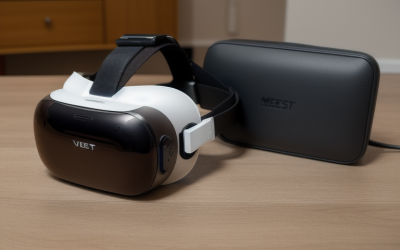
The best apps for Oculus Quest are a short list of rhythm, fitness, sports, social and story games, plus a few non-game apps for desktop streaming and media. Start with Beat Saber for rhythm and exercise, Gorilla Tag for free social play, Eleven Table Tennis for sports, and Walkabout Mini Golf for a relaxed group night. The sections below group the picks by what you want to do, so you can install a handful of apps instead of scrolling the store.
Our Top Picks


Best Apps for Oculus Quest at a Glance
“Oculus Quest” is the old name; the headsets are now sold as Meta Quest, and most apps people search for under either name run on Quest 2, Quest 3 and Quest 3S. Store availability, headset support and pricing change, so confirm on the app page before you install.
| You want | Install first | Why |
|---|---|---|
| A first VR game | Beat Saber | Easy to learn, widely recommended as an opening purchase |
| Free and social | Gorilla Tag | Popular free game built around physical movement |
| Real sports feel | Eleven Table Tennis | Strong physics, VR or mixed reality, multiplayer |
| A big story game | Asgard’s Wrath 2 | Long single-player adventure |
| Casual with friends | Walkabout Mini Golf | Easy rules, relaxed pace |
| Strategy night | Demeo | Tabletop-style dungeon game |
| Horror and action | Resident Evil 4 VR or Alien: Rogue Incursion | Big-budget scares |
Before You Install: Which Quest Do You Own?
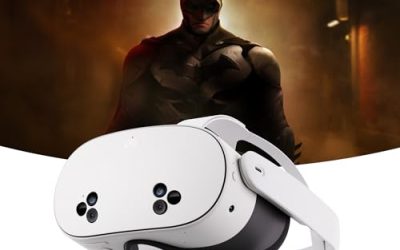
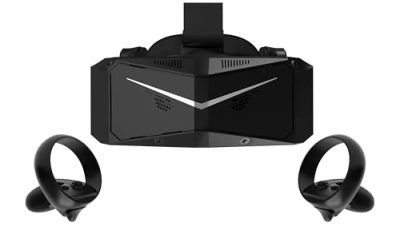
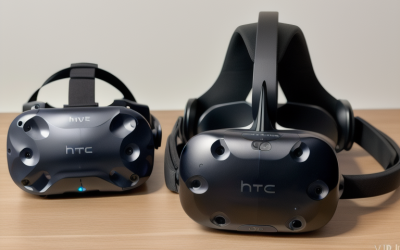
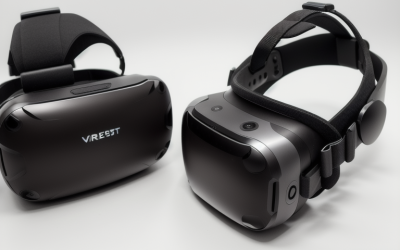
Most current apps target Quest 2, Quest 3 and Quest 3S. Newer, heavier games may list Quest 3 and 3S as the best experience or the only supported headsets. Check the “supported devices” line on each store page. If you are still choosing a headset, our Quest 3 vs Quest 3S comparison explains the differences. These two headsets appear in our store listings, and are shown here for reference.
As an Amazon Associate we earn from qualifying purchases at no extra cost to you.

Meta Quest 3 512GB VR headset. The listing describes a bundle with Golf+ included, plus a lightweight design, 4K+ display and mixed reality for VR gaming. It is the headset most current big games target. Confirm the bundled game and storage size on the exact listing before you buy.

Meta Quest 3S 128GB VR headset. The listing mentions Golf+ included, high-definition resolution and a lightweight design. It is the lower cost Quest 3 generation option. With 128GB you will want to manage storage, since large games take space.
Best Apps for Oculus Quest: Rhythm and Fitness
Rhythm and fitness apps are the easiest way to feel what VR does well. You move your arms and body, and the game rewards it.
Beat Saber
Beat Saber has the reputation of being the best-selling VR app of all time. You slice blocks to the beat with two light sabers. Easy modes are friendly for beginners, while the highest difficulty can feel like interval cardio.
- Best for: first-time VR players, short workouts, party demos.
- Skip if: you dislike rhythm games or have a tight play space.
Synth Riders and Pistol Whip
Synth Riders is a flowing rhythm game with a more dance-like feel. Pistol Whip turns shooting into a rhythm challenge. Both appear on the top Quest lists from editorial roundups and suit players who want a different flavour from Beat Saber.
Crazy Kung Fu and Racket Club
These are active picks mentioned in fitness-oriented roundups. Crazy Kung Fu leans on martial arts movement, and Racket Club is a racket sport game. Expect a real sweat, so clear space and wipe the face pad after.
Best Free Apps for Oculus Quest
Gorilla Tag
Gorilla Tag is the most popular free game on Quest, according to editorial lists. You move by swinging your arms, and the game is built around tag-style social play. It is free to play, with optional cosmetic purchases.
- Best for: younger players and anyone who wants a free, active, social game.
- Skip if: you are sensitive to motion, since the arm-swing movement can be intense, or if you do not want an online lobby.
Parents should check the age rating, chat and purchase settings for any social app before letting a child play.
VRChat
VRChat is a social platform with user-made worlds and avatars. It is free, open-ended and can be a lot to take in. It suits people who enjoy exploring and meeting others, and is less suited to anyone who wants a guided game.
Best Apps for Oculus Quest: Sports and Multiplayer
Eleven Table Tennis
Eleven Table Tennis is praised for table tennis physics, runs in VR and mixed reality, and includes multiplayer. It is a good pick if you already play the real sport, or want a short competitive game.
Walkabout Mini Golf
Walkabout Mini Golf is a relaxed, easy-to-learn game that works for groups and non-gamers. Courses are quiet and colourful. It is a safe first game for visitors who have never worn a headset.
Population: One
Population: One is a team-based battle royale designed for VR. It is for players who want competitive online action. Expect a learning curve and an active community.
Demeo
Demeo is a tabletop-style dungeon crawl where you play at a virtual table. It suits strategy fans and works well with friends.
Best Apps for Oculus Quest: Story, Horror and Action
Asgard’s Wrath 2
Asgard’s Wrath 2 is a long action-adventure designed for Quest, and appears in multiple bundles and roundups. It is for players who want a game that lasts many hours.
Batman: Arkham Shadow
Batman: Arkham Shadow is a story-driven game and has been bundled with Quest 3 and 3S at times. Check the listing to see whether your headset includes it before buying separately.
Moss and Superhot VR
Moss is a calm puzzle adventure with a small hero. Superhot VR is a stylish action puzzle in which time moves when you move. Both are short and approachable.
Resident Evil 4 VR and The Walking Dead: Saints and Sinners
These are intense, mature games with horror themes. They suit experienced players. Check the age rating and your comfort with scary content.
Alien: Rogue Incursion
Alien: Rogue Incursion is a tense horror title that appears in recent Quest roundups. It is best for players who like slow, scary experiences, and may need a newer headset. Check supported devices.
Best Non-Game Apps for Oculus Quest
Not everything on the headset has to be a game. These are common uses:
- Browser and media: the built-in browser and video apps turn the headset into a private screen. Comfort over long films depends on the strap and face pad.
- PC streaming: apps and Meta’s own Link options let you play PC VR games, if your computer is powerful enough. This needs a good wireless network or a cable.
- Virtual desktop and large screens: apps such as Virtual Desktop and Bigscreen are popular for working or watching on a big virtual display. Check each app’s current store page for features and cost.
- Fitness trackers: workout focused apps in the SideQuest and store lists can replace a gym session for some people.
How to Install Apps on Quest
- Open the Store on the headset, or use the Meta Horizon mobile app.
- Search for the app name and open the page.
- Check supported devices, comfort rating and age rating.
- Free apps install with one button. Paid apps need a payment method on your account.
- Wait for the download, then launch from your library.
If storage is low, uninstall apps you no longer play. Purchased apps can usually be reinstalled later from your library.
Free vs Paid Apps on Quest
| Type | Examples | What to watch |
|---|---|---|
| Free | Gorilla Tag, VRChat | Optional purchases, online chat, age settings |
| Paid one-time | Beat Saber, Walkabout Mini Golf, Moss | Extra song packs or add-ons may cost more |
| Bundled | Games included with some headsets | Bundles change, so check the listing |
Comfort, Space and Safety
- Set your play boundary every time you move to a new room.
- Start with short sessions if you are new, and stop if you feel dizzy.
- Pick “comfort” rated games first, since movement style affects motion sickness.
- Keep pets and children out of the play space.
- Wipe the face pad after active games.
Our Picks by Player Type
| Player | Install |
|---|---|
| New to VR | Beat Saber, Walkabout Mini Golf, Moss |
| Kids and families | Walkabout Mini Golf, Gorilla Tag with parental settings |
| Fitness | Beat Saber, Synth Riders, Crazy Kung Fu |
| Competitive | Eleven Table Tennis, Population: One |
| Story fans | Asgard’s Wrath 2, Batman: Arkham Shadow |
| Horror fans | Resident Evil 4 VR, Alien: Rogue Incursion |
Best Apps for Oculus Quest by Headset Generation
Which headset you own changes how the same app feels. Use this as a rough guide and confirm on each store page.
| Headset | What to expect | App advice |
|---|---|---|
| Quest 2 | Still widely supported, older hardware | Stick to well-reviewed, comfort-rated games, and expect some newer titles to skip it |
| Quest 3 | Newer chip, mixed reality features | Handles heavier games and mixed reality sports apps well |
| Quest 3S | Lower cost, same generation | Runs the same apps as Quest 3 in most cases, with different optics and storage options |
| Original Quest | Oldest model | Store support has narrowed, so check each app carefully |
Your First Night With a New Quest
A good first session sets the tone for whether you enjoy VR. Follow this order.
- Fit and focus. Adjust the headset so the picture is sharp before you judge any app. Poor fit is the most common reason new players feel it is blurry.
- Set the boundary. Clear about two arm-lengths around you and draw the play area.
- Start with a gentle app. Walkabout Mini Golf or a short Beat Saber session on an easy level is enough.
- Take breaks. Remove the headset after 20 to 30 minutes at first. If you feel unwell, stop and try again later.
- Then try something active or social. Add Gorilla Tag or Eleven Table Tennis once you are comfortable.
Apps for Playing With Friends and Family
VR is more fun with company, and several apps are built for it.
- Walkabout Mini Golf: easy for mixed ages and experience, with a calm tone.
- Demeo: a shared table with strategy, good for evenings with friends who like board games.
- Eleven Table Tennis: head-to-head matches, including multiplayer.
- Gorilla Tag: free, fast and chaotic, best with players you know or in a managed lobby.
- VRChat: open social spaces where you can meet others, best for adults and older teens who know how to use block and mute tools.
For one headset and several people, rotate the headset and let others watch on a phone or TV through the casting option in the Meta app. Wipe the face pad between users.
Guide for Parents
If a child will use the headset, set up parental controls before the first launch. Look at the age rating on each app, since some social and horror titles are not suitable for younger players. Social apps include voice chat with strangers in some modes, so restrict or disable chat where you can and keep play in a shared room. Check purchase settings so that optional cosmetic purchases need a password or approval. Meta lists minimum ages for use, so confirm them in the headset’s official guidance.
Keep sessions short, supervise early play, and encourage breaks. Games with smooth locomotion and constant motion can cause discomfort, while teleport movement tends to be gentler.
Managing Storage and Your Library
Storage is the quiet limit on any Quest. Large story games can use many gigabytes, so a smaller headset fills faster.
| Habit | Why it helps |
|---|---|
| Keep three to five games installed at a time | Leaves room for updates and new releases |
| Uninstall finished story games | Large files go first, and you can reinstall later from your library |
| Check the file size before buying | The store page lists it, so you know what is coming |
| Update on Wi-Fi overnight | Big updates take a while |
Common Problems and Quick Fixes
The picture looks blurry
Adjust the headset position and strap first. Then check the eye-distance setting if your headset has one, and clean the lenses with a microfibre cloth.
I feel dizzy
Switch to comfort-rated games with teleport movement, play seated, sit near a fan, and keep sessions short. Smooth movement games are best saved for later.
An app will not launch or keeps crashing
Restart the headset, check for system and app updates, and make sure you have free storage. If it still fails, uninstall and reinstall the app.
Hand tracking is not working
Improve the room lighting, avoid reflective surfaces, and keep your hands in view of the cameras. Some games work better with controllers.
Multiplayer lag
Use a strong Wi-Fi signal, ideally a 5GHz band close to the router, and close other devices that stream video.
Non-Game Uses That Make the Headset Worth Keeping
Many owners find they use the headset for more than games. Watching films on a large virtual screen, working on a virtual desktop in a small apartment, and following a guided workout are common reasons it stays in use after the novelty fades. Try these once during your first week, because they decide whether a Quest is a gaming toy or a daily tool. Comfort is the key factor: for long sessions, a well-adjusted strap and a clean face pad matter more than any app.
How to Build a Starter Library Without Overspending
You do not need to buy everything. Pick one rhythm game, one social or free game, one sport, and one long story game. That covers movement, company, competition and depth. Read store reviews for each, watch a short trailer, and check the supported device list. Wait to buy more until you finish what you have. If a bundle includes a game you wanted anyway, take it into account when choosing a headset, but do not buy a bundle just for a title you will never launch.
Frequently Asked Questions
What are the best apps for Oculus Quest?
Beat Saber, Gorilla Tag, Eleven Table Tennis, Walkabout Mini Golf and Asgard’s Wrath 2 are among the names editorial lists repeat most. Pick by genre.
What are the best apps for Oculus Quest 2?
Most of the apps above run on Quest 2. Newer, heavier games may favor Quest 3 or 3S, so check supported devices on each store page.
What are the best free apps for Oculus Quest?
Gorilla Tag and VRChat are the best-known free options. Both have online chat, so review age and safety settings.
Is Oculus Quest the same as Meta Quest?
Yes, Oculus Quest was the earlier name. The headsets are now sold under Meta Quest, and the store and apps are accessed the same way.
What should I download first on a new Quest?
Try Beat Saber or Walkabout Mini Golf for a gentle start, and a free game such as Gorilla Tag if you want to see how active VR feels.
Can I play PC VR games on Quest?
Yes, with a cable or wireless link to a capable PC. Performance depends on your computer and network, so check the maker’s requirements.
How many apps can a Quest hold?
It depends on storage. Large games take several gigabytes, so a 128GB model fills faster than a 512GB one. Uninstall what you do not play.
Which Apps Should You Install?
If you only install three, pick Beat Saber for movement, Walkabout Mini Golf for company, and one big story game such as Asgard’s Wrath 2. Add Gorilla Tag if you want free social play, and Eleven Table Tennis for a sport. Check each store page for supported headsets and age ratings before you commit.
Sources
- Tom’s Guide best Meta Quest games roundups
- SideQuest fitness app list
- Reality Atlas best Meta Quest games
- Meta Quest store pages
Last updated: November 2026
Related guides
More from Amazon
Programs that pair well with the guide above. Offers and eligibility are set by Amazon and may change.
Free shipping on eligible items, Prime Video and more. Eligible new members can start with a free trial.
Start a Prime free trialAd-free music streaming. Eligible new subscribers can start with a free trial.
Try Music Unlimited freeA Prime membership for ages 18-24 with a trial period. Eligibility is set by Amazon.
See Prime for Young AdultsAudiobooks and podcasts to listen to on the go. Eligible new members can start with a free trial.
Try Audible freeAs an Amazon Associate we earn from qualifying purchases.