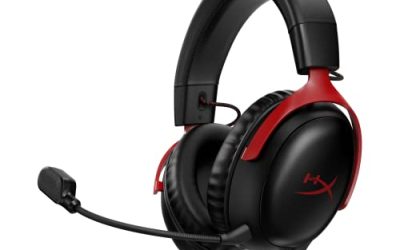
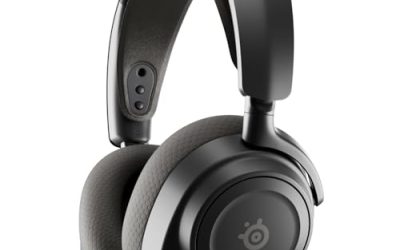
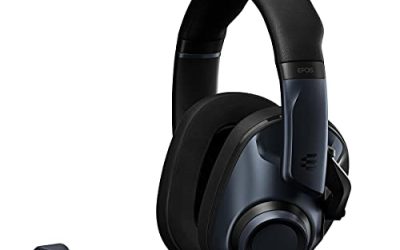
Our Short List of 3

- Drivers: 40mm directional drivers
- Connection: Wired 3.5mm
- Microphone: Swivel-to-mute boom microphone
- Spatial audio: DTS Headphone:X (two-year activation included)

- Drivers: Razer TriForce 50mm drivers
- Connection: Wired 3.5mm
- Microphone: HyperClear cardioid boom microphone
- Surround sound: 7.1 virtual surround on PC

- Drivers: 50mm drivers
- Connection: Wired 3.5mm with USB digital-to-analog converter included
- Microphone: Flip-to-mute 6mm boom microphone
- Surround sound: DTS Headphone:X 2.0 and 7.1 surround on PC
All 3 Picks at a Glance
| Product | Specs | Action |
|---|---|---|
| 1. HyperX Cloud Stinger 2 Core |
| Check price on Amazon |
| 2. Razer BlackShark V2 X |
| Check price on Amazon |
| 3. Logitech G432 |
| Check price on Amazon |
Finding the best headsets under 100 dollars does not mean settling for muddy sound or a microphone your teammates cannot understand. The budget headset market has matured a great deal, and the models that survive at this level tend to do a few things very well: clear stereo or virtual surround sound, a microphone that keeps your voice intelligible, and ear cups you can wear for a full evening without discomfort. What they usually leave out is wireless freedom, premium materials, and the kind of tuned bass that flagship models deliver. For most gamers, students, and remote workers, that is a fair trade.
This guide compares three wired headsets that fit comfortably inside a 100 dollar budget, explains what actually matters when you shop in this range, and helps you match a headset to the way you play, listen, and talk. Every pick below is a real, currently listed product on Amazon US, with its published specifications taken from the manufacturer and the listing.
Our Top Picks
- Razer BlackShark V2 X Wired Gaming Headset with3.5 mm7.6 x 6.76 x 3.86 inches0.5 poundsCheck on Amazon
- Logitech G432 Wired Gaming Headset7.2 x 3.2 x 6.8 inches7.8 x 4.3 x 9 inches0.7 poundsCheck on Amazon
Top 3 picks at a glance
How to Choose a Headset Under 100 Dollars
A 100 dollar ceiling covers a surprisingly wide range of headsets, from basic stereo models to feature-rich gaming sets with virtual surround sound. The trick is knowing which features genuinely improve your experience and which ones are marketing decoration at this price.
Sound Quality and Driver Size
Most headsets in this range use 40mm or 50mm drivers. Driver size alone does not determine sound quality, but larger drivers generally move more air and can deliver a fuller low end. What matters more is tuning: a headset tuned for gaming will often emphasize footsteps and positional cues, while one tuned for music may favor a warmer, more balanced profile. Virtual surround sound, such as DTS Headphone:X, can widen the soundstage on PC, but it is usually a software feature rather than true multi-driver surround. Treat it as a bonus, not a deciding factor.
Microphone Clarity
If you play multiplayer games, join voice calls, or stream, the microphone matters as much as the speakers. Look for a boom microphone with a cardioid or unidirectional pickup pattern, which focuses on your voice and rejects background noise from your keyboard or room. Flip-to-mute and swivel-to-mute designs are genuinely useful, because they let you silence yourself instantly without hunting for a button. Detachable microphones are a plus if you also want to wear the headset for music on the move, though most budget gaming headsets keep the mic attached.
Comfort for Long Sessions
Comfort is where cheap headsets most often fail. A headset that sounds great for twenty minutes and hurts after two hours is a bad purchase. Memory foam ear cushions, a padded and adjustable headband, and a light overall weight are the features that matter most. Over-ear designs that fully enclose the ear tend to be more comfortable than on-ear models, and they also block more outside noise. If you wear glasses, pay attention to clamping force: softer cushions and a lighter frame reduce pressure on the arms of your glasses during long sessions.
Connection Type and Compatibility
Nearly every headset under 100 dollars is wired, and that is a strength rather than a weakness at this budget. A wired 3.5mm connection works with PC, consoles, and mobile devices without batteries, pairing, or latency. Some models add a USB adapter or digital-to-analog converter for PC surround features, which is worth having if you mainly play on a desktop. Before buying, check what your device actually supports: a headset that relies on a USB adapter for its headline surround feature will sound like plain stereo on a console or phone.
Build Quality and Durability
Budget headsets are mostly plastic, and that is fine as long as the plastic is well made and the joints are reinforced. The parts that wear out first are usually the cable, the ear cushions, and the microphone hinge. A detachable cable is a real advantage, since a damaged cable is the most common reason a headset gets retired early.
What to Expect at This Budget
Set your expectations honestly. Under 100 dollars you can get clear sound, a usable microphone, and all-day comfort, but you will not get active noise cancellation, premium leather, or wireless convenience. You may also find that bass is less controlled than on more expensive models, and that the microphone sounds clear rather than broadcast-quality.
Top Picks
1. HyperX Cloud Stinger 2 Core
- Drivers: 40mm directional drivers
- Connection: Wired 3.5mm
- Microphone: Swivel-to-mute boom microphone
- Spatial audio: DTS Headphone:X (two-year activation included)
The HyperX Cloud Stinger 2 Core is the most PC-focused pick in this group, and it earns that spot with a simple formula: light weight, clear drivers, and spatial audio support without a complicated setup. HyperX lists it as a lightweight over-ear wired headset with 40mm directional drivers, DTS Headphone:X spatial audio, and a swivel-to-mute microphone.
At 266 grams, it is one of the lighter headsets in this price range, and that lightness shows up during long sessions. The ear cups use soft cushioning, the headband is padded, and the overall fit is relaxed rather than tight. The 40mm drivers are tuned for enhanced bass and clear game audio, with a frequency response the manufacturer lists at 18Hz to 23kHz. DTS Headphone:X support is the headline feature: the included activation code provides two years of DTS spatial audio, which can help with positional awareness in competitive games on PC. That licence is time-limited, so if spatial audio is the main reason you are buying this headset, confirm the current terms on the listing and packaging before you order.
The microphone swivels up to mute, which is the most intuitive mute control in this group. There is no wireless mode and no battery to manage, so the headset is always ready. The main limitation is connectivity: this is a wired 3.5mm headset aimed squarely at PC, and while the standard jack works with consoles and mobile devices, the DTS features are PC-oriented.Who it suits: PC players who want a light, comfortable headset with spatial audio support and a simple mute control, and who are happy with a wired connection.
Key specifications:
2. Razer BlackShark V2 X
- Drivers: Razer TriForce 50mm drivers
- Connection: Wired 3.5mm
- Microphone: HyperClear cardioid boom microphone
- Surround sound: 7.1 virtual surround on PC
The Razer BlackShark V2 X is the pick for players who want the most complete gaming feature set for the least money. It is built around Razer TriForce 50mm drivers, a HyperClear cardioid microphone, and 7.1 surround sound support on PC, all connected through a standard 3.5mm jack.
The TriForce driver design splits the audio into separate high, mid, and low frequency ranges, which Razer says produces clearer highs and more powerful bass without muddying the mids. In practice, the 50mm drivers give this headset a fuller sound than the 40mm competition, and the closed ear cups with memory foam provide strong passive noise isolation, which helps you focus on the game rather than the room around you. The frequency response is listed at 12Hz to 28kHz, with 32 ohms of impedance.
The microphone is a bendable HyperClear cardioid model, tuned to pick up your voice from a focused area while rejecting sound from the sides. That makes it well suited to voice chat in noisy rooms. The headset also includes an audio and microphone splitter extension cable in the box, so it connects cleanly to PCs with separate headphone and microphone jacks as well as to consoles, Switch, and mobile devices through the single 3.5mm plug.
One thing to note is that the 7.1 surround sound is a virtual feature that works on PC through Razer’s software, while on consoles and mobile devices the headset operates in stereo. That is normal for this category, but it is worth knowing before you buy if surround sound is your main priority.
Who it suits: Multi-platform gamers who want strong sound isolation, a clear cardioid microphone, and the biggest drivers in this group, and who play across PC, PlayStation, Xbox, and Switch.
Key specifications:
3. Logitech G432
- Drivers: 50mm drivers
- Connection: Wired 3.5mm with USB digital-to-analog converter included
- Microphone: Flip-to-mute 6mm boom microphone
- Surround sound: DTS Headphone:X 2.0 and 7.1 surround on PC
The Logitech G432 is the most versatile pick of the three, and the one that best bridges gaming and everyday use. It is a wired gaming headset with 7.1 surround sound, DTS Headphone:X 2.0, and a flip-to-mute microphone, and it ships with both a 3.5mm connection and a USB digital-to-analog converter for PC.
The 50mm drivers deliver a wide, detailed sound, and the DTS Headphone:X 2.0 support adds a sense of space that works well for both games and movies on PC. The USB adapter is the key accessory: plug the headset into it and you get the full surround processing and Logitech G HUB software support on a desktop, while the 3.5mm jack keeps the headset usable with consoles, Mac, and mobile devices when you travel. The ear cups use leatherette padding and swivel to lie flat, which makes the headset easier to store and more comfortable around the neck between matches.
The microphone flips up to mute, a design that is quick and reliable in the middle of a game. It is a 6mm boom microphone, and Logitech positions it as a clear voice-chat mic rather than a streaming-grade one. At around 280 grams, the G432 sits between the other two picks on weight, and the padded headband distributes that weight well enough for long sessions. The large ear cups fit most ears comfortably, though players with smaller heads may find the fit slightly loose.
Who it suits: Players who split time between PC and console, want a USB adapter in the box for PC surround sound, and like a headset that also works well for movies, music, and voice calls.
Key specifications:
Comparison Table
| Headset | Drivers | Connection | Microphone | Surround Sound | Weight |
|---|---|---|---|---|---|
| HyperX Cloud Stinger 2 Core | 40mm | Wired 3.5mm | Swivel-to-mute boom | DTS Headphone:X | 266 g |
| Razer BlackShark V2 X | 50mm TriForce | Wired 3.5mm | HyperClear cardioid | 7.1 virtual on PC | 275 g |
| Logitech G432 | 50mm | Wired 3.5mm plus USB adapter | Flip-to-mute boom | DTS Headphone:X 2.0 | 280 g |
Which Headset Should You Buy?
If you play mostly on PC and want the lightest headset with spatial audio, the HyperX Cloud Stinger 2 Core is the natural choice. Its 40mm drivers are the smallest here, but the tuning and DTS support make it a strong pick for competitive play, and the low weight is genuinely noticeable after a few hours.
If you play across several platforms and want the fullest sound and the best noise isolation, the Razer BlackShark V2 X is the better fit. The 50mm TriForce drivers and cardioid microphone are the strongest combination in this group for voice chat, and the included splitter cable makes it easy to connect to almost anything.
If you want one headset that does everything reasonably well and comes with a USB adapter for PC surround sound, the Logitech G432 is the safest all-rounder. It is the most versatile of the three, and the flip-to-mute microphone and swivel ear cups are small conveniences that add up over time.
For music listening rather than gaming, the differences narrow. All three headsets reproduce music clearly, and the choice comes down to fit and tuning: the Razer and Logitech models have a fuller low end thanks to their 50mm drivers, while the HyperX is lighter and more neutral. For voice calls and remote work, the Razer cardioid microphone has a slight edge in noisy rooms, but all three are clear enough for daily calls.
How to Get the Most From a Budget Headset
A good headset still needs a little care to sound its best. A few habits make a real difference.
First, check your platform settings after you plug in. On PC, make sure the headset is set as both the default playback and default recording device, and try the surround software if your model supports it.
Second, position the microphone correctly. A boom mic should sit about two finger-widths from the corner of your mouth, not directly in front of it, which reduces breath noise and popping. If your teammates say you sound quiet, check the microphone level in your system settings before blaming the headset.
Third, give the ear cushions time to settle. New cushions are often firmer than they will be after a week of use, and the clamping force usually relaxes slightly as the headband breaks in. If a headset still hurts after a week, the fit is probably wrong for your head shape, and no amount of breaking in will fix it.
Finally, protect the cable. Wrap it loosely rather than winding it tightly around the headset, and keep it away from chair wheels and desk edges. A damaged cable is the most common reason a budget headset is replaced, and it is also the most preventable.
FAQ
Are headsets under 100 dollars good enough for competitive gaming?
Yes, for most players. The headsets in this guide offer clear positional audio, usable virtual surround sound on PC, and microphones that keep team communication intelligible. What you give up compared with more expensive models is mostly refinement: tighter bass, more premium materials, and wireless convenience. For ranked play at a casual or semi-serious level, a well-chosen budget headset is not the limiting factor.
Is wired or wireless better under 100 dollars?
Wired is the better choice at this budget. Wireless headsets under 100 dollars often cut corners on sound quality, battery life, or microphone performance to fit the wireless hardware into the budget. A wired headset gives you zero latency, no battery to charge, and better sound for the same money. If wireless matters to you, it is usually worth saving for a higher tier rather than buying the cheapest wireless option available.
Do I need virtual surround sound?
Not necessarily. Virtual surround sound can help with positional awareness in some games, but good stereo imaging is often just as useful, and many competitive players prefer plain stereo. If you play cinematic single-player games or watch movies with your headset, surround processing adds a sense of space that stereo lacks. Treat it as a useful bonus rather than a must-have feature.
Can I use a gaming headset for music and calls?
Yes. All three headsets in this guide work well for music, video, and voice calls, and the 3.5mm connection means they work with phones, laptops, and tablets as well as consoles. The gaming tuning may emphasize bass or footsteps slightly, but none of them sound bad for music. The main drawback is appearance: gaming headsets look like gaming headsets, so they may feel out of place in a formal video meeting.
How long will a budget headset last?
With normal use, a well-made budget headset typically lasts two to four years. The parts that fail first are the cable, the ear cushions, and the microphone hinge. You can extend the life of any headset by storing it on a stand or hook rather than tossing it in a drawer, keeping the cable loosely coiled, and wiping the ear cushions occasionally to prevent sweat and oil buildup.
Conclusion
The best headsets under 100 dollars prove that you do not need to spend a fortune to get clear sound, a usable microphone, and comfort that lasts through long sessions. The HyperX Cloud Stinger 2 Core is the lightest, most PC-focused option, with DTS spatial audio and a simple swivel-to-mute mic. The Razer BlackShark V2 X offers the fullest sound and the clearest microphone for multi-platform play. The Logitech G432 is the most versatile all-rounder, with a USB adapter for PC surround sound and a design that works just as well for movies and calls as it does for games.
Whichever you choose, check the listing before you buy, confirm that it matches your platform, and set your expectations honestly. A headset in this range will not match a flagship model, but it will do the things that matter most, and it will do them well enough that you can spend the money you saved on the games themselves.
Disclosure: As an Amazon Associate, we earn from qualifying purchases.
Related guides
More from Amazon
Programs that pair well with the guide above. Offers and eligibility are set by Amazon and may change.
Free shipping on eligible items, Prime Video and more. Eligible new members can start with a free trial.
Start a Prime free trialAd-free music streaming. Eligible new subscribers can start with a free trial.
Try Music Unlimited freeA Prime membership for ages 18-24 with a trial period. Eligibility is set by Amazon.
See Prime for Young AdultsAudiobooks and podcasts to listen to on the go. Eligible new members can start with a free trial.
Try Audible freeAs an Amazon Associate we earn from qualifying purchases.