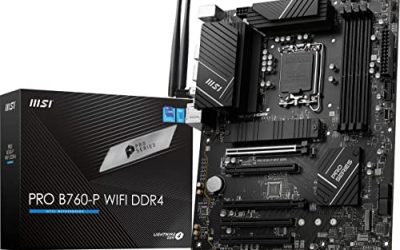
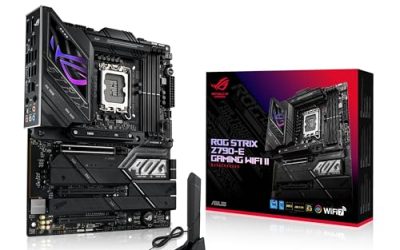
Our Short List of 3

All 3 Picks at a Glance
| Product | Specs | Action |
|---|---|---|
| ASUS ROG Strix Z790-A Gaming WiFi II: The Feature-Rich LGA1700 Pick | Check price on Amazon | |
 GIGABYTE Z790 AORUS PRO X: Networking and Memory Headroom | Check price on Amazon | |
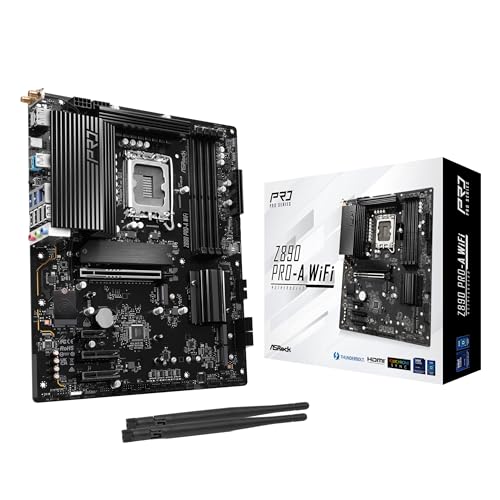 MSI MAG Z890 Tomahawk WiFi: For the i7’s Successor, Core Ultra 7 | Check price on Amazon |
As an Amazon Associate we earn from qualifying purchases.
Our Top Picks
Top 3 picks at a glance
Disclosure
Disclosure: This article contains affiliate links. If you buy through those links, a commission may be earned at no additional cost to you. Product information was taken from the listings and manufacturer details available at the time of writing, and specifications should be confirmed on the live listing before purchase.
A Core i7 gaming build lives or dies on a decision that has nothing to do with the processor itself: which socket generation the build belongs to. Intel’s Core i7 name spans two platforms that do not share a single part. The Core i7-12700K, i7-13700K and i7-14700K — and their KF and non-K variants — all sit on the LGA1700 socket and pair with Z790 or B760 motherboards and, on most gaming boards, DDR5 memory. Intel’s current generation renamed the tier: the processor that occupies the i7 position today is the Core Ultra 7 265K and 265KF, and those chips sit on the entirely different LGA1851 socket and need a Z890 board. An i7 processor from one platform physically does not fit the other, so the first job of any “best gaming motherboards for i7” list is to keep the two lanes separate and labelled.
This guide does exactly that. Four picks are LGA1700 Z790 gaming boards for a Core i7-12700K, 13700K or 14700K build: the ASUS ROG Strix Z790-A Gaming WiFi II, the GIGABYTE Z790 AORUS PRO X, the MSI Z790 Gaming Plus WiFi and the ASRock Z790 Steel Legend WiFi. The fifth pick, the MSI MAG Z890 Tomahawk WiFi, serves builders whose “i7” is actually a Core Ultra 7 on the current platform. Every pick is a gaming board — strong power delivery, a PCIe 5.0 graphics slot, fast M.2 storage and gaming-grade networking — and states its CPU compatibility in plain terms.
What a Gaming Board Owes a Core i7
Power delivery for an unlocked chip
The K-series i7 processors are the reason Z790 exists. A Core i7-13700K or 14700K under an all-core gaming and streaming load draws far more power than its base rating suggests, and it can draw more again when a builder removes power limits or overclocks — something only the Z-series chipset allows. The motherboard’s voltage regulator module is what feeds that draw, and its phase count and stage rating are the honest shorthand for how comfortably it will do so for years. Every LGA1700 pick here carries a power design in the mid-teens of phases or better, the range where an i7-K becomes a normal load rather than a stress case. Cheaper boards boot the same processor; the difference shows in regulator temperatures and sustained boost during long sessions.
The Z790 difference, and why B760 is not here
B760 boards run a Core i7 perfectly well at stock settings, and for a locked i7-14700 they are a legitimate choice. This guide stays with Z790 for the LGA1700 picks for two reasons. First, processor overclocking and the fuller power designs that accompany it are Z790 territory, and the i7 buyers most likely to shop for a “gaming motherboard” are the ones holding a K chip. Second, Z790 boards generally carry the deeper M.2 counts, faster USB and stronger audio that gaming builds accumulate peripherals against. The trade is board cost, and the MSI Gaming Plus pick below exists to keep that cost contained inside the Z790 tier rather than stepping down a chipset.
PCIe 5.0, DDR5 and storage headroom
All five picks provide a PCIe 5.0 x16 slot. Current graphics cards do not need that bandwidth, but a gaming board is bought for several GPU generations. DDR5 is the memory standard on every pick — DDR4 board variants exist as separate listings, and DDR5 and DDR4 kits are not interchangeable, so check the exact variant name before buying. Storage ranges from four to five M.2 slots, enough for a system drive, a games drive and room to grow.
Networking and audio are gaming specifications
Wi-Fi 7 appears on three picks, Wi-Fi 6E on two, and wired networking runs from 2.5 to 5 gigabit. The wired port remains the reliable option for online play; the wireless generation matters where a cable run is not practical. Audio is the quiet differentiator — the Z890 pick’s higher-grade codec suits headset users who hear the difference, while the value picks keep competent mainstream audio. None of these change frame rates; all of them change daily use.
The Picks at a Glance
| Pick | Socket / Chipset | CPUs it accepts | Memory | M.2 slots | Networking | Best for |
|---|---|---|---|---|---|---|
| ASUS ROG Strix Z790-A Gaming WiFi II | LGA1700 / Z790 | Core i7 12th–14th Gen | DDR5 | 5 | Wi-Fi 7, 2.5G LAN | Feature-rich LGA1700 gaming builds |
| GIGABYTE Z790 AORUS PRO X | LGA1700 / Z790 | Core i7 12th–14th Gen | DDR5 | 5 | Wi-Fi 7, 5GbE LAN | Fast networking and memory tuning |
| MSI Z790 Gaming Plus WiFi | LGA1700 / Z790 | Core i7 12th–14th Gen | DDR5 | 4 | Wi-Fi 6E, 2.5G LAN | Value inside the Z790 tier |
| ASRock Z790 Steel Legend WiFi | LGA1700 / Z790 | Core i7 12th–14th Gen | DDR5 | 5 | Wi-Fi 6E, 2.5G LAN | Silver-themed builds, strong VRM value |
| MSI MAG Z890 Tomahawk WiFi | LGA1851 / Z890 | Core Ultra 7 Series 2 only | DDR5 | 4 | Wi-Fi 7, 5G LAN | Core Ultra 7 builds on the current platform |
ASUS ROG Strix Z790-A Gaming WiFi II: The Feature-Rich LGA1700 Pick
The ROG Strix Z790-A Gaming WiFi II is the LGA1700 pick for a builder who wants the current connectivity generation without leaving the Core i7 platform. ASUS lists a 16+1+2 power stage design, five M.2 slots, a PCIe 5.0 x16 SafeSlot with a quick-release mechanism, Wi-Fi 7, and a front-panel USB connector with power delivery, on an ATX board for 12th, 13th and 14th generation Core processors with DDR5 memory. Compatibility, stated plainly: this board accepts a Core i7-12700K, 13700K or 14700K and their variants. It does not accept any Core Ultra processor, and it does not accept DDR4 memory.
Wi-Fi 7 on a Z790 board means the wireless side will not be the reason to replace it, five M.2 slots cover storage growth for the life of the build, and the power design sits comfortably above what an overclocked 14700K asks of it. The white and silver ROG styling suits visible builds, and ASUS’s quick-release mechanisms matter on the third GPU or drive swap rather than the first.
Choose the Strix Z790-A WiFi II if the build is a 13th or 14th generation i7 gaming PC intended to stay current on connectivity and storage for years. If wireless will never be used and the drive count is two, the MSI Gaming Plus below delivers the same platform fundamentals for a smaller board outlay.
GIGABYTE Z790 AORUS PRO X: Networking and Memory Headroom
The Z790 AORUS PRO X is the specification peak of this guide’s LGA1700 group. The listing describes an 18+1+2 phase power design, DDR5 support rated up to 8266 MT/s with overclocking profiles, five M.2 slots with one at PCIe 5.0 and four at PCIe 4.0, Wi-Fi 7, 5GbE wired LAN and USB 3.2 Gen 2×2. It accepts the same processors as every LGA1700 pick here — Core i7 across the 12th, 13th and 14th generations — with DDR5 memory only.
Two specifications separate it. The 5 gigabit wired port matches the Z890 pick as the fastest networking here and matters in homes with fast local storage or switch gear that can use it. The memory ceiling is the other separator: DDR5 tuners get more rated headroom than on the value boards. Q-Flash Plus, which updates the BIOS without a processor installed, answers the problem of pairing older board stock with a 14th generation chip.
Choose the AORUS PRO X if the build brief includes fast wired networking, memory tuning or both, on a 13700K or 14700K. If the home network is gigabit throughout and memory will run at its rated profile and no faster, the Strix above or the Steel Legend below cover the same gaming ground.
MSI Z790 Gaming Plus WiFi: The Value Route Into Z790
The Z790 Gaming Plus WiFi is the pick that answers the obvious question: how much of the Z790 gaming experience survives at the accessible end of the tier? The listing describes an ATX board for 12th, 13th and 14th generation Intel processors on LGA1700, with DDR5 memory, a PCIe 5.0 graphics slot, four M.2 slots, 2.5Gbps LAN, Wi-Fi 6E and Bluetooth 5.3. CPU compatibility matches the other LGA1700 picks: a Core i7-12700K, 13700K or 14700K drops in, subject to the BIOS note below.
What is given up against the boards above is specific rather than fundamental. Wi-Fi 6E instead of Wi-Fi 7, four M.2 slots instead of five, and a power design aimed at stock and lightly tuned processors rather than sustained overclocking experiments. For the most common i7 gaming build — a K chip run at its normal boost behaviour, one graphics card, two or three NVMe drives — none of those gaps touches the experience. The money saved on the board is money the graphics card budget notices, which is the correct trade at this tier.
One caution applies to this pick and to every early-stock LGA1700 board: a board manufactured before the 14th generation launch may need a BIOS update to recognise a 14700K. Checking the board’s support page for the required BIOS version before assembly turns that from a troubleshooting session into a five-minute preparation step.
Choose the Gaming Plus WiFi if the build is a stock-clocked i7 gaming PC and the priority is a complete Z790 feature set with the budget aimed at the GPU. Choose one of the boards above if overclocking, Wi-Fi 7 or a fifth drive is already on the parts list.
ASRock Z790 Steel Legend WiFi: The Silver Alternative With a Serious VRM
The Z790 Steel Legend WiFi earns its place on power delivery and storage count at its position in the range. ASRock lists a 16+1+1 phase power design with smart power stages, four DDR5 slots rated to 7200 MT/s and beyond with overclocking profiles, a PCIe 5.0 x16 slot, Wi-Fi 6E with Bluetooth, and a 2.5G LAN port, for 12th, 13th and 14th generation Core processors. Retailer and roundup listings credit it with five M.2 slots; confirm the slot layout on the live listing before purchase, as with every specification in this guide. It accepts the same Core i7 range as the other LGA1700 picks, DDR5 only.
The Steel Legend’s identity is its silver and white styling, the natural partner for light-themed builds the black boards here do not suit. Under the styling, the argument is value: a power design in the same conversation as boards above it, full Z790 overclocking entitlement, and storage room matching the Strix. ASRock’s BIOS presentation is plainer than ROG’s or AORUS’s — a preference point, not a capability gap.
Choose the Steel Legend WiFi if the build is a white or silver themed i7 gaming PC, or if its combination of power design and M.2 count is the best fit on the day. Availability of specific ASRock models varies more between sellers than the larger brands, so confirming the exact model name — Steel Legend WiFi, DDR5 version — on the listing matters.
MSI MAG Z890 Tomahawk WiFi: For the i7’s Successor, Core Ultra 7
This pick requires the clearest compatibility statement in the guide. The MAG Z890 Tomahawk WiFi is an LGA1851 board. It accepts Intel Core Ultra Series 2 desktop processors — including the Core Ultra 7 265K and 265KF, the processors that hold the position the Core i7 held for a decade — and it accepts nothing else. No Core i7 of any generation fits this socket. It belongs in this guide because a large share of shoppers searching for an i7 gaming motherboard today are actually speccing the current generation, and for them this is the correct board class; for anyone holding an i7-13700K or 14700K, the four picks above are the entire shortlist.
Within its platform, the Tomahawk is the balanced Z890 gaming board: a 16+1+1+1 power design, DDR5 rated to 9200 MT/s with overclocking profiles, four M.2 slots including one at PCIe 5.0, Wi-Fi 7, 5 gigabit LAN, Thunderbolt 4 and a higher-grade Realtek audio codec — a fuller connectivity set than any LGA1700 pick here, with power delivery sized for Ultra 7 and Ultra 9 alike.
Choose the MAG Z890 Tomahawk WiFi if the build is all-new around a Core Ultra 7 and the platform’s upgrade path ahead matters. Do not choose it as an upgrade for an existing i7 system: processor, and on a DDR4 system the memory as well, would all have to change with it.
Which Board Fits Which i7 Build
For a Core i7-14700K or 13700K build with overclocking, storage growth or Wi-Fi 7 in the brief, the ASUS ROG Strix Z790-A Gaming WiFi II is the default, with the GIGABYTE Z790 AORUS PRO X as the alternative when 5 gigabit networking or memory tuning leads the specification. For a stock-clocked i7 gaming build on a tighter board budget, the MSI Z790 Gaming Plus WiFi is the rational spend. For a light-themed build, the ASRock Z790 Steel Legend WiFi matches the stronger boards on power design while fitting the case’s colour scheme. And for a build centred on the Core Ultra 7 — the current holder of the i7’s tier — the MSI MAG Z890 Tomahawk WiFi is the pick, on the explicit understanding that it starts a new platform rather than upgrading the old one.
Three checks close every purchase in this guide. Confirm the socket against the processor in hand — LGA1700 and LGA1851 boards and chips are not cross-compatible in either direction. Confirm the memory generation: every pick here is DDR5, and a DDR4 kit fits none of them. And confirm the BIOS version requirement when pairing a 14th generation i7 with LGA1700 board stock, so the first boot is an installation rather than a diagnosis.
Frequently Asked Questions
Which motherboards work with a Core i7-13700K or 14700K?
Any LGA1700 board, and the four Z790 picks in this guide — the ROG Strix Z790-A Gaming WiFi II, Z790 AORUS PRO X, MSI Z790 Gaming Plus WiFi and ASRock Z790 Steel Legend WiFi — are the gaming-oriented options. All four take DDR5 memory. A board built early in the socket’s life may need a BIOS update before it recognises a 14th generation chip.
Is the Core Ultra 7 the same as a Core i7?
It is the successor tier, not the same product line. Intel replaced the Core i branding on its current desktop generation with Core Ultra, and the Ultra 7 265K and 265KF occupy the position the i7 held. They use a different socket, LGA1851, so an Ultra 7 build needs a Z890 or B860 board such as the MAG Z890 Tomahawk WiFi in this guide, and no part of an LGA1700 processor pairing carries across.
Do I need Z790, or will B760 run an i7 for gaming?
B760 runs any LGA1700 i7 at its stock settings and is a sound choice for a locked i7-14700 build. Z790 is required for processor overclocking, and Z790 gaming boards typically add power delivery headroom, more M.2 slots and faster connectivity. This guide stays with Z790 because its readers are disproportionately K-chip owners, not because B760 cannot game.
Can I reuse my DDR4 memory with these boards?
No. Every pick in this guide is a DDR5 board, and DDR4 modules physically do not fit DDR5 slots. DDR4 variants of some LGA1700 model names exist as separate listings; if keeping a DDR4 kit is the priority, shop those listings specifically and confirm the memory type in the exact model name before buying.
How many M.2 slots does an i7 gaming build need?
Two cover most builds — a system drive and a games drive. The picks here offer four or five, which removes storage from the list of reasons to replace the board during its life. The count matters less than the layout: a PCIe 5.0 slot, present on the stronger picks, is where a future fastest drive belongs.
Related guides
More from Amazon
Programs that pair well with the guide above. Offers and eligibility are set by Amazon and may change.
Free shipping on eligible items, Prime Video and more. Eligible new members can start with a free trial.
Start a Prime free trialAd-free music streaming. Eligible new subscribers can start with a free trial.
Try Music Unlimited freeA Prime membership for ages 18-24 with a trial period. Eligibility is set by Amazon.
See Prime for Young AdultsAudiobooks and podcasts to listen to on the go. Eligible new members can start with a free trial.
Try Audible freeAs an Amazon Associate we earn from qualifying purchases.