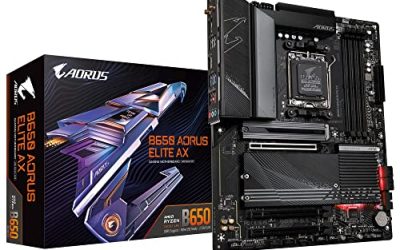
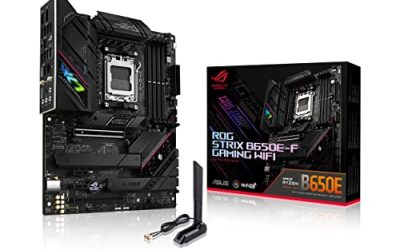
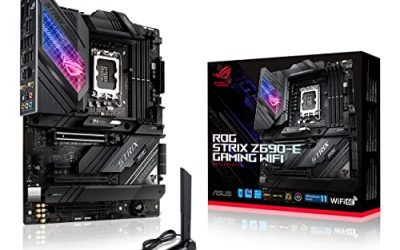
Our Short List of 3


All 3 Picks at a Glance
| Product | Specs | Action |
|---|---|---|
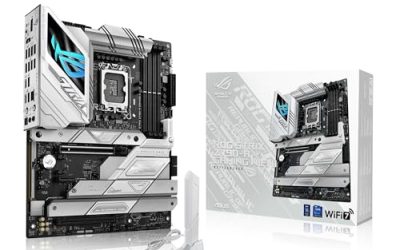
| ASUS ROG Strix Z790-E Gaming WiFi II: The High-End LGA1700 Board | Check price on Amazon | |
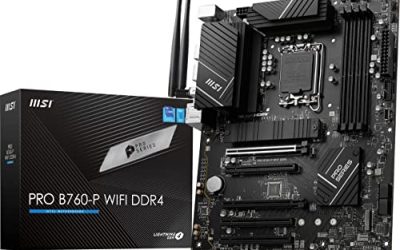
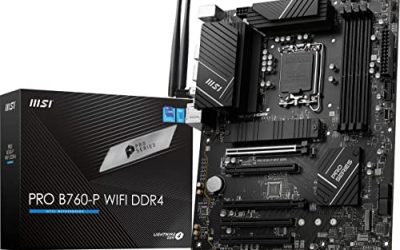
| MSI PRO B760-P WiFi DDR4: The Windows 11 Upgrade That Keeps Your Memory | Check price on Amazon | |
 GIGABYTE Z890 AORUS Elite WIFI7: The Current-Platform Pick | Check price on Amazon |
As an Amazon Associate we earn from qualifying purchases.
Windows 11 changed what a motherboard has to prove. Under Windows 10, almost any board that ran the operating system was fine. Windows 11 added hard requirements on top: a TPM 2.0 security processor, Secure Boot capability, and a CPU on Microsoft’s supported list. A board can be fast, well cooled and generously equipped and still fail the Windows 11 compatibility check if one of those three boxes is unticked, which is why “best motherboards for Windows 11” is a different question from “best motherboards” in general.
This guide covers the Intel side of that question. Every pick is an LGA1700 or LGA1851 board, and every one clears the Windows 11 requirements the same way: the firmware TPM built into modern Intel platforms (Intel Platform Trust Technology, or PTT) provides TPM 2.0 without a separate module, the UEFI supports Secure Boot, and the processors these sockets accept — Intel Core 12th, 13th and 14th generation on LGA1700, Core Ultra Series 2 on LGA1851 — sit on Microsoft’s supported CPU list. The short version: the MSI MAG Z790 Tomahawk WiFi is the balanced default for an LGA1700 build, the GIGABYTE Z890 AORUS Elite WIFI7 is the pick for the newest LGA1851 platform, and the MSI PRO B760-P WiFi DDR4 is the route that keeps existing DDR4 memory in service.
Our Top Picks
Top 3 picks at a glance
What Windows 11 Actually Requires From a Motherboard
TPM 2.0, and why you probably do not need a module
The TPM requirement is the one that caused the most confusion at launch. Windows 11 needs TPM 2.0, and older boards often met it only with a small add-on module plugged into a TPM header. Modern Intel boards take a different route: Intel PTT is a firmware TPM implemented in the platform itself, and it reports to Windows as a full TPM 2.0 device. On every board in this guide, enabling Intel PTT in the BIOS settings is what turns the requirement green — no module purchase, no header pin count to check. Most current boards ship with PTT enabled by default, but on a board that has been running Windows 10 with it switched off, the setting is the single change that makes the PC Health Check result change.
Secure Boot and UEFI mode
Windows 11 also requires Secure Boot capability and a UEFI firmware rather than legacy BIOS booting. All five boards here are UEFI boards with Secure Boot support. The practical trap is an older installation carried over from a previous system: a Windows install created in legacy or CSM mode will not satisfy the requirement until the boot mode is set to UEFI and CSM is disabled, and the system disk may need converting to GPT partitioning. That is an installation detail rather than a board defect, but it is the second most common reason a fully compatible board still shows as failing the check.
The CPU is part of the motherboard decision
Microsoft’s supported processor list is the third requirement, and it is decided the moment a socket is chosen. LGA1700 accepts 12th, 13th and 14th generation Core processors, all of which are supported. LGA1851 accepts Core Ultra Series 2 desktop processors, which are supported as well. What a new board cannot do is rescue an unsupported older processor: a first-generation-era CPU in a new board still fails, because the requirement follows the processor, not the board. Buying any board here means the whole platform — board and CPU together — is inside the Windows 11 envelope for the life of the socket.
BIOS version matters on LGA1700
One honest caveat applies to the LGA1700 picks. Boards manufactured early in the socket’s life may need a BIOS update before they recognise a 14th generation processor, and the Windows 11 security settings should be confirmed after any BIOS update, since updates can reset firmware options to defaults. Every board in this guide offers BIOS flashing tools, and the check afterwards takes a minute: PTT on, Secure Boot on, boot mode UEFI. Builders pairing a 14th generation chip with an older-stock board should treat the BIOS update as step one of the build, not troubleshooting later.
How the Picks Divide Up
The five boards split along two decisions. The first is platform generation: LGA1700 is the mature, wide-choice option spanning three processor generations and both DDR4 and DDR5 memory, while LGA1851 is the current platform for Core Ultra Series 2 with DDR5 only. The second is memory: four picks are DDR5 boards, and one — the MSI PRO B760-P WiFi DDR4 — exists specifically for builders whose DDR4 kits are still worth keeping. Chipset tier then sets the extras: Z790 and Z890 allow processor overclocking and carry the fullest slot and port layouts, while B760 drops overclocking and some connectivity in exchange for a lower board cost.
The Picks at a Glance
| Pick | Socket / Chipset | Memory | M.2 slots | Networking | Best for |
|---|---|---|---|---|---|
| MSI MAG Z790 Tomahawk WiFi | LGA1700 / Z790 | DDR5 | 4 | Wi-Fi 6E, 2.5G LAN | Balanced LGA1700 gaming builds |
| ASUS ROG Strix Z790-E Gaming WiFi II | LGA1700 / Z790 | DDR5 | 5 | Wi-Fi 7, 2.5G LAN | Storage-heavy, high-end LGA1700 builds |
| GIGABYTE Z790 AORUS Elite AX | LGA1700 / Z790 | DDR5 | 4 | Wi-Fi 6E, 2.5GbE LAN | Value inside the Z790 tier |
| MSI PRO B760-P WiFi DDR4 | LGA1700 / B760 | DDR4 | 2 | Wi-Fi 6E, 2.5G LAN | Keeping DDR4 memory in a Windows 11 build |
| GIGABYTE Z890 AORUS Elite WIFI7 | LGA1851 / Z890 | DDR5 | 4 | Wi-Fi 7, 2.5GbE LAN | Core Ultra Series 2 builds on the newest platform |
MSI MAG Z790 Tomahawk WiFi: The Balanced LGA1700 Default
The MAG Z790 Tomahawk WiFi is the board that fits the largest number of Intel builds without forcing a compromise somewhere else. It is an ATX board on the Z790 chipset for 12th, 13th and 14th generation Core processors, with DDR5 memory, a PCIe 5.0 graphics slot and M.2 storage, 2.5Gbps wired LAN, Wi-Fi 6E and Bluetooth 5.3. For Windows 11 purposes the checklist is complete: Intel PTT provides the firmware TPM 2.0, Secure Boot is supported in the UEFI, and every processor the socket accepts is on Microsoft’s supported list.
What makes it the default rather than merely adequate is the balance of the supporting specification. Four M.2 slots cover a system drive plus game library drives without resorting to adapters, the 2.5Gbps LAN matches the routers and switches now common in gaming homes, and the USB complement includes USB 3.2 Gen2 ports for fast external storage and capture devices. The Tomahawk line’s restrained styling also suits VR and gaming builds that sit visibly in a room rather than in a cupboard.
Choose the Tomahawk WiFi if the build is a mainstream-to-strong gaming PC on a 13th or 14th generation processor and the priorities are a complete, current feature set at the middle of the Z790 range. Look elsewhere only if the build needs Wi-Fi 7 today — the Strix below covers that — or if DDR4 memory is being carried over, which is the B760 pick’s job.
ASUS ROG Strix Z790-E Gaming WiFi II: The High-End LGA1700 Board
The ROG Strix Z790-E Gaming WiFi II is the specification ceiling of this guide’s LGA1700 group. ASUS lists an 18+1 power stage design, five M.2 slots with one of them running at PCIe 5.0 speeds, a PCIe 5.0 x16 graphics slot, Wi-Fi 7, and 2.5 Gb LAN, in an ATX format for 12th, 13th and 14th generation processors on DDR5 memory. Its Windows 11 position is the same as the Tomahawk’s — firmware TPM 2.0 through Intel PTT, Secure Boot in the UEFI, supported processors across the socket — with the difference lying entirely in hardware headroom.
Five M.2 slots is the headline for a specific kind of builder: the one whose VR library, capture footage and game installs have outgrown two or three drives and who would rather add storage than manage it. Wi-Fi 7 future-proofs the wireless side for the next router upgrade, and the stronger power delivery suits the unlocked top-end processors the Z790 chipset exists to support, including overclocking headroom that B760 boards do not offer.
Choose the Strix Z790-E WiFi II if the build pairs a flagship-class processor with several NVMe drives and the board is expected to serve through multiple GPU and storage upgrades. If the build has one or two drives and a mid-range processor, the Tomahawk delivers the same Windows 11 compliance and most of the experience for a smaller outlay — the Strix premium buys capacity, not compatibility.
GIGABYTE Z790 AORUS Elite AX: Z790 Features at the Accessible End
The Z790 AORUS Elite AX occupies the value position inside the Z790 tier. GIGABYTE lists a 16+1+2 power phase design, four M.2 slots, PCIe 5.0 support, Wi-Fi 6E, 2.5GbE LAN and USB-C at USB 3.2 Gen2x2 speeds, for 12th, 13th and 14th generation processors with DDR5 memory. Windows 11 compliance follows the platform pattern: Intel PTT for TPM 2.0, Secure Boot support, and a supported processor list covering the whole socket.
The honest description of this board is that it trims the flagship extras rather than the fundamentals. The power design and slot count match what most gaming builds will ever use, wired networking is the same 2.5 gigabit class as the boards above it, and the fastest USB-C speed on this list belongs to it. What is given up against the Strix is the fifth M.2 slot and Wi-Fi 7; against the Tomahawk, very little on paper, which is precisely why it anchors the value end of the tier.
Choose the AORUS Elite AX if the build brief is a capable Z790 gaming PC — unlocked processor support, PCIe 5.0 graphics, room for several drives — with the budget aimed at the graphics card rather than the board. Availability on mature Z790 models can vary between sellers, so confirming the live listing before purchase matters more for this pick than for the others.
MSI PRO B760-P WiFi DDR4: The Windows 11 Upgrade That Keeps Your Memory
The PRO B760-P WiFi DDR4 answers the most common real-world version of the Windows 11 question: an older PC fails the compatibility check, the processor and board have to change, but the DDR4 memory kit is still perfectly serviceable and replacing it adds cost for no felt benefit. This ATX board pairs the B760 chipset with four DDR4 slots rated to 128GB, supporting DDR4 speeds up to 5333 MT/s with overclocking profiles, for 12th, 13th and 14th generation processors. Intel PTT and Secure Boot are present as on every board here, so the platform passes the Windows 11 requirements while the memory carries over.
The B760 compromises are real and worth stating plainly. Processor overclocking is not supported on this chipset, the graphics slot runs at PCIe 4.0 rather than 5.0, and storage is two M.2 slots, both PCIe 4.0. For a gaming build those limits are milder than they read: PCIe 4.0 x16 remains sufficient for current graphics cards, and two fast M.2 slots cover a system drive and a games drive for most libraries. Wi-Fi 6E and 2.5G LAN mean the networking side does not feel like a budget board at all.
Choose the PRO B760-P WiFi DDR4 if the upgrade is driven by Windows 11 compatibility and the existing DDR4 kit and a mid-range processor are staying. If the build is all-new with DDR5 already in the parts list, the Z790 picks are the better spend, because DDR5 is where the platform’s remaining life sits.
GIGABYTE Z890 AORUS Elite WIFI7: The Current-Platform Pick
The Z890 AORUS Elite WIFI7 is the guide’s window on Intel’s current desktop platform. It is an ATX board on the LGA1851 socket for Core Ultra Series 2 processors, with DDR5 memory support up to 256GB, a 16+1+2 phase power design, four M.2 slots including one at PCIe 5.0, a PCIe 5.0 graphics slot, Thunderbolt 4, Wi-Fi 7 and 2.5GbE LAN. The listing states Windows 11 platform support outright, and the underlying position matches the rest of the guide: firmware TPM 2.0, Secure Boot, and processors drawn from Microsoft’s supported list.
LGA1851 is the socket with a future upgrade path, which is the argument for choosing it over the more mature LGA1700 in a new build. The connectivity reflects the newer platform too: Thunderbolt 4 covers fast external drives and docks through a single port, and Wi-Fi 7 pairs with the current router generation. The counterweight is that the platform takes DDR5 only and Core Ultra processors only — nothing from an LGA1700 build except drives, case and power supply carries across.
Choose the Z890 AORUS Elite WIFI7 if the build is all-new, centred on a Core Ultra Series 2 processor, and expected to accept a future processor upgrade on the same board. If a 13th or 14th generation processor is already in hand, LGA1700 remains the rational platform and the Z790 picks above are where the money belongs.
Which Board Fits Which Build
For a new gaming build on a 13th or 14th generation processor, the MSI MAG Z790 Tomahawk WiFi is the default, with the GIGABYTE Z790 AORUS Elite AX as the value alternative and the ASUS ROG Strix Z790-E Gaming WiFi II as the step up for storage-heavy or flagship builds. For a compatibility-driven upgrade that keeps DDR4 memory, the MSI PRO B760-P WiFi DDR4 is the only pick that fits, and it fits that brief completely. For an all-new build on Intel’s current platform, the GIGABYTE Z890 AORUS Elite WIFI7 is the choice.
Whichever board is chosen, three settings deserve a check on first boot before Windows 11 is installed or the compatibility checker is run: Intel PTT enabled for TPM 2.0, Secure Boot enabled, and boot mode set to UEFI with CSM off. On these five boards that two-minute check is the whole distance between a parts list and a Windows 11 PC.
Frequently Asked Questions
Do I need to buy a separate TPM module for these boards?
No. Every board in this guide provides TPM 2.0 through Intel Platform Trust Technology, a firmware TPM built into the platform. Enabling Intel PTT in the BIOS settings is what Windows 11 detects. A physical module is only relevant to much older boards without firmware TPM support.
Will these boards work with my existing processor?
Only if the processor matches the socket and the supported list. LGA1700 boards take Intel Core 12th, 13th and 14th generation processors, and LGA1851 boards take Core Ultra Series 2. All of those are on Microsoft’s Windows 11 supported list. Processors from older sockets fit neither the boards nor the Windows 11 requirements.
My board passes the check but Windows 11 still will not install. Why?
The usual causes are installation settings rather than hardware: the boot mode left in legacy or CSM mode instead of UEFI, Secure Boot switched off, or a system disk still using MBR partitioning. Set the boot mode to UEFI, enable Secure Boot and Intel PTT, and convert the system disk to GPT if needed — on a compatible board, one of those is almost always the blocker.
Is DDR4 still acceptable for a Windows 11 gaming PC?
Yes. Windows 11 places no requirement on memory generation, and a DDR4 kit of adequate capacity performs its job in a gaming build. The MSI PRO B760-P WiFi DDR4 exists for exactly that case. DDR5 matters for new builds because both current Intel sockets’ best boards use it, not because the operating system asks for it.
Should I choose LGA1700 or LGA1851 for a new build?
LGA1700 offers the wider board choice, three processor generations and the DDR4 option, at the cost of being a completed platform. LGA1851 is the current socket with the upgrade path ahead of it, DDR5 only. If a compatible processor is already owned, LGA1700 is the economical answer; for a fully new build intended to last through a processor upgrade, LGA1851 is the forward-looking one.
Disclosure
Disclosure: This article contains affiliate links. If you buy through those links, a commission may be earned at no additional cost to you. Product information was taken from the listings and manufacturer details available at the time of writing, and specifications should be confirmed on the live listing before purchase.
Related guides
More from Amazon
Programs that pair well with the guide above. Offers and eligibility are set by Amazon and may change.
Free shipping on eligible items, Prime Video and more. Eligible new members can start with a free trial.
Start a Prime free trialAd-free music streaming. Eligible new subscribers can start with a free trial.
Try Music Unlimited freeA Prime membership for ages 18-24 with a trial period. Eligibility is set by Amazon.
See Prime for Young AdultsAudiobooks and podcasts to listen to on the go. Eligible new members can start with a free trial.
Try Audible freeAs an Amazon Associate we earn from qualifying purchases.