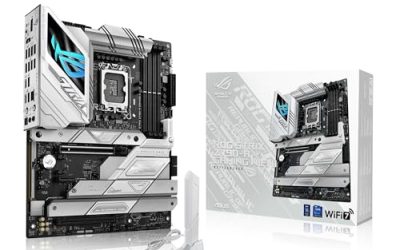
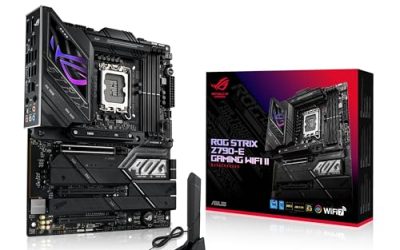
The best motherboards with WiFi and Bluetooth combine a built-in WiFi 6E module with Bluetooth 5.3 on the same board, so a new build gets wireless networking and wireless peripherals without an add-in card or a USB adapter. The strongest all-around choice in this guide is the ASUS ROG Strix B650E-F Gaming WiFi, which pairs an AM5 socket and a B650E chipset with a PCIe 5.0 graphics slot, a PCIe 5.0 M.2 slot, and a 12+2 power stage design. Intel builders should look at the Z790 boards in this guide instead, since the socket, chipset, and memory support are tied to the processor family.
A motherboard with built-in wireless changes how a build comes together. Instead of routing an Ethernet cable across a room or occupying a PCIe slot with a WiFi card, the board ships with an antenna that screws onto the rear panel and connects to a wireless module already mounted on the PCB. The same module handles Bluetooth, which covers wireless headsets, controllers, keyboards, mice, and gamepads through one radio stack. For a gaming PC that sits far from a router, or a living-room build where cables are not practical, that combination is a genuine convenience rather than a minor extra.
Our top pick: ASUS ROG Strix B650E-F Gaming WiFi. Runner-up: MSI MAG B650 Tomahawk WiFi. This guide compares published specifications only: every detail below comes from the manufacturer specification page or the Amazon listing for that board, and no board was assembled, powered on, or measured for this guide.
At a Glance
| Product | Best for | Key specification |
|---|---|---|
| ASUS ROG Strix B650E-F Gaming WiFi | Best overall AM5 build with PCIe 5.0 | B650E chipset, WiFi 6E, Bluetooth 5.3, PCIe 5.0 x16 and PCIe 5.0 M.2 |
| MSI MAG B650 Tomahawk WiFi | Reliable AM5 value with strong power delivery | B650 chipset, WiFi 6E, Bluetooth 5.3, 14+2+1 power stages, three M.2 slots |
| ASUS TUF Gaming Z790-Plus WiFi | Intel LGA1700 build with Thunderbolt 4 | Z790 chipset, WiFi 6E, Bluetooth 5.3, 16+1 DrMOS, Thunderbolt 4 |
| GIGABYTE Z790 AORUS Elite AX | Intel LGA1700 build with fast DDR5 support | Z790 chipset, WiFi 6E, Bluetooth 5.3, DDR5 up to 7600 MHz with XMP 3.0 |
How to Choose
1. Match the socket and chipset to the processor
The socket decides which processors a board can accept, and there is no way around a mismatch. The two AM5 boards in this guide take AMD Ryzen 7000, 8000, and 9000 series desktop processors, while the two LGA1700 boards take Intel Core 12th, 13th, and 14th generation processors. The chipset then decides how much of the platform is unlocked: B650E and Z790 both support processor overclocking and full memory tuning, while the standard B650 still supports memory overclocking and gives up the PCIe 5.0 graphics slot. Choose the processor first, then let the socket narrow the board list to one side of this guide.
2. Confirm the wireless module is built in
Not every board with WiFi in its name carries the same module, and a board that needs a separate card is a different purchase. All four boards in this guide ship with a wireless module mounted on the board and an antenna in the box. The ASUS ROG Strix B650E-F Gaming WiFi, the MSI MAG B650 Tomahawk WiFi, the ASUS TUF Gaming Z790-Plus WiFi, and the GIGABYTE Z790 AORUS Elite AX each list WiFi 6E and Bluetooth 5.3 in their published specifications. WiFi 6E adds the 6 GHz band alongside the 2.4 GHz and 5 GHz bands, which matters in crowded apartment buildings where the older bands are congested. Bluetooth 5.3 is the version of the wireless standard these modules use for controllers, headsets, and other peripherals.
3. Check the power stage design against the processor
Power stages deliver current to the processor, and a stronger design runs cooler and steadier under sustained load. The GIGABYTE Z790 AORUS Elite AX lists a 16+2+1 phase digital VRM, the ASUS TUF Gaming Z790-Plus WiFi lists 16+1 DrMOS power stages, the MSI MAG B650 Tomahawk WiFi lists a 14+2+1 Duet Rail design with 80A smart power stages, and the ASUS ROG Strix B650E-F Gaming WiFi lists 12+2 power stages rated at 80A each. For a mid-range processor, any of these designs has ample headroom. For a flagship processor that draws heavy current during long gaming or rendering sessions, the higher stage counts on the Z790 boards and the Tomahawk give more margin.
4. Count the M.2 slots and check their speed
Storage expansion is easy to overlook and expensive to fix later, since adding an M.2 drive after a build is finished means opening the case again. The ASUS ROG Strix B650E-F Gaming WiFi carries three M.2 slots, including one PCIe 5.0 slot and two PCIe 4.0 slots, so it is the only board here with a Gen5 storage lane. The MSI MAG B650 Tomahawk WiFi carries three M.2 Gen4 slots. The ASUS TUF Gaming Z790-Plus WiFi and the GIGABYTE Z790 AORUS Elite AX each carry four M.2 slots running at PCIe 4.0 speeds. Builders who plan one fast system drive and one large game library drive should treat three slots as the practical minimum, while four slots suit anyone who also wants a dedicated drive for captures or project files.
5. Look at memory support and capacity
All four boards use DDR5 memory, but their rated speeds and capacities differ. The ASUS ROG Strix B650E-F Gaming WiFi lists DDR5 support up to 8000+ MHz with overclocking and a maximum capacity of 192GB across four DIMM slots. The GIGABYTE Z790 AORUS Elite AX lists DDR5 up to 7600 MHz with XMP 3.0 and up to 128GB. The ASUS TUF Gaming Z790-Plus WiFi lists DDR5 up to 7200 MHz with overclocking and up to 128GB. The MSI MAG B650 Tomahawk WiFi lists DDR5 support with overclocking through its memory profiles. In practice, most gaming builds settle on two 16GB or two 32GB modules, so the rated ceiling matters less than the presence of four DIMM slots, which all four boards have. The ceiling matters more for workstation use, where large memory kits are common.
6. Weigh the rear panel and USB layout
The rear panel decides what can be plugged in without a hub. The ASUS ROG Strix B650E-F Gaming WiFi lists a USB 3.2 Gen 2×2 Type-C port, ten additional rear USB ports, a front-panel USB 3.2 Gen 2 Type-C connector, HDMI 2.1, and DisplayPort 1.4. The ASUS TUF Gaming Z790-Plus WiFi lists three Type-C connections in total, a front USB 3.2 Gen 2 Type-C header, and a Thunderbolt 4 port, which is the most flexible single connector in this guide. The MSI MAG B650 Tomahawk WiFi lists ten rear USB ports with USB 3.2 Gen 2, plus HDMI and DisplayPort outputs. The GIGABYTE Z790 AORUS Elite AX lists a USB 3.2 Gen 2×2 Type-C port among its rear connections. A Thunderbolt 4 port is the standout feature for anyone connecting a high-speed external drive or a dock, while a second Type-C port is the more common everyday convenience.
7. Consider the form factor and the case it goes into
All four boards in this guide are ATX, which is the full-size desktop form factor. That means a mid-tower or full-tower case with seven expansion slots and room for a standard ATX power supply. ATX boards give more M.2 slots, more DIMM slots, and more rear USB ports than smaller boards, and they leave room for a large graphics card and a tower cooler. Builders working in a compact case should look for a micro-ATX or mini-ITX board instead, since an ATX board will not fit. For everyone else, ATX is the straightforward choice, and the four boards here differ mainly in layout details such as heatsink coverage and the position of the M.2 slots rather than in size.
Our Picks
ASUS ROG Strix B650E-F Gaming WiFi — ASIN B0BHHTJZM9

The ASUS ROG Strix B650E-F Gaming WiFi is an ATX motherboard for AMD Ryzen 7000, 8000, and 9000 series processors on the AM5 socket, built around the AMD B650E chipset. Its published specifications list 12+2 power stages rated at 80A each, four DDR5 DIMM slots with support up to 8000+ MHz when overclocked and a maximum capacity of 192GB, one PCIe 5.0 x16 SafeSlot for the graphics card, and three M.2 slots including one PCIe 5.0 slot and two PCIe 4.0 slots. Wireless connectivity is handled by a WiFi 6E module with Bluetooth 5.3, and wired networking is 2.5G LAN. The rear panel carries a USB 3.2 Gen 2×2 Type-C port, ten additional USB ports, HDMI 2.1, and DisplayPort 1.4, and the board includes Aura Sync RGB lighting and a high-resolution ALC4080 audio codec.
Best for: AMD builders who want PCIe 5.0 for both the graphics card and storage on a B650E board.
Consideration: The B650E chipset sits between B650 and X870 in the AM5 lineup, so builders who want the widest USB4 or multi-GPU expansion should compare against the higher chipset tier first.
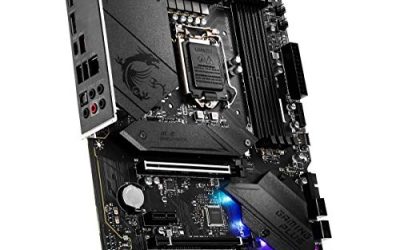
MSI MAG B650 Tomahawk WiFi — ASIN B0BHCCNSRH

The MSI MAG B650 Tomahawk WiFi is an ATX motherboard for AMD Ryzen 7000, 8000, and 9000 series processors on the AM5 socket, built around the AMD B650 chipset. Its published specifications list a 14+2+1 Duet Rail power design with 80A smart power stages, four DDR5 DIMM slots, a reinforced PCIe 4.0 x16 slot, and three M.2 Gen4 slots for storage. Wireless connectivity is handled by a WiFi 6E module with Bluetooth 5.3, and wired networking is 2.5Gbps LAN. The rear panel carries ten USB ports including USB 3.2 Gen 2 and a Type-C connection, plus HDMI and DisplayPort outputs for processors with integrated graphics. Audio is handled by the ALC4080 codec, and the board ships with two WiFi antennas in the box.
Best for: AMD builders who want strong power delivery and three M.2 slots at the B650 level.
Consideration: The graphics slot runs at PCIe 4.0 rather than PCIe 5.0, so builders planning a future graphics card upgrade around a Gen5 slot should weigh the Strix B650E-F instead.
ASUS TUF Gaming Z790-Plus WiFi — ASIN B0BQD58D96
The ASUS TUF Gaming Z790-Plus WiFi is an ATX motherboard for Intel Core 12th, 13th, and 14th generation processors on the LGA1700 socket, built around the Intel Z790 chipset. Its published specifications list 16+1 DrMOS power stages, four DDR5 DIMM slots with support up to 7200 MHz when overclocked and a maximum capacity of 128GB, one PCIe 5.0 x16 slot for the graphics card, and four M.2 slots running at PCIe 4.0 speeds. Wireless connectivity is handled by a WiFi 6E module with Bluetooth 5.3, and wired networking is 2.5Gb LAN. The rear panel carries three Type-C connections including a USB 3.2 Gen 2×2 port, a Thunderbolt 4 port, HDMI, and DisplayPort, and the board includes a front-panel USB 3.2 Gen 2 Type-C header. Audio is handled by the Realtek S1220A 7.1-channel codec.
Best for: Intel builders who want Thunderbolt 4 and four M.2 slots on a Z790 board.
Consideration: The board’s four M.2 slots all run at PCIe 4.0 speeds, so builders who want a PCIe 5.0 storage lane should look at a different chipset tier.
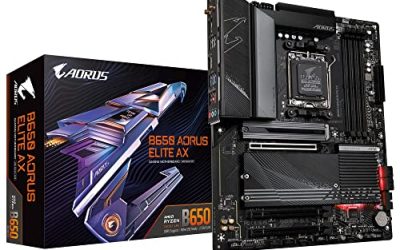
GIGABYTE Z790 AORUS Elite AX — ASIN B0BH28M64J
The GIGABYTE Z790 AORUS Elite AX is an ATX motherboard for Intel Core 12th, 13th, and 14th generation processors on the LGA1700 socket, built around the Intel Z790 chipset. Its published specifications list a 16+2+1 phase digital VRM, four DDR5 DIMM slots with support up to 7600 MHz when overclocked with XMP 3.0 and a maximum capacity of 128GB, one PCIe 5.0 x16 slot for the graphics card, and four PCIe 4.0 M.2 slots for storage. Wireless connectivity is handled by an Intel WiFi 6E AX211 module with Bluetooth 5.3, and wired networking is 2.5GbE LAN. The rear panel carries a USB 3.2 Gen 2×2 Type-C port among its USB connections, plus HDMI and DisplayPort outputs. The board ships with a WiFi antenna and uses enlarged heatsinks over the VRM and M.2 slots.
Best for: Intel builders who want the fastest rated DDR5 support in this guide with a strong power design.
Consideration: The board has no Thunderbolt port, so builders who need that connector for a dock or an external drive should choose the TUF Gaming Z790-Plus WiFi instead.
Which One Is Right for You?
Start with the processor, because the socket makes the decision for you. AMD builders choose between the two AM5 boards: the ASUS ROG Strix B650E-F Gaming WiFi for PCIe 5.0 on the graphics slot and the M.2 slot, or the MSI MAG B650 Tomahawk WiFi for a stronger power design and a lower chipset tier. Intel builders choose between the two Z790 boards: the ASUS TUF Gaming Z790-Plus WiFi for Thunderbolt 4 and its flexible USB layout, or the GIGABYTE Z790 AORUS Elite AX for faster rated DDR5 memory and the highest phase count in this guide.
Storage plans are the next tiebreaker. The Strix B650E-F is the only board here with a PCIe 5.0 M.2 slot, while both Z790 boards carry four M.2 slots against three on the AM5 boards. A builder who wants one very fast system drive and room to grow should lean toward the Strix, while a builder who wants four separate drives should lean toward the Z790 boards.
Frequently Asked Questions
Do all four boards have WiFi and Bluetooth built in?
Yes. Each board in this guide ships with a wireless module mounted on the PCB and an antenna in the box, and each lists WiFi 6E and Bluetooth 5.3 in its published specifications. No add-in card or USB adapter is needed for wireless networking or for Bluetooth peripherals.
Can I use WiFi and Bluetooth at the same time?
Yes. The wireless module on each board handles both radios, so the board can stay connected to a WiFi network while a Bluetooth headset, controller, or keyboard is paired. Both radios share the same antenna assembly, which is why the antenna is included in the box. Bluetooth audio and WiFi traffic use different bands and protocols, so normal use of both at once is how these boards are designed to operate.
Which board should I pick for an AMD Ryzen processor?
The two AM5 boards in this guide are the ASUS ROG Strix B650E-F Gaming WiFi and the MSI MAG B650 Tomahawk WiFi. Both take Ryzen 7000, 8000, and 9000 series processors and both carry WiFi 6E with Bluetooth 5.3. The Strix adds a PCIe 5.0 graphics slot and a PCIe 5.0 M.2 slot, while the Tomahawk adds a 14+2+1 power design. Either board is a sound base for a Ryzen gaming build, and the choice comes down to whether PCIe 5.0 storage or stronger power delivery matters more.
Which board should I pick for an Intel Core processor?
The two LGA1700 boards in this guide are the ASUS TUF Gaming Z790-Plus WiFi and the GIGABYTE Z790 AORUS Elite AX. Both take Intel Core 12th, 13th, and 14th generation processors and both carry WiFi 6E with Bluetooth 5.3. The TUF board adds a Thunderbolt 4 port and three Type-C connections, while the AORUS board adds DDR5 support up to 7600 MHz with XMP 3.0 and a 16+2+1 phase VRM. Both are full ATX boards with four M.2 slots.
Do I need to install drivers for WiFi and Bluetooth?
Yes. The wireless module needs its drivers installed before WiFi and Bluetooth work, and the board maker publishes those drivers on its support page for each model. The practical order is to install the chipset driver, then the wireless and Bluetooth drivers, then the audio and LAN drivers. A wired connection or a USB drive with the drivers on it is the simplest way to get the first drivers onto a fresh build before wireless is working.
Bottom Line
The best motherboard with WiFi and Bluetooth for an AMD build is the ASUS ROG Strix B650E-F Gaming WiFi, thanks to its PCIe 5.0 graphics and storage slots, its 12+2 power design, and its WiFi 6E and Bluetooth 5.3 module. The MSI MAG B650 Tomahawk WiFi is the runner-up for AMD builders who value power delivery and three M.2 slots at the B650 level. On the Intel side, the ASUS TUF Gaming Z790-Plus WiFi stands out for Thunderbolt 4 and four M.2 slots, while the GIGABYTE Z790 AORUS Elite AX leads on rated DDR5 speed and power phase count. All four boards ship with the antenna and the wireless module included, so any of them gives a new build wireless networking and Bluetooth peripherals without extra hardware.
Disclosure: As an Amazon Associate, this site earns from qualifying purchases.
Related guides
More from Amazon
Programs that pair well with the guide above. Offers and eligibility are set by Amazon and may change.
Free shipping on eligible items, Prime Video and more. Eligible new members can start with a free trial.
Start a Prime free trialAd-free music streaming. Eligible new subscribers can start with a free trial.
Try Music Unlimited freeA Prime membership for ages 18-24 with a trial period. Eligibility is set by Amazon.
See Prime for Young AdultsAudiobooks and podcasts to listen to on the go. Eligible new members can start with a free trial.
Try Audible freeAs an Amazon Associate we earn from qualifying purchases.