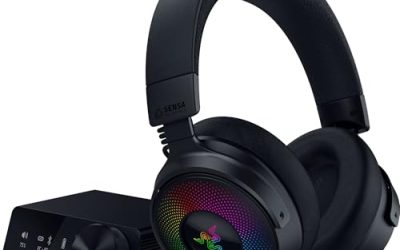
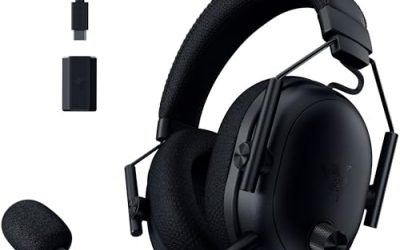
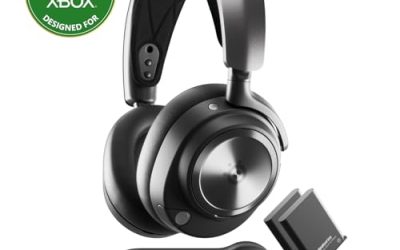
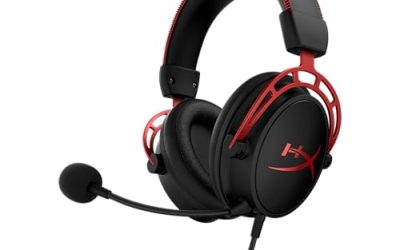
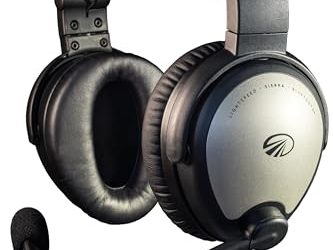
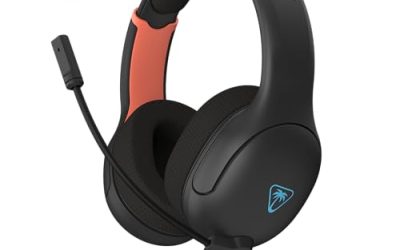
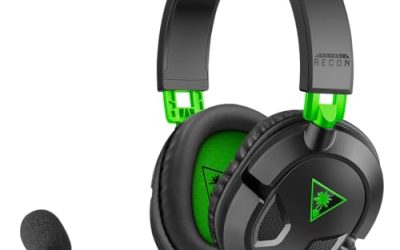
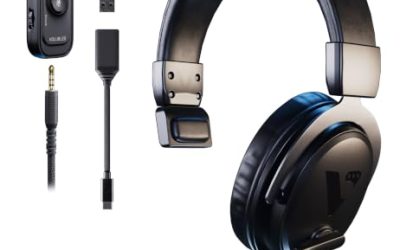
The best PS5 headset is the one that connects natively to the console, supports Tempest 3D AudioTech, and stays comfortable through a long session. For most players that means Sony’s PULSE Elite or Inzone H5; for a lower budget, a Turtle Beach Stealth 600 or Razer BlackShark V3 X HyperSpeed covers the basics well. Below are eight picks sorted by how they connect, how they feel and how the mic works.
Our Top Picks
 Sony INZONE H5 Wireless Over-Ear Gaming Headset PS5One Size7.9 x 7.8 x 3.1 inches0.6 poundsCheck on Amazon
 HyperX Cloud III Wired Gaming Headset for PCRegular3.41 x 6.1 x 7.48 inches0.7 poundsCheck on Amazon
 Razer BlackShark V2 X Wired PlayStation Gaming Headset3.5 mm7.5 x 4.5 x 9.5 inches1.15 poundsCheck on Amazon


Top 3 picks at a glance

Quick Answer: Best PS5 Headset by Need
- Best overall: PlayStation PULSE Elite, for planar magnetic drivers and native PlayStation Link.
- Most comfortable PS5 headset: Sony Inzone H5, a plug-and-play 2.4 GHz model that reviewers single out for comfort.
- Best official lower-cost option: PlayStation PULSE Wireless Headset.
- Best battery life: Turtle Beach Stealth 600, rated for up to 80 hours by the maker.
- Best wired mic for PS4 and PS5: Razer BlackShark V2 X, with a cardioid mic and a lightweight build.
Picks at a Glance
| Headset | Connection | Best for | Mic | Price tier |
|---|---|---|---|---|
| PlayStation PULSE Elite | PlayStation Link + Bluetooth | Best overall | Retractable boom | Upper-mid |
| PlayStation PULSE Wireless | Wireless (details not listed) | Official, lower cost | Not listed | Mid |
| Sony Inzone H5 | 2.4 GHz plug and play | Comfort | Not listed | Upper-mid |
| Turtle Beach Stealth 600 | 2.4 GHz + Bluetooth | Battery life | Not listed | Mid |
| Razer BlackShark V3 X HyperSpeed | 2.4 GHz + Bluetooth | Clear voice chat | Cardioid | Mid |
| HyperX Cloud III | Wired USB-C, USB-A, 3.5 mm | Wired all-rounder | Not listed | Mid |
| Razer BlackShark V2 X | Wired 3.5 mm | Light wired mic option | Cardioid | Low |
| Turtle Beach Atlas 200 | Wired | Licensed budget pick | Not listed | Low-mid |
How the PS5 Handles Headsets and 3D Audio
Tempest 3D AudioTech is the PS5’s built-in spatial audio engine. It can create a 3D soundscape from stereo headsets, but native USB models such as the PULSE series get the deepest integration and the lowest latency, according to TechRadar’s PS5 headset guide.
A few practical rules follow from that. The PS5 does not accept regular Bluetooth audio directly, so wireless headsets either ship with a USB dongle (2.4 GHz or PlayStation Link) or plug into the controller’s 3.5 mm jack. A dongle-based headset gives wireless freedom and keeps the console’s audio profiles active. A wired headset costs less, never needs charging and has no connection lag, but you manage a cable across the room.
Any headset marked “for PS5” in the maker’s own listing is a safe starting point, but read the product page for the exact connection type. Several brands sell an Xbox version and a PlayStation version of the same headset with different dongles, and the wrong one will not work on a PS5.
The Best PS5 Headsets
1. PlayStation PULSE Elite Wireless Headset: Best Overall
The PULSE Elite is the headset the console was designed around. The listing describes a wireless headset for PS5, PC and Mac. Review coverage from TechRadar and Tom’s Guide describes planar magnetic drivers, a retractable boom mic, PlayStation Link plus Bluetooth, Tempest 3D Audio support and a Sony battery claim of about 30 hours. One reviewer lists the weight at 342 g.
- Connection: PlayStation Link dongle and Bluetooth
- Drivers: planar magnetic, per review coverage
- Battery: about 30 hours claimed by Sony
- Mic: retractable boom
Best for: players who want the most integrated PS5 experience, including PS Portal owners.
Skip if: you want the lowest cost or a very light headset.
Pros: native console features; strong sound for the category; long battery; retractable mic; works with PC as well.
Cons: heavier than budget wireless models; sits at the upper end of PS5 headset costs.
2. PlayStation PULSE Wireless Headset: Best Official Lower-Cost Pick
As an Amazon Associate we earn from qualifying purchases at no extra cost to you.
This is the simpler official PULSE model. The store listing gives only the name and finish options, so battery life, driver size and mic type are not listed there. Check the maker’s page before buying if one of those matters to you. It earns a place because an official PlayStation headset removes most of the compatibility guesswork.
Best for: buyers who want a first-party headset without moving up to the Elite.
Skip if: you need confirmed specs on battery or mic before you order.
Pros: first-party design; easy console pairing; sits below the Elite in cost.
Cons: detailed specs are not listed in the store entry; fewer extras than the Elite.
3. Sony INZONE H5: Most Comfortable PS5 Headset

The Inzone H5 is a wireless over-ear headset with plug-and-play setup and personalized 360 spatial sound, according to its listing. One comparison source lists up to 28 hours of battery over its 2.4 GHz dongle and names it the comfort pick, which matches what many buyers want from a long-session PS5 headset.
- Connection: 2.4 GHz wireless, plug and play
- Battery: up to 28 hours, per one review comparison
- Spatial audio: personalized 360 spatial sound
Best for: long sessions and glasses wearers who prioritize a gentle fit.
Skip if: you want active noise cancelling; the H5 does not offer it, unlike the pricier H9.
Pros: comfort-focused; simple setup; good battery; works on PC too.
Cons: no noise cancelling; styling is more gamer-oriented than the PULSE.
4. Turtle Beach Stealth 600: Best Battery Life
The Stealth 600 pairs a 2.4 GHz dongle with Bluetooth, uses 50 mm drivers and targets PS5 and PC. The maker rates it for up to 80 hours of battery, which is the longest in this list. TechRadar highlights its big battery and adjustable controls for the price. Make sure you buy the PlayStation version, since an Xbox/PC version exists with a different dongle.
Best for: players who hate charging and want Bluetooth for a phone as well.
Skip if: you need native PlayStation Link features.
Pros: very long claimed battery; 50 mm drivers; Bluetooth alongside the dongle; sensible mid-range cost.
Cons: not as refined as the PULSE Elite; verify the platform version before ordering.
5. Razer BlackShark V3 X HyperSpeed: Best for Voice Chat

The V3 X HyperSpeed is a wireless PS5 headset with 50 mm drivers, a cardioid mic and both 2.4 GHz and Bluetooth connections. A cardioid mic favors your voice over side noise, which helps in a busy room. Battery life is not stated in the listing excerpt, so check the maker’s page.
Best for: party chat in busy lobbies and ranked play.
Skip if: you want a planar magnetic sound signature.
Pros: cardioid mic; dual wireless modes; 50 mm drivers; clearly labeled PS5 version.
Cons: battery claim not listed in the store entry; plain feature set beyond sound and mic.
6. HyperX Cloud III: Best Wired All-Rounder

The Cloud III is a wired headset that connects through USB-C, USB-A or 3.5 mm, with memory foam cushions. That flexibility means it works with a PS5, PS4, PC and Xbox Series consoles. A cable also means zero battery worries and no dongle to lose.
Best for: players who switch between console and PC.
Skip if: a cable across the couch bothers you.
Pros: three connection types; memory foam; broad compatibility; no charging.
Cons: wired only; the 3.5 mm route skips some USB features.
7. Razer BlackShark V2 X: Best Light Wired Pick With a Good Mic

This wired PlayStation edition has 50 mm drivers, a cardioid mic and a lightweight build, according to its listing. It answers the common question about the best mic for PS4 as well, because a 3.5 mm headset with a cardioid mic works on both PS4 and PS5 controllers.
Best for: budget buyers who care about voice clarity.
Skip if: you want wireless freedom or spatial sound extras.
Pros: low cost; light; clear mic design; works on PS4 and PS5.
Cons: wired only; basic styling.
8. Turtle Beach Atlas 200: Best Licensed Wired Budget Pick

The Atlas 200 is a PlayStation-licensed wired headset with 50 mm drivers and a 3D audio focus, per its listing. It is a straightforward choice for a younger player or a second console in the house.
Best for: a spare headset or a first PS5 headset.
Skip if: you want premium materials or a wireless setup.
Pros: PlayStation licensed; 50 mm drivers; easy plug-in use; low cost.
Cons: wired; fewer adjustments than the wireless models.
Also Consider
- Turtle Beach Stealth 700: a step above the Stealth 600 for players who want a more premium wireless model for Xbox, PS5 and PC.
- RIG R8 SPECTRE PRO: a dual wireless headset for PlayStation and PC at the high end.
- NUBWO and Ozeino wireless headsets: very low-cost wireless options; expect fewer refinements and check the platform labeling.
Most Comfortable PS5 Headset: What Actually Matters
The most comfortable PS5 headset is a light, evenly padded model with a modest clamp. Weight matters more than any other number, because a heavier headset becomes tiring in a long evening, while a good headband spreads the load. Use these checks.
- Weight: check the maker’s spec sheet. Some listings do not state it.
- Ear cup depth: deep cups keep your ears off the drivers; shallow cups can touch.
- Cushion material: memory foam with a breathable cover handles heat better than plain leatherette.
- Clamp force: glasses wearers should prefer a looser clamp.
- Headband: a suspension band avoids a hot spot at the top of the head.
Buying Guide: Choosing a PS5 Headset
Wireless or wired
Go wireless if you sit more than a few feet from the console and value freedom. Go wired if you want the lowest cost per unit of sound quality and no battery. Wireless headsets with a 2.4 GHz dongle have low lag; Bluetooth alone is not accepted by the PS5.
Battery life thresholds
Under 20 hours means charging every few days. 20-40 hours suits most players, and 60-plus hours means weeks between charges. Maker claims are best-case numbers, so treat them as ceilings.
Microphone type
Choose a boom mic for clear voice chat; retractable or flip-to-mute designs are convenient. A cardioid pattern is better in a loud room. Mics built into the ear cups on cheap headsets are usually weaker.
Platform labeling
Look for “PS5” and the exact connection type. A headset that lists PS5, PS4, PC and Switch usually uses a USB dongle or 3.5 mm cable, which is fine. Xbox-only dongles will not work on PlayStation.
Official versus third party
Official PULSE headsets get the tightest integration with PS5 menus and features. Third-party headsets from Turtle Beach, Razer, HyperX and Sony’s Inzone line cover more price tiers and often work well on PC too.
Which Headset Fits Which Player
Competitive and ranked play
Voice clarity and low lag matter most. A 2.4 GHz dongle headset such as the BlackShark V3 X HyperSpeed or the Inzone H5 keeps audio in sync with the picture, and a cardioid mic keeps your callouts clean. If you are on a tight budget, the wired BlackShark V2 X gives you the same mic pattern with no battery to manage.
Single-player and story games
Here the sound signature matters more than the mic. The PULSE Elite’s planar magnetic drivers are the better fit for cinematic games where Tempest 3D Audio adds depth, and the Inzone H5 offers its own spatial sound profile. Long campaigns also reward the lighter, more comfortable options.
Shared living rooms and late-night play
A wired headset avoids the dongle hunt when several people use one console. A closed-back design keeps game audio from leaking, and a long battery rating, like the Stealth 600’s, means the headset is usually charged when someone grabs it.
Switching between PS5 and PC
The PULSE Elite, Inzone H5, Stealth 600 and Cloud III all list PC support alongside PlayStation. If your desk has both a PC and a console, one of these saves you from buying a second headset.
Kids and first headsets
The Atlas 200 and the BlackShark V2 X are simple, wired and low in cost. Neither needs charging, and a lost headset is a smaller loss than a premium one.
How to Set Up a Headset on a PS5
- Connect the receiver. Plug the headset’s USB dongle into a front or rear USB port on the console. For a wired 3.5 mm headset, plug into the jack at the bottom of the controller.
- Power on and pair. Most dongle headsets connect automatically once powered. Some need a short button press on the dongle or headset.
- Open the sound settings. On the PS5, go to Settings, then Sound, then Audio Output, and confirm that the headset is selected as the output device.
- Enable 3D audio. In the same Audio Output menu, turn on 3D Audio for headphones and run the console’s profile selection if the option is offered.
- Check the mic. Open the Microphone settings, check the input level and use the sound check to hear yourself before joining a party.
- Adjust chat balance. Use the console’s headset volume and chat mix options so voice chat is not louder than the game.
Common Headset Problems and Quick Fixes
| Problem | Likely cause | Quick fix |
|---|---|---|
| No sound after plugging in | Output device set to TV speakers | Change Audio Output to the headset in the PS5 sound settings |
| Mic is silent | Mic muted on the headset or input device not set | Check the mute switch, then pick the headset under Microphone settings |
| Dongle will not connect | Wrong platform version of the dongle | Confirm the headset is the PlayStation version and re-pair |
| Audio cuts in and out | Dongle in a rear port behind the console | Use a front USB port or a short USB extension |
| Sound is quiet | Low headset volume or chat mix | Raise headset volume and review the chat and game balance |
| Bluetooth headphones not found | The PS5 does not accept standard Bluetooth audio | Use a headset with a dongle or a wired jack |
What Each Brand Is Known For
PlayStation (PULSE). First-party headsets with the tightest console integration. The Elite adds planar magnetic drivers and PlayStation Link, while the simpler PULSE Wireless suits buyers who want an official option below it.
Sony Inzone. Sony’s gaming-focused sub-brand covers PC and PS5. The H5 is the more comfort-oriented model, while the H9 adds noise cancelling for players who want it.
Turtle Beach. A long-standing console headset maker with licensed PlayStation models across many price tiers. The Stealth line leans toward battery life and adjustable controls, while the Atlas and Recon lines cover wired options.
Razer. The BlackShark line focuses on voice chat clarity and light weight, with both wired and wireless versions that list PS5 support.
HyperX. The Cloud line is known for memory foam comfort and wide platform compatibility, which is why the Cloud III works well for players who also use a PC.
Spec Terms Worth Understanding
Driver size
Most gaming headsets list 40 mm or 50 mm drivers. A bigger driver does not guarantee better sound, but a 50 mm driver generally supports a fuller low end. Planar magnetic drivers, used by the PULSE Elite, are a different technology that aims for lower distortion.
PlayStation Link
PlayStation Link is Sony’s low-lag wireless standard used by the PULSE Elite. It works through a small dongle and lets the headset communicate with the console at a lower delay than regular Bluetooth.
Cardioid mic
A cardioid microphone picks up sound mainly from the front and rejects some noise from the sides and rear. It is a useful design for noisy rooms and shared spaces.
Multiplatform labeling
When a listing names PS5, PS4, PC and Switch, that usually means a USB dongle or a 3.5 mm cable. Always verify that a given feature, such as Tempest 3D support or chat mixing, is listed for the console you own.
Mistakes to Avoid When Buying
- Buying an Xbox version of a headset for a PS5 because the name is the same.
- Assuming Bluetooth headphones will connect directly to the console.
- Choosing on battery claims alone and ignoring comfort.
- Ignoring the mic type when voice chat is your main use.
- Paying for features such as extra EQ profiles that you will never open.
Best PS Headset: Common Questions
What is the best ps5 headset overall?
The PlayStation PULSE Elite is the best all-round PS5 headset because it combines planar magnetic drivers, PlayStation Link and a long battery. The Inzone H5 is the best alternative for comfort.
What is the best ps headset for a smaller budget?
The Turtle Beach Atlas 200 and Razer BlackShark V2 X are the lowest-cost headsets here. Both are wired and both include a mic, which suits kids, second consoles or spare use.
Which is the most comfortable PS5 headset?
The Sony Inzone H5 is the comfort pick in review comparisons. A lighter headset with deep memory foam cups helps more than any single spec.
What is the best mic for PS4?
A wired headset with a cardioid mic, such as the Razer BlackShark V2 X, is a simple choice for PS4 because it plugs into the controller’s 3.5 mm jack. Check the cable type first.
Do any headsets work on both PS4 and PS5?
Yes. 3.5 mm wired headsets and many USB dongle models list both consoles. Look for PS4 and PS5 on the maker’s listing page.
Does Tempest 3D Audio work with any headset?
Tempest 3D AudioTech can render spatial audio on stereo headsets, but native USB headsets such as the PULSE series get the deepest integration. Results vary by headset and game.
Can I use Bluetooth headphones on a PS5?
Not directly. The PS5 does not accept standard Bluetooth audio, so use a headset with its own dongle, a wired connection, or a compatible Bluetooth adapter.
Caring for a Headset So It Lasts
Most headsets fail at the cushions, the cable or the battery. Wipe the ear cushions with a slightly damp cloth every few weeks, since sweat breaks down cover material. Store the headset on a stand rather than twisting the cable around the band. For wireless models, avoid leaving the battery fully drained for months, and keep the dongle in a labeled spot so it does not disappear. If the cushions wear out, many makers sell replacement pads, which costs far less than a new headset and often restores comfort.
Firmware matters too. Some wireless headsets receive updates that fix dongle drops or improve the mic, so check the maker’s support page once or twice a year.
Which One Should You Buy?
Choose the PULSE Elite if you want the best integration with the console. Choose the Inzone H5 if comfort over long sessions comes first. Choose the Stealth 600 for battery life, the BlackShark V3 X HyperSpeed for voice chat, and the Cloud III if you also play on PC. If cost matters most, the BlackShark V2 X or Atlas 200 cover the essentials, and the official PULSE Wireless is the simple first-party option once you have confirmed its specs on the maker’s page.
How We Chose
This guide is research-based. We did not use the products ourselves. We compared maker specifications, store listings and published reviews, then sorted headsets by connection type, comfort, battery claims and mic design. Where a spec was missing, we marked it as not listed instead of guessing.
Sources
- TechRadar, Best PS5 headsets
- Tom’s Guide, Sony PlayStation Pulse Elite review
- PlayStation PULSE Elite product page
- Turtle Beach and Razer product pages
Last updated: November 2026
Related guides
More from Amazon
Programs that pair well with the guide above. Offers and eligibility are set by Amazon and may change.
Free shipping on eligible items, Prime Video and more. Eligible new members can start with a free trial.
Start a Prime free trialAd-free music streaming. Eligible new subscribers can start with a free trial.
Try Music Unlimited freeA Prime membership for ages 18-24 with a trial period. Eligibility is set by Amazon.
See Prime for Young AdultsAudiobooks and podcasts to listen to on the go. Eligible new members can start with a free trial.
Try Audible freeAs an Amazon Associate we earn from qualifying purchases.