The best motherboards for Ryzen are AM5 boards on the B850 or B650 chipset for most gamers, with X870 for extra USB4 and M.2 slots and A620 for tight budgets. The MSI MAG B850 Tomahawk MAX WiFi and GIGABYTE B850 AORUS Elite WIFI7 are the strongest all-round picks here.
Our Top Picks
 MSI MAG X870 Tomahawk WiFi Gaming Motherboard13.4"L x 10.9"W x 3"H13.46 x 10.55 x 2.76 inches4 poundsCheck on Amazon
 ASUS TUF Gaming X870-PLUS WiFi AMD AM5 X870ATX|M.2x4|WiFi72.7 x 13.9 x 10.8 inches2 poundsCheck on Amazon


Top 3 picks at a glance
Start With the Chipset, Then Pick the Board
Most “best motherboard” lists rank boards by brand. For Ryzen it works better the other way around: choose the socket, then the chipset tier, then the size and features. The chipset sets what the board can do; the brand mostly sets styling, warranty and software.
| Chipset | Socket | Who it suits | Typical trade-off |
|---|---|---|---|
| A620 | AM5 | Budget builds with a mid-range Ryzen chip | No CPU overclocking, fewer M.2 slots, simpler power delivery |
| B650 | AM5 | Most gamers; lower-cost AM5 with solid features | Older generation of the B-series; fewer newest connectivity features |
| B850 | AM5 | Most gamers wanting current features | Costs a little more than B650 for newer ports and Wi-Fi |
| X870 | AM5 | Builders who want USB4, more M.2 slots and the top of the lineup | Higher cost; extras that casual players may not use |
| B550 and older | AM4 | Upgrading an existing Ryzen 5000 or older PC | DDR4 and an older platform; no new AM5 chips |
If you are building new, AM5 is the platform to buy: it uses DDR5 memory and is the socket for Ryzen 7000, 8000 and 9000 processors per the board listings below. The older AM4 boards only make sense if you already own an AM4 chip and DDR4 memory.
Our Picks at a Glance
- Best all-round Ryzen board: GIGABYTE B850 AORUS Elite WIFI7.
- Best power delivery under the X-series: MSI MAG B850 Tomahawk MAX WiFi.
- Best B850 for tool-free upgrades and quick fixes: ASUS TUF Gaming B850-PLUS WiFi.
- Best lower-cost AM5 board with Wi-Fi: GIGABYTE B650 AORUS Elite AX.
- Best X870 for connectivity: MSI MAG X870 Tomahawk WiFi.
- Best X870 for storage-heavy builds: ASUS TUF Gaming X870-PLUS WiFi.
- Best compact budget board: ASRock B650M-HM.2+.
- Cheapest way into AM5 with Wi-Fi: ASRock A620AM-X WiFi.
Comparison Table
| Motherboard | Chipset | Size | Wi-Fi | M.2 slots listed | Budget tier |
|---|---|---|---|---|---|
| GIGABYTE B850 AORUS Elite WIFI7 | B850 | ATX | Wi-Fi 7 | 3 | Mid |
| MSI MAG B850 Tomahawk MAX WiFi | B850 | ATX | Wi-Fi 7 | Not listed | Mid to upper mid |
| ASUS TUF Gaming B850-PLUS WiFi | B850 | ATX | Wi-Fi 7 | 3 | Mid |
| GIGABYTE B650 AORUS Elite AX | B650 | ATX | Wi-Fi 6E | Not listed | Lower mid |
| MSI MAG X870 Tomahawk WiFi | X870 | ATX | Wi-Fi 7 | Not listed | Upper mid |
| ASUS TUF Gaming X870-PLUS WiFi | X870 | ATX | Wi-Fi 7 | 4 | Upper mid |
| ASRock B650M-HM.2+ | B650 | Micro-ATX | None listed | Not listed (PCIe 5.0 M.2) | Low |
| ASRock A620AM-X WiFi | A620 | Micro-ATX | Wi-Fi 5 | Not listed | Lowest |
The Best Motherboards for Ryzen
1. GIGABYTE B850 AORUS Elite WIFI7: Best All-Round Ryzen Board
As an Amazon Associate we earn from qualifying purchases at no extra cost to you.

The GIGABYTE B850 AORUS Elite WIFI7 is an ATX AM5 board that lists support for Ryzen 9000, 8000 and 7000 processors, DDR5, a 14+2+2 power phase design, three M.2 slots, PCIe 5.0, USB-C, Wi-Fi 7, 2.5GbE LAN, EZ-Latch and a 5-year warranty.
- Power: 14+2+2 power phase layout listed.
- Storage: three M.2 slots.
- Network: Wi-Fi 7 and 2.5GbE LAN.
Best for: a first AM5 build where you want current features without paying X870 prices.
Skip if: you want USB4 or four M.2 slots; step up to an X870 board.
Pros: long 5-year warranty; Wi-Fi 7; three M.2 slots; tool-less latch for the graphics card; solid power delivery for most Ryzen chips.
Cons: RGB and styling may be more than you need; costs more than B650 boards.
2. MSI MAG B850 Tomahawk MAX WiFi: Best Power Delivery Below X870

The MSI MAG B850 Tomahawk MAX WiFi lists an AM5 ATX design with an 80A SPS VRM, DDR5 Memory Boost 8400+ MT/s (overclocked), a PCIe 5.0 x16 slot, M.2 Gen5, Wi-Fi 7 and 5G LAN.
- VRM: 80A SPS power stages listed.
- Memory: DDR5 Memory Boost up to 8400+ MT/s with overclocking.
- Network: Wi-Fi 7 and 5G LAN.
Best for: pairing with a high-core Ryzen 7 or Ryzen 9 chip that draws a lot of power.
Skip if: you have a modest chip and want to spend less; a B650 or A620 board will do.
Pros: strong power stage rating for the chipset; fast network ports; Gen5 M.2 listed; PCIe 5.0 x16 slot.
Cons: priced near entry X870 boards; overkill for six-core chips.
3. ASUS TUF Gaming B850-PLUS WiFi: Best B850 for Easy Upgrades

The ASUS TUF Gaming B850-PLUS WiFi is an ATX AM5 board with 14+2+1 80A power stages, DDR5, PCIe 5.0, three M.2 slots, Wi-Fi 7, 2.5Gb LAN, DisplayPort and HDMI, USB 10Gbps and 20Gbps Type-C ports and BIOS Flashback.
- Power: 14+2+1 with 80A stages.
- Ports: DisplayPort, HDMI and 20Gbps USB-C.
- BIOS: Flashback feature for updating without a processor installed.
Best for: builders who want a TUF-series board with BIOS Flashback in case a processor needs a newer BIOS.
Skip if: you want the most compact board; this is full ATX.
Pros: BIOS Flashback; strong power stages; wide port selection; three M.2 slots.
Cons: pricier than similar B650 boards; plain styling for some tastes.
4. GIGABYTE B650 AORUS Elite AX: Best Lower-Cost AM5 Board With Wi-Fi

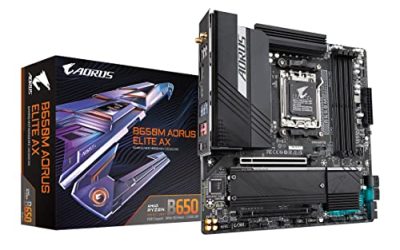
The GIGABYTE B650 AORUS Elite AX is an ATX AM5 board with Ryzen 9000, 8000 and 7000 support, DDR5, a 14+2+1 power phase design, a PCIe 5.0 M.2 slot, USB-C 3.2 Gen 2, Wi-Fi 6E, 2.5GbE and EZ-Latch.
- Power: 14+2+1 power phase.
- Storage: PCIe 5.0 M.2 slot listed.
- Network: Wi-Fi 6E and 2.5GbE.
Best for: shoppers who want a full-size ATX AM5 board without paying for Wi-Fi 7.
Skip if: you need the latest wireless or USB4 features.
Pros: lower cost than B850; Wi-Fi 6E; good power design; tool-free latch.
Cons: older chipset generation; fewer connectivity extras than newer B850 boards.
5. MSI MAG X870 Tomahawk WiFi: Best X870 for Connectivity

The MSI MAG X870 Tomahawk WiFi supports Ryzen 9000, 8000 and 7000 series chips, DDR5, PCIe 5.0, M.2 Gen5, SATA, 40Gbps USB, HDMI and DisplayPort, Wi-Fi 7, Bluetooth 5.4 and 5Gbps LAN in an ATX layout.
- USB: 40Gbps ports listed.
- Network: Wi-Fi 7, Bluetooth 5.4 and 5Gbps LAN.
- Storage: M.2 Gen5 listed.
Best for: builders who use fast external drives, capture gear or multiple monitors and want USB4-class ports.
Skip if: you only plug in a keyboard, mouse and headset; a B850 board costs less.
Pros: 40Gbps USB; fast 5Gbps LAN; recent wireless; Gen5 M.2.
Cons: higher cost; benefits depend on devices you already own.
6. ASUS TUF Gaming X870-PLUS WiFi: Best X870 for Storage-Heavy Builds

The ASUS TUF Gaming X870-PLUS WiFi lists 16+2+1 80A power stages, DDR5, PCIe 5.0 ready, four M.2 slots, Wi-Fi 7, 2.5Gb LAN, HDMI, USB4 40Gbps, SATA 6 Gbps and a 20Gbps USB Type-C port.
- Storage: four M.2 slots plus SATA.
- Power: 16+2+1 stages at 80A.
- USB: USB4 40Gbps listed.
Best for: game libraries stored across several NVMe drives and builders who like TUF-series durability.
Skip if: one SSD is enough for you.
Pros: four M.2 slots; USB4; strong power stages; Wi-Fi 7.
Cons: upper mid cost; extra features you may never use.
7. ASRock B650M-HM.2+: Best Compact Budget Board

The ASRock B650M-HM.2+ is a Micro-ATX AM5 board listing Ryzen 9000, 8000 and 7000 support, DDR5 6400+ (overclocked), a PCIe 5.0 M.2 slot, Gigabit LAN and a 6+1+1 power phase design.
- Size: Micro-ATX fits compact cases.
- Memory: DDR5 6400+ with overclocking.
- Network: Gigabit LAN; no Wi-Fi listed.
Best for: compact budget builds with a mid-range Ryzen chip and a wired network connection.
Skip if: you need Wi-Fi built in or plan to run a high-core-count chip.
Pros: low cost; compact; PCIe 5.0 M.2 slot; DDR5 support.
Cons: simpler power design; no wireless listed; limited expansion.
8. ASRock A620AM-X WiFi: Cheapest Way Into AM5 With Wi-Fi

The ASRock A620AM-X WiFi is a Micro-ATX AM5 board with Ryzen 9000, 8000 and 7000 support, DDR5 8000+ (overclocked), Wi-Fi 5, 2.5G LAN and BIOS Flashback.
- Chipset: A620, with simpler overclocking support.
- Network: Wi-Fi 5 and 2.5G LAN.
- BIOS: Flashback included.
Best for: low-cost builds with a six-core or eight-core non-X3D Ryzen chip.
Skip if: you want to overclock the processor or use many storage drives.
Pros: lowest cost of the list; BIOS Flashback; 2.5G LAN; Wi-Fi included.
Cons: basic power design; limited upgrades; older Wi-Fi standard.
Which Board Fits Which Kind of Ryzen Build?
Rather than hunting for a single winner, match the board to the way you will use the PC. These three common build styles cover most buyers, and each maps to one or two boards above.
The straightforward gaming build
You want a processor and graphics card that run current games well, one or two SSDs, and no overclocking beyond turning on a memory profile. This is where B650 and B850 shine. The GIGABYTE B850 AORUS Elite WIFI7 and GIGABYTE B650 AORUS Elite AX both fit, and the choice comes down to whether Wi-Fi 7 and a third M.2 slot are worth the extra cost to you.
The streaming and content build
You capture video, run several monitors, move large files to external drives and keep a lot of games installed. Extra M.2 slots, fast USB and fast wired networking matter more than raw processor overclocking. The MSI MAG X870 Tomahawk WiFi and ASUS TUF Gaming X870-PLUS WiFi suit this style because of their USB4 ports and storage options.
The compact or budget build
You want AM5 and DDR5 without spending much, and your case supports Micro-ATX. The ASRock B650M-HM.2+ and A620AM-X WiFi are the entries here. They suit a six-core or eight-core processor and a mid-range graphics card. Plan on one SSD and keep expectations modest for overclocking.
| Build style | Chipset | Board size | Boards from this guide |
|---|---|---|---|
| Straightforward gaming | B650 or B850 | ATX | GIGABYTE B850 AORUS Elite, GIGABYTE B650 AORUS Elite AX, ASUS TUF B850-PLUS |
| High-core processor | B850 or X870 | ATX | MSI MAG B850 Tomahawk MAX, MSI MAG X870 Tomahawk |
| Streaming and storage | X870 | ATX | ASUS TUF X870-PLUS, MSI MAG X870 Tomahawk |
| Compact or budget | A620 or B650 | Micro-ATX | ASRock B650M-HM.2+, ASRock A620AM-X WiFi |
What to Do After You Install the Board
A few setup steps help a new Ryzen board behave the way the box promises. None of them take long, and skipping them is a common reason for “my new PC feels slow” complaints.
- Update the BIOS. Download the latest version from the maker’s support page. Newer versions improve processor support, memory compatibility and stability. Use BIOS Flashback if your board has it and the processor will not start on the shipped version.
- Enable the memory profile. DDR5 kits run at a base speed until you switch on EXPO or XMP in the BIOS. This is the easiest speed gain in the build.
- Install the chipset driver. AMD’s chipset package covers power plans and storage behavior. Pull it from AMD’s site rather than a third-party page.
- Check the graphics card slot. Make sure the card sits in the main x16 slot and that the case airflow is not blocked by the board’s heatsinks or cables.
- Confirm the fan and pump headers. Plug the processor cooler into the header labeled for it so the board can control fan speed correctly.
- Review the M.2 layout. Some slots share bandwidth with SATA ports. Read the manual’s storage table before you populate every slot.
Common Mistakes When Choosing a Ryzen Motherboard
- Buying by chipset name alone. Two boards on the same chipset can differ a lot in power stages, slots and ports. Compare the listing, not only the label.
- Assuming every AM5 board supports every processor out of the box. Some need a BIOS update. Check for Flashback or a ready-for-processor note.
- Paying for Wi-Fi 7 you cannot use. It only helps if your router supports it. Otherwise Wi-Fi 6E or a wired connection serves you just as well.
- Ignoring case size. ATX boards do not fit every compact case. Check the supported board sizes before you buy.
- Overbuying X870 for a six-core chip. The extra features cost money and mainly pay off when you use them.
- Forgetting the memory type. AM5 boards accept DDR5 only. Old DDR4 memory will not fit.
Should You Buy an AM4 Board for an Older Ryzen Chip?
Only when you are upgrading an existing AM4 system. If you already own a Ryzen 5000 processor and DDR4 memory, a B550 board keeps the rest of your parts useful and can be the cheapest path to a refresh. For a fresh build, AM5 is the better long-term choice because it uses current memory and supports newer Ryzen generations.
When shopping AM4, check that the board lists Ryzen 5000 support, and look for a BIOS update path if the board is older stock. The maker’s CPU support list tells you which BIOS version each processor needs.
Also Consider
- ASRock X870 Steel Legend WiFi 7: an X870 ATX board with Wi-Fi 7 and USB4 at a lower cost than the ASUS and MSI boards above.
- GIGABYTE B850M AORUS Elite WIFI6E ICE: a Micro-ATX B850 board with a white theme for compact builds.
- MSI X870E Gaming Plus WiFi: an X870E ATX board with PCIe 5.0 x16 and Wi-Fi 7 for those who want the E-series features.
How We Chose These Ryzen Motherboards
This is research-based. We did not use the boards. We compared maker specifications and listing details for chipset, socket, size, power delivery, memory support, M.2 slots, wireless and ports, then grouped boards by the kind of buyer they suit.
Only new, currently listed boards from known brands were considered. Each brand appears at most twice among the main picks, renewed and used units were skipped, and boards with unclear listings were left out. Where details were not listed, the table says so. We do not quote benchmark numbers, because they depend on the processor, memory and cooling you pair with the board.
Ryzen Motherboard Buying Guide
Which socket does your Ryzen processor use?
Ryzen 7000, 8000 and 9000 processors use AM5 and DDR5. Ryzen 5000 and older use AM4 and DDR4. A board only works with its own socket, so match the processor first.
A620, B650, B850 or X870?
Choose A620 to save money, B650 or B850 for the best value, and X870 if you need more USB4 ports and M.2 slots. B850 adds newer features over B650 for a small premium.
| Your situation | Chipset to look at |
|---|---|
| Mid-range chip, tight budget, no overclocking | A620 |
| Gaming build, wants good value | B650 or B850 |
| High-core chip, more storage, USB4 | X870 |
| Existing Ryzen 5000 PC | AM4 B550 board |
ATX or Micro-ATX?
ATX boards have more expansion slots and M.2 slots and usually stronger power delivery. Micro-ATX fits smaller cases and costs less but has fewer slots. Check your case’s supported board sizes first.
Power delivery and your processor
Match the board’s power stage design to the processor. Six-core and eight-core chips run happily on mid-range boards, while Ryzen 9 chips benefit from higher-rated power stages, like the 80A designs listed above.
Memory, storage and network features
- Memory: AM5 uses DDR5 only. Confirm the memory speeds the board supports before buying a fast kit.
- M.2 slots: count the slots you need and check whether using one disables a SATA port.
- Wi-Fi: if your PC is far from the router, a board with built-in Wi-Fi saves a card.
- USB: check front-panel USB-C support on your case.
- BIOS Flashback: useful when a board ships with an older BIOS than your processor needs.
Check processor support before you order
Boards can ship with older BIOS versions. If you buy a newer Ryzen chip, look for BIOS Flashback or a maker note saying the board is ready for that processor. The maker’s CPU support list is the final word.
Do Ryzen X3D processors need a special board?
No special board is required. X3D chips use the same AM5 socket, but they run cooler and gain little from heavy overclocking, so a solid B650 or B850 board is plenty.
How many M.2 slots do you need?
One is enough for a single game drive. Two or three help if you keep a large library or a separate drive for video editing. Four M.2 slots only matter for storage-heavy builds.
Is PCIe 5.0 worth paying for?
For most gamers, not yet. PCIe 5.0 graphics slots and M.2 slots give future headroom, but current games run well on PCIe 4.0. Do not pay a large premium for it alone.
Are white and colored boards worth it?
Only for looks. Color variants such as white boards cost slightly more with the same features, so choose them if they match your case and parts.
Whatever the board, read the manual’s slot and port tables once before building. It takes five minutes and prevents most surprises, such as a disabled SATA port or an M.2 slot that shares lanes with the graphics card.
One last point on timing: motherboard lineups change as new chipsets arrive, but AM5 boards stay compatible across processor generations, so buying a good B850 or B650 board now does not lock you out of later Ryzen upgrades on the same socket.
Frequently Asked Questions
What is the best motherboard for Ryzen gaming?
For most gamers, a B850 board such as the GIGABYTE B850 AORUS Elite WIFI7 or MSI MAG B850 Tomahawk MAX WiFi offers the best balance of features and cost.
Is B650 or B850 better for Ryzen?
B850 is newer and adds current features such as Wi-Fi 7 and faster ports. B650 is fine if the price is lower and you do not need those extras.
Do I need X870 for a Ryzen 7 or Ryzen 9?
No. B650 and B850 boards run Ryzen 7 and Ryzen 9 chips well. X870 helps if you need USB4, more M.2 slots or extra expansion.
Is A620 good enough for Ryzen gaming?
Yes for mid-range chips. A620 boards do not support processor overclocking and have simpler power delivery, so they suit budget builds.
Will a Ryzen 9000 processor work on a B650 board?
Many B650 boards support Ryzen 9000, and the listings above say so. Some may need a BIOS update first, so look for BIOS Flashback or confirm on the maker’s CPU support page.
Can I use DDR4 memory on an AM5 motherboard?
No. AM5 boards use DDR5 memory only. DDR4 works on AM4 boards, which support older Ryzen processors.
Do I need Wi-Fi on my motherboard?
Only if your PC cannot reach the router by cable. Built-in Wi-Fi saves buying an add-in card and is included on most boards in this guide.
Which Ryzen Motherboard Should You Buy?
- Choose the GIGABYTE B850 AORUS Elite WIFI7 for the best all-round value and a long warranty.
- Choose the MSI MAG B850 Tomahawk MAX WiFi for a high-core Ryzen processor.
- Choose the ASUS TUF Gaming B850-PLUS WiFi if BIOS Flashback and wide ports matter.
- Choose the GIGABYTE B650 AORUS Elite AX to save money without losing Wi-Fi.
- Choose the MSI X870 Tomahawk or ASUS TUF X870-PLUS if you want USB4, more storage and the top of the lineup.
- Choose the ASRock B650M-HM.2+ or A620AM-X WiFi for compact, low-cost builds.
Decide the chipset first, then the size, then the brand. Confirm processor support on the maker’s page before you buy.
Sources
- AMD Ryzen processor and AM5 platform pages
- GIGABYTE, MSI, ASUS and ASRock motherboard product pages
- Manufacturer CPU support lists for each board
- Retail product listings for each board
Last updated: November 2026
Related guides
More from Amazon
Programs that pair well with the guide above. Offers and eligibility are set by Amazon and may change.
Free shipping on eligible items, Prime Video and more. Eligible new members can start with a free trial.
Start a Prime free trialAd-free music streaming. Eligible new subscribers can start with a free trial.
Try Music Unlimited freeA Prime membership for ages 18-24 with a trial period. Eligibility is set by Amazon.
See Prime for Young AdultsAudiobooks and podcasts to listen to on the go. Eligible new members can start with a free trial.
Try Audible freeAs an Amazon Associate we earn from qualifying purchases.