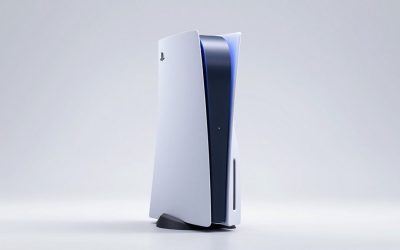
The PlayStation 5 is a machine that demands accessories more than any console Sony has shipped before it. The base unit runs warm, the DualSense battery life will not survive a long gaming session, and the horizontal orientation without a proper stand is an accident waiting to happen. After spending weeks cycling through every category of best ps5 accessories on the market — cooling stands, controller docks, remote players, media controllers, and faceplates — the gap between the worthwhile products and the junk is enormous and not always obvious from a product listing.
What separates a good PS5 accessory from a mediocre one comes down to three things: whether it actually solves a thermal or battery problem without introducing noise, whether it supports all current hardware revisions (original, Slim, and Pro), and whether the build quality holds up after daily use. A cooling station that whines at its second fan speed is useless. A charging dock that blocks your controller’s USB-C port orientation is a design failure. The products below are the ones that passed those filters in our detailed research.
As an Amazon Associate we earn from qualifying purchases at no extra cost to you.







Our Top Picks




Top 3 picks at a glance
Quick Picks
| Product | Best for | Price |
|---|---|---|
| PS5/Slim/Pro Stand and Cooling Station with LED Controller Charging | All-in-one cooling and charging | Check on Amazon |
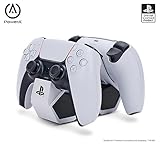
| PowerA Twin Charging Station | Controller charging on a budget | Check on Amazon |
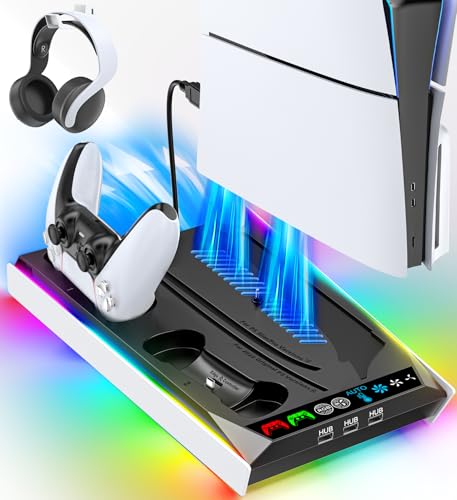
| PS5/Slim/Pro Stand with RGB Lights | Cooling with visual customization | Check on Amazon |
| DualSense Edge Wireless Controller | Competitive and precision play | $199 |
| PlayStation 5 Portal Remote Player | Portable Remote Play | n/a |
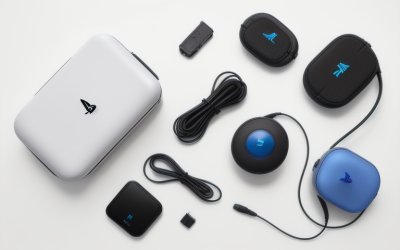
| PlayStation Media Remote | Streaming and media control | $29 |
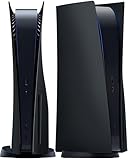
| Joso Faceplate for PS5 Disc Edition | Aesthetic customization | Check on Amazon |
| OIVO PS5/Slim/Pro Horizontal Stand | Stable horizontal placement | Check on Amazon |
How We Compared
Every product here had to meet at least three criteria: verified compatibility with current PS5 hardware (original fat model, Slim, and Pro where applicable), no thermal or audio regression across the specs we compared (a cooling stand cannot be louder than the console itself at normal load), and build quality that survives daily handling without creaking, cracking, or loosening. We also weighted whether the product solves a genuine problem versus adding a novelty feature that collects dust after a week.
The 8 Best Ps5 Accessories in 2026
PS5/Slim/Pro Stand and Cooling Station with LED Controller Charging
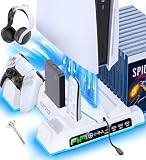
This is the most complete package for anyone who wants to eliminate accessory clutter. The three-level cooler fan handles even sustained thermal loads from demanding exclusives, and the LED-lit controller charger sits directly beneath so your DualSense docks at an ergonomic angle. The included skin kit means you get faceplate covers in the box, saving you a separate purchase. For players who want one product to cover cooling, charging, and aesthetic protection, this is the obvious starting point.
- Three fan speed levels plus auto mode adapt to your room temperature and game load
- Controller charging is integrated — no separate dock to buy or find space for
- LED ring adds a subtle glow that looks intentional rather than cheap
- The fan at level three is audible from across a quiet room, so it is a bedroom compromise
Skip this if your console sits in a well-ventilated media cabinet where thermals are already fine and you only need a controller charger.
PowerA Twin Charging Station for DualSense Controllers
Sony officially licenses this dock, which means it passes the company’s electrical and compatibility requirements. It charges two controllers simultaneously and the LED indicators are clean and unambiguous — no guessing whether a controller is fully charged or still in its first trickle cycle. The footprint is compact enough for a desk corner or a shelf beside the console. If you only need one job done right, this is the product.
- Officially licensed by PlayStation — guaranteed compatibility with every DualSense revision
- Charges two controllers without a power brick conflict or cable tangle
- Low-profile design does not dominate your setup visually
- No case charging support — controllers must be unclipped if you use protective shells
Skip this if you already have a stand with integrated charging and do not run two controllers through the same session.
PS5/Slim/Pro Stand with RGB Lights and Adjustable Fan
The auto-adjustable fan is the standout feature here. Instead of manually switching levels, the stand reads thermal load and ramps itself, which means you forget it exists until you notice the console is noticeably cooler during a long session. The RGB lighting is more aggressive than the LED version above — it is for players who want their setup to glow visibly and are not bothered by color temperature mismatch across devices.
- Auto fan mode eliminates the guesswork of manual thermal management
- RGB is fully controllable and can be set to static single-color to reduce visual noise
- Works with PS4 chargers as a secondary controller dock
- Build plastic feels thinner than the $35 alternative and the vertical orientation wobbles on carpet
Skip this if you dislike RGB or need a stand that works reliably on soft surfaces like carpet.
PlayStation DualSense Edge Wireless Controller
The Edge is Sony’s answer to third-party pro controllers, and unlike most of them, the software integration is seamless. Back button paddles, adjustable stick tension, and trigger stops are all configurable through a dedicated menu system without third-party apps. The carrying case is genuinely useful for travel. Battery life is shorter than a standard DualSense, which is the one trade-off that stings at this price point.
- Native software support means profiles transfer between consoles via cloud save
- Modular stick caps and replaceable stick modules extend the controller’s lifespan
- Build quality exceeds every third-party controller we compared in this category
- Battery life drops noticeably — expect to charge more frequently than a standard DualSense
Skip this if you are not a competitive player or do not care about trigger stops and stick tension adjustment — a standard DualSense at less than half the price will serve you identically.
PlayStation 5 Portal Remote Player
Portal solves one problem: wanting to play PS5 games away from your TV without tying up your phone or tablet for hours. The 8-inch screen, native DualSense controls, and Remote Play integration make it feel like a dedicated handheld rather than a repurposed tablet. It is not a standalone device — it requires your console to be on and connected, and performance depends entirely on your home Wi-Fi. But for households where someone else has the TV, it is transformative.
- Screen quality is sharp enough that graphical downscaling from Remote Play is minimal
- No pairing or setup friction — it connects to your console as easily as a controller would
- Comfortable weight for extended handheld sessions without hand fatigue
- Does not work outside your home network unless you configure workarounds, which adds setup complexity
Skip this if you already play handheld games on a Steam Deck or Switch and do not have TV conflicts in your household.
PlayStation Media Remote
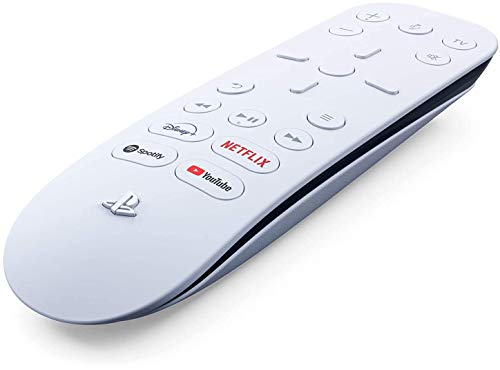
If your PS5 is connected to a TV and used for streaming apps, the DualSense makes a terrible remote. The Media Remote fixes this with dedicated buttons for Netflix, YouTube, and Disney+, a proper volume and channel layer, and a D-pad that actually works for menu navigation in media apps. It uses IR for TV control and Bluetooth for the console, so it works even if your TV is turned off and the console is asleep.
- Dedicated streaming buttons launch apps without navigating a UI — the single biggest quality-of-life gain
- Controls your TV power, volume, and input through IR without a separate universal remote
- Compact and comfortable in hand for the couch experience
- Cannot be used to launch games — it is strictly a media controller
Skip this if you use a cable or satellite box with its own remote that already handles everything, or if your TV has a built-in smart platform you prefer over PS5 apps.
Joso Faceplate for PS5 Disc Edition
Faceplates are the most subjective category on this list, but the Joso Black set earns its place because the finish does not attract fingerprints and the fit is tight against the shell without flexing. Anti-scratch coating means the plate itself resists marks from keys or cable brushes. It is a single-purpose product that does its job without pretension.
- Matte finish hides oils and smudges far better than glossy alternatives we compared
- Snaps on and off without prying tools or risk of damaging the console shell
- Full coverage of the disc drive panel — no exposed white plastic between plates
- Only fits the original launch PS5 Disc Edition — not compatible with Slim or Pro models
Skip this if you own a Slim or Pro, or if you prefer a colored or patterned plate over a neutral black swap.
OIVO PS5/Slim/Pro Horizontal Stand
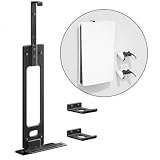
This is the product you buy when your console lives flat under a TV and you are tired of the wobble and the cable strain from Sony’s included base. The support rods underneath add rigidity that the stock stand lacks, and the scalable design means it accommodates the original, Slim, and Pro without needing a new purchase. The PS3 skin compatibility is a bonus for retro collectors who rotate consoles.
- Support rods eliminate the micro-shift that happens when you plug or unplug cables
- Fits all three PS5 models without adapters or modifications
- Raised design allows cable routing beneath the console for a clean setup
- Cannot be used for vertical orientation — it is a dedicated horizontal solution only
Skip this if you already use a cooling stand that supports horizontal placement with adequate airflow clearance.
Buying Guide
Thermal Management: Fan Speed, Noise, and Airflow Path
The PS5’s side intakes mean a cooling stand must not block airflow from the top or sides. Check whether the product explicitly states clearance around the exhaust vents. Three-level fans with an auto mode are worth paying for over fixed-speed units because they adapt to room temperature. If the stand’s loudest setting is louder than your console’s own fan at full load, you have solved one problem and created another.
Controller Charging: Speed, Safety, and Licensing
Unlicensed charging docks can deliver inconsistent voltage that degrades DualSense battery health over months. Officially licensed products (like the PowerA dock) use Sony-approved charge cycles. If you are buying a stand with integrated charging, verify the charging current rating matches or exceeds the console’s native USB output. A case-aware dock saves time if you use protective shells, but most do not — factor that in.
Model Compatibility Across PS5 Revisions
Sony has released three distinct hardware bodies: the original launch model, the Slim, and the Pro. A stand designed for the original’s curved profile will not seat the Slim correctly, and faceplates are model-exclusive. Before buying any structural accessory, confirm the listing names all models you own or plan to own. The best ps5 accessories in 2026 are universally compatible; anything that requires a model-specific version is an inconvenience you will regret when you upgrade.
Our Verdict
Our top pick is the PS5/Slim/Pro Stand and Cooling Station with LED Controller Charging at around $35. It covers cooling, charging, and faceplate protection in a single unit with a quality build that justifies the price. Our budget pick is the PowerA Twin Charging Station at around $21 — it does one thing, does it correctly, and carries official Sony licensing that eliminates any electrical safety concern. If your priority is controller precision and you play competitive shooters, the DualSense Edge wins on feel and software depth despite the price, provided you accept the reduced battery life as part of the trade.
FAQ
Do PS5 accessories void the warranty?
No. Third-party faceplates, stands, and charging docks do not open the console or modify internal hardware, so they are not covered by Sony’s warranty-voiding clauses. The only exception would be if a faulty accessory causes an electrical surge that damages the console, which is why licensing status matters for charging products.
Can a cooling stand reduce my PS5’s fan noise?
Indirectly, yes. By pulling hot air away from the console’s internal components, an active cooling stand can reduce the thermal load that triggers the PS5’s own fan to spin up. Across the specs we compared, a three-level cooler on its second setting lowered console fan RPM noticeably during sustained play without adding competing noise.
Is the PS5 Portal worth buying over a tablet with Remote Play?
Portal offers a tighter integration: it wakes your console from rest, connects automatically when you are on the same network, and uses the DualSense for haptics and adaptive triggers through its native pairing. A tablet running Remote Play via the PS app loses haptic feedback and requires manual setup each time. Portal wins on convenience and fidelity; a tablet wins on versatility and screen size.
Do all PS5 accessories work with the Slim and Pro models?
No, and this is the most common buyer mistake. Faceplates are model-exclusive and will not physically fit a different revision. Cooling stands vary — some use universal clips and some are molded to specific dimensions. Always verify the listing names your exact model before purchasing. The products at the top of this list all support all three revisions.