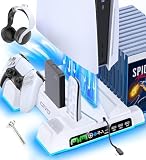
The best PS5 skin depends on which console you own: PS5 Slim owners get the widest choice, including dbrand Darkplates and full-body vinyl wraps, while PS5 Pro owners must buy plates or wraps made specifically for the Pro. Sony has confirmed that existing PS5 Slim covers do not fit the PS5 Pro, so the first step is to match the model and edition (Disc or Digital) before picking a look.
As an Amazon Associate we earn from qualifying purchases at no extra cost to you.


Quick comparison of PS5 skin types
| Pick | Best for | Key details | Price range |
|---|---|---|---|
| dbrand Darkplates 2.0 (Slim) | Premium look, replacing the stock side covers | Rigid plates, optional microfiber middle skins, lightstrips and stand add-ons; limited availability per the maker | Premium |
| dbrand full-body skins (Slim) | Precise vinyl fit | Cut to the console shape, separate Disc and Digital versions | Mid-range |
| Slickwraps PS5 Pro skins | PS5 Pro owners wanting wraps | Vinyl in camo, marble and carbon patterns | Mid-range |
| MaD Vision vinyl kit (Pro) | Matching console and controllers | Matte vinyl, console set plus two controller skins, Disc and Digital | Budget to mid-range |
| MightySkins (premium vinyl) | Cheap, easy-to-swap designs | 3M-style vinyl, many patterns, mostly for original PS5 and Slim | Budget |
| Third-party RGB faceplates (Joso and similar) | Light effects | Replacement plates with an LED strip; check Pro or Slim fit | Budget to mid-range |
Best overall: dbrand Darkplates 2.0 for PS5 Slim
Darkplates are rigid replacement side panels, not stickers, and dbrand has long been the benchmark for PS5 covers. GameSpot described them as among the best third-party console covers when the Slim versions launched. The Slim set has been sold in black, with middle skins in patterns such as X-Ray, Obsidian and Warzone, plus lightstrips and a custom stand as add-ons. The main trade-off is availability: dbrand states the Darkplates 2.0 run is for a limited time, and the full setup with stand and middle skin costs noticeably more than a vinyl wrap.
Best vinyl wrap for PS5 Slim: dbrand full-body skins
If you want a cleaner, thinner change than a plate, dbrand also sells skins for the Slim in Disc and Digital editions, which the company says are measured to a fraction of a millimetre around the vents and ports. They suit people who want a matte or textured finish without replacing the covers. The trade-off is that vinyl can be hard to remove cleanly years later if the console sits warm in a cabinet.
Best for PS5 Pro: model-specific vinyl from Slickwraps and MaD Vision
Sony confirmed that the Pro’s side covers are not interchangeable with the Slim’s even though the dimensions look similar, so Pro owners should buy Pro-labelled products. Slickwraps lists Pro skins in camo, marble and carbon patterns, and MaD Vision sells a matte kit for the Pro that includes two controller skins. Both are sold per edition, so check Disc versus Digital in the listing. The trade-off compared with Darkplates is that vinyl changes colour but does not replace the plate itself.
Best budget: patterned vinyl and middle skins
Roundups such as PropelRC name MightySkins as a premium 3M-vinyl option, and its designs are mostly for the original PS5 and Slim. For the Pro and Slim center strip, some sellers list a matte-black middle skin that fits both models; as with any marketplace listing, compatibility claims vary, so read the exact model name. This is the cheapest way to change the look and the easiest to undo.
Best for lighting: RGB faceplates
Replacement plates with an RGB ring or strip, such as the Joso Pro Digital plates, add effects the stock covers cannot. Check the power connection method and whether the plate lists the Pro, the Slim or the original console. The trade-off is fit and quality: unbranded plates can leave gaps, and some change airflow around the vents.
Decision matrix: which skin for your console
| Your situation | Choose | Why |
|---|---|---|
| PS5 Slim, want a premium swap | dbrand Darkplates 2.0 | Real plates, optional stand and lightstrip |
| PS5 Slim, want a low-profile change | Full-body vinyl | Thin, precise cutouts |
| PS5 Pro, any edition | Pro-specific vinyl or plates | Slim covers do not fit |
| Original PS5 (2020 shape) | Original-model plates only | Slim and Pro parts differ |
| Plan to resell later | Removable vinyl, keep the stock plates | Stock covers keep resale value |
| Want a controller match | Kit with controller skins | Same pattern across the set |
How to choose a PS5 skin that fits
1. Confirm the model and edition
There are several shapes in play: original PS5, Slim, Pro, and the Disc and Digital editions of each. The label on the box or the model number on the console base identifies which you have. Buying by listing title alone causes most returns.
2. Decide plate or wrap
A plate replaces the covers and keeps the finish consistent. A wrap sticks over the existing covers. Plates cost more but look more finished and are easy to swap back to stock; wraps are cheaper but need careful application.
3. Check material and finish
Look for named vinyl such as 3M-type material, matte or carbon textures, and air-release channels, which reduce bubbles. Glossy finishes show fingerprints and dust more.
4. Mind the vents
Skins and plates should never cover intake or exhaust vents. Properly cut products leave them open; if a listing shows coverage over the vents, avoid it.
How to apply a vinyl skin without bubbles
- Unplug the console and wipe the covers with isopropyl alcohol so the vinyl bonds.
- Peel a short section of backing and align the edge to a corner, since the first edge decides the rest.
- Press from the center outward with a soft card to push air out.
- Warm stubborn curves briefly with a hair dryer on low so the vinyl relaxes around them.
- Wait several hours before putting the console back in a closed cabinet.
Frequently Asked Questions
Do PS5 Slim skins fit the PS5 Pro?
Plates do not: Sony stated that PS5 Slim covers are not compatible with the Pro. Some middle-strip stickers are marketed for both, but always confirm the exact model in the listing.
Do PS5 skins affect cooling?
A properly cut skin leaves the vents open and adds almost no insulation. Skins that cover intakes or exhausts can restrict airflow, so check the cutouts before applying.
Are dbrand Darkplates worth it?
If you want a rigid, more premium look and may add a stand or lightstrip, they are among the strongest options. If you only want a color change on a budget, vinyl is cheaper and easier to undo.
Can I remove a PS5 skin later?
Most vinyl peels off, especially if warmed gently with a hair dryer, and residue can be wiped with isopropyl alcohol. Plates can simply be swapped back to the stock covers.
Do skins void the PS5 warranty?
Wraps and plates do not open the console, so they are unlikely to be an issue, but check Sony’s terms for your region if this matters to you.