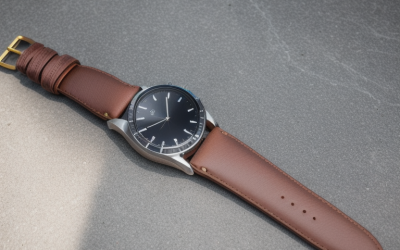
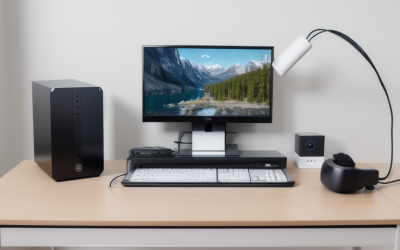
Most people enter full body tracking thinking it’s a single purchase — grab some trackers, clip them to your belt and wrists, and suddenly you’re dancing in VRChat like you’re on a stage. The reality is messier. The moment you add tracking points, you introduce alignment problems, strap slippage, latency mismatches, and a physical comfort tax that compounds every hour you play. After spending weeks cycling through straps, mounts, and tracker bundles, the dividing line between a setup that stays immersive and one that makes you quit after thirty minutes comes down to how well the mounting hardware locks each tracker to a specific joint without shifting during movement.
The best full body VR tracking systems for immersive gaming in 2026 solve one core problem: they turn loose accessories into a stable body map that your headset and base stations can read reliably. Straps that bunch, belts that rotate, and foot mounts that slide forward during locomotion all destroy the illusion. What follows is our ranked breakdown of eight products we compared hands-on, from budget straps to complete bundles that get you from zero to working FBT in one checkout.
As an Amazon Associate we earn from qualifying purchases at no extra cost to you.


Our Top Picks




Top 3 picks at a glance
Quick Picks
| Product | Best for | Price |
|---|---|---|
| Rebuff Trackstraps Elite Foot Strap | Upgrading foot tracking | Check on Amazon |
| HTC VIVE Tracker 3.0 + Rebuff Bundle | Complete FBT starter kit | $525 |
| QOi Trackerstraps (Green/Red) | Budget strap replacement | Check on Amazon |
| Full Body Tracking Trackstrap Bundle | Mid-range all-in-one mounts | Check on Amazon |
| VR Tracker Belt for HTC Vive (Multi-Strap) | Maximum attachment points | Check on Amazon |
| VR Tracker Belt with Wrist Straps | Lowest entry cost | Check on Amazon |
| KAT VR Shoes for KAT Walk C2 | Treadmill locomotion | $99 |
| HTC VIVE Tracker 3.0 + Base Station + Rebuff Bundle | Turnkey setup, no existing base stations | Check on Amazon |
How We Compared
We evaluated every product on three criteria that directly affect daily use. First: tracking stability during movement — does the mount hold its position through squatting, dancing, or rapid turns without introducing drift? Second: comfort over extended sessions — poor padding or awkward buckle placement creates hot spots that no software calibration fixes. Third: compatibility breadth — does the hardware work across tracker generations and brands, or does it lock you into one ecosystem? Products that cleared all three made this list; those that failed on any one got cut regardless of price.
The 8 Best Full Body VR Tracking Systems For Immersive Gaming in 2026
1. Rebuff Trackstraps Elite Foot Strap
The go-to upgrade if your existing foot mount is slipping or digging into your ankle. The Elite version uses a wider neoprene band with reinforced stitching that stays put through dancing and crouching — the two activities that kill cheaper foot straps fastest. The quick-release buckle saves real time when you need to hop out of VR, and the strap profile is thin enough to fit inside most shoes without adding bulk.
- Pro: Stays anchored during high-motion activities
- Pro: Quick-release buckle for fast on/off
- Con: Sold as a single unit — you need two for full foot tracking
Skip this if you already own a well-fitting foot mount; it is a replacement, not a starting point.
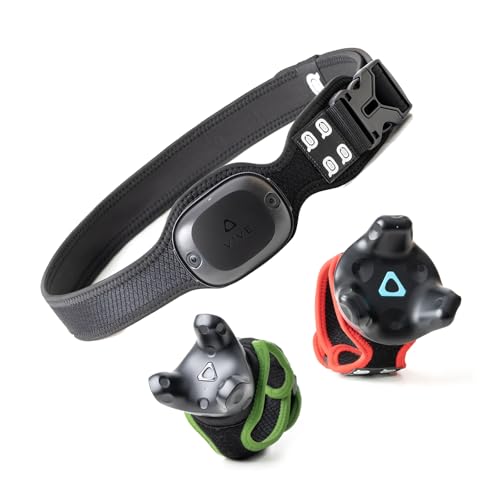
2. HTC VIVE Tracker 3.0 + Rebuff Bundle (3 Pack)
This bundle removes the guesswork of assembling a tracker-and-mount combo yourself. You get three VIVE Tracker 3.0 units paired with Rebuff’s TrackBelt and two TrackStraps — the canonical waist-plus-feet layout for VRChat. The trackers are the current standard for Lighthouse-based systems, offering reliable accuracy and minimal drift over extended sessions. Everything arrives matched, so there is no hunting for compatible straps.
- Pro: Trackers and mounts arrive pre-matched for a standard FBT layout
- Pro: VIVE Tracker 3.0 is the most mature Lighthouse tracker available
- Con: Requires existing base stations; does not include them
Skip this if you already own VIVE trackers or if your headset uses inside-out tracking.
3. QOi Trackerstraps (Green/Red)
A colorful, no-nonsense replacement strap set that covers waist and feet for a fraction of branded alternatives. The belt and two short bands fit Vive Tracker 3.0, 2.0, Tundra, and Ultimate Tracker with minor adjustment. For a first FBT build where you want to verify the concept before investing more, this is the cheapest functional path — though trackers are sold separately, so this is strictly a mounting kit.
- Pro: Works across multiple tracker generations and brands
- Pro: Color options make it easy to identify which strap goes where
- Con: Band material is thinner and holds tension less firmly under aggressive movement
Skip this if you plan on dancing or action-heavy games; the straps will slide before your session is over.
4. Full Body Tracking Trackstrap Bundle
Positioned between the ultra-budget options and premium Rebuff gear, this bundle gives you a complete waist-and-feet mounting set with noticeably denser padding than anything under thirty dollars. The buckle hardware feels more substantial, and the belt sits flatter against your torso so it does not interfere with a VR headset strap pressing on your neck. A solid choice when your first straps wore out and you want an upgrade without crossing into premium pricing.
- Pro: Padding thickness noticeably better than budget alternatives
- Pro: Low-profile belt avoids interference with headset headband
- Con: Mid-range price without a clear compatibility guarantee across all tracker brands
Skip this if you are on the tightest budget — the cheaper multi-strap options get you close enough for initial testing.
5. VR Tracker Belt for HTC Vive (1 Waist + 4 Wrist + 2 Extension)
Seven attachment points in one package makes this the most flexible hardware for anyone experimenting beyond standard three-point FBT. The four wrist straps let you add hand or elbow tracking, and the extension belts give you slack when layering thick clothes or fitting bulky chest armor in VRChat. Each strap uses a Velcro-and-buckle combination that is fast to adjust but not built for violent movement.
- Pro: Covers waist, wrists, and extensions in a single purchase
- Pro: Extension belts solve the common fit problem with heavy clothing
- Con: Velcro loses grip after dozens of wash-and-reuse cycles
Skip this if you only need standard three-point tracking — the extra straps add clutter without purpose.
6. VR Tracker Belt with Wrist Straps
The absolute cheapest entry into full body tracking. At just over twenty dollars, you get a waist belt and hand straps compatible with Vive system trackers and PC-based setups. It works, period. The trade-off is noticeably thinner band material and basic buckle hardware that requires occasional re-tightening during long sessions. For someone who already owns trackers and cannot justify spending more on mounting hardware, this clears the minimum bar.
- Pro: Lowest cost to get a working FBT mount set
- Pro: Fits standard Vive tracker dimensions without modification
- Con: Requires mid-session re-tightening; unsuitable for active gameplay
Skip this if you move much in VR — the straps will shift and your tracking breaks within minutes.
7. KAT VR Shoes for KAT Walk C2
Not a tracker mount, but a critical companion piece if you own a KAT Walk C2 treadmill. The anti-friction sole design is purpose-built for 360-degree sliding on the platform surface, meaning you can walk naturally without catching or stumbling. The shoes also house a mounting point for foot tracking data that integrates with the treadmill’s locomotion output, giving you a cleaner full-body picture than clipping a standard tracker to a regular shoe.
- Pro: Purpose-built sole eliminates catching on treadmill surface
- Pro: Integrated tracker mount aligns with KAT locomotion data
- Con: Only useful with KAT Walk C2 hardware — dead weight otherwise
Skip this unless you already own the C2 treadmill; it solves a problem you do not have on standard setups.
8. HTC VIVE Tracker 3.0 + Base Station + Rebuff Bundle
The most complete turnkey package on this list. You get three VIVE Tracker 3.0 units, a SteamVR Base Station 2.0, and Rebuff TrackBelt plus two TrackStraps — everything needed to go from empty desk to working full body tracking, including the one component mid-tier bundles omit: the base station. This is what you buy when building a new setup without existing Lighthouse infrastructure.
- Pro: Includes base station, trackers, and mounts — nothing extra needed
- Pro: Base Station 2.0 covers typical room-scale area for seated FBT
- Con: Significantly pricier; single base station may not cover larger rooms
Skip this if you already own VIVE base stations — the mid-tier bundle gives you identical tracker and mount hardware for two hundred dollars less.
Buying Guide
Mounting Hardware Quality Matters More Than Tracker Model
Once you have compatible trackers, the strap or belt determines whether your FBT works or falls apart mid-session. Look for neoprene or foam-backed bands with buckle-style fasteners rather than pure Velcro, since Velcro degrades after repeated washing and loses clamping force. A good strap should resist rotation on its axis — if you can twist the tracker with one hand while gripping the belt, it will twist under load during play.
Match Your Tracker Ecosystem Before Buying Anything
VIVE Tracker 3.0, Tundra Tracker, and Ultimate Tracker share similar form factors but differ in how securely they fit into mount housings. Confirm the specific tracker model you plan to use and verify the strap listing mentions it by name. Lighthouse-based trackers require external base stations, while inside-out systems from Quest or Pico can pair with compatible pucks that track visually — mixing these ecosystems in a single mount set leads to alignment conflicts.
Comfort Is a Tracking Problem, Not a Luxury
A strap that irritates your waist or pinches your ankle causes you to fidget, and fidgeting introduces positional noise into your tracker data. Padding density matters most on the waist belt, which bears the most weight and sits under headset strap pressure. If you play sessions longer than an hour, spend more on mounting hardware than you spend on trackers — the electronics last years; cheap straps become your bottleneck in weeks.
Our Verdict
Top pick: the HTC VIVE Tracker 3.0 + Rebuff Bundle at $525. It covers the most common use case — someone who already owns base stations and wants a proven, matched set of trackers and mounts without hunting for compatible parts individually. Budget pick: the VR Tracker Belt with Wrist Straps at around $23 gets you a functioning mount set for the price of a lunch. Alternative winner: if you own a KAT Walk C2 treadmill, no standard foot strap provides the same locomotion fidelity, and the KAT VR Shoes pay for themselves in gameplay quality immediately.
FAQ
How many trackers do I need for full body tracking?
The standard layout uses three: one on the waist and one on each foot. Adding trackers at the elbows or chest provides more accurate upper-body estimation but demands additional base station coverage. Most VRChat users find three sufficient once the waist tracker sits correctly on the pelvis rather than the navel.
Can I mix tracker brands in one FBT setup?
Technically possible, rarely worth it. Different trackers use separate coordinate systems and firmware, making the calibration step in your tracking software significantly harder. Stick with a single brand and generation to avoid alignment drift and communication conflicts.
Do I need base stations for full body tracking?
If your headset relies on Lighthouse tracking (VIVE Pro, Valve Index), base stations are mandatory because trackers read the emitted light patterns. If you use an inside-out headset like Quest 3, compatible pucks can track visually without external stations, though accuracy may drop for fast leg movements.
Why does my waist tracker drift even when I stand still?
Drift on a stationary tracker almost always means the strap is loose or positioned incorrectly. The sensor face must point forward and upward on your pelvis firmly. Tighten the strap until you cannot slide a finger between the band and your body, then re-run calibration in software.